← 場景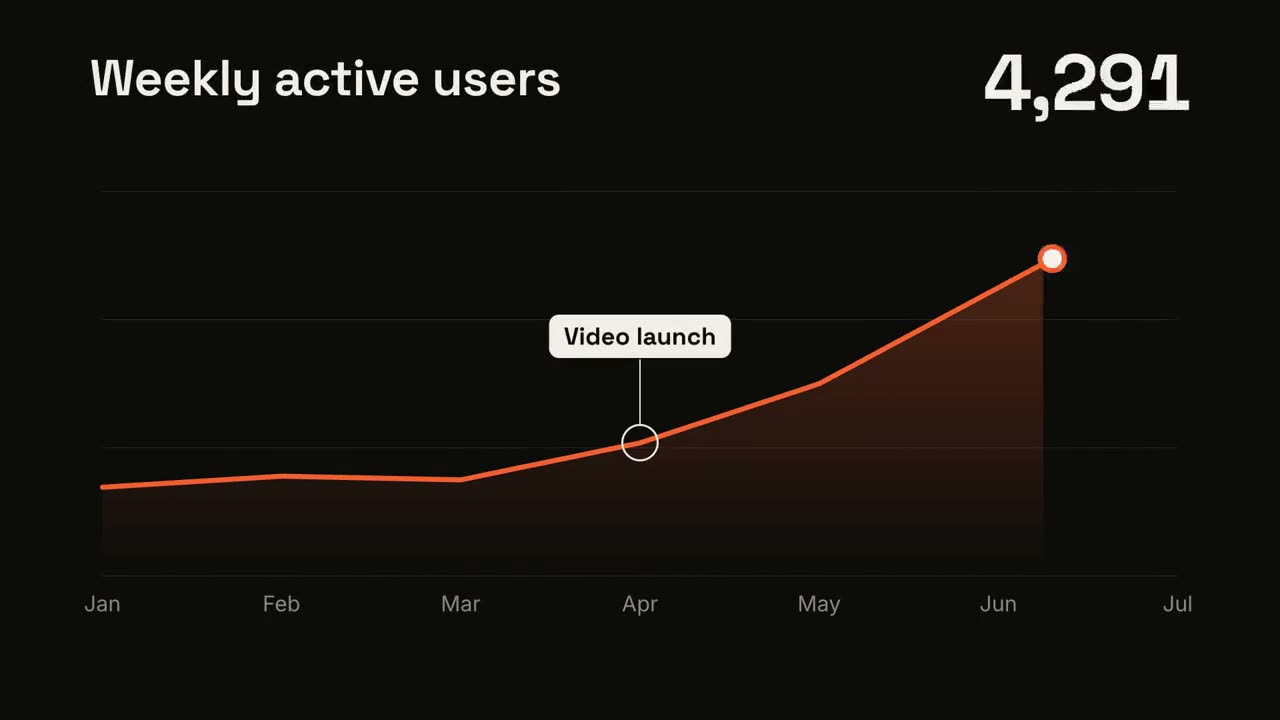
 付費
付費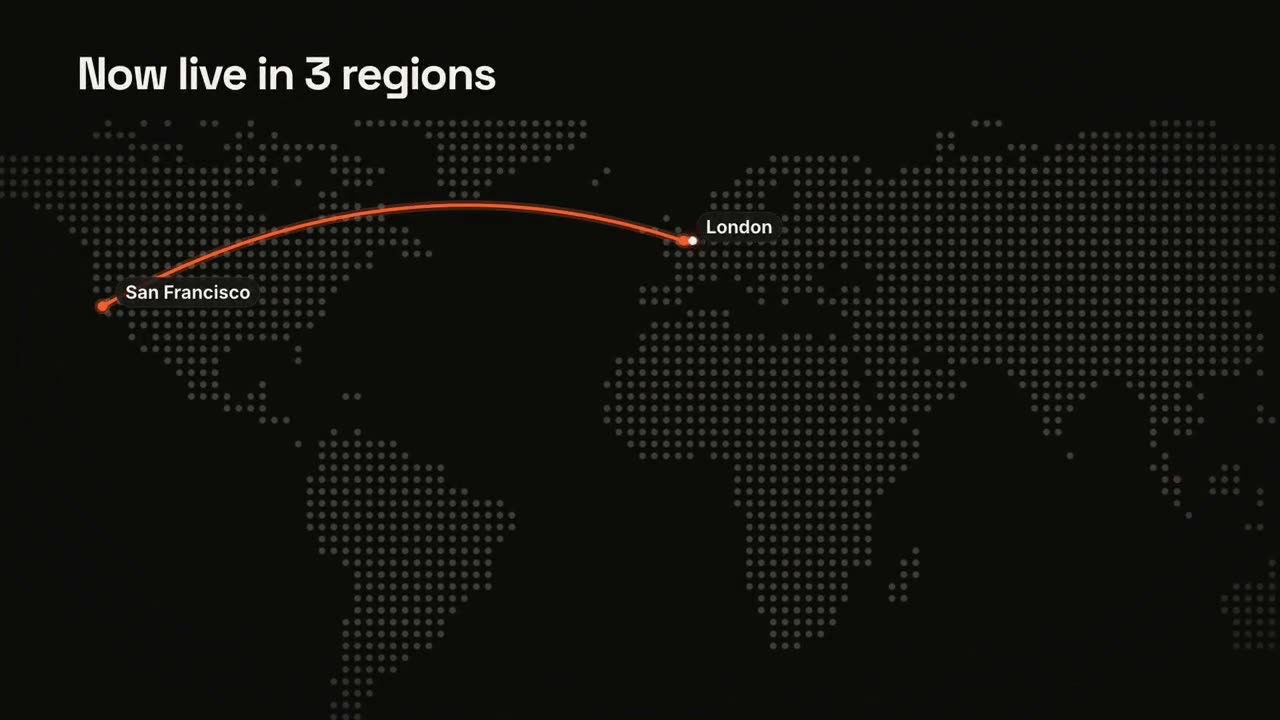 付費
付費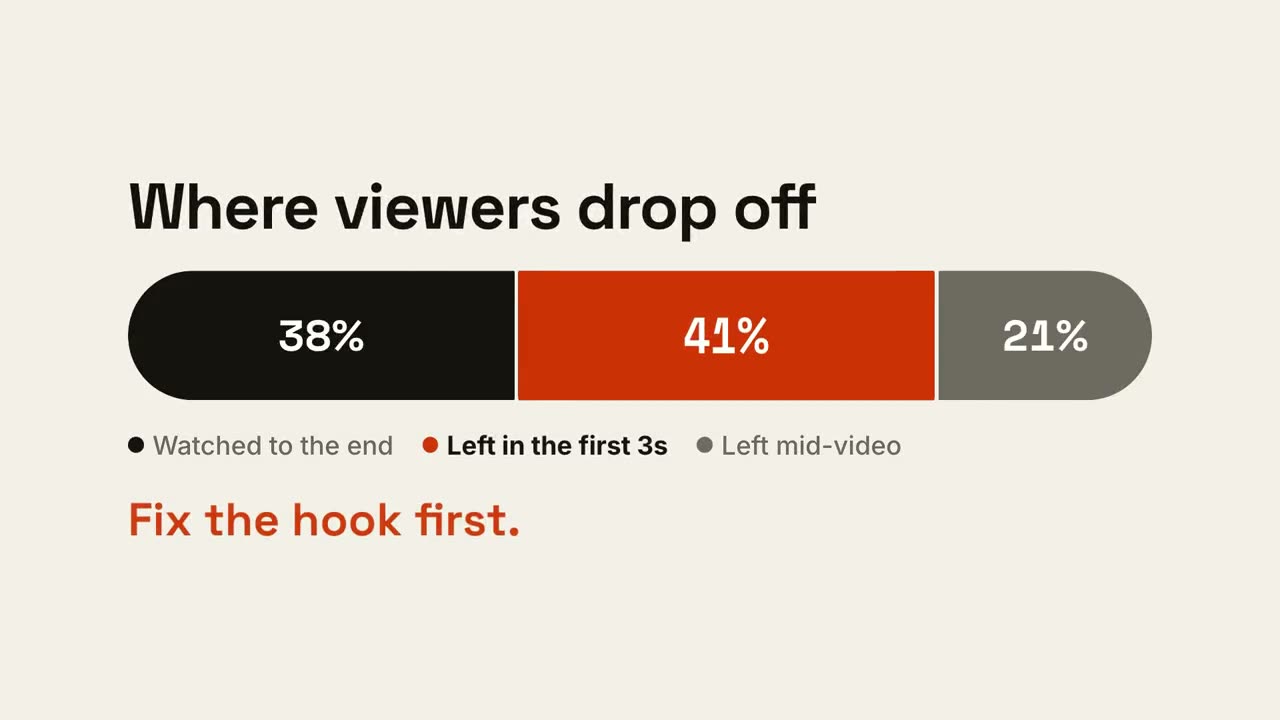 付費免費免費免費免費
 付費
付費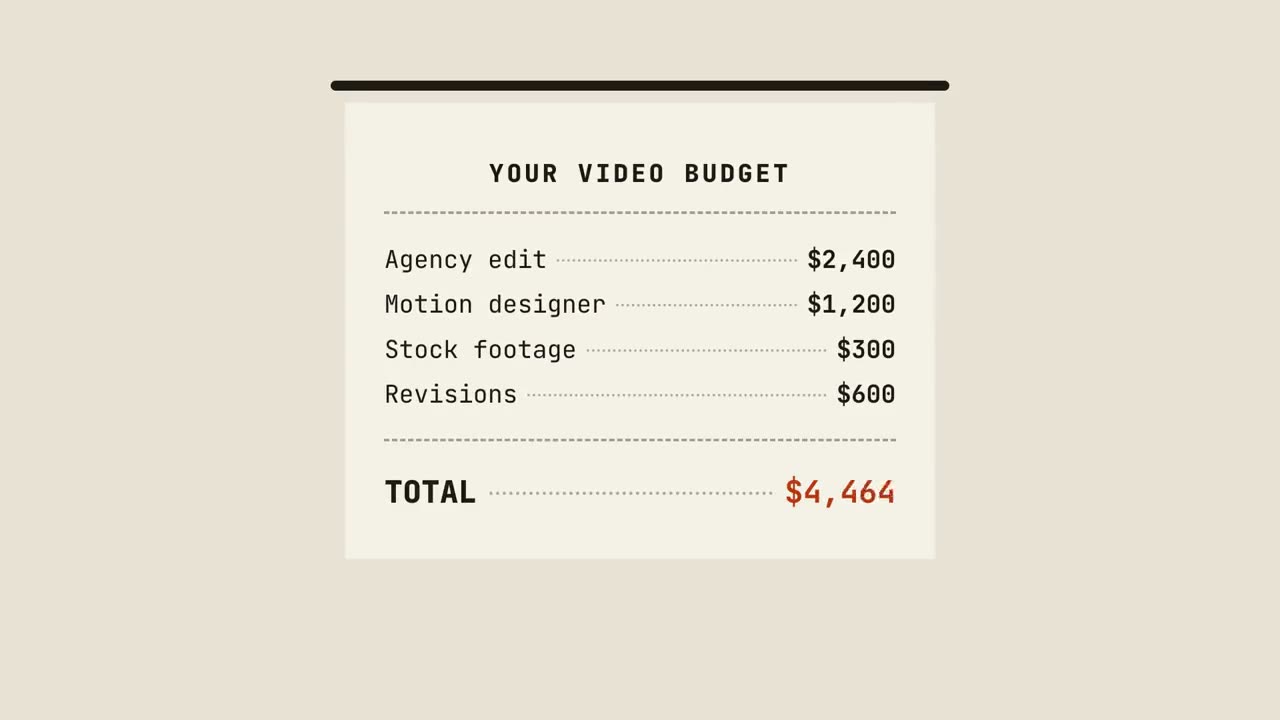 付費
付費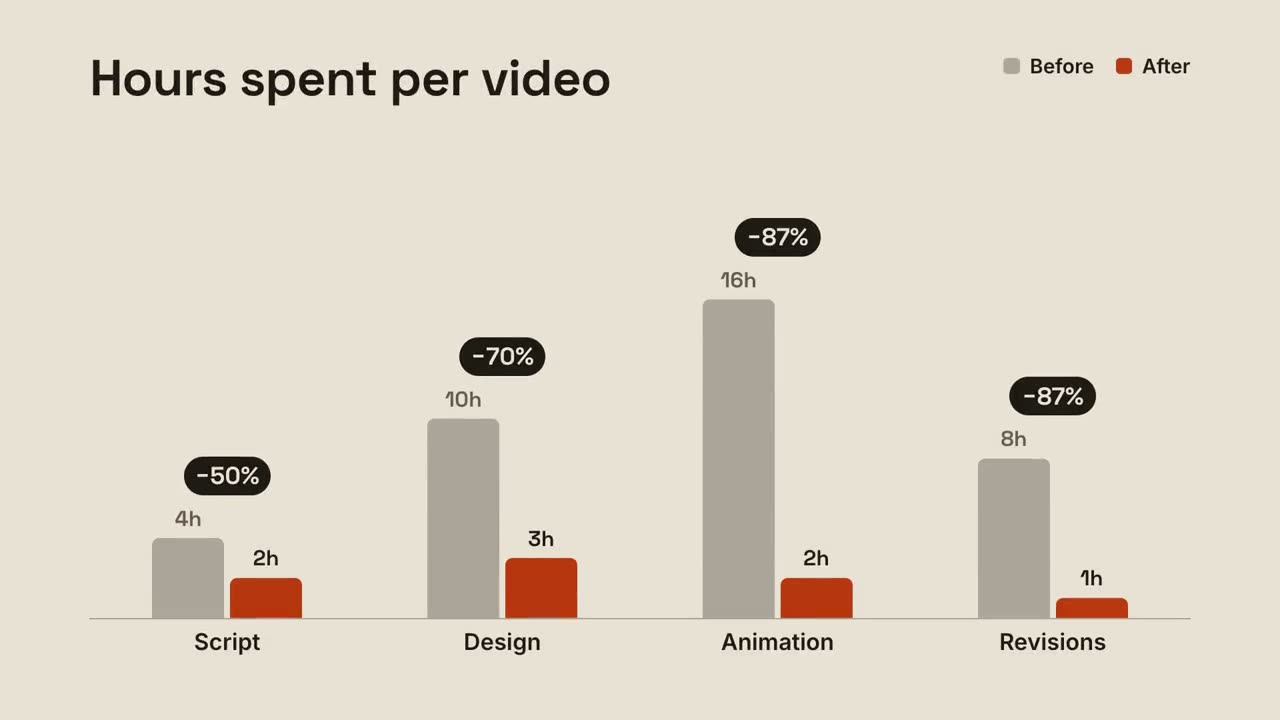 付費
付費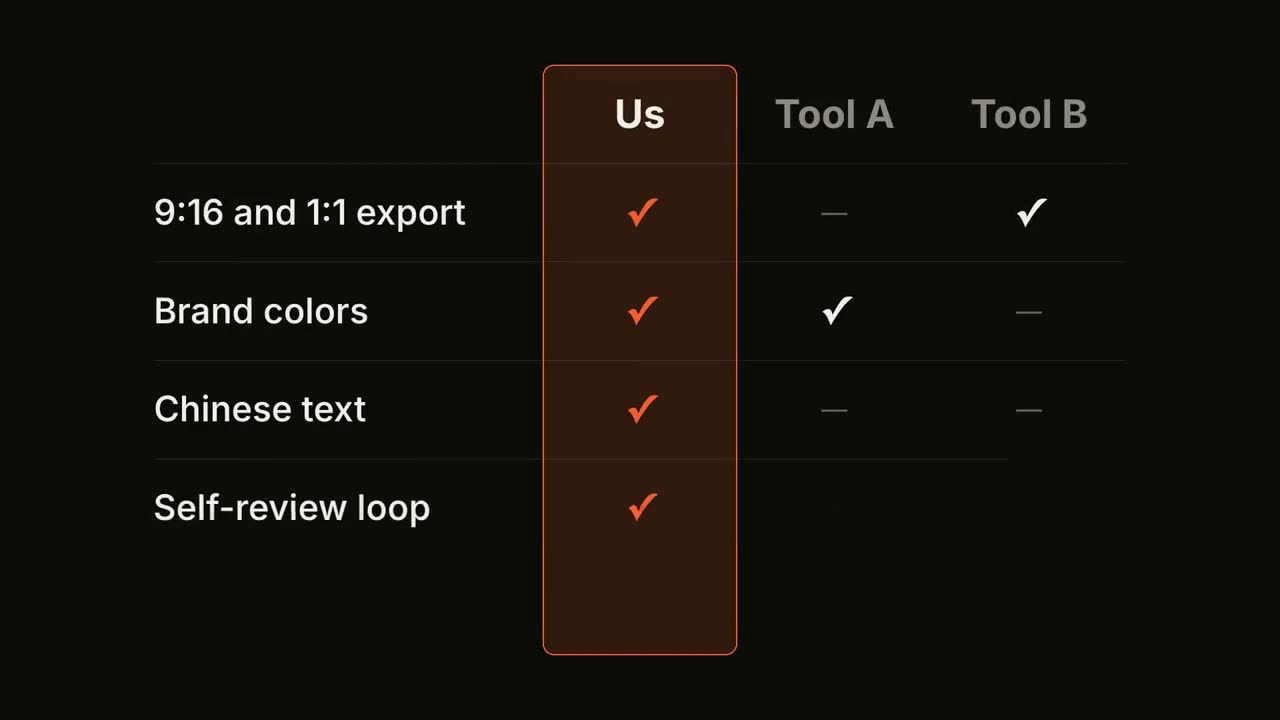 付費
付費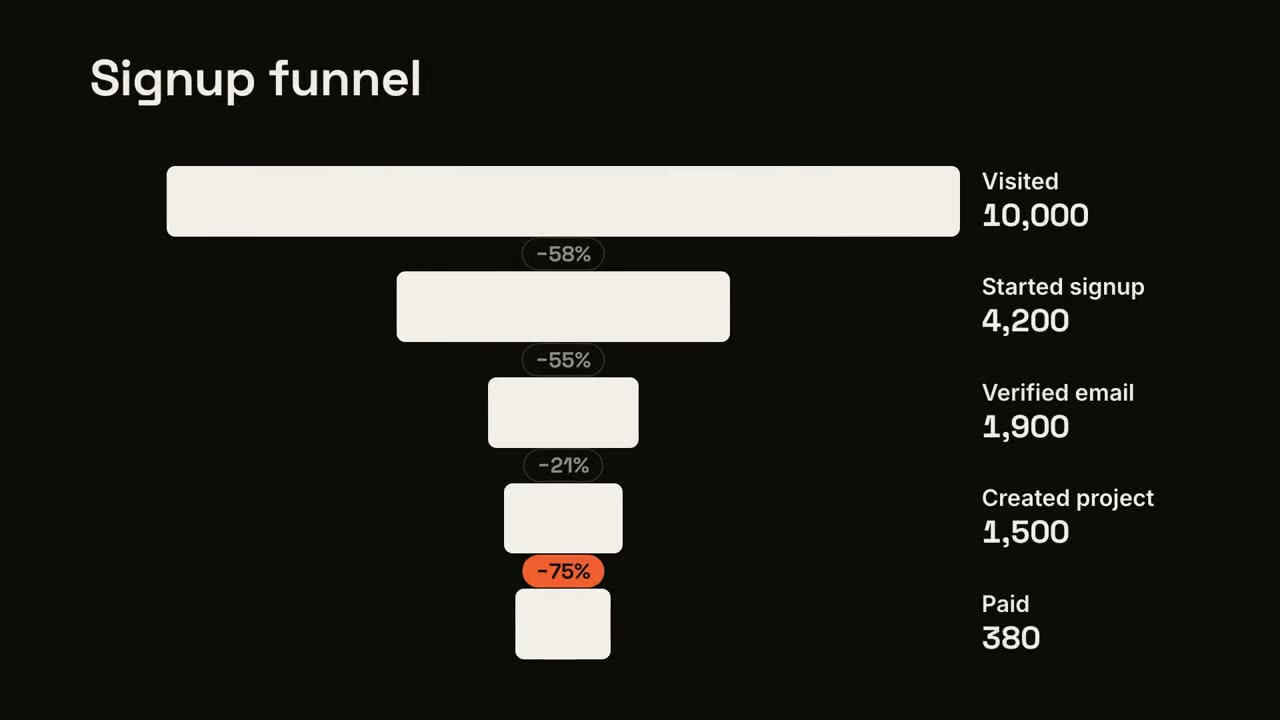 付費
付費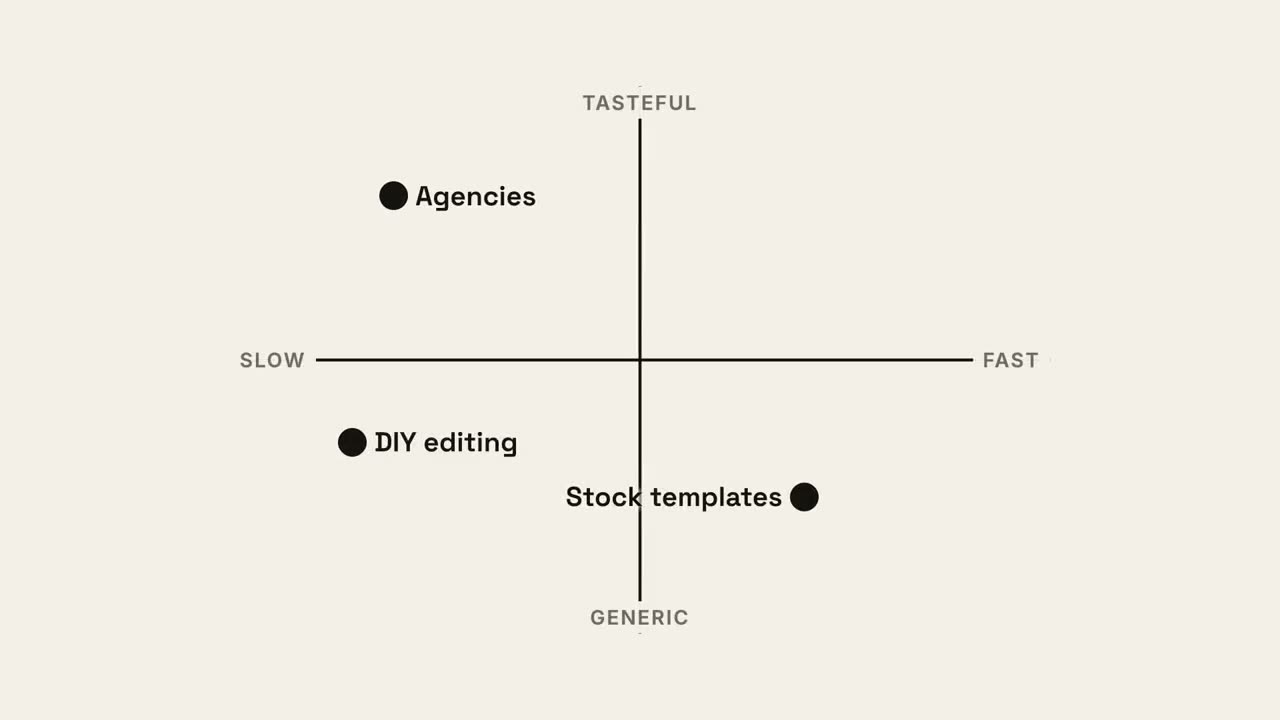 付費
付費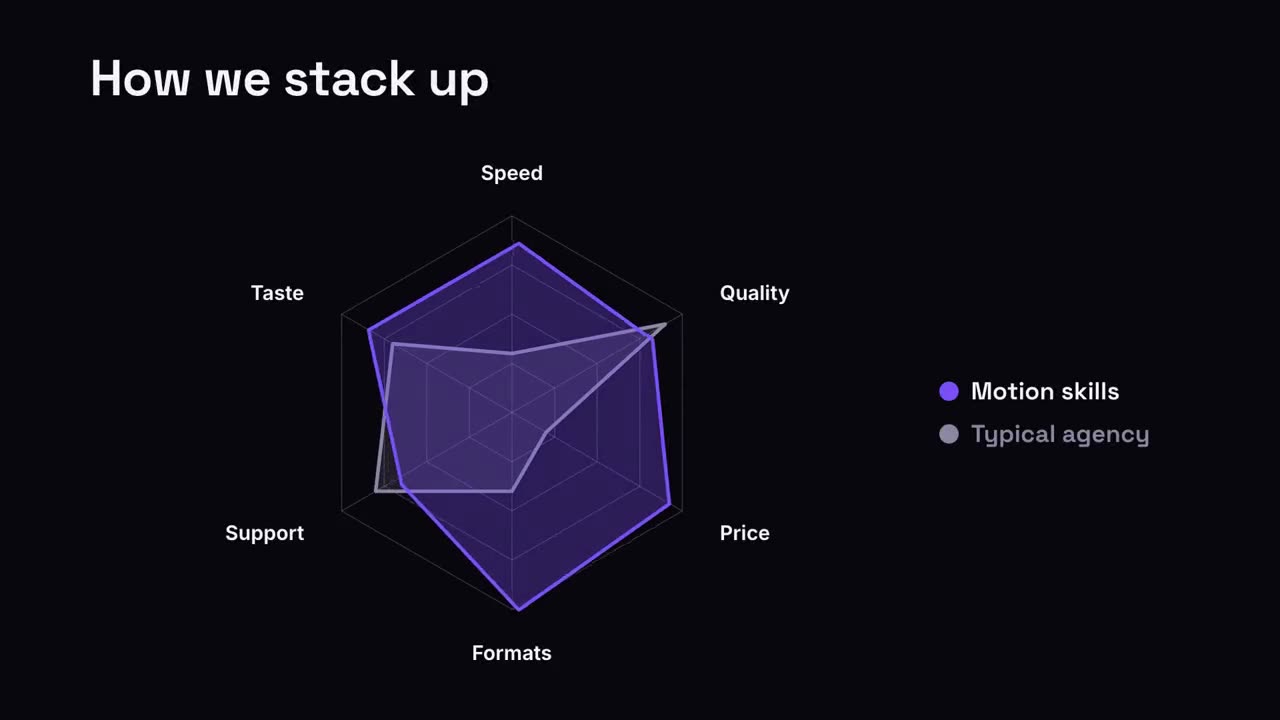 付費
付費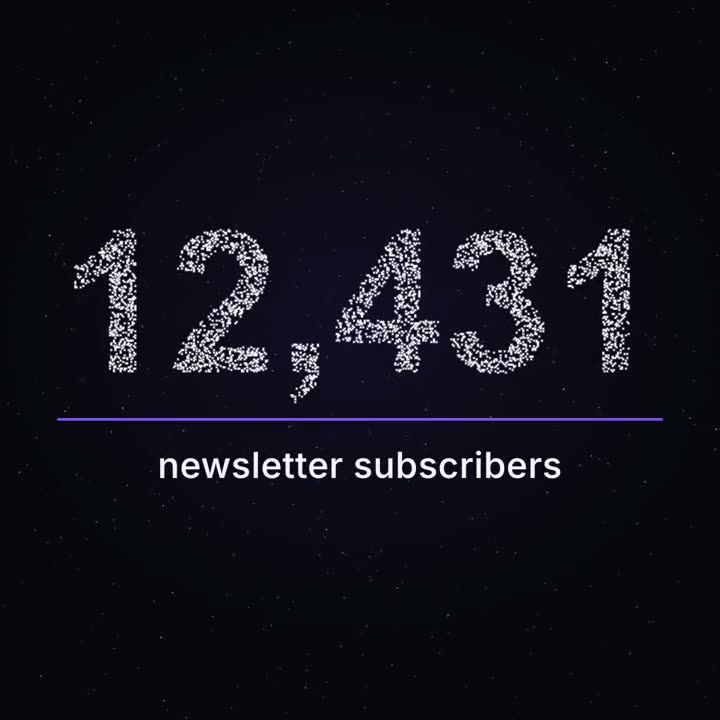 付費
付費
資料與圖表
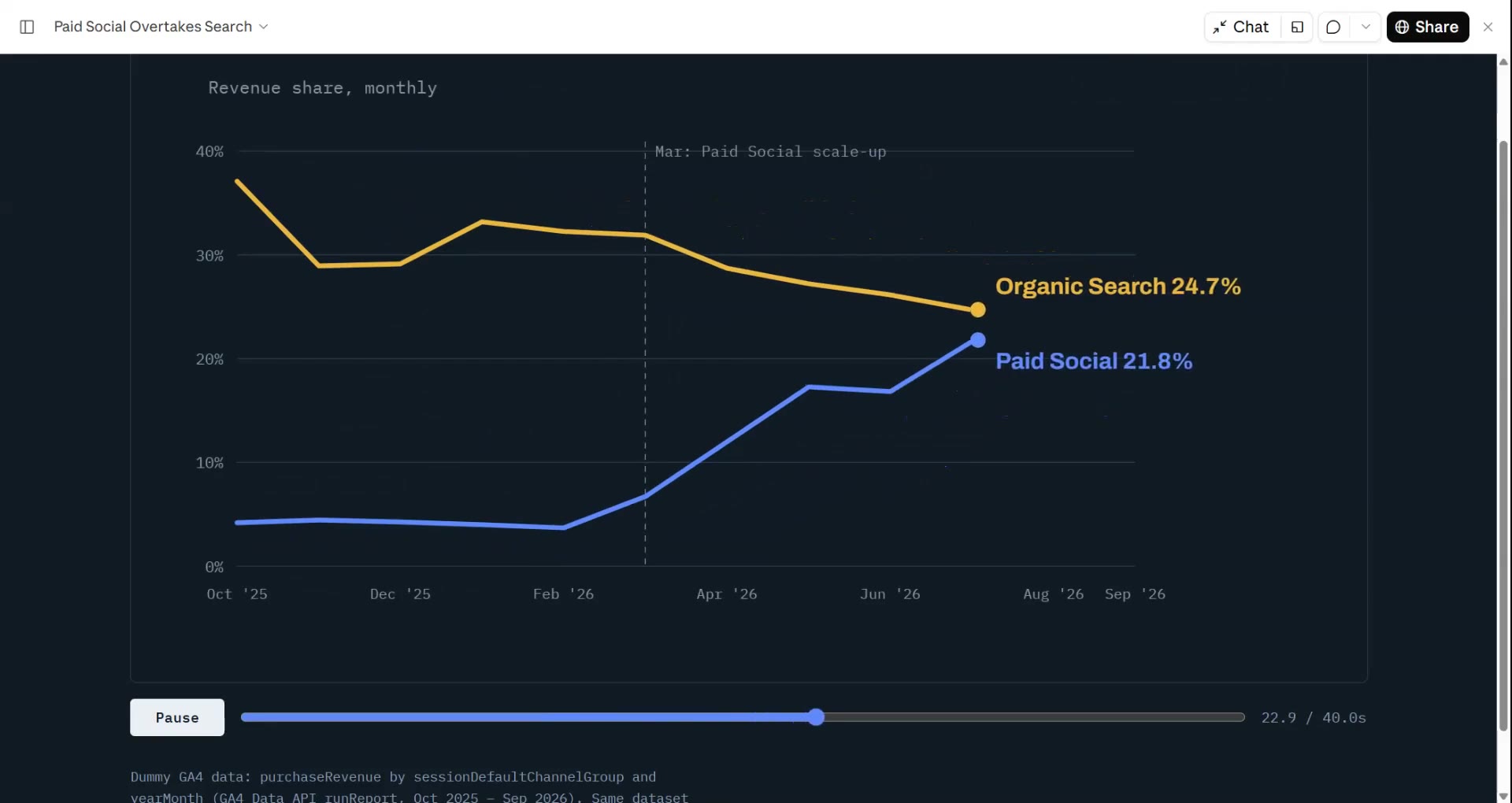
把 CSV 或試算表交給 Agent,「數據 → 影片」幫你找出故事(趨勢、最大漲幅、漏斗流失),用會跳動的數字和自己長出來的圖表算繪成片。每個數字都來自你的檔案。
從你的素材到成片
把手上的素材交給 Agent,工作流負責寫稿、分鏡和算繪 MP4。
從這些提示詞開始
貼上到 Claude Motion,或者安裝對應的 Skill 後交給你的 Agent。
趨勢折線
檢視 Skill →免費風格提示詞(Claude Motion 或 Opus 5.5)
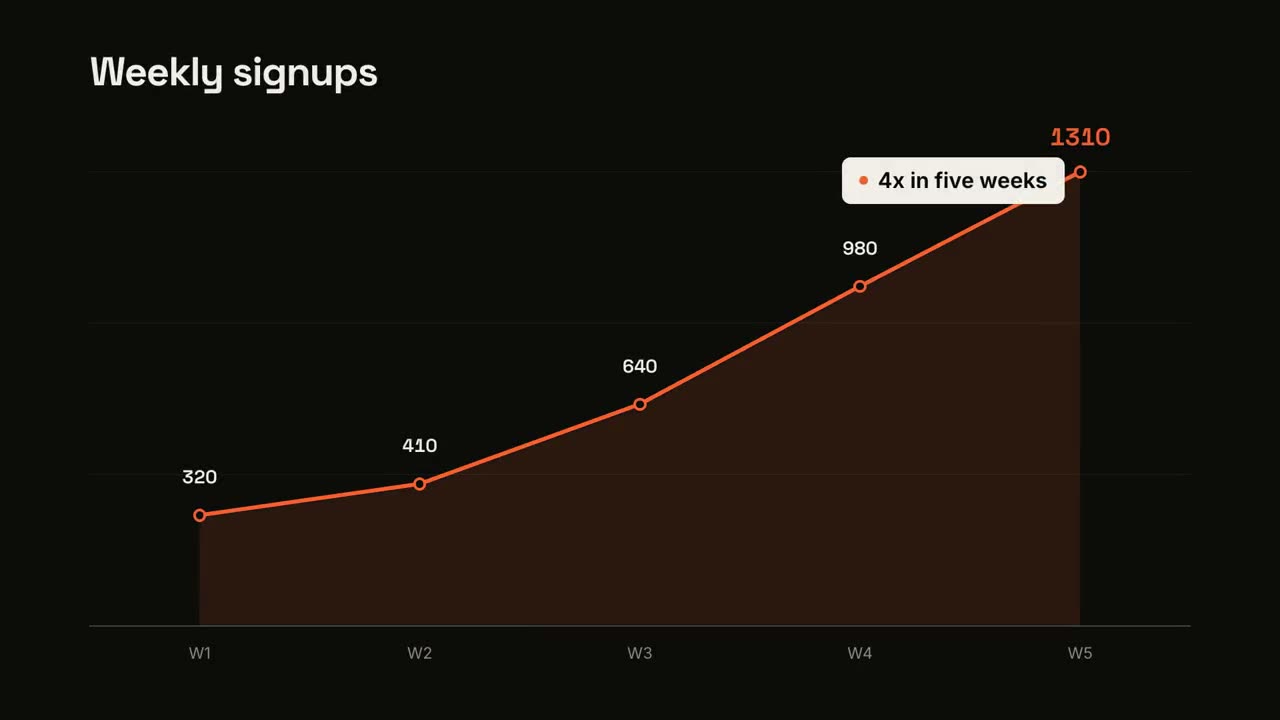
Make a 7-second 16:9 line chart for [who will watch, e.g. the board], playing [where, e.g. the quarterly review]. Use only the numbers I attach or list below; don't round or smooth them. Near-black background.

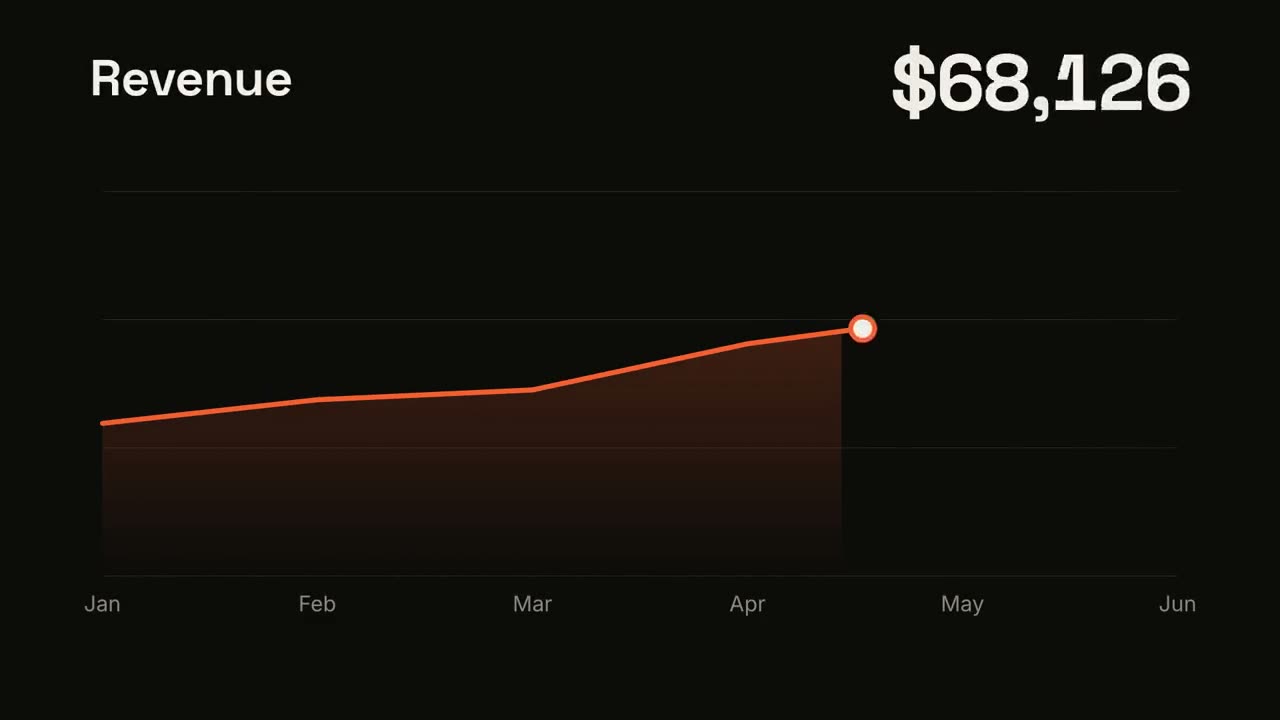
The title sits top left and a large white number top right. An orange line draws from left to right across the period over a fading orange gradient fill, while a white dot with an orange halo rides the tip and the big number counts along with it. At the marked point, a white ring appears on the line with a thin stem and a white label. End frame: the big number turns orange, held for 1.5 seconds.

Title: [e.g. "Weekly active users"]
Data: [your periods and values] (e.g. Jan to Jul, 1,200 to 5,200)
Marked point and label: [e.g. April, "Video launch"]
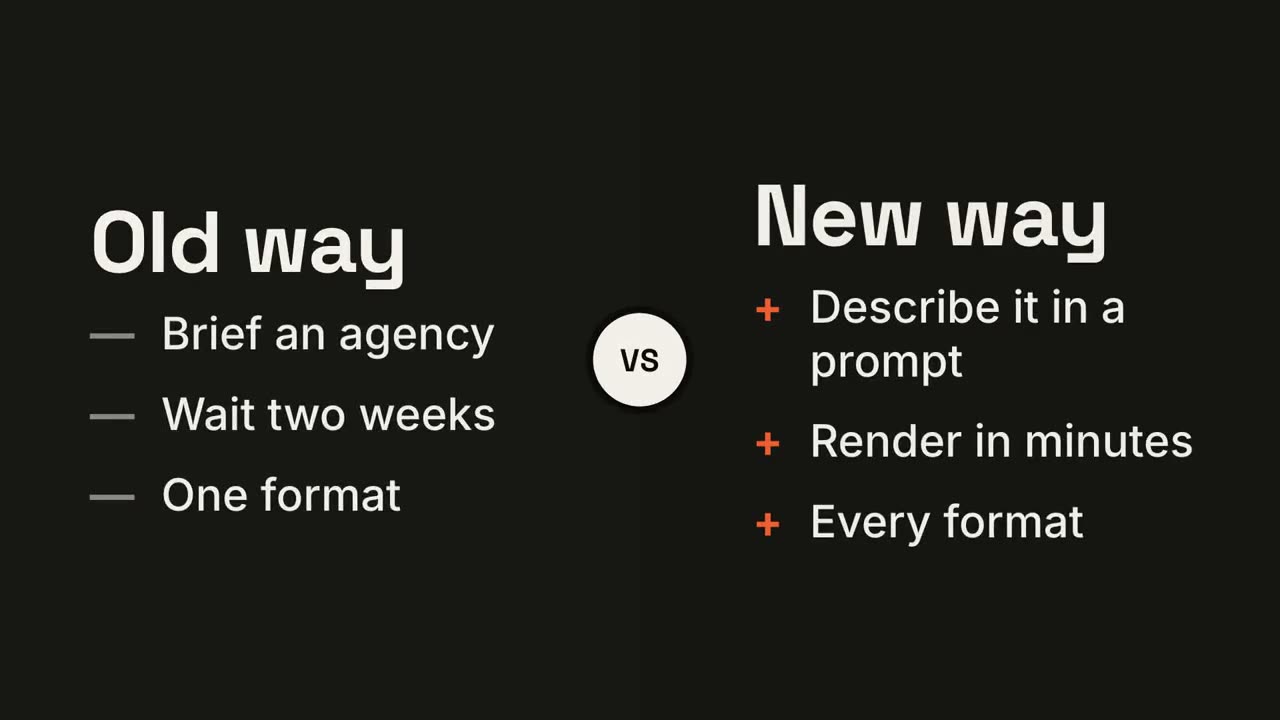
左右對決
檢視 Skill →免費風格提示詞(Claude Motion 或 Opus 5.5)
Make a 7-second 16:9 comparison for [who will watch, e.g. prospects deciding between us and an agency], playing [where, e.g. the sales deck]. Use only the two titles and six points below; don't reword them. Near-black background.

The frame splits into two dark panels that slide in from the left and right. A white circular "VS" badge spins into the center. The left panel lists its three points with dashes; the right panel lists its three with orange plus signs. End frame: the right panel floods orange with black text and scales up slightly while the left panel dims.

Left title and points: [e.g. "Old way": "Brief an agency", "Wait two weeks", "One format"]
Right title and points: [e.g. "New way": "Describe it in a prompt", "Render in minutes", "Every format"]
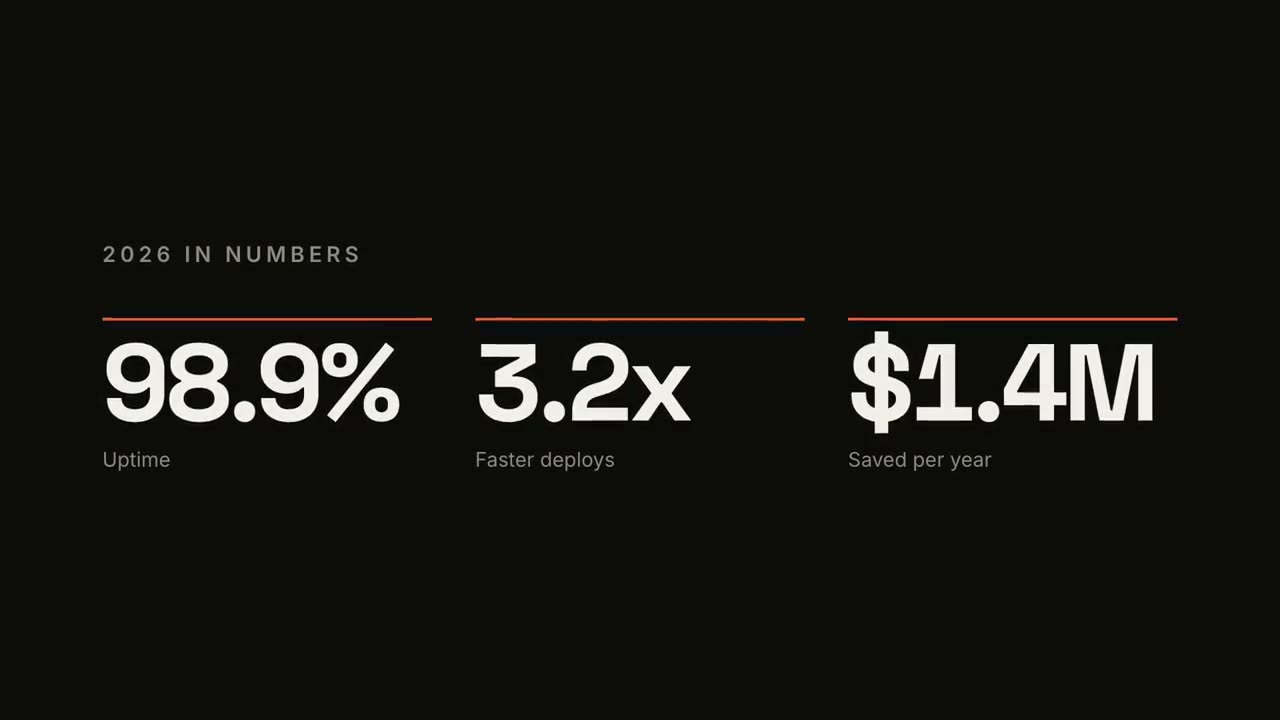
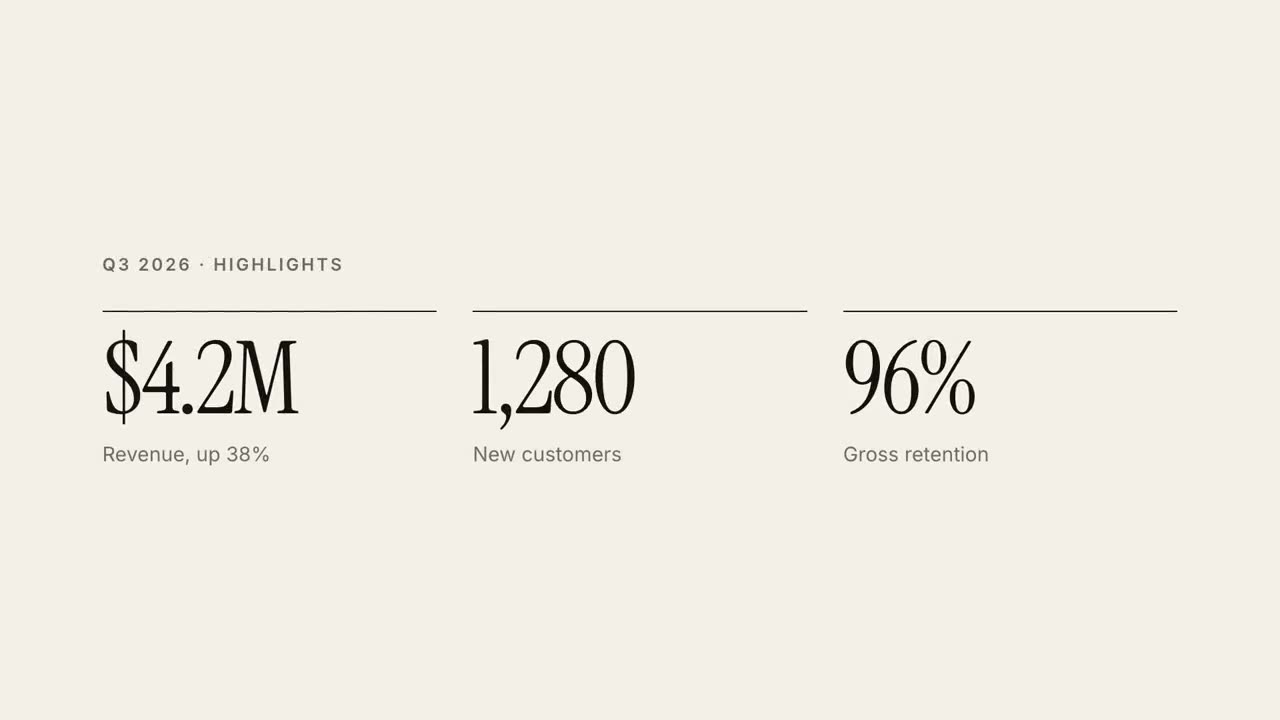
KPI 數字計數
檢視 Skill →免費風格提示詞(Claude Motion 或 Opus 5.5)
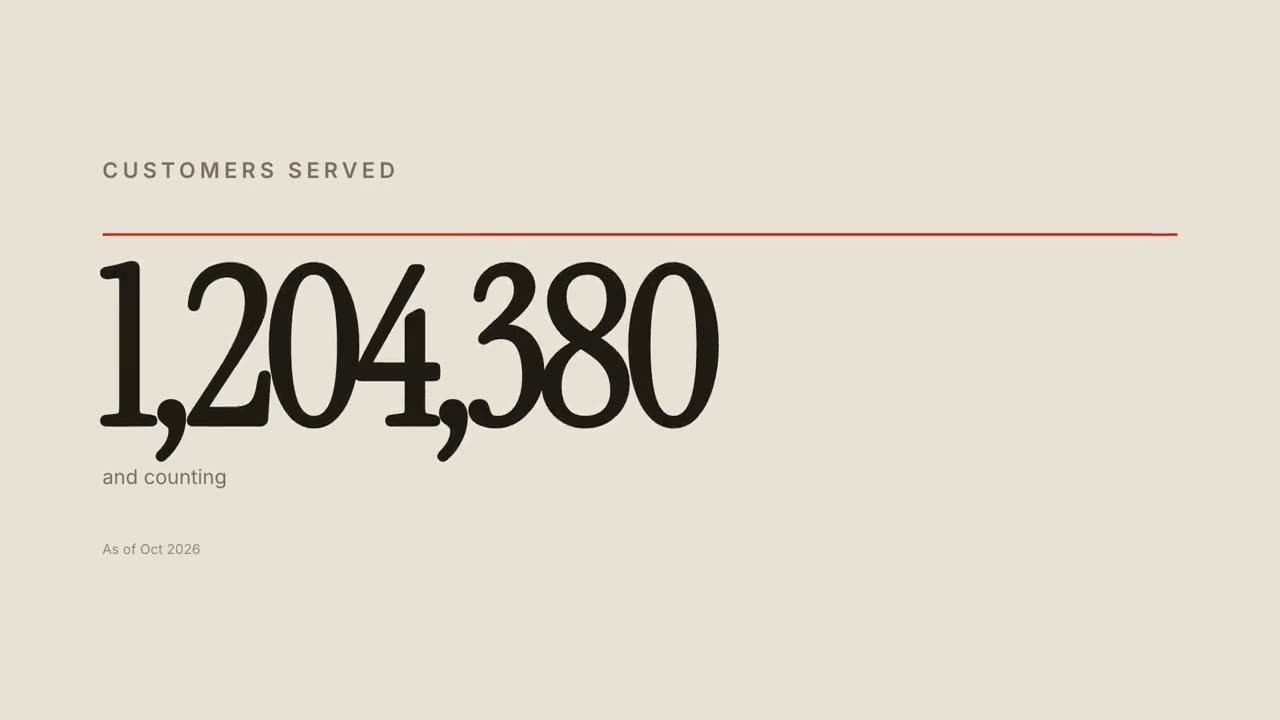
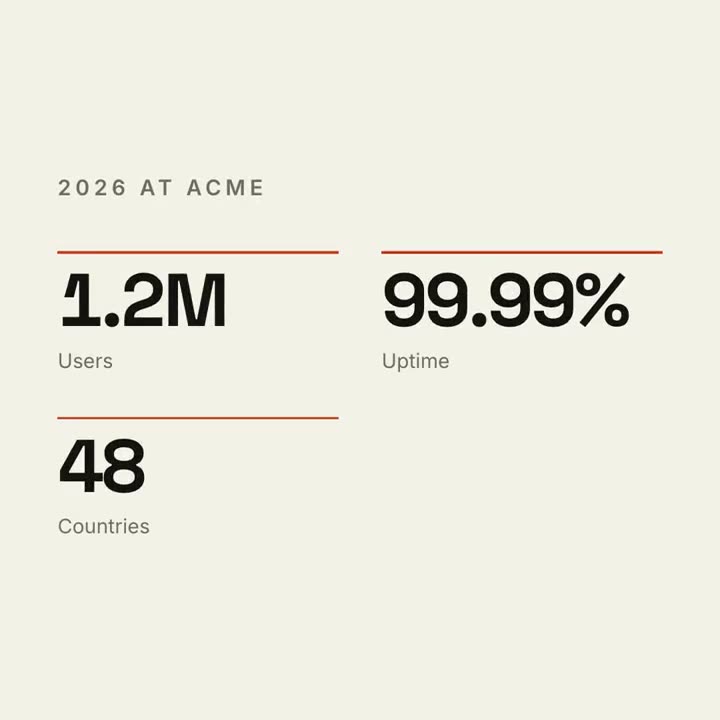
Make a 7-second 16:9 stat animation for [who will watch, e.g. customers reading our year in review], playing [where, e.g. the newsletter and LinkedIn]. Use only the numbers below; don't round or change them. Near-black background.

A small uppercase gray title tightens its letter spacing as it fades in. Three columns appear one after another: each has a thin orange bar that sweeps across, then a huge off-white number counts up from zero, with a gray label beneath. End frame: hold on the final numbers.

Title: [e.g. "2026 IN NUMBERS"]
Three numbers and labels: [e.g. "98.9%" Uptime, "3.2x" Faster deploys, "$1.4M" Saved per year]
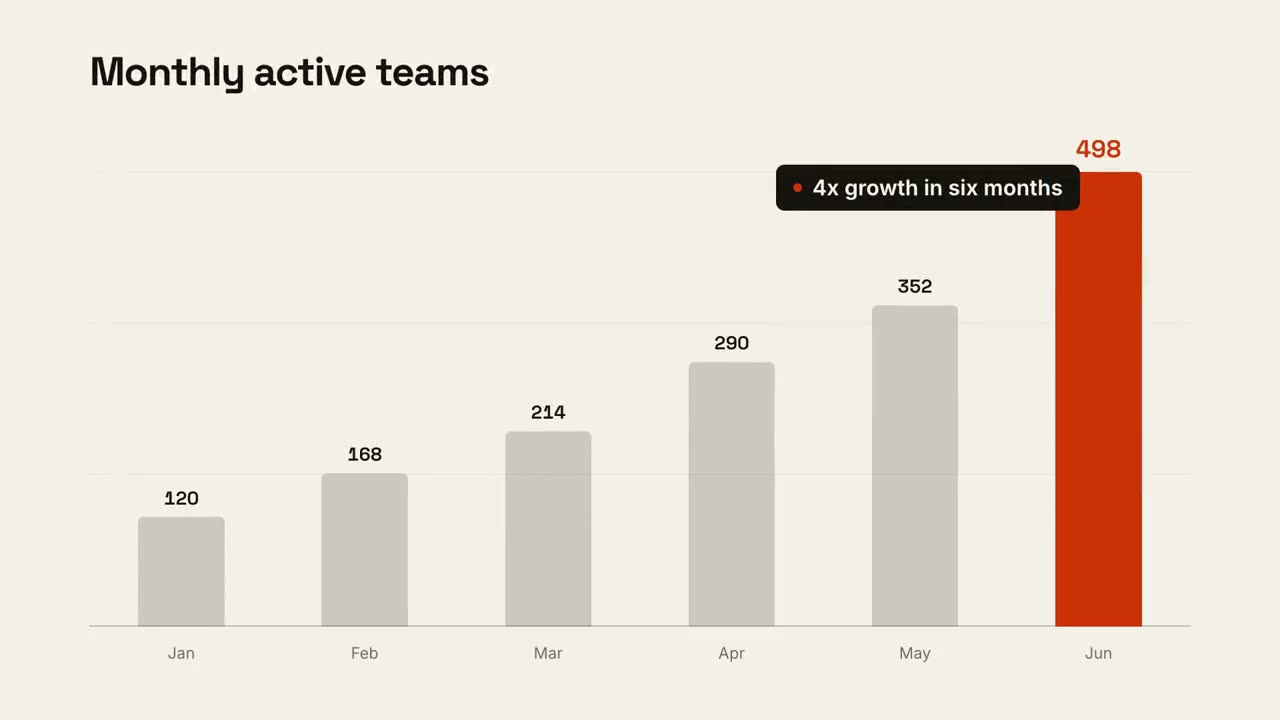
資料圖表故事
檢視 Skill →免費風格提示詞(Claude Motion 或 Opus 5.5)
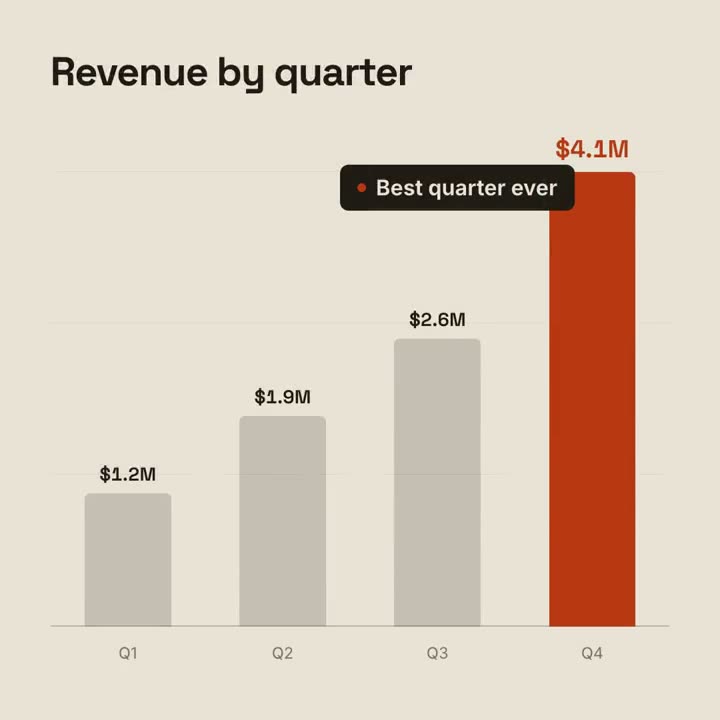
Make a 9-second 16:9 animated bar chart for [who will watch, e.g. investors], playing [where, e.g. the monthly update]. Use only the numbers I attach or list below; don't round or change any of them. Warm off-white background, bold geometric sans.

The title fades in at the top left. A baseline draws across and faint gridlines appear. The gray bars grow one after another with their values counting up above them; the last bar is orange-red with its value in the same accent. End frame: a black pill with an orange dot slides in near the last bar with the takeaway, held for 2 seconds.

Title: [e.g. "Monthly active teams"]
Data: [your labels and values] (e.g. Jan–Jun: 120, 168, 214, 290, 352, 498)
Takeaway: [e.g. "4x growth in six months"]
可單獨使用的場景
30 秒報告講解
把季報做成 30 秒雜誌風講解影片。
資料16:9 / 9:16 / 1:1
地圖路線
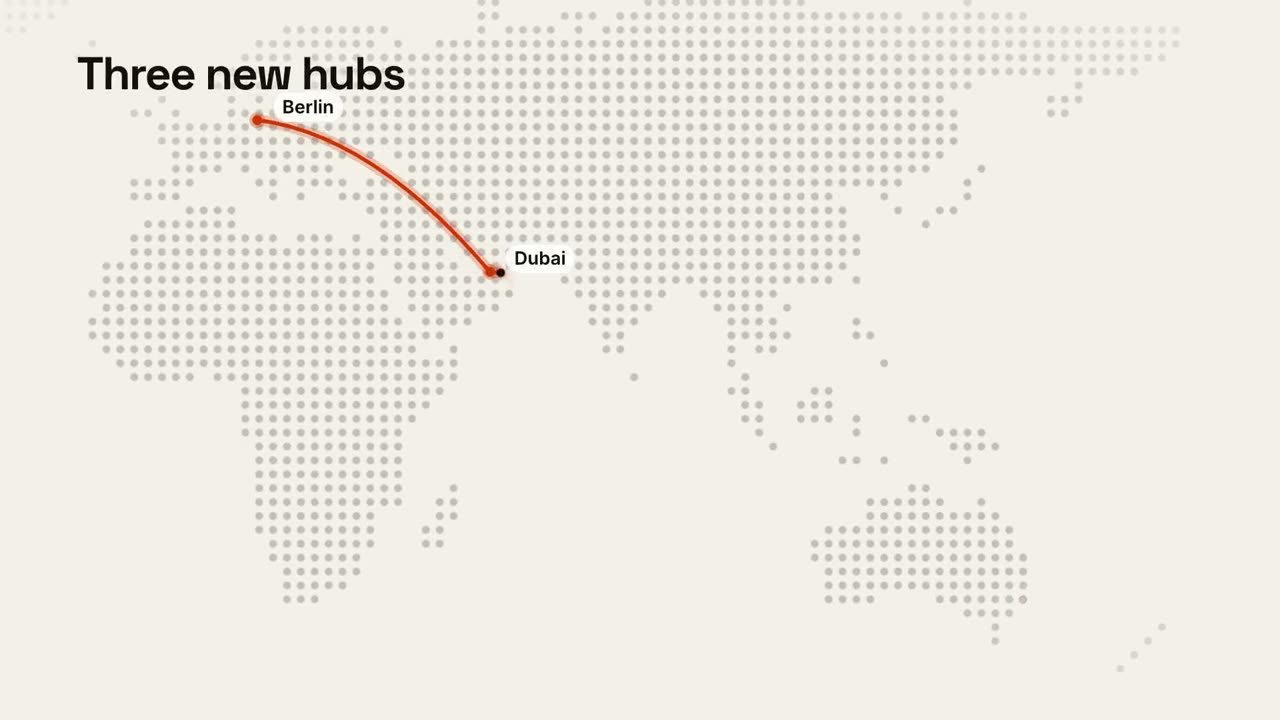
點陣世界地圖上的動態路線。
資料16:9 / 9:16 / 1:1
比例條
一根長條按比例分段,再突出最關鍵的那一段。
講解16:9 / 9:16 / 1:1
資料圖表故事
柱狀圖或折線圖動畫,最後點出結論。
資料16:9 / 9:16 / 1:1
KPI 數字計數
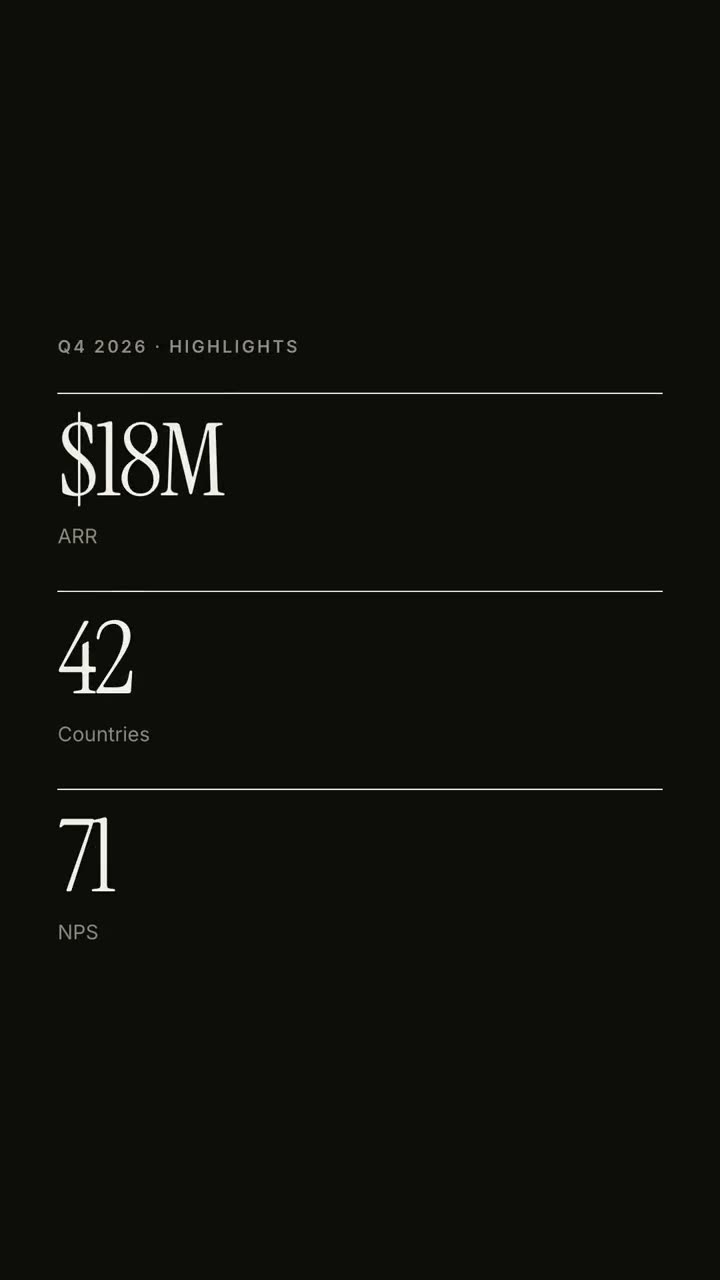
最多四個關鍵數字,帶計數動畫。
資料16:9 / 9:16 / 1:1
左右對決
兩側圍繞 VS 徽章展開,勝出的一方亮起。
講解16:9 / 9:16 / 1:1
趨勢折線
折線隨即時數值畫出,並標註一個關鍵時刻。
講解16:9 / 9:16 / 1:1
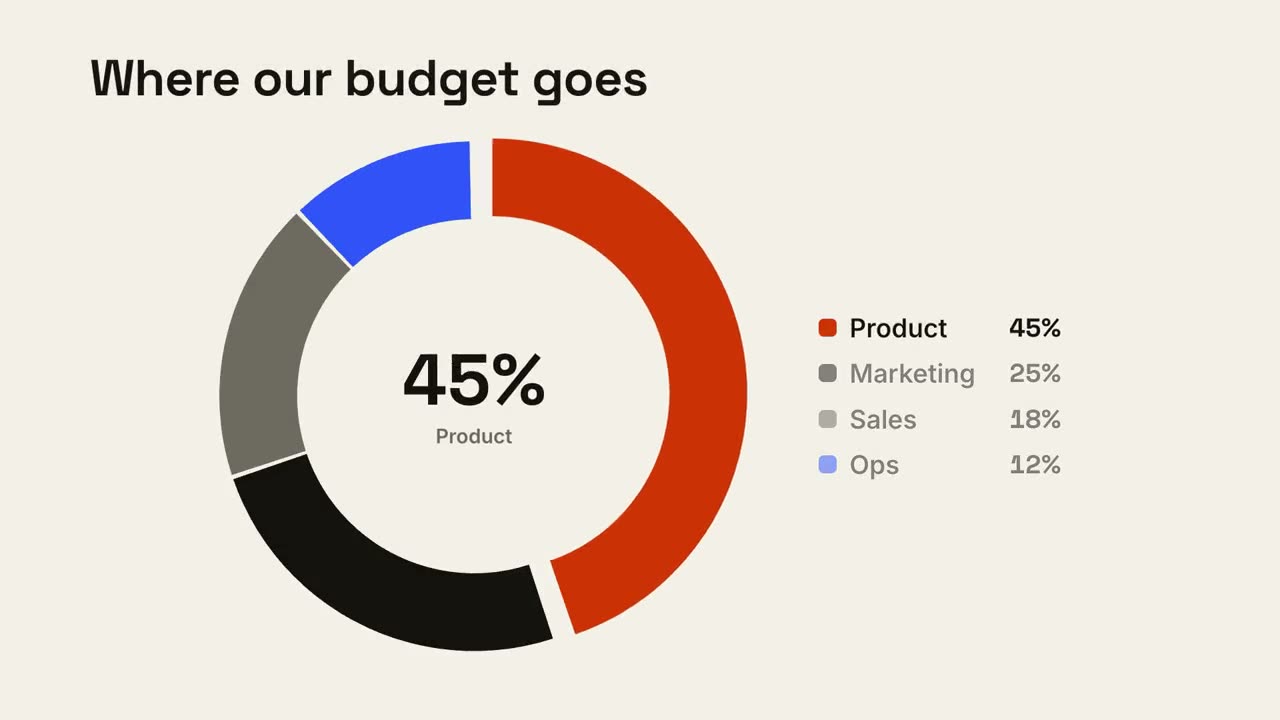
環形佔比
環形圖逐段畫出,最大的一塊向外彈出。
講解16:9 / 9:16 / 1:1
帳單小票
小票逐行列印、彙總金額,最後蓋上印章。
講解16:9 / 9:16 / 1:1
分組對比柱
每組前後兩根柱子對比,變化百分比在上方彈出。
講解16:9 / 9:16 / 1:1
功能對比表
對比表逐行填入,你的那一列始終高亮。
講解16:9 / 9:16 / 1:1
漏斗流失
漏斗逐級收窄,並標出流失最嚴重的一步。
講解16:9 / 9:16 / 1:1
四象限定位
2×2 定點陣圖,你的圓點佔據最好的那個象限。
講解16:9 / 9:16 / 1:1
雷達對比
雷達圖上,你的圖形把對比物件比下去。
講解16:9 / 9:16 / 1:1
里程碑粒子數字
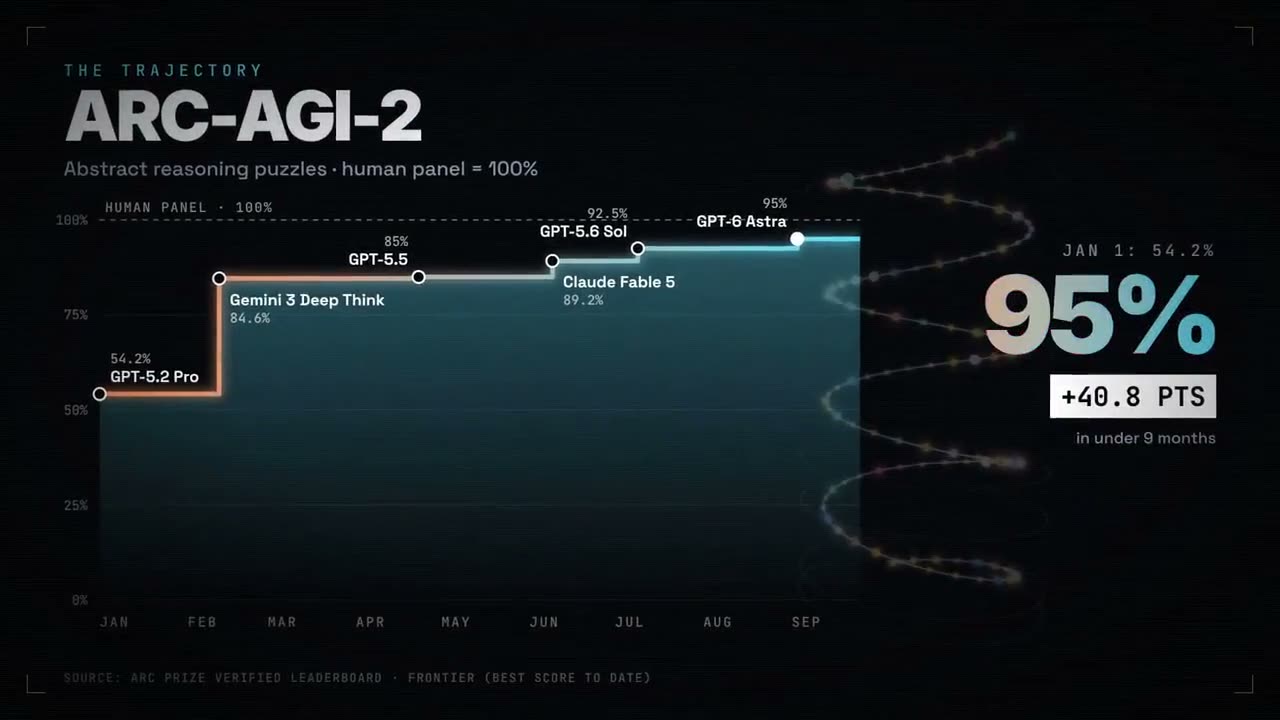
成千上萬個光點像星空般漂浮,再聚成你的真實數字。
資料1:1 / 9:16 / 16:9