← 활용 사례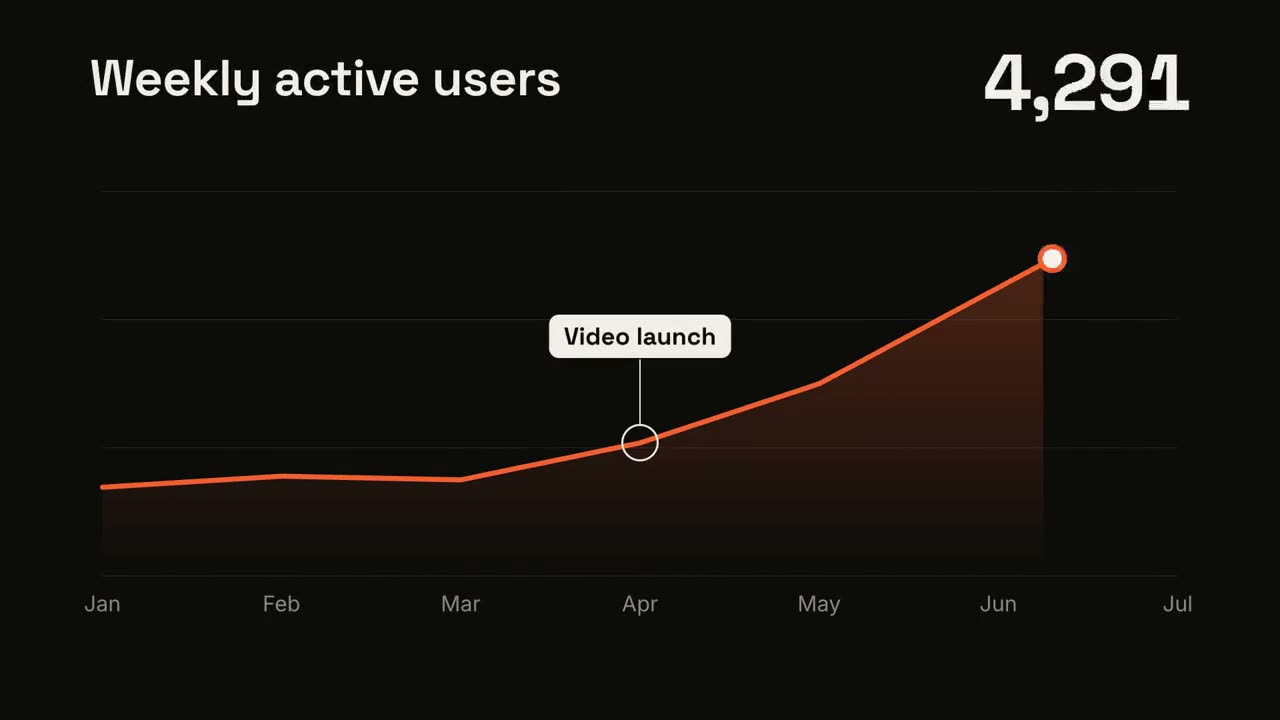
 Premium
 Premium
 Premium무료무료무료무료
 Premium
 Premium
 Premium
 Premium
 Premium
 Premium
 Premium
 Premium
데이터와 차트
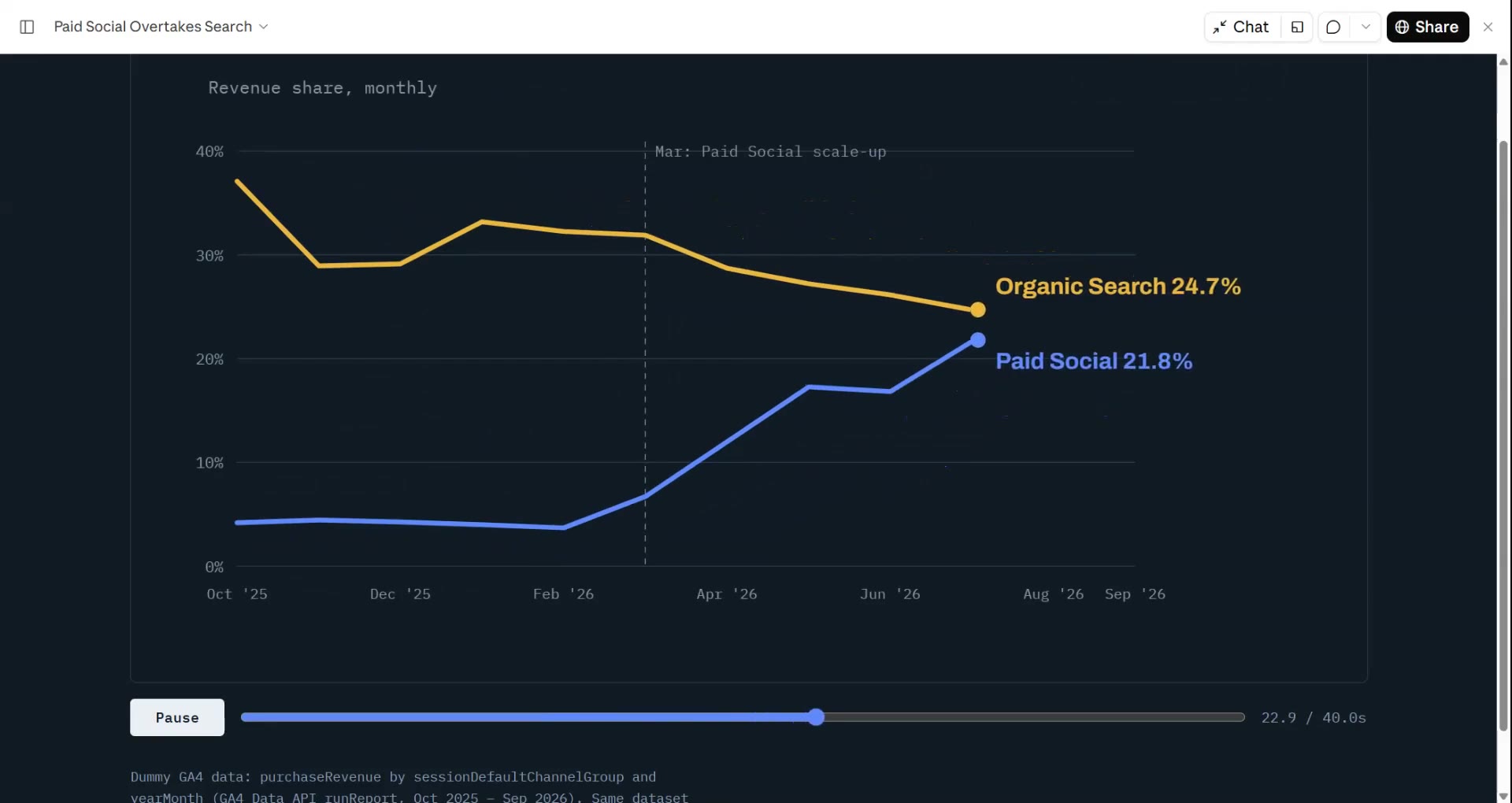
CSV나 스프레드시트를 주면 Data → Video가 이야기(추세, 가장 큰 상승, 퍼널 이탈)를 찾아 올라가는 숫자와 스스로 그려지는 차트로 영상을 만듭니다. 모든 숫자는 파일에서 가져옵니다.
가진 자료에서 완성 영상까지
가진 자료를 에이전트에게 주면 워크플로가 대본, 연출, MP4 렌더링까지 합니다.
이 프롬프트부터 시작하세요
Claude Motion에 붙여 넣거나, 맞는 Skill을 설치해 에이전트에게 요청하세요.
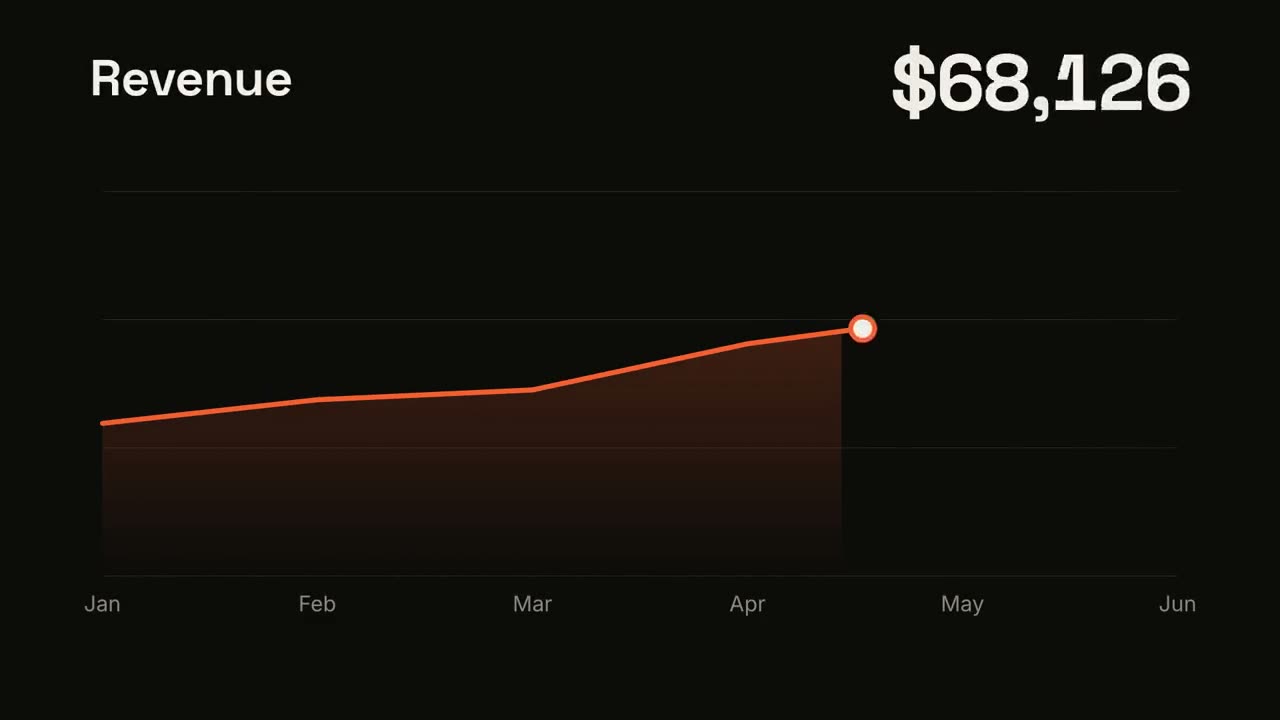
꺾은선 추세
Skill 열기 →무료스타일 프롬프트 (Claude Motion 또는 Opus 5.5)
Make a 7-second 16:9 line chart for [who will watch, e.g. the board], playing [where, e.g. the quarterly review]. Use only the numbers I attach or list below; don't round or smooth them. Near-black background.

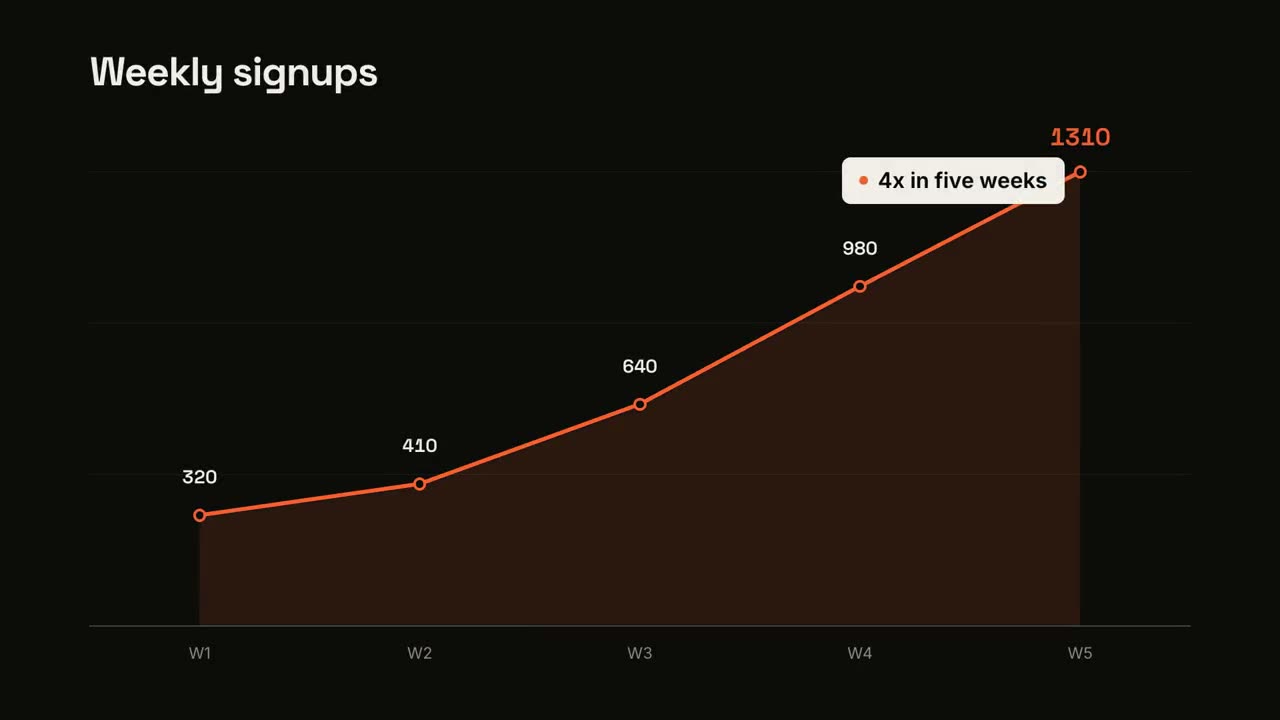
The title sits top left and a large white number top right. An orange line draws from left to right across the period over a fading orange gradient fill, while a white dot with an orange halo rides the tip and the big number counts along with it. At the marked point, a white ring appears on the line with a thin stem and a white label. End frame: the big number turns orange, held for 1.5 seconds.

Title: [e.g. "Weekly active users"]
Data: [your periods and values] (e.g. Jan to Jul, 1,200 to 5,200)
Marked point and label: [e.g. April, "Video launch"]
대결 분할
Skill 열기 →무료스타일 프롬프트 (Claude Motion 또는 Opus 5.5)
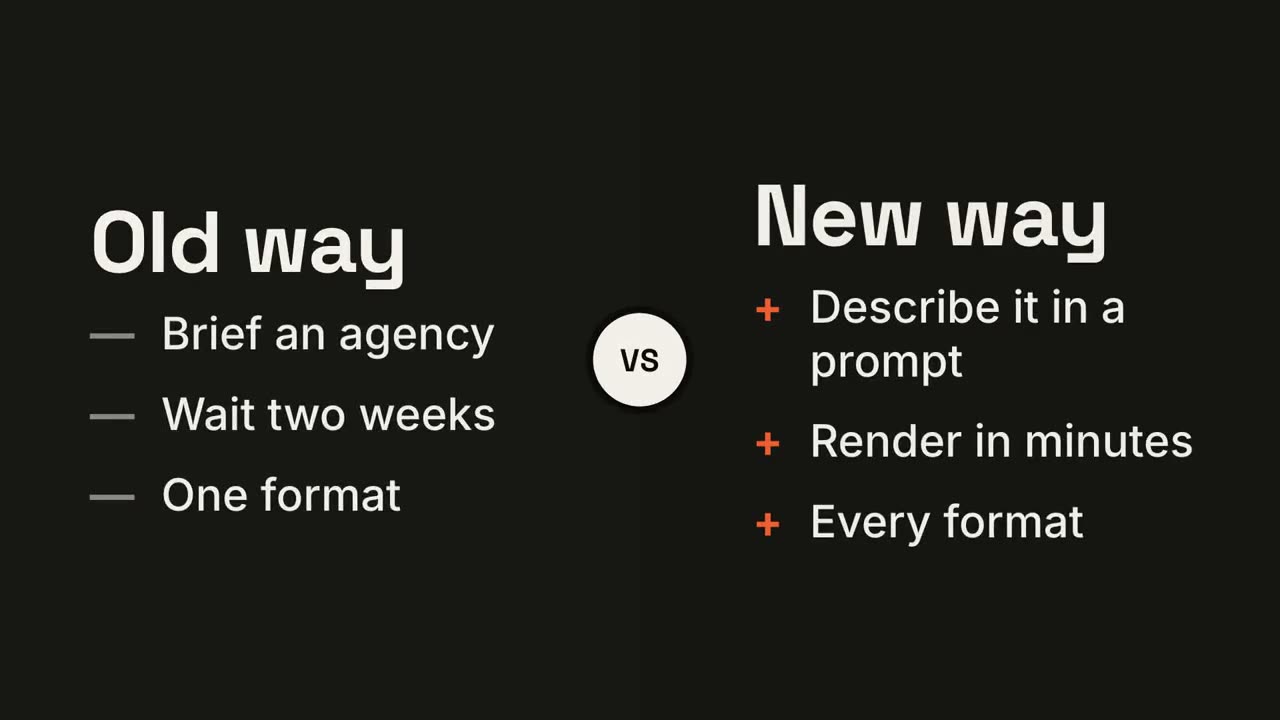
Make a 7-second 16:9 comparison for [who will watch, e.g. prospects deciding between us and an agency], playing [where, e.g. the sales deck]. Use only the two titles and six points below; don't reword them. Near-black background.

The frame splits into two dark panels that slide in from the left and right. A white circular "VS" badge spins into the center. The left panel lists its three points with dashes; the right panel lists its three with orange plus signs. End frame: the right panel floods orange with black text and scales up slightly while the left panel dims.

Left title and points: [e.g. "Old way": "Brief an agency", "Wait two weeks", "One format"]
Right title and points: [e.g. "New way": "Describe it in a prompt", "Render in minutes", "Every format"]
KPI 카운터
Skill 열기 →무료스타일 프롬프트 (Claude Motion 또는 Opus 5.5)
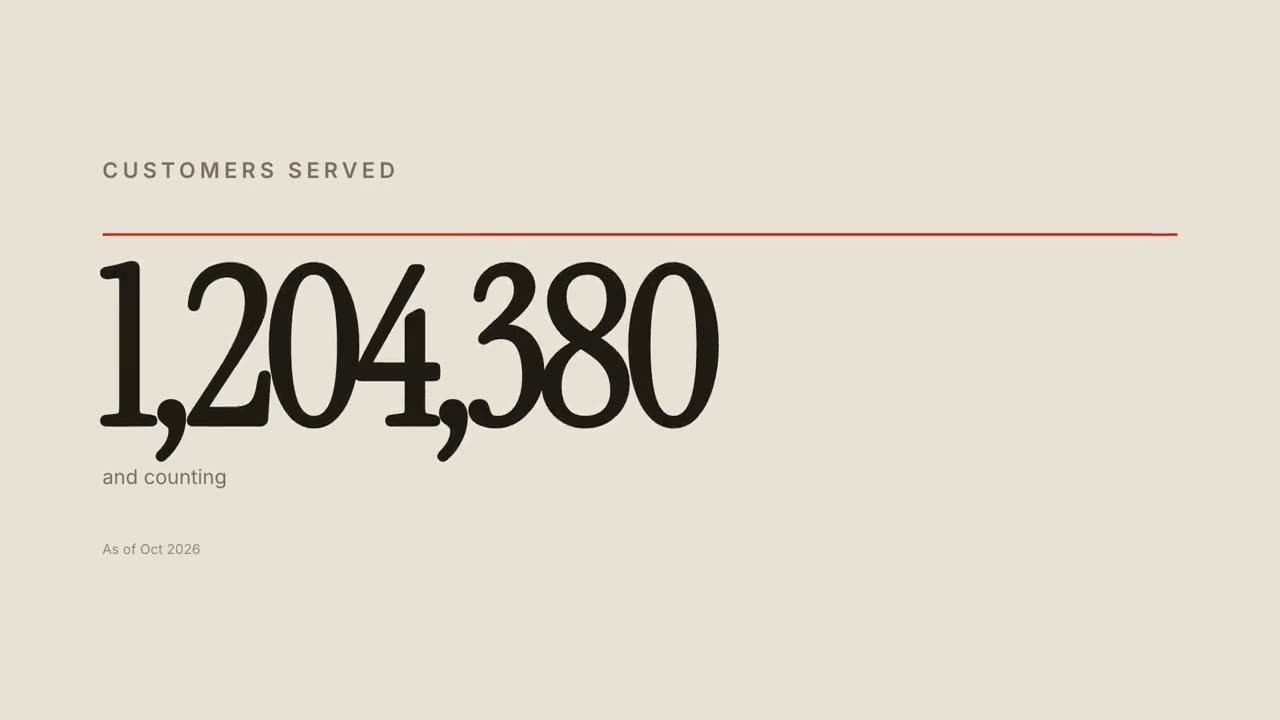
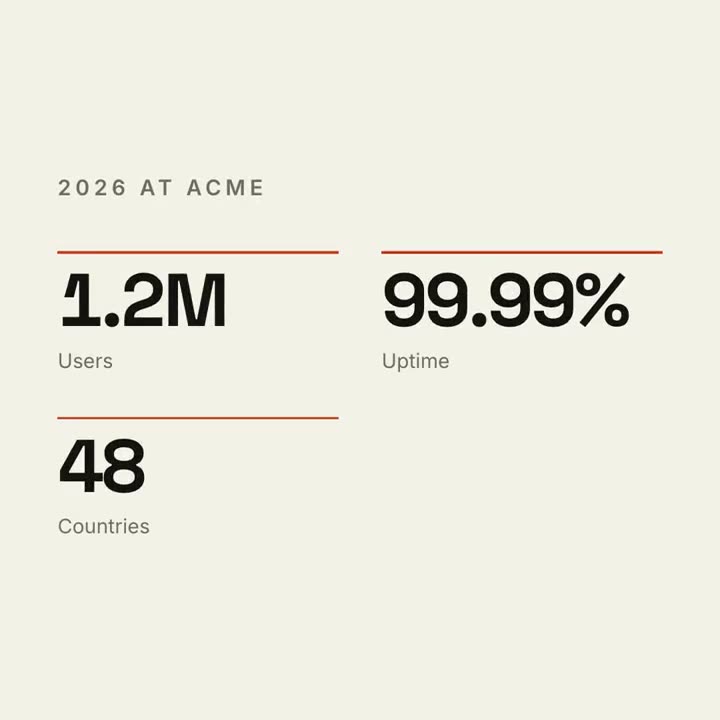
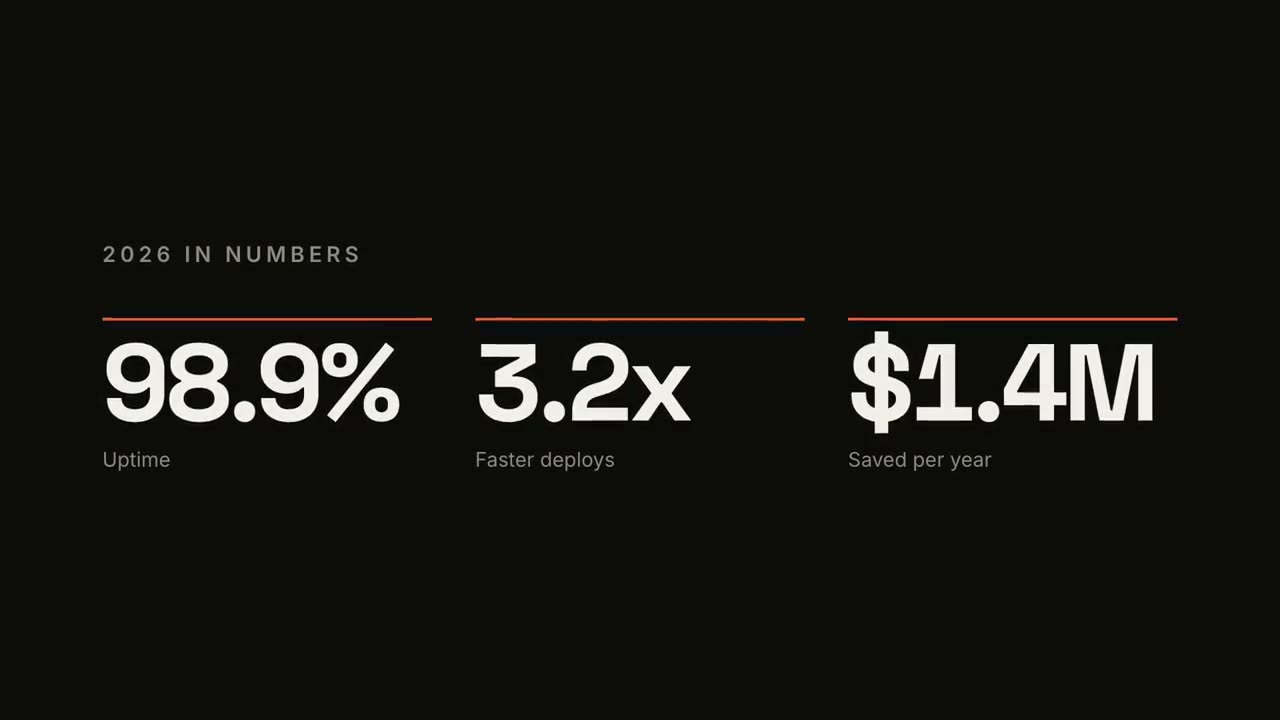
Make a 7-second 16:9 stat animation for [who will watch, e.g. customers reading our year in review], playing [where, e.g. the newsletter and LinkedIn]. Use only the numbers below; don't round or change them. Near-black background.

A small uppercase gray title tightens its letter spacing as it fades in. Three columns appear one after another: each has a thin orange bar that sweeps across, then a huge off-white number counts up from zero, with a gray label beneath. End frame: hold on the final numbers.

Title: [e.g. "2026 IN NUMBERS"]
Three numbers and labels: [e.g. "98.9%" Uptime, "3.2x" Faster deploys, "$1.4M" Saved per year]
데이터 차트 스토리
Skill 열기 →무료스타일 프롬프트 (Claude Motion 또는 Opus 5.5)
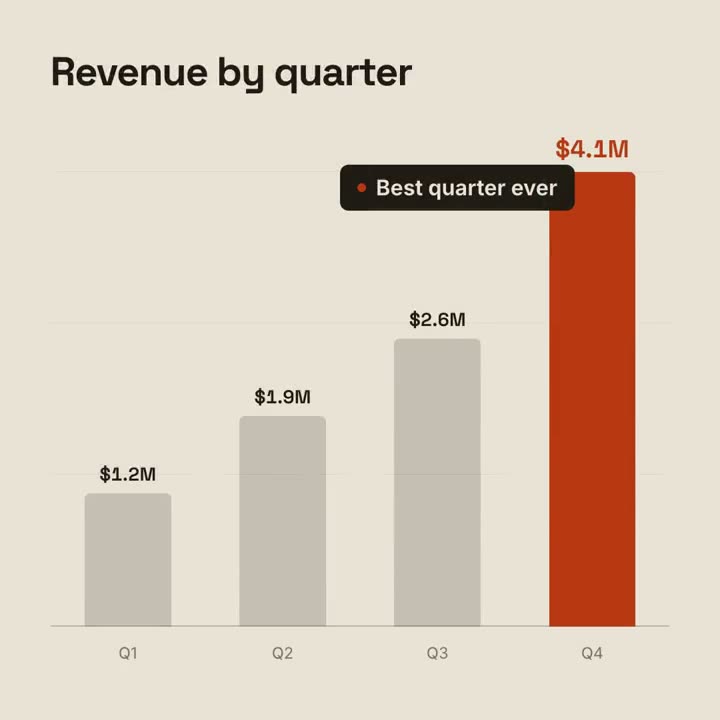
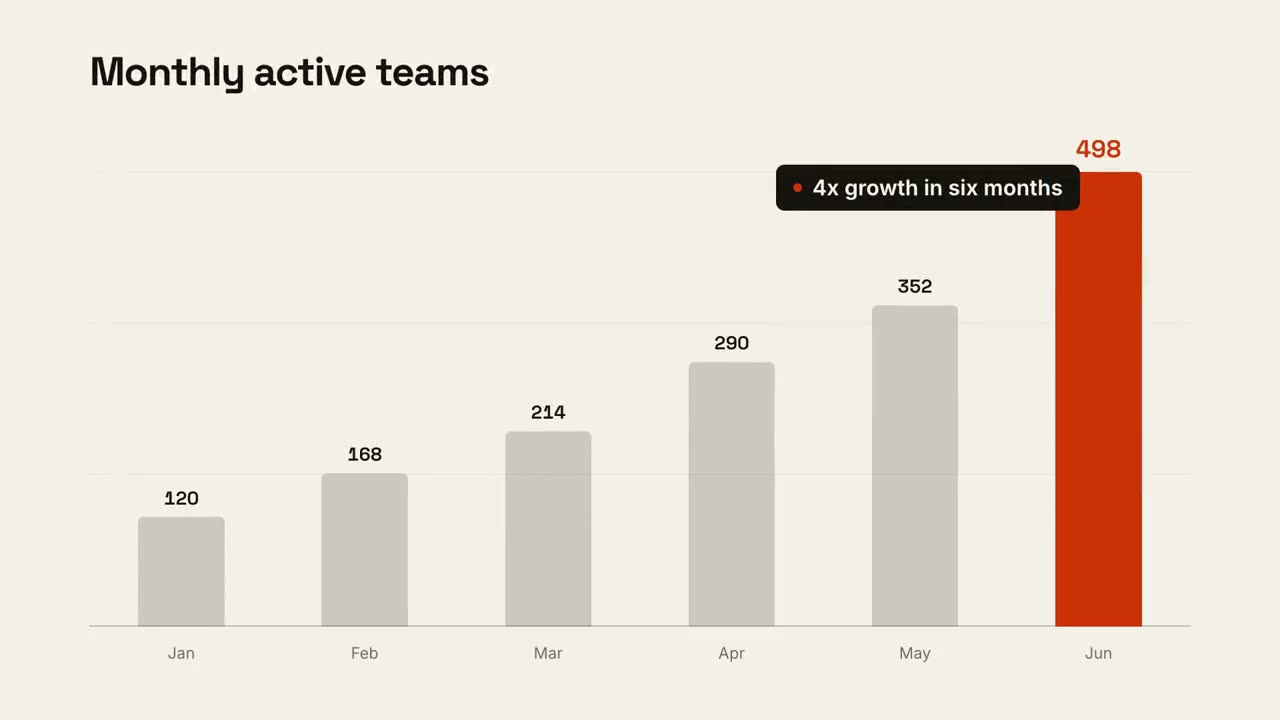
Make a 9-second 16:9 animated bar chart for [who will watch, e.g. investors], playing [where, e.g. the monthly update]. Use only the numbers I attach or list below; don't round or change any of them. Warm off-white background, bold geometric sans.

The title fades in at the top left. A baseline draws across and faint gridlines appear. The gray bars grow one after another with their values counting up above them; the last bar is orange-red with its value in the same accent. End frame: a black pill with an orange dot slides in near the last bar with the takeaway, held for 2 seconds.

Title: [e.g. "Monthly active teams"]
Data: [your labels and values] (e.g. Jan–Jun: 120, 168, 214, 290, 352, 498)
Takeaway: [e.g. "4x growth in six months"]
따로 쓸 수 있는 장면
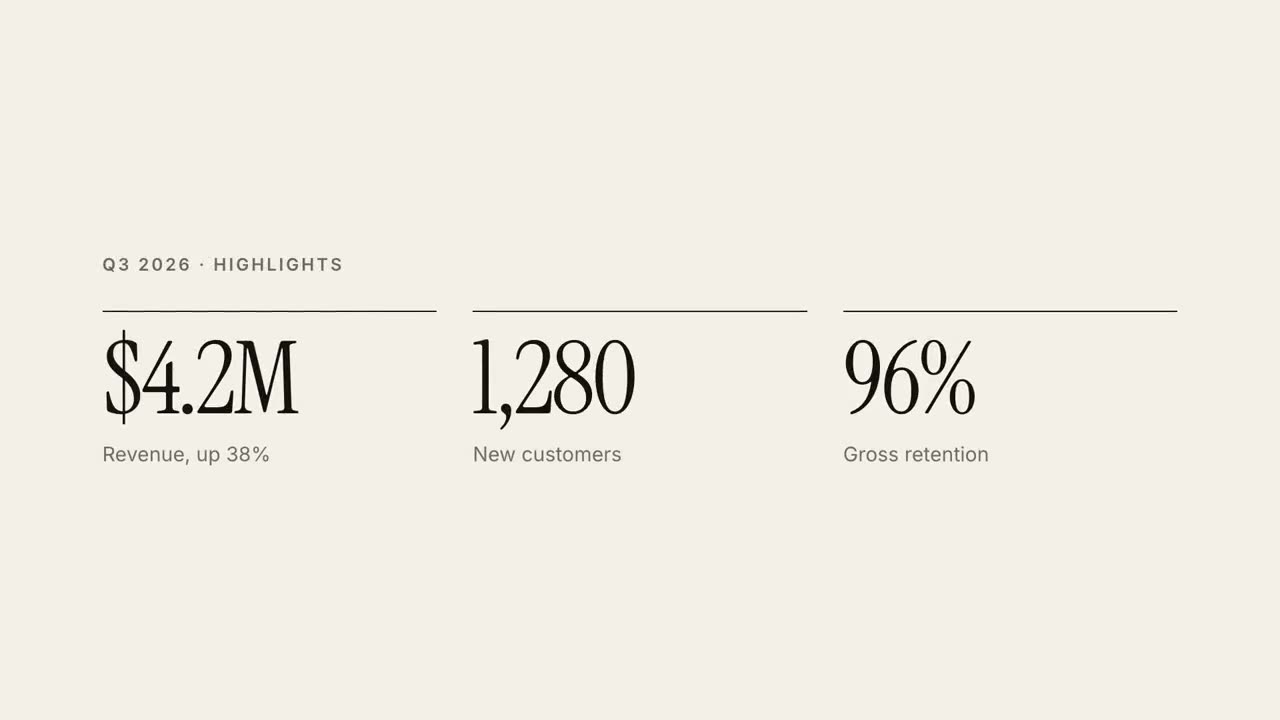
30초 리포트 설명
분기 리포트를 30초 에디토리얼 설명 영상으로.
데이터16:9 / 9:16 / 1:1
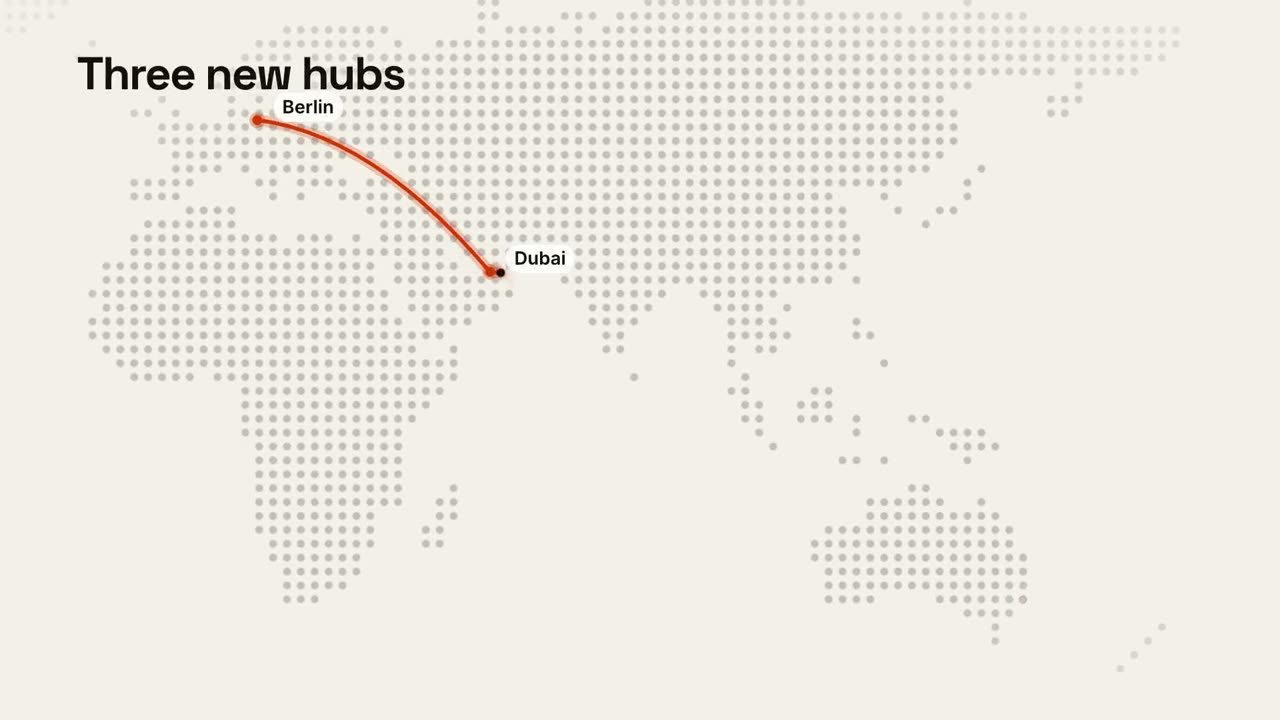
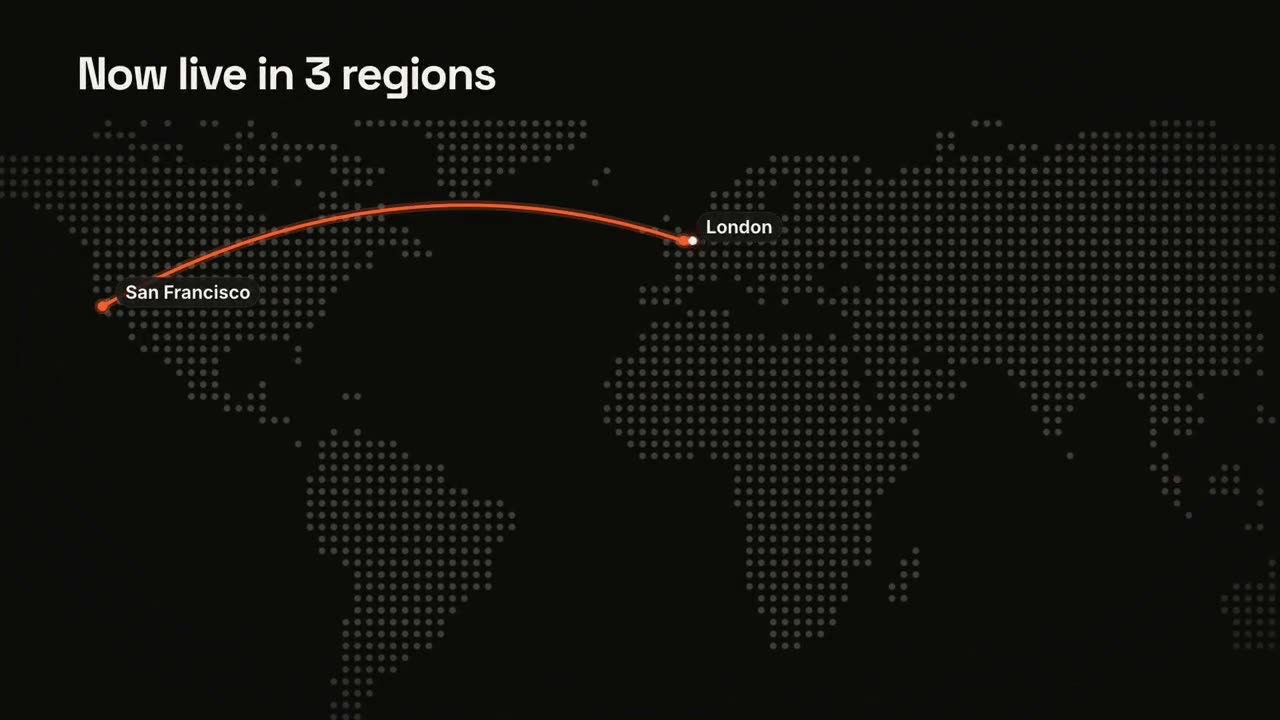
지도와 경로
애니메이션 경로가 있는 도트 매트릭스 세계 지도.
데이터16:9 / 9:16 / 1:1
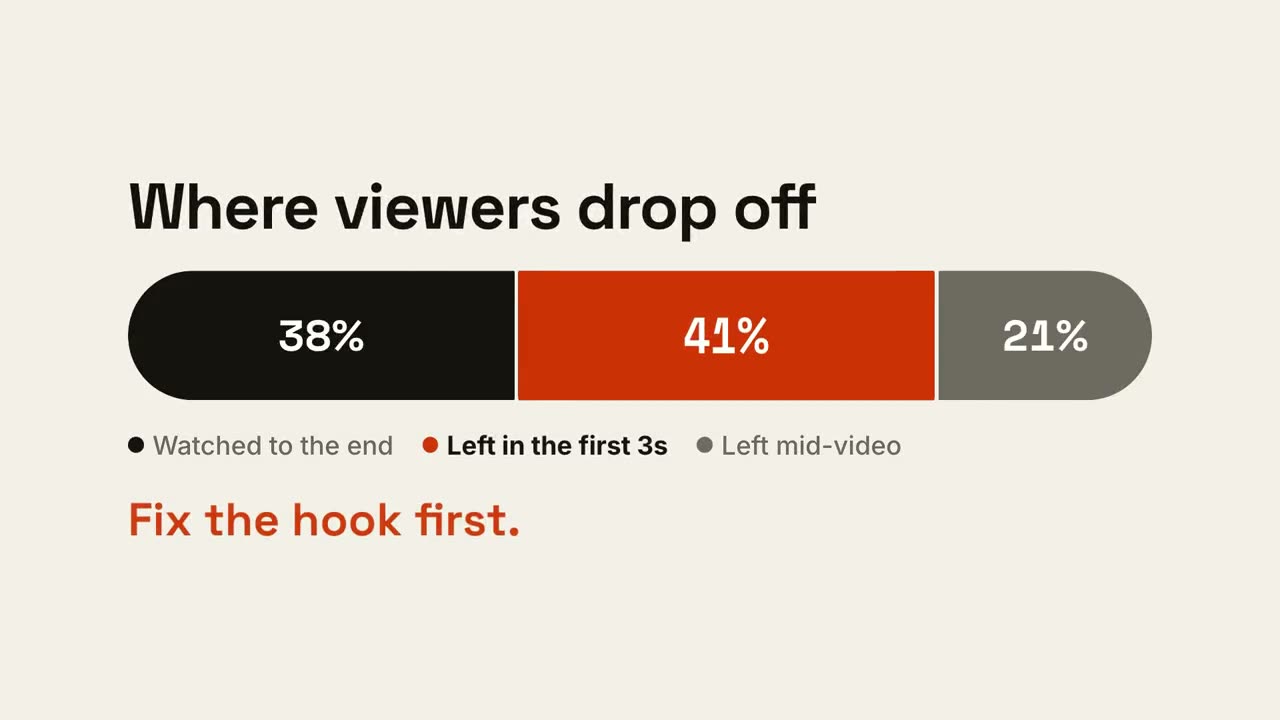
비율 막대
막대 하나가 비율로 나뉘고, 중요한 부분이 강조됩니다.
설명16:9 / 9:16 / 1:1
데이터 차트 스토리
하나의 결론을 전하는 애니메이션 막대 또는 꺾은선 차트.
데이터16:9 / 9:16 / 1:1
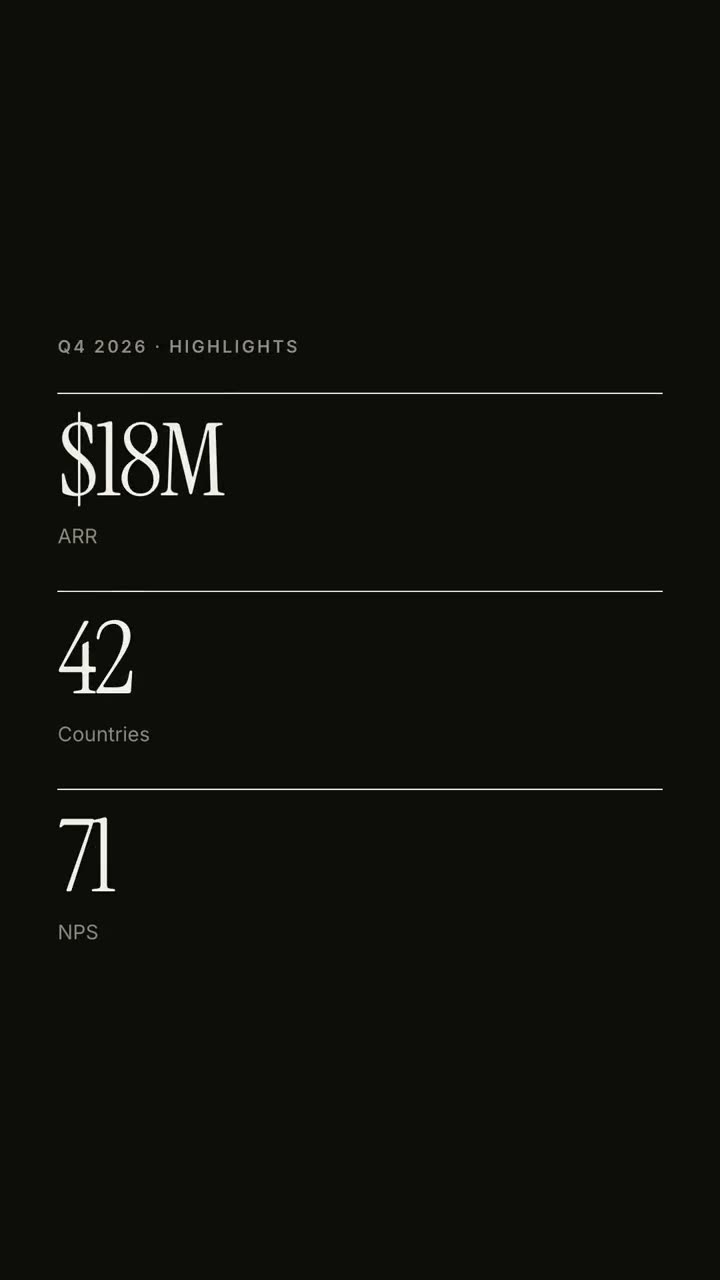
KPI 카운터
카운트업되는 최대 네 개의 핵심 숫자.
데이터16:9 / 9:16 / 1:1
대결 분할
VS 배지를 중심으로 두 편이 열리고, 이긴 쪽이 빛납니다.
설명16:9 / 9:16 / 1:1
꺾은선 추세
값을 보여 주며 선이 그려지고, 한 순간에 주석이 달립니다.
설명16:9 / 9:16 / 1:1
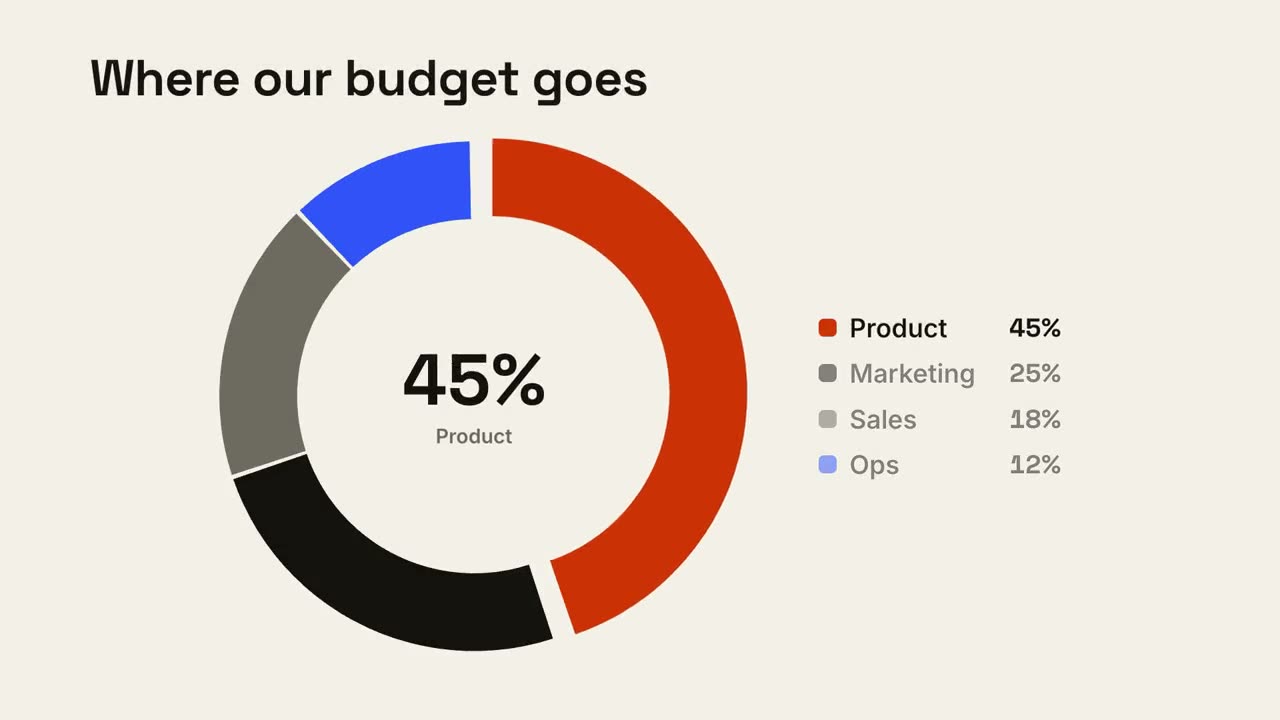
도넛 분석
도넛 차트가 그려지고 가장 큰 조각이 튀어나옵니다.
설명16:9 / 9:16 / 1:1
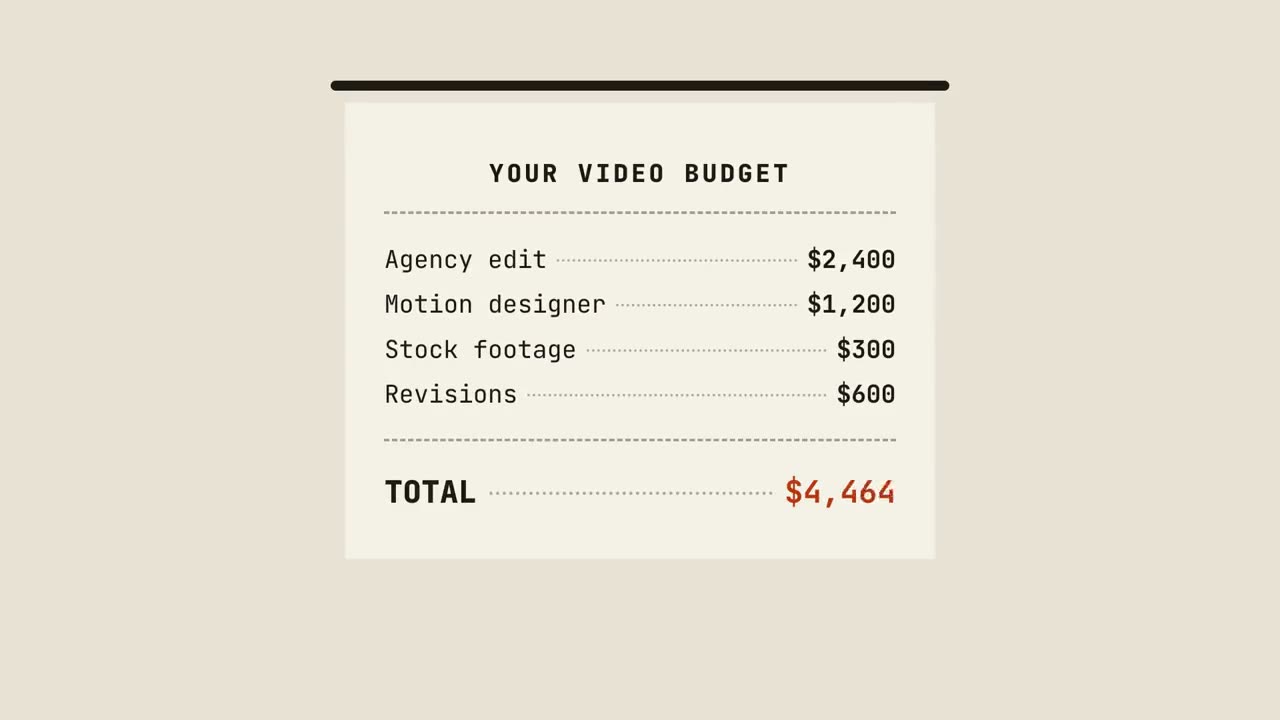
영수증 합계
영수증이 한 줄씩 출력되고, 합산되고, 도장이 찍힙니다.
설명16:9 / 9:16 / 1:1
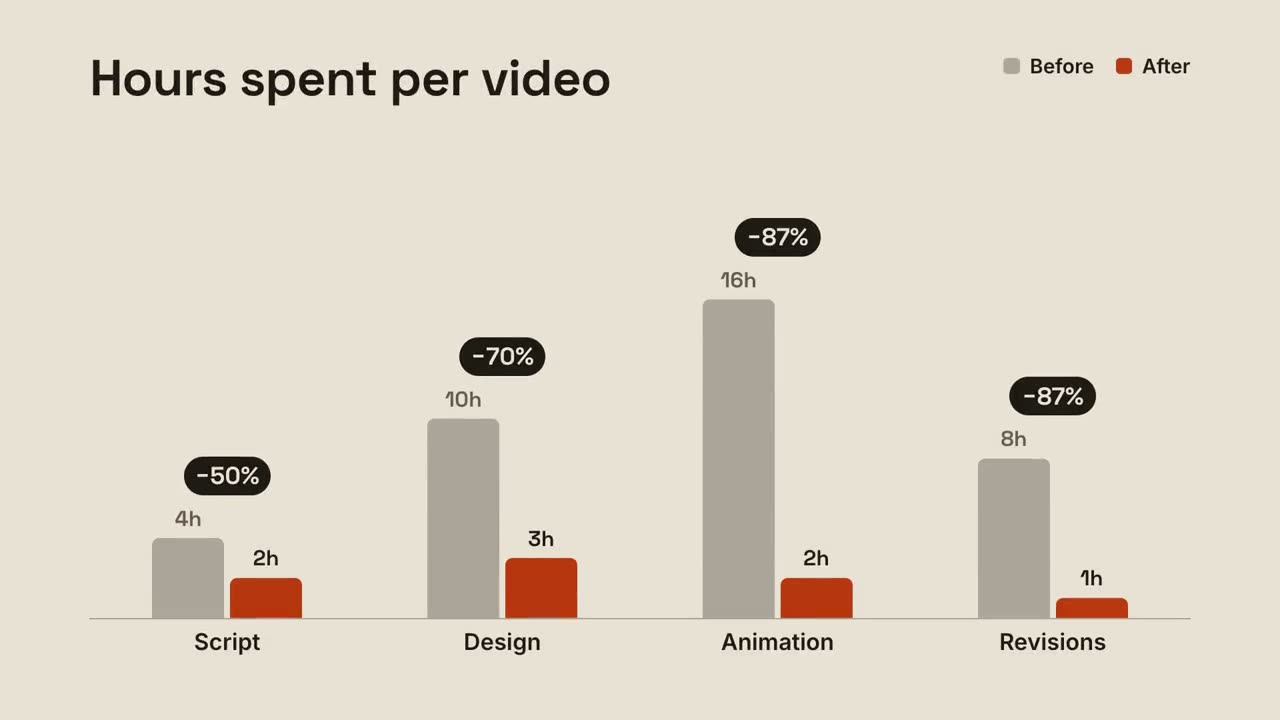
그룹 막대
그룹별 전후 막대와 각 쌍 위에 뜨는 변화율.
설명16:9 / 9:16 / 1:1
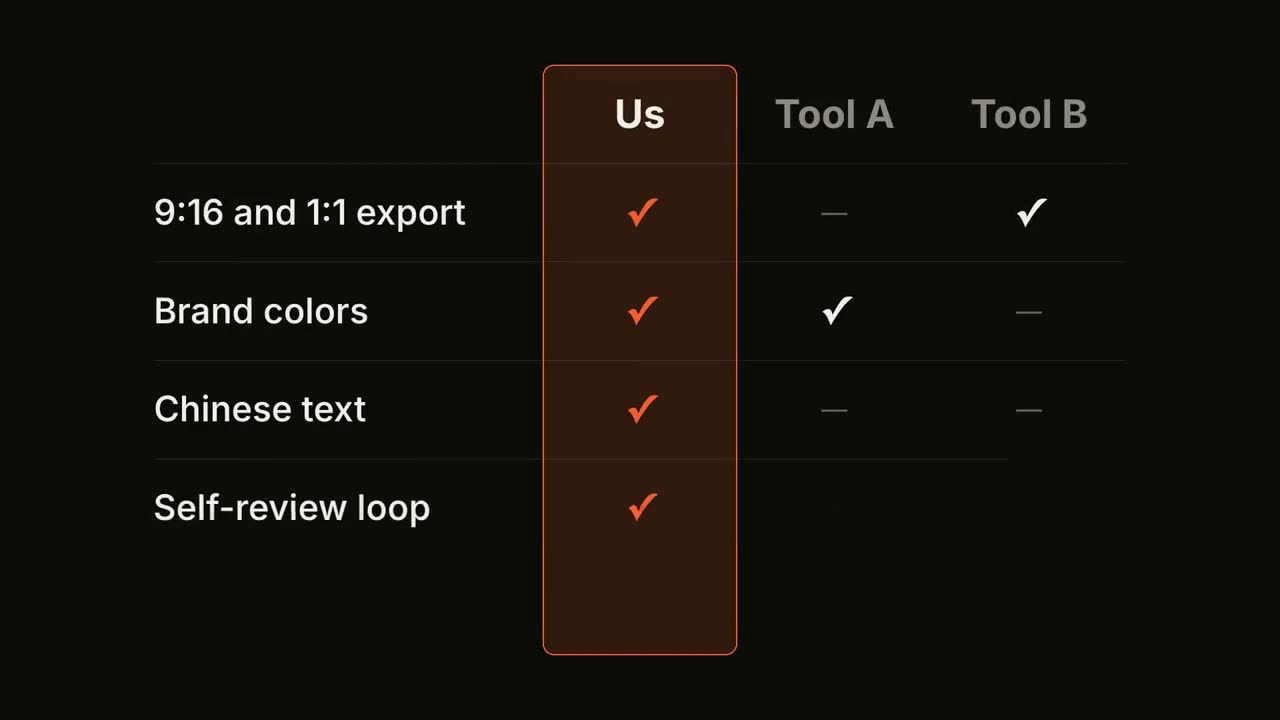
기능 비교표
비교표가 행마다 채워지고, 내 열이 강조됩니다.
설명16:9 / 9:16 / 1:1
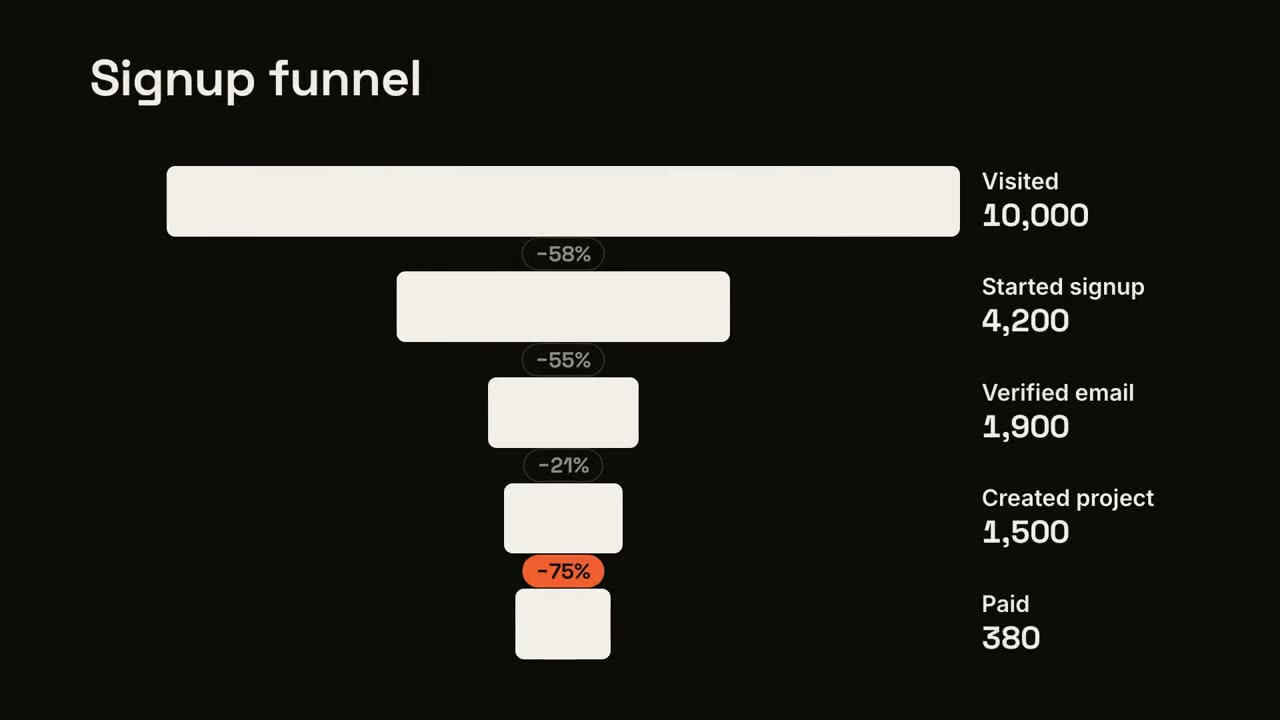
퍼널 이탈
퍼널 단계가 좁아지고, 가장 큰 이탈이 표시됩니다.
설명16:9 / 9:16 / 1:1
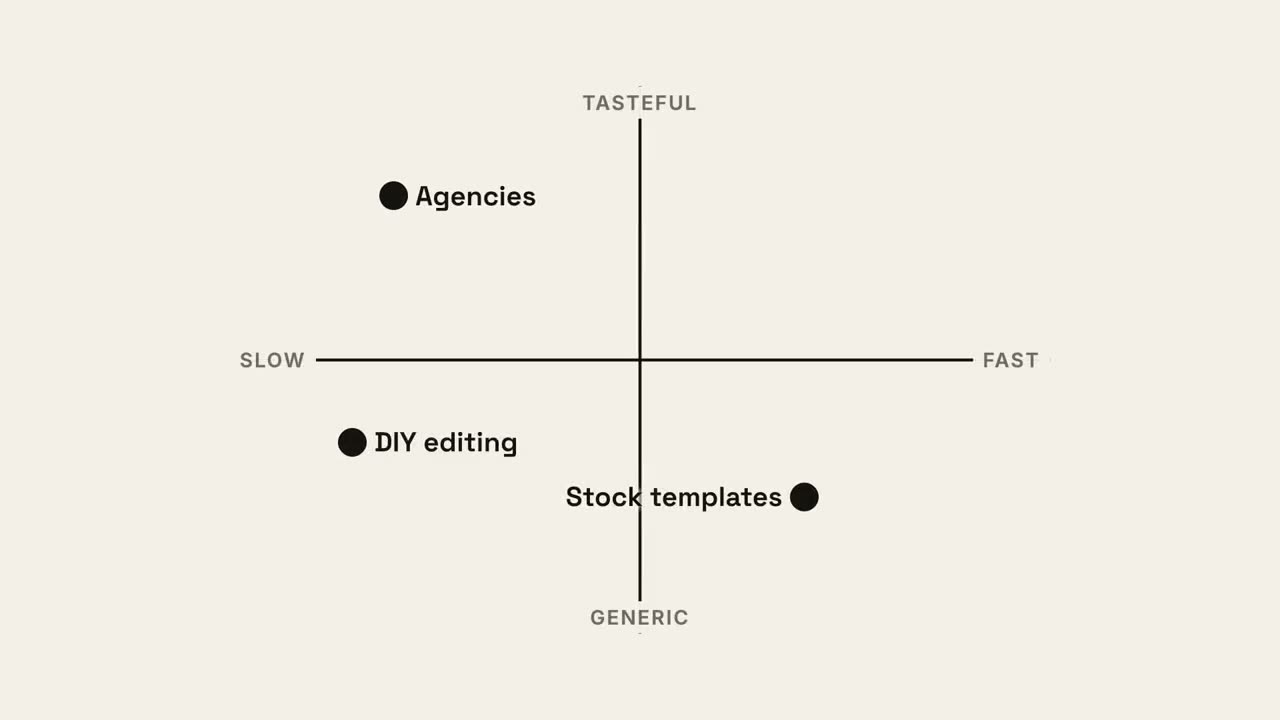
4분면 맵
내 점이 가장 좋은 사분면을 차지하는 2×2 포지셔닝 맵.
설명16:9 / 9:16 / 1:1
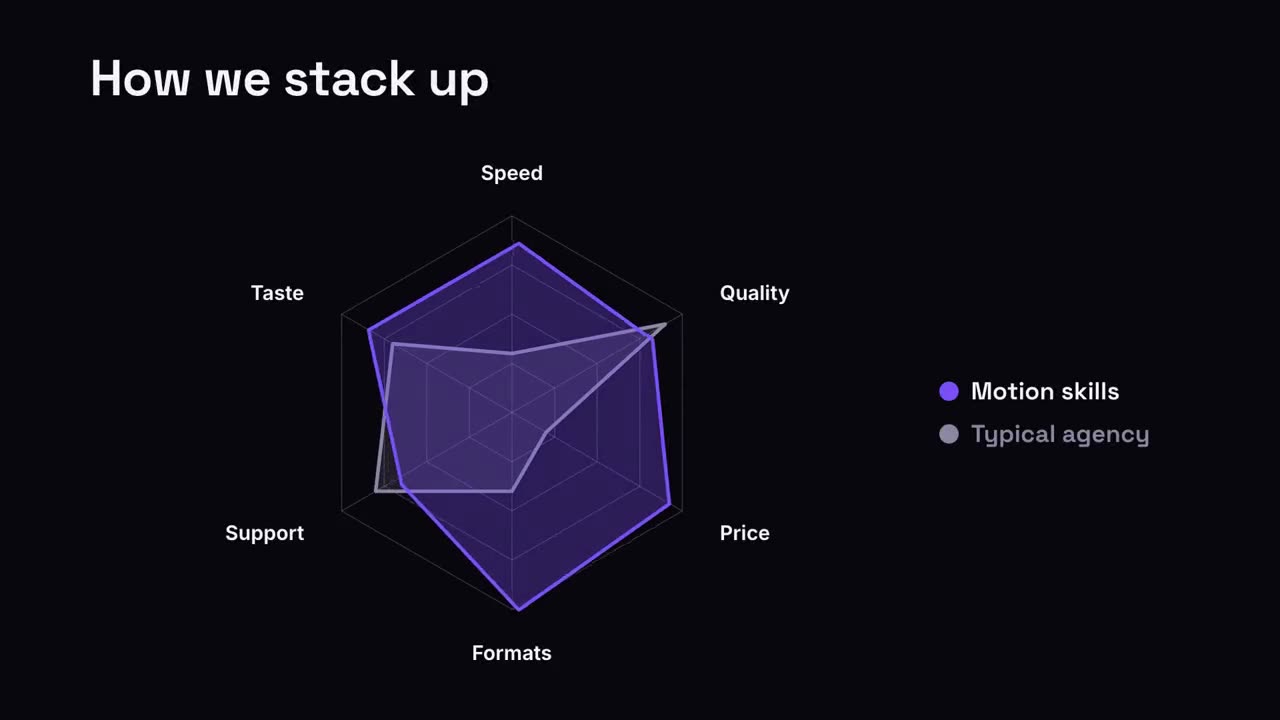
레이더 비교
내 모양이 비교 대상보다 크게 자라는 스파이더 차트.
설명16:9 / 9:16 / 1:1
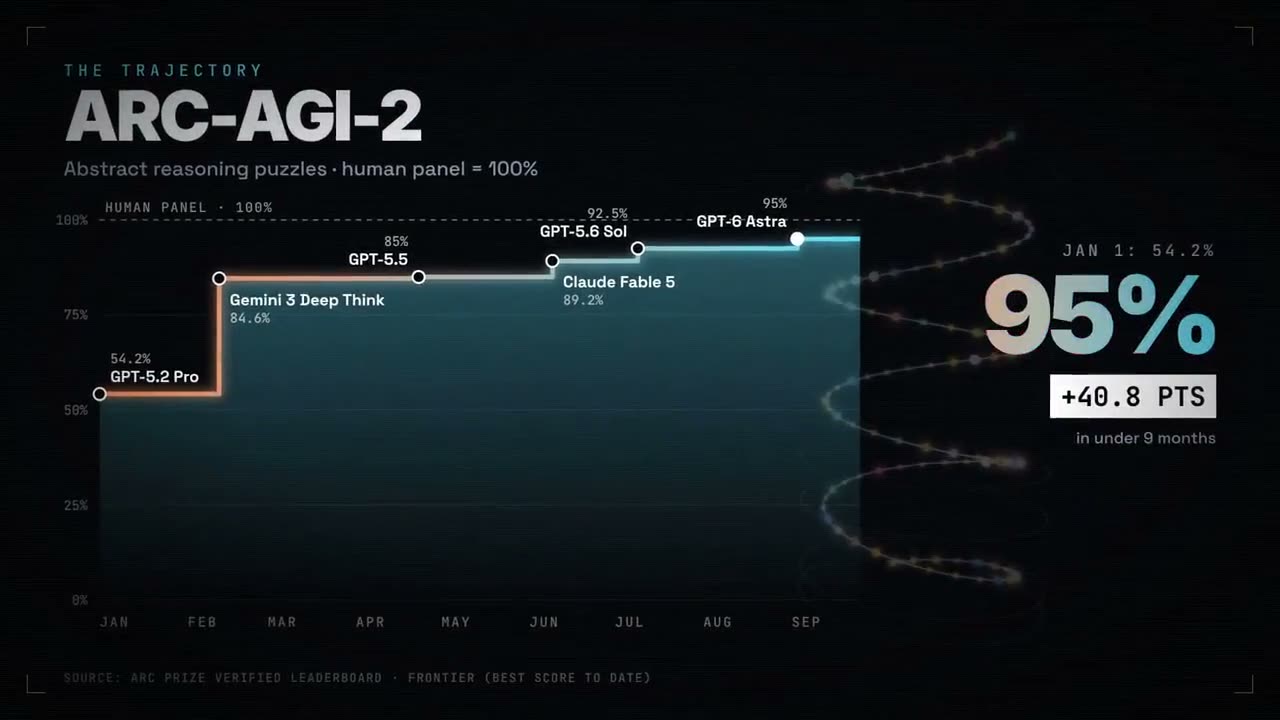
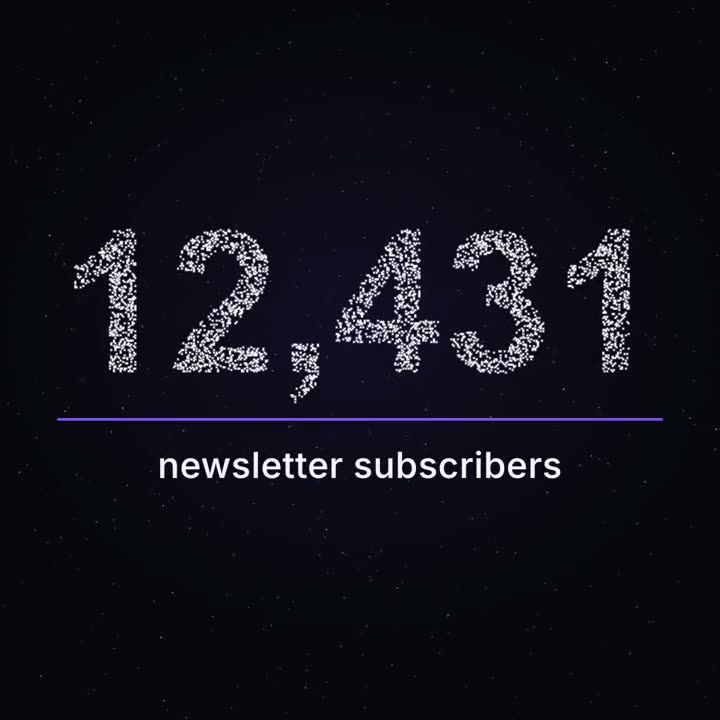
마일스톤 파티클
밤하늘처럼 떠다니던 수천 개의 점이 실제 숫자로 모입니다.
데이터1:1 / 9:16 / 16:9