貼上到 Claude Code、Codex、Cursor 或任何支援 Skills 的 Agent 中。
範例提示詞
Use the line-trend skill: title "MRR", data "Q1: 12 | Q2: 15 | Q3: 22 | Q4: 41", prefix "$", suffix "k", mark "Q3", note "Launched video ads". Paper theme, 1:1.
風格提示詞(Claude Motion 或 Opus 5.5)
Make a 7-second 16:9 line chart for [who will watch, e.g. the board], playing [where, e.g. the quarterly review]. Use only the numbers I attach or list below; don't round or smooth them. Near-black background.

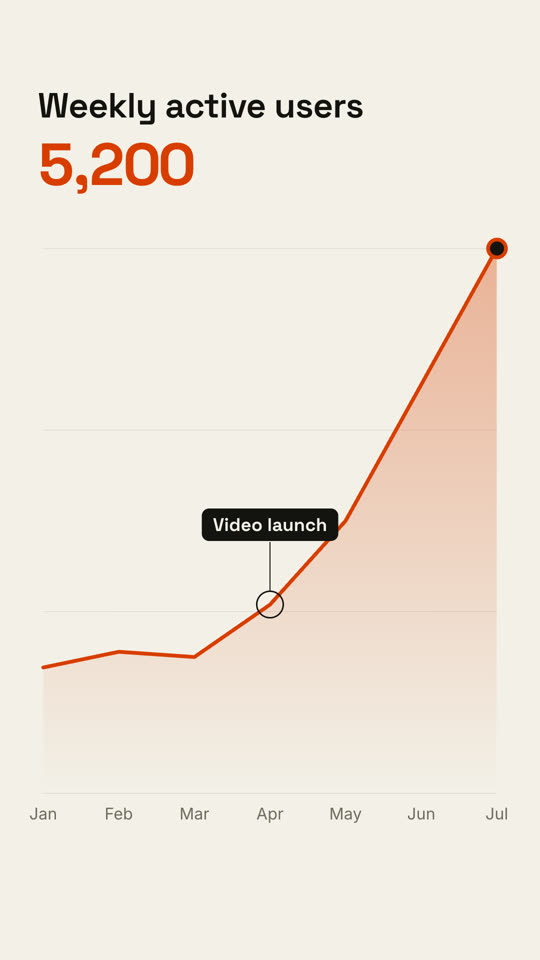
The title sits top left and a large white number top right. An orange line draws from left to right across the period over a fading orange gradient fill, while a white dot with an orange halo rides the tip and the big number counts along with it. At the marked point, a white ring appears on the line with a thin stem and a white label. End frame: the big number turns orange, held for 1.5 seconds.

Title: [e.g. "Weekly active users"]
Data: [your periods and values] (e.g. Jan to Jul, 1,200 to 5,200)
Marked point and label: [e.g. April, "Video launch"]
無需安裝:貼到 Claude Motion(Team 或 Enterprise),或直接傳給 Opus 5.5,就能得到相近的風格。每次執行結果會有差異;用 Skill 則每次結果一致。