貼上到 Claude Code、Codex、Cursor 或任何支援 Skills 的 Agent 中。
範例提示詞
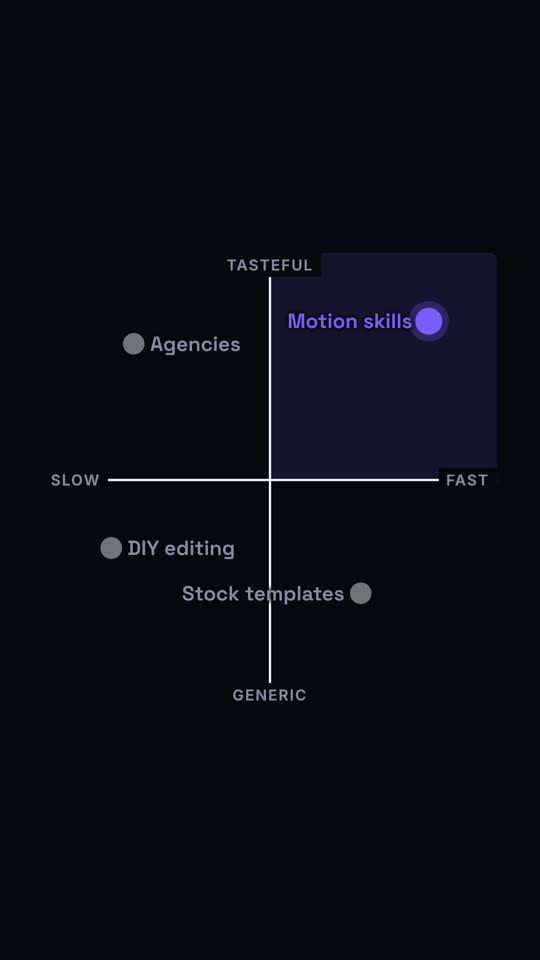
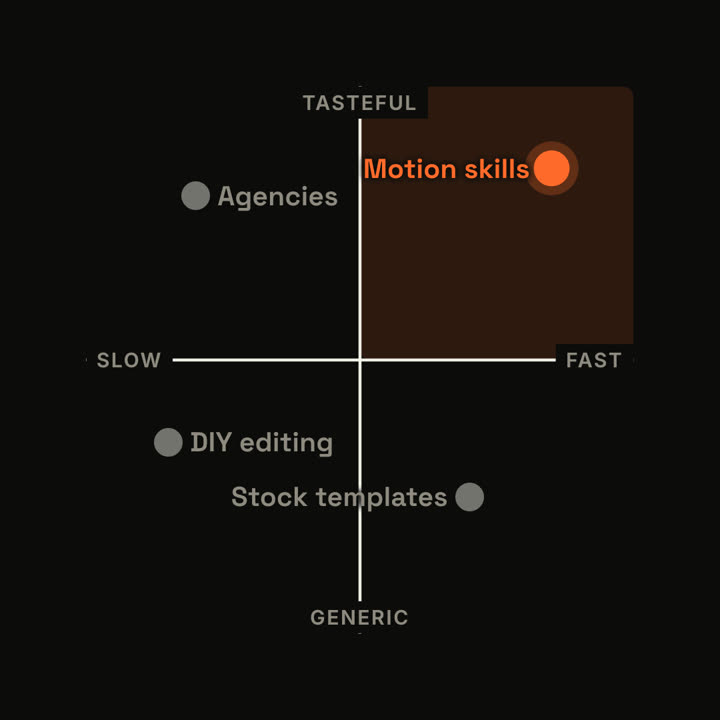
Use the quadrant-map skill: x axis "Manual: Automated", y axis "Cheap: Premium", items "Spreadsheets: 15, 20 | Consultants: 20, 85 | *Ledgerly*: 85, 80". Ink theme.
風格提示詞(Claude Motion 或 Opus 5.5)
Make an 8-second 16:9 positioning map for [who will watch, e.g. investors], playing [where, e.g. the pitch deck]. Use only the axes and names below. Off-white background.

Two black axes draw on, crossing at the center, with small gray labels at each end. Black dots with labels drop in for the alternatives. Then an orange dot for us lands in its quadrant and grows. End frame: our quadrant fills with a pale orange tint and the other dots fade to gray.

Axes: [e.g. horizontal SLOW → FAST, vertical GENERIC → TASTEFUL]
Alternatives and positions: [e.g. "Agencies" top left, "DIY editing" bottom left, "Stock templates" bottom right]
Us: [e.g. "Motion skills", top right]
無需安裝:貼到 Claude Motion(Team 或 Enterprise),或直接傳給 Opus 5.5,就能得到相近的風格。每次執行結果會有差異;用 Skill 則每次結果一致。