貼上到 Claude Code、Codex、Cursor 或任何支援 Skills 的 Agent 中。
範例提示詞
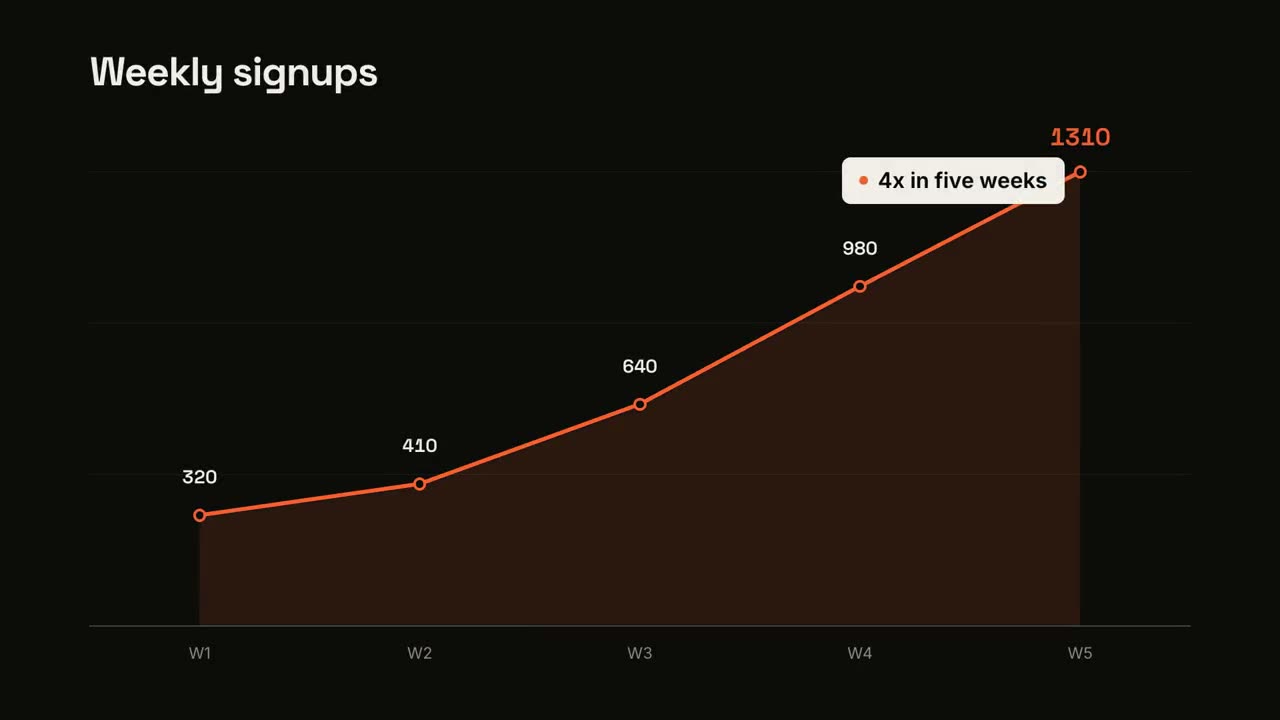
Use the data-chart-story skill with our signups: "W1: 320 | W2: 410 | W3: 640 | W4: 980", title "Weekly signups", line chart, insight "3x in a month".
風格提示詞(Claude Motion 或 Opus 5.5)
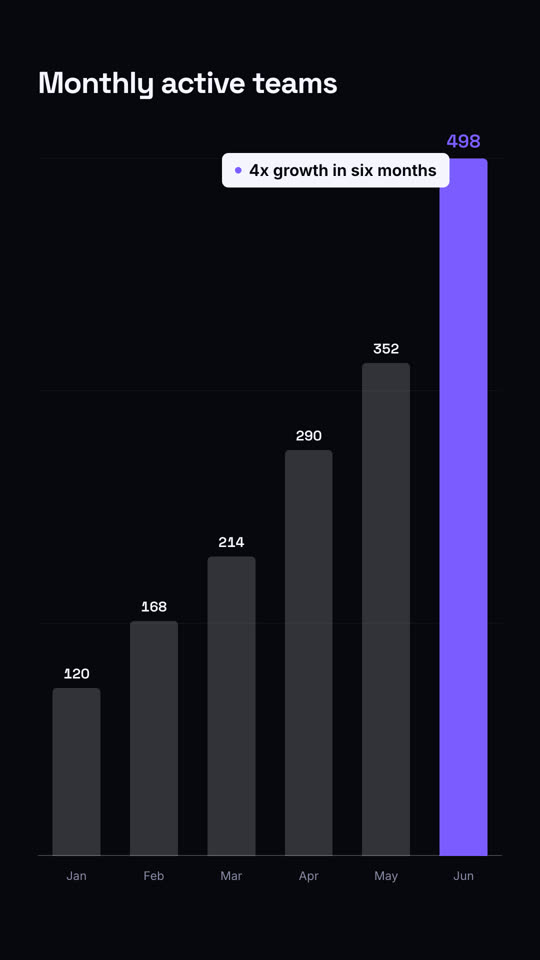
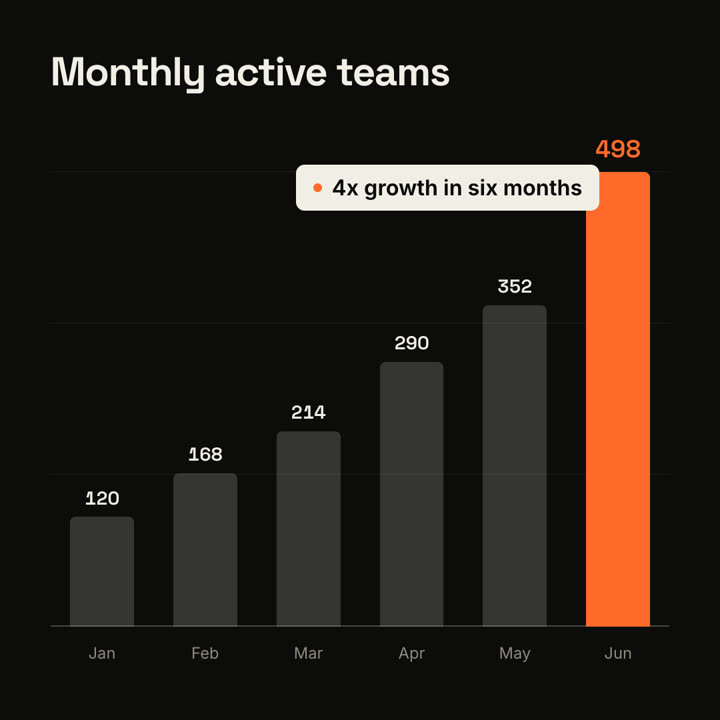
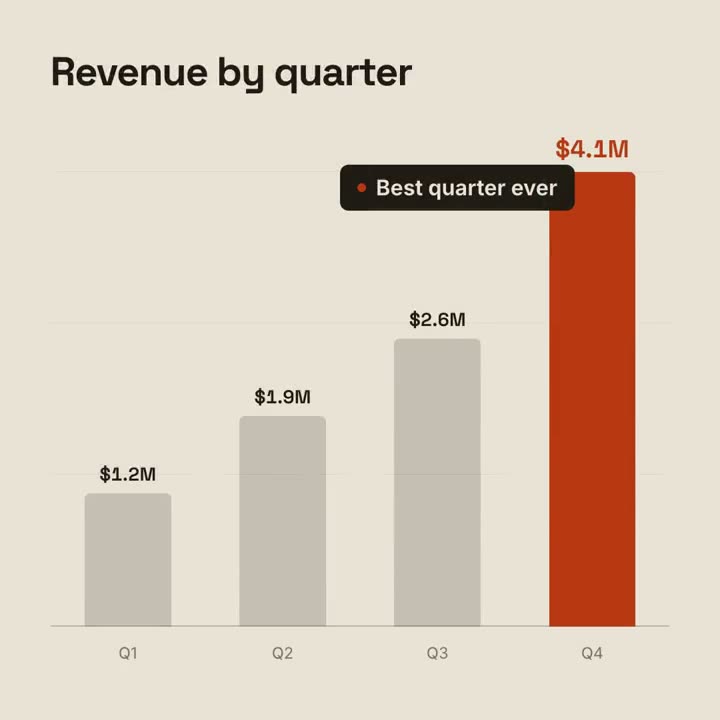
Make a 9-second 16:9 animated bar chart for [who will watch, e.g. investors], playing [where, e.g. the monthly update]. Use only the numbers I attach or list below; don't round or change any of them. Warm off-white background, bold geometric sans.

The title fades in at the top left. A baseline draws across and faint gridlines appear. The gray bars grow one after another with their values counting up above them; the last bar is orange-red with its value in the same accent. End frame: a black pill with an orange dot slides in near the last bar with the takeaway, held for 2 seconds.

Title: [e.g. "Monthly active teams"]
Data: [your labels and values] (e.g. Jan–Jun: 120, 168, 214, 290, 352, 498)
Takeaway: [e.g. "4x growth in six months"]
無需安裝:貼到 Claude Motion(Team 或 Enterprise),或直接傳給 Opus 5.5,就能得到相近的風格。每次執行結果會有差異;用 Skill 則每次結果一致。