Dados e gráficos
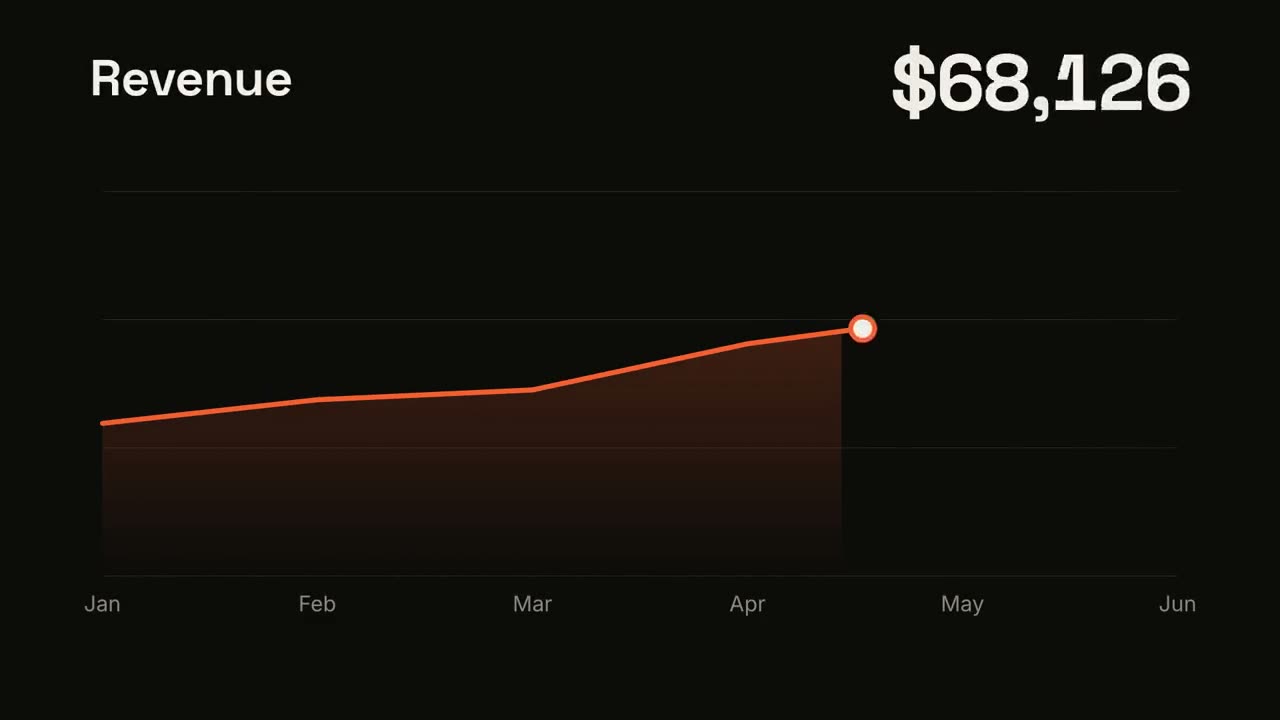
Entregue ao seu agente um CSV ou uma planilha, e Data → Video encontra a história (a tendência, o maior salto, o vazamento do funil) e a renderiza com números que contam e gráficos que se montam sozinhos. Todo número vem do seu arquivo.
Do seu material a um vídeo pronto
Dê ao seu agente o que você tem; o fluxo escreve, dirige e renderiza o MP4.
Prompts para começar
Cole no Claude Motion ou instale o skill correspondente e peça ao seu agente.
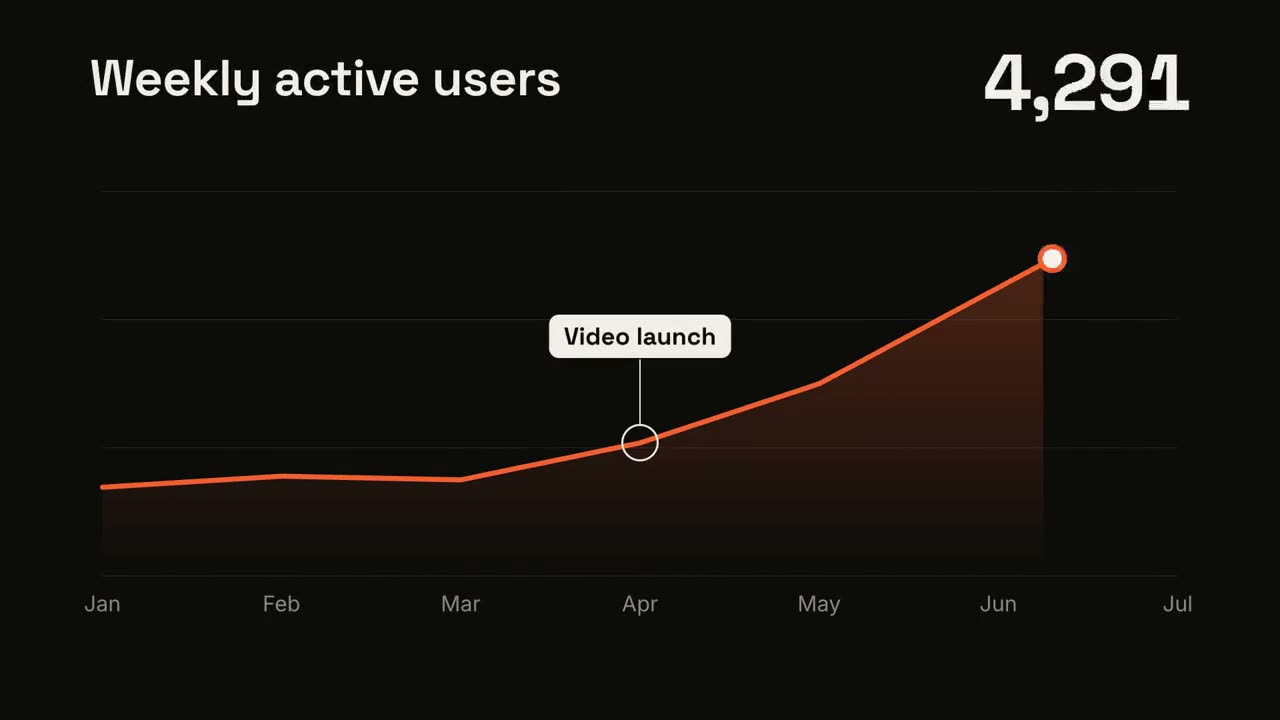
Tendência em linha
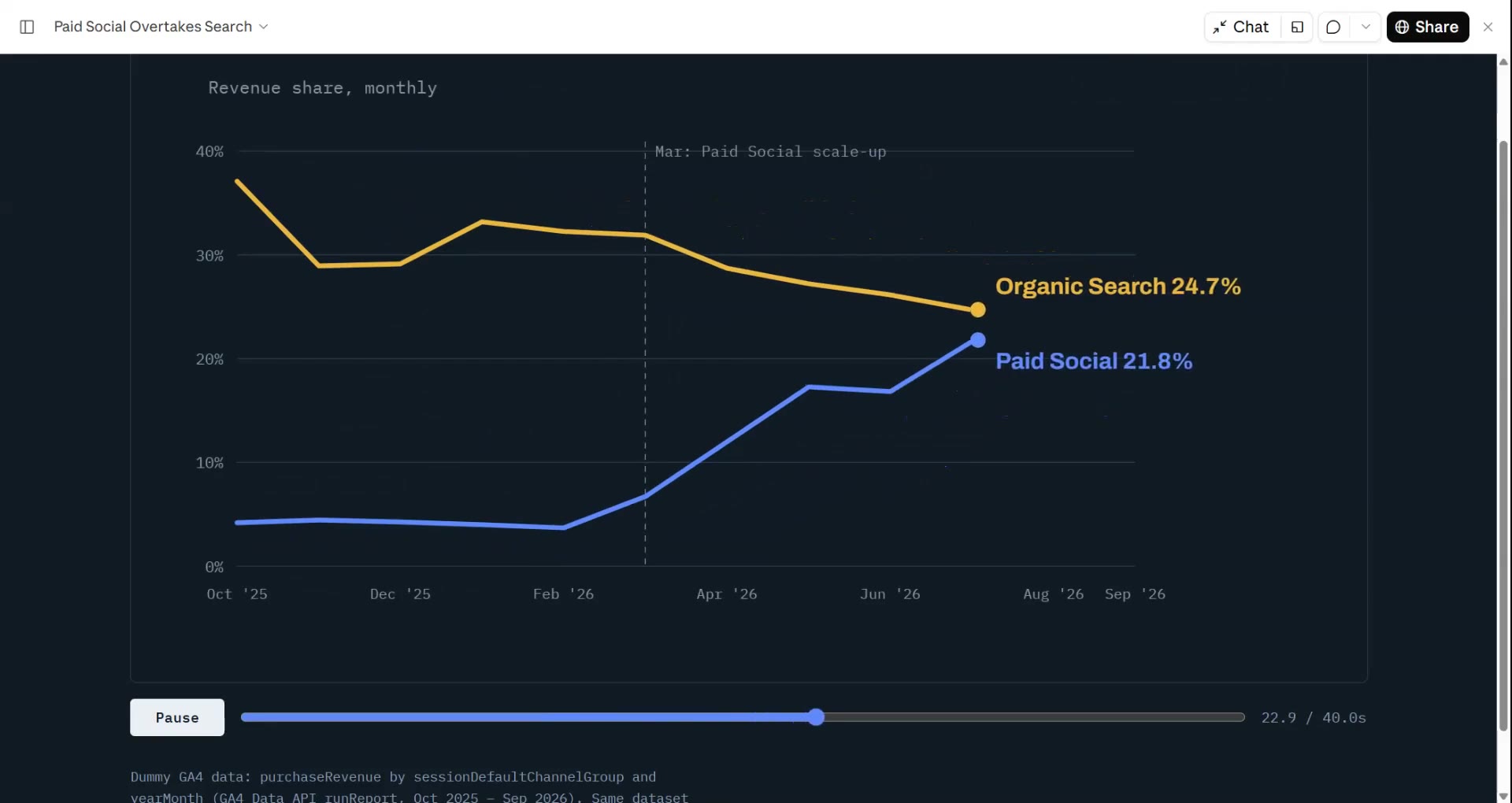
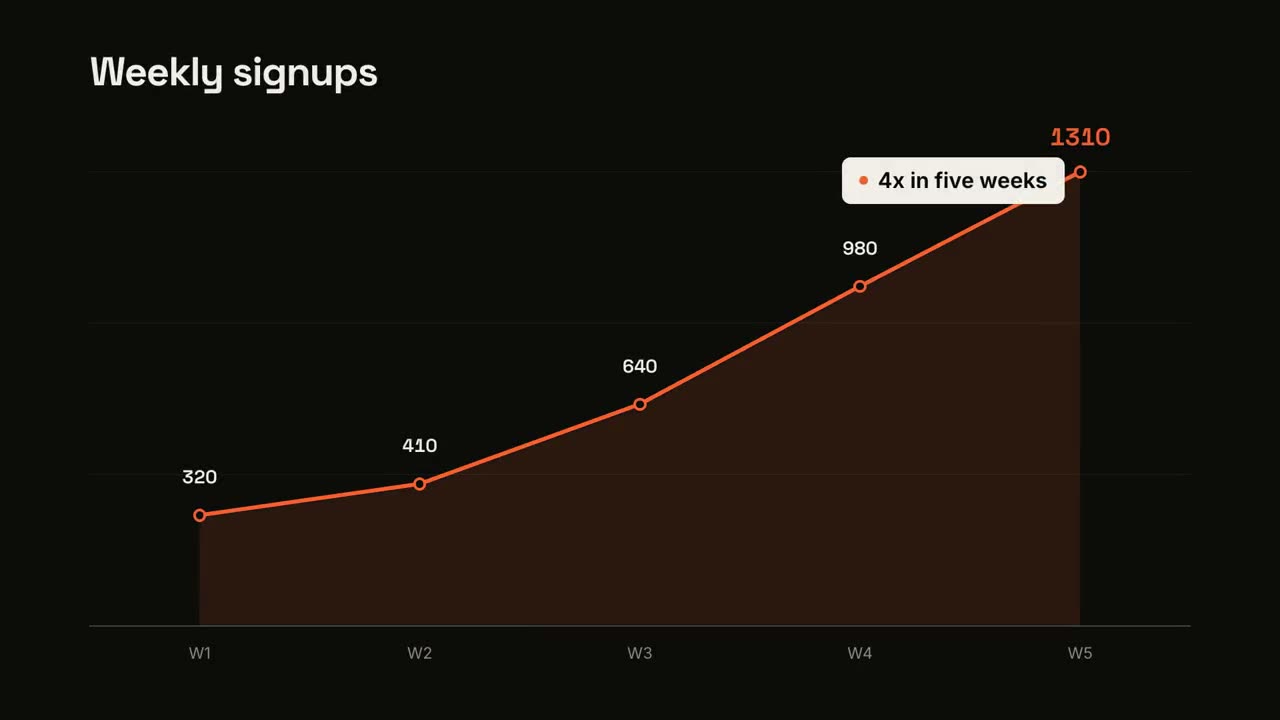
Abrir skill →GrátisMake a 7-second 16:9 line chart for [who will watch, e.g. the board], playing [where, e.g. the quarterly review]. Use only the numbers I attach or list below; don't round or smooth them. Near-black background. The title sits top left and a large white number top right. An orange line draws from left to right across the period over a fading orange gradient fill, while a white dot with an orange halo rides the tip and the big number counts along with it. At the marked point, a white ring appears on the line with a thin stem and a white label. End frame: the big number turns orange, held for 1.5 seconds. Title: [e.g. "Weekly active users"] Data: [your periods and values] (e.g. Jan to Jul, 1,200 to 5,200) Marked point and label: [e.g. April, "Video launch"]
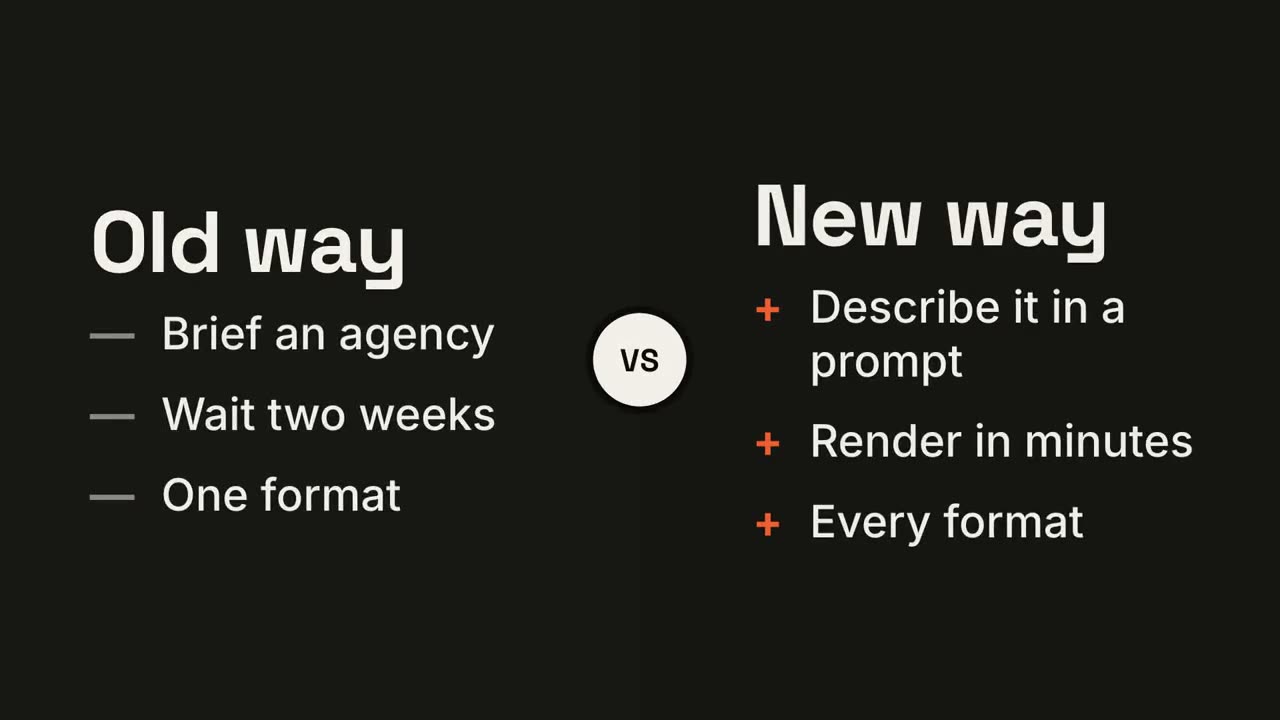
Tela dividida versus
Abrir skill →GrátisMake a 7-second 16:9 comparison for [who will watch, e.g. prospects deciding between us and an agency], playing [where, e.g. the sales deck]. Use only the two titles and six points below; don't reword them. Near-black background. The frame splits into two dark panels that slide in from the left and right. A white circular "VS" badge spins into the center. The left panel lists its three points with dashes; the right panel lists its three with orange plus signs. End frame: the right panel floods orange with black text and scales up slightly while the left panel dims. Left title and points: [e.g. "Old way": "Brief an agency", "Wait two weeks", "One format"] Right title and points: [e.g. "New way": "Describe it in a prompt", "Render in minutes", "Every format"]
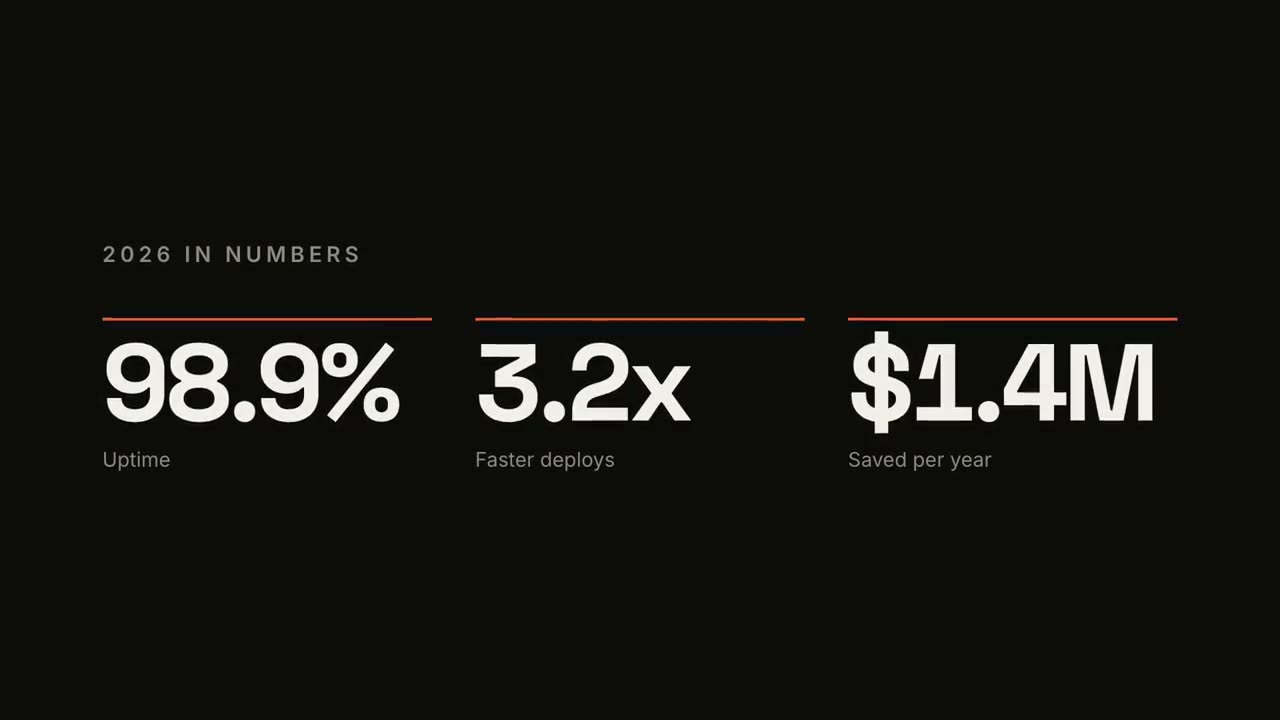
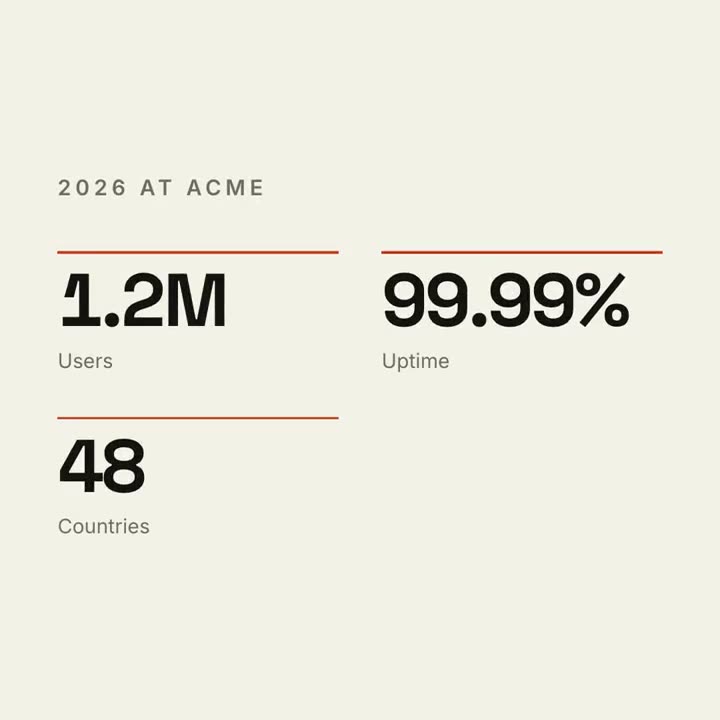
Contador de KPIs
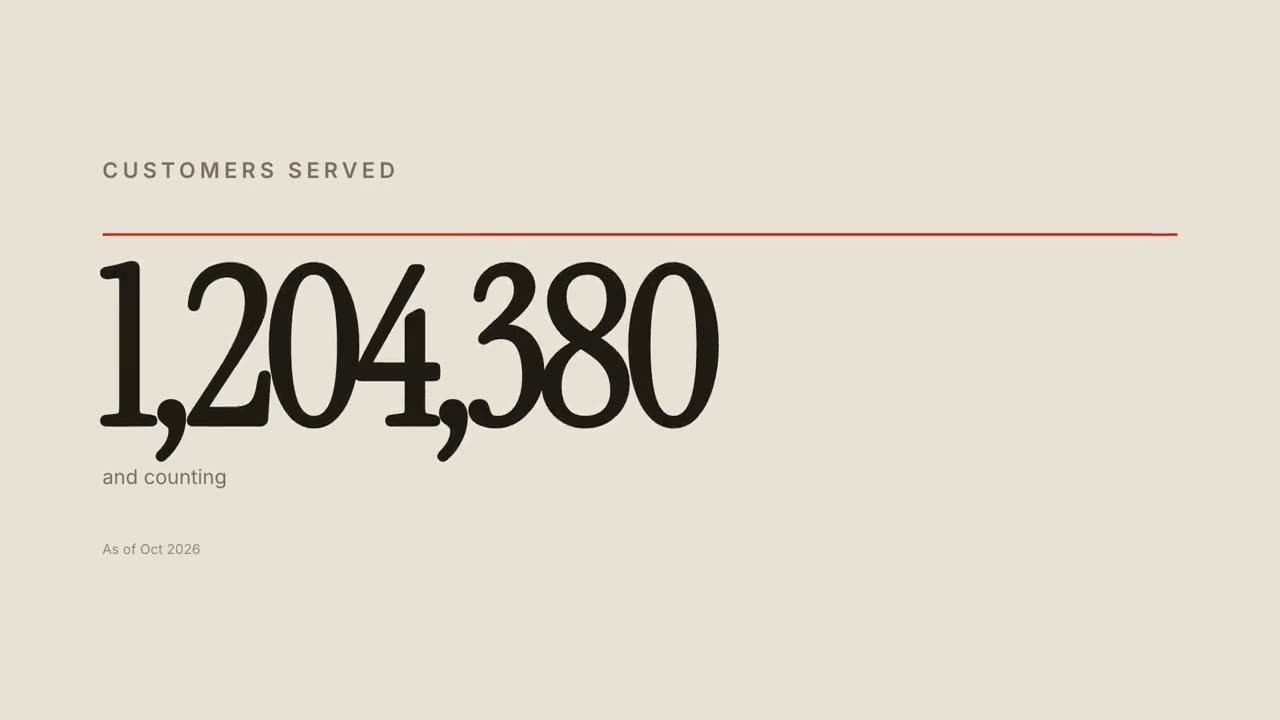
Abrir skill →GrátisMake a 7-second 16:9 stat animation for [who will watch, e.g. customers reading our year in review], playing [where, e.g. the newsletter and LinkedIn]. Use only the numbers below; don't round or change them. Near-black background. A small uppercase gray title tightens its letter spacing as it fades in. Three columns appear one after another: each has a thin orange bar that sweeps across, then a huge off-white number counts up from zero, with a gray label beneath. End frame: hold on the final numbers. Title: [e.g. "2026 IN NUMBERS"] Three numbers and labels: [e.g. "98.9%" Uptime, "3.2x" Faster deploys, "$1.4M" Saved per year]
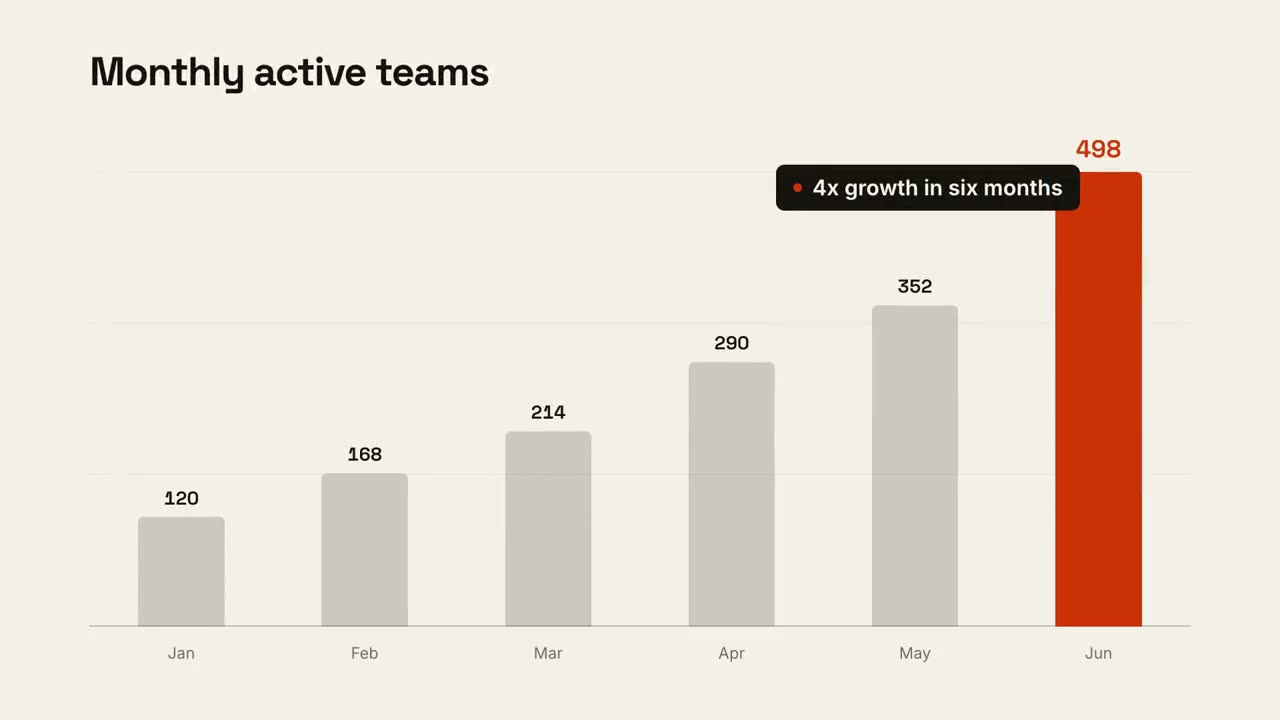
História com gráfico
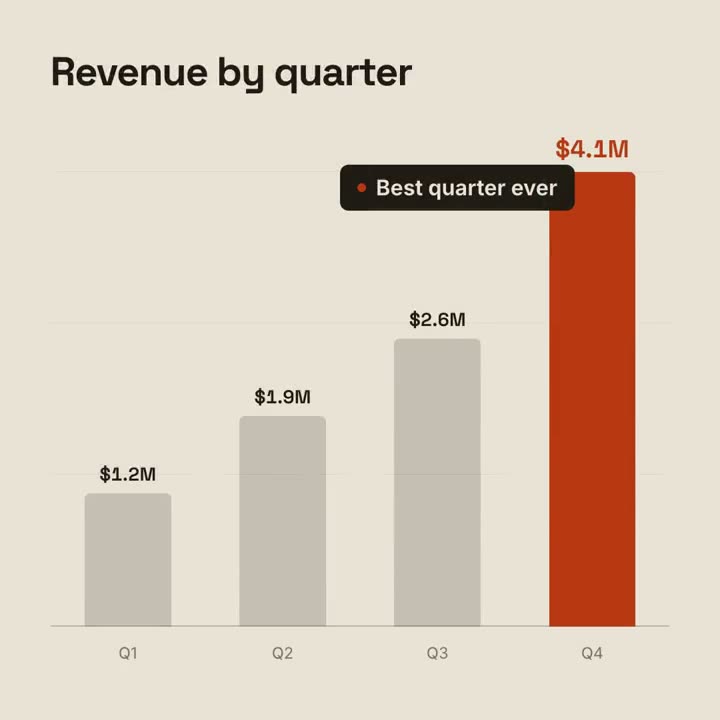
Abrir skill →GrátisMake a 9-second 16:9 animated bar chart for [who will watch, e.g. investors], playing [where, e.g. the monthly update]. Use only the numbers I attach or list below; don't round or change any of them. Warm off-white background, bold geometric sans. The title fades in at the top left. A baseline draws across and faint gridlines appear. The gray bars grow one after another with their values counting up above them; the last bar is orange-red with its value in the same accent. End frame: a black pill with an orange dot slides in near the last bar with the takeaway, held for 2 seconds. Title: [e.g. "Monthly active teams"] Data: [your labels and values] (e.g. Jan–Jun: 120, 168, 214, 290, 352, 498) Takeaway: [e.g. "4x growth in six months"]
Cenas avulsas para isso
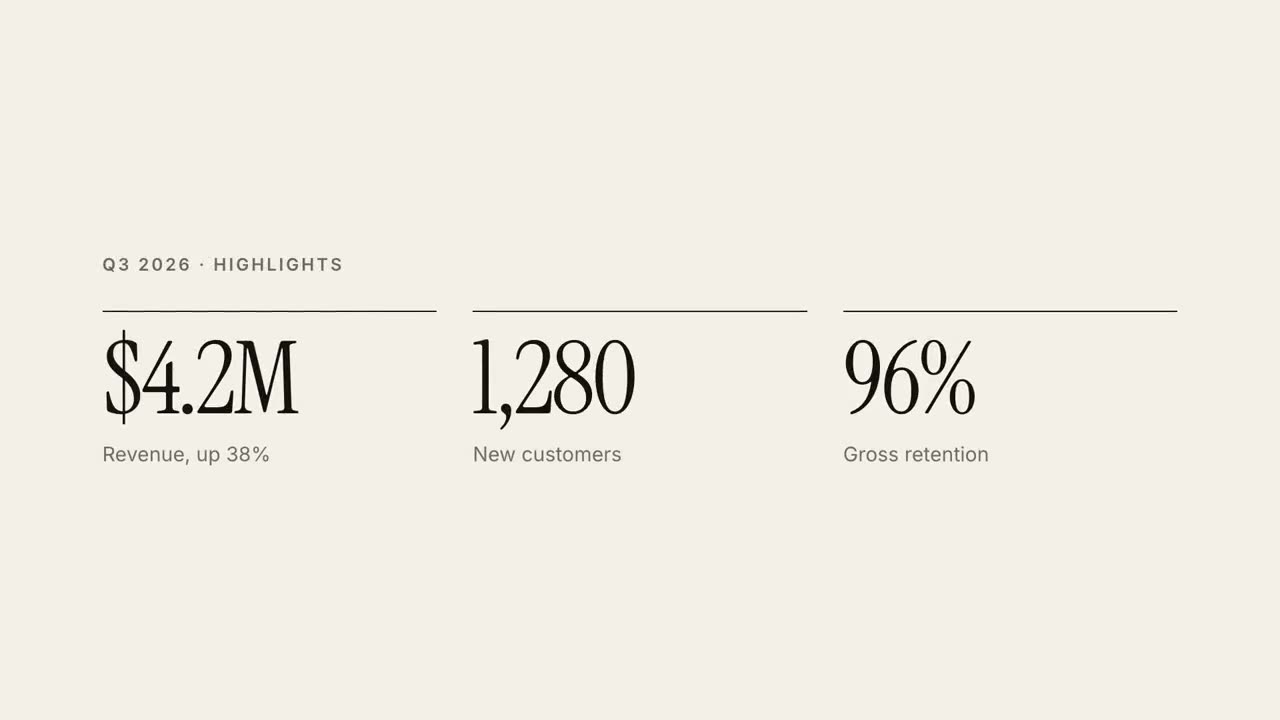
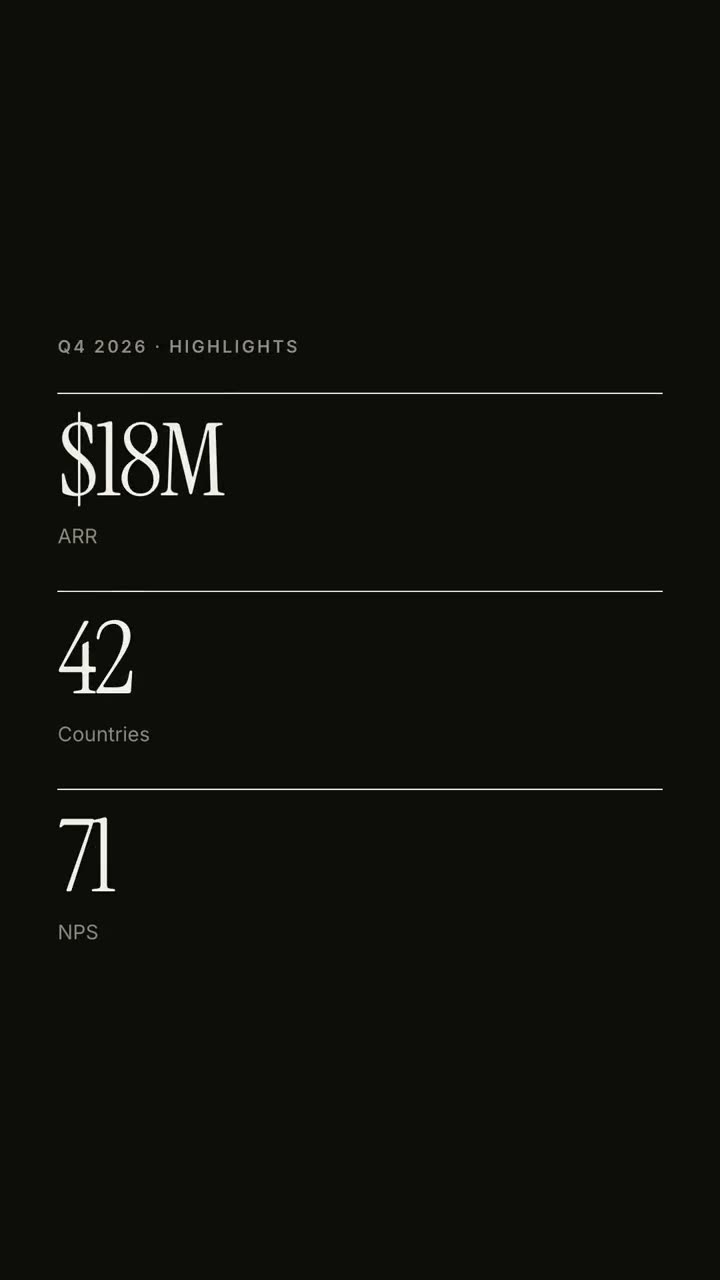
Relatório em 30 s
Um relatório trimestral como um explicativo editorial de 30 segundos.
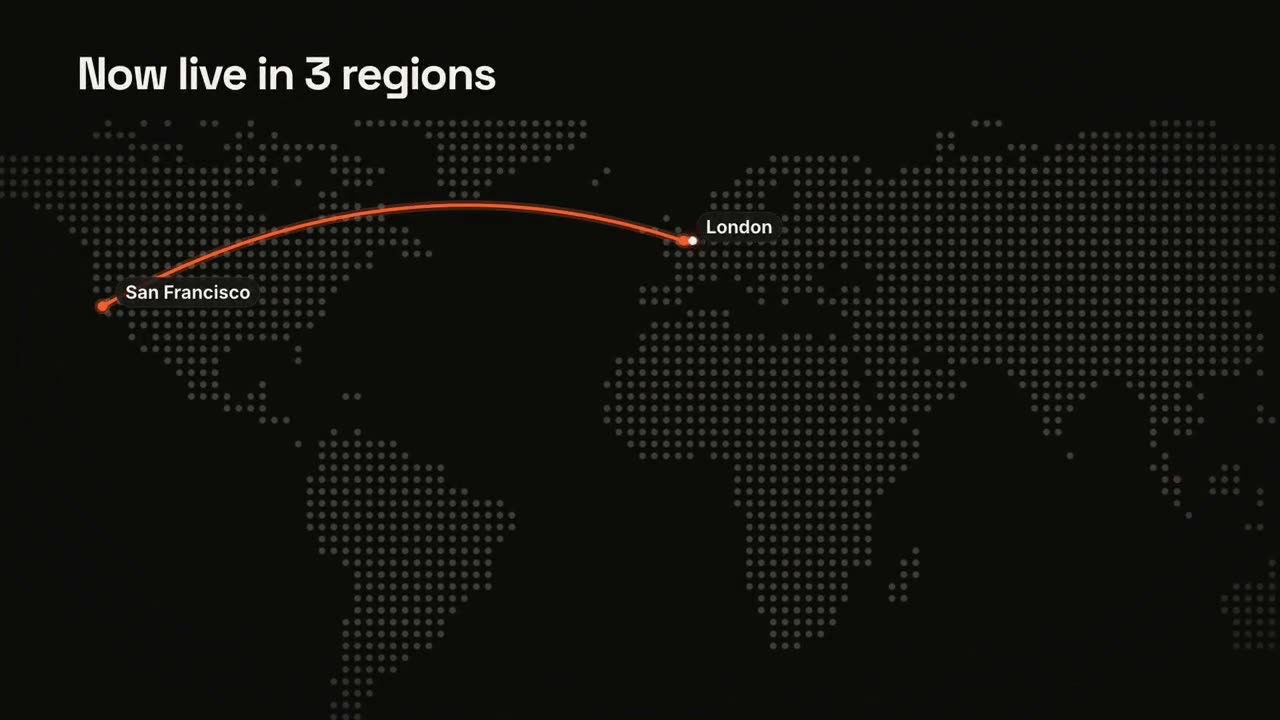
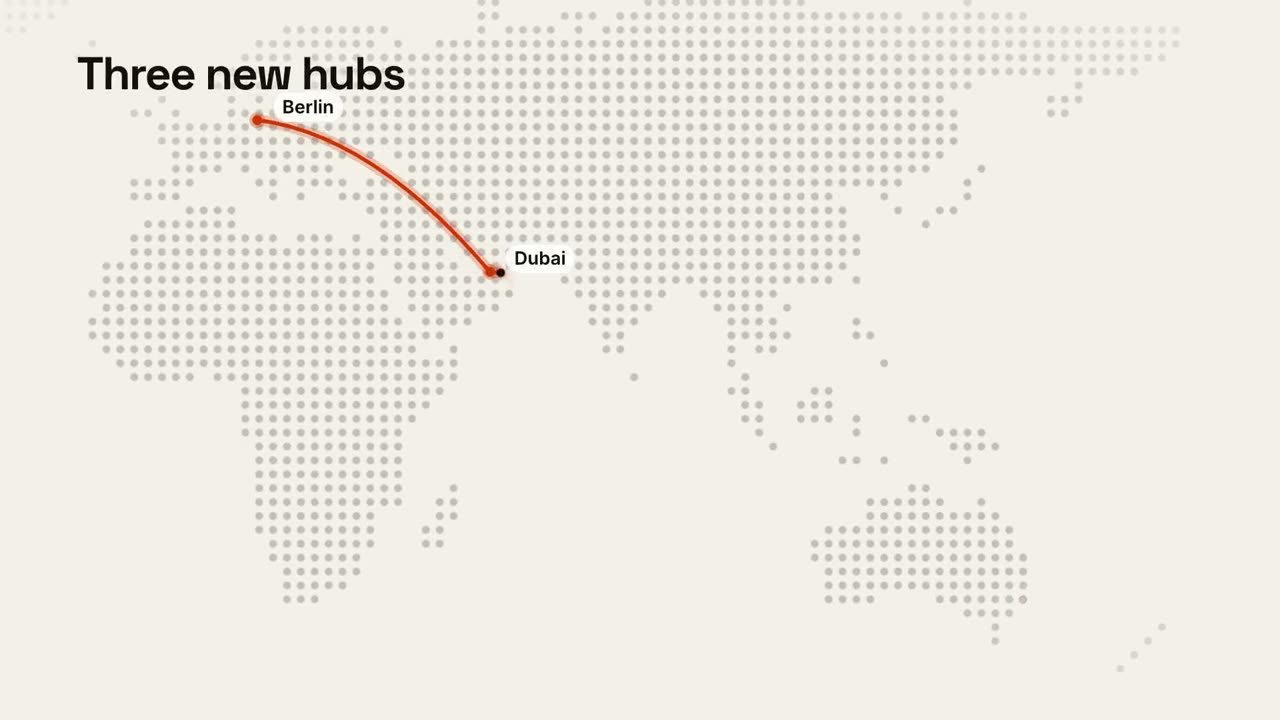
Mapas e rotas
Um mapa-múndi de pontos com uma rota animada.
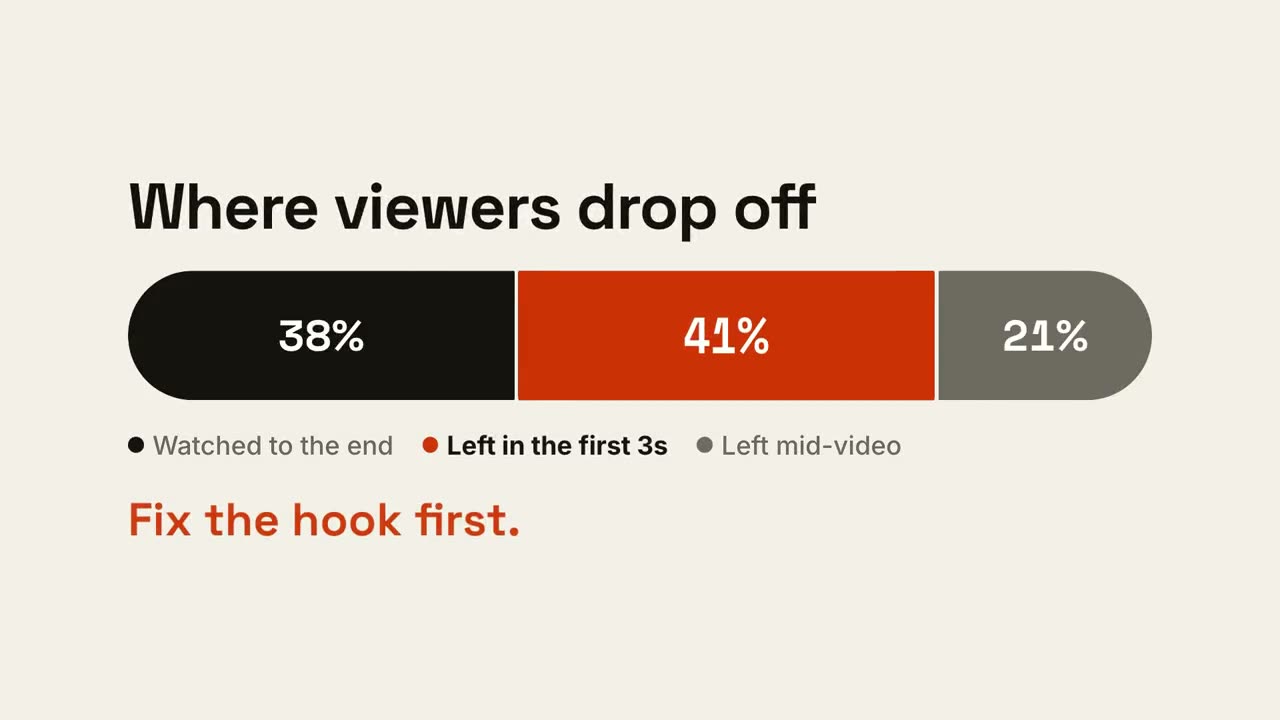
Barra de proporções
Uma barra se divide em partes e a que importa ganha destaque.
História com gráfico
Um gráfico de barras ou de linha animado que entrega uma conclusão.
Contador de KPIs
Até quatro números principais que vão subindo.
Tela dividida versus
Dois lados se abrem em volta de um selo VS, e o vencedor se ilumina.
Tendência em linha
Uma linha se desenha mostrando o valor, e um momento ganha uma anotação.
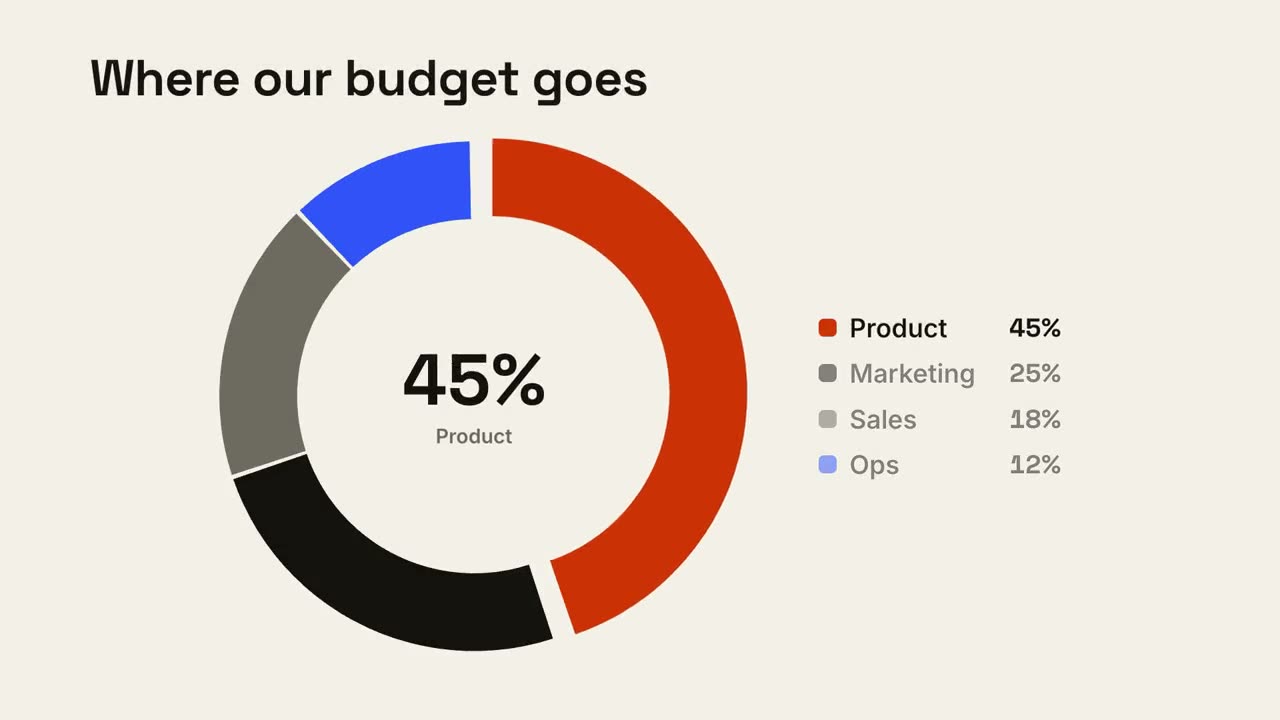
Detalhamento em rosca
Um gráfico de rosca se desenha e a maior fatia salta para fora.
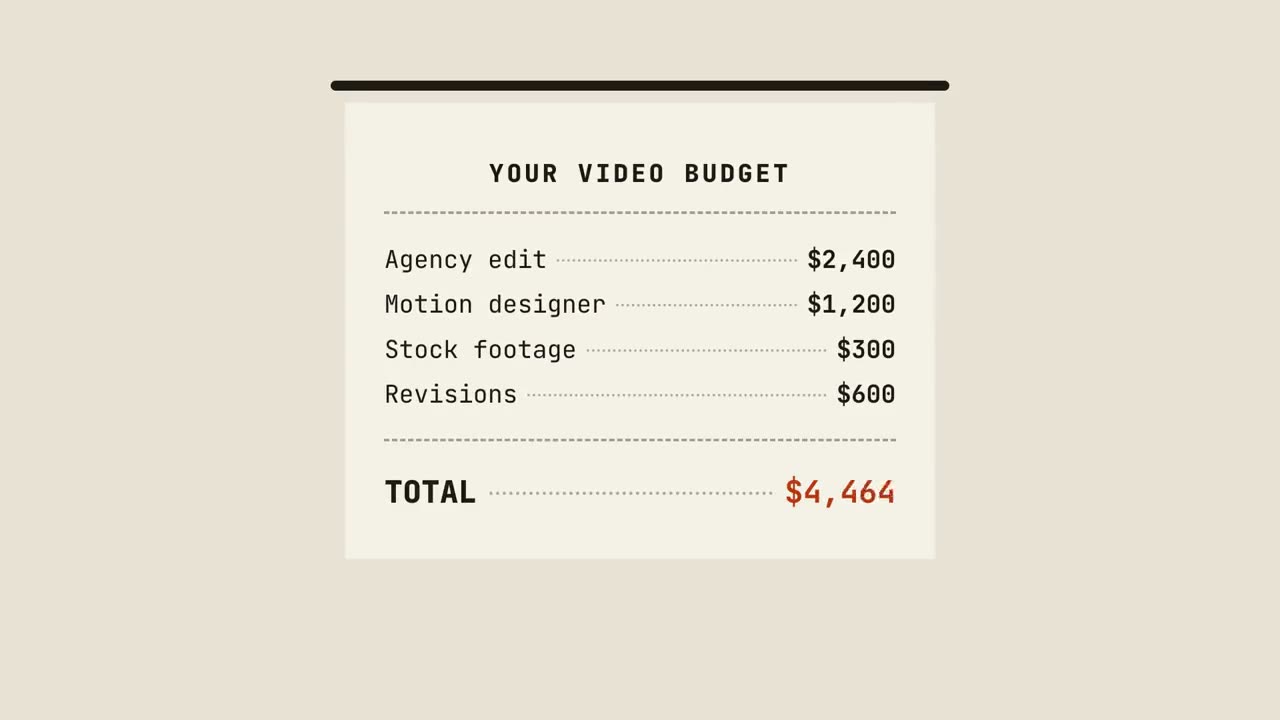
Cupom com total
Um cupom é impresso linha a linha, soma o total e recebe um carimbo.
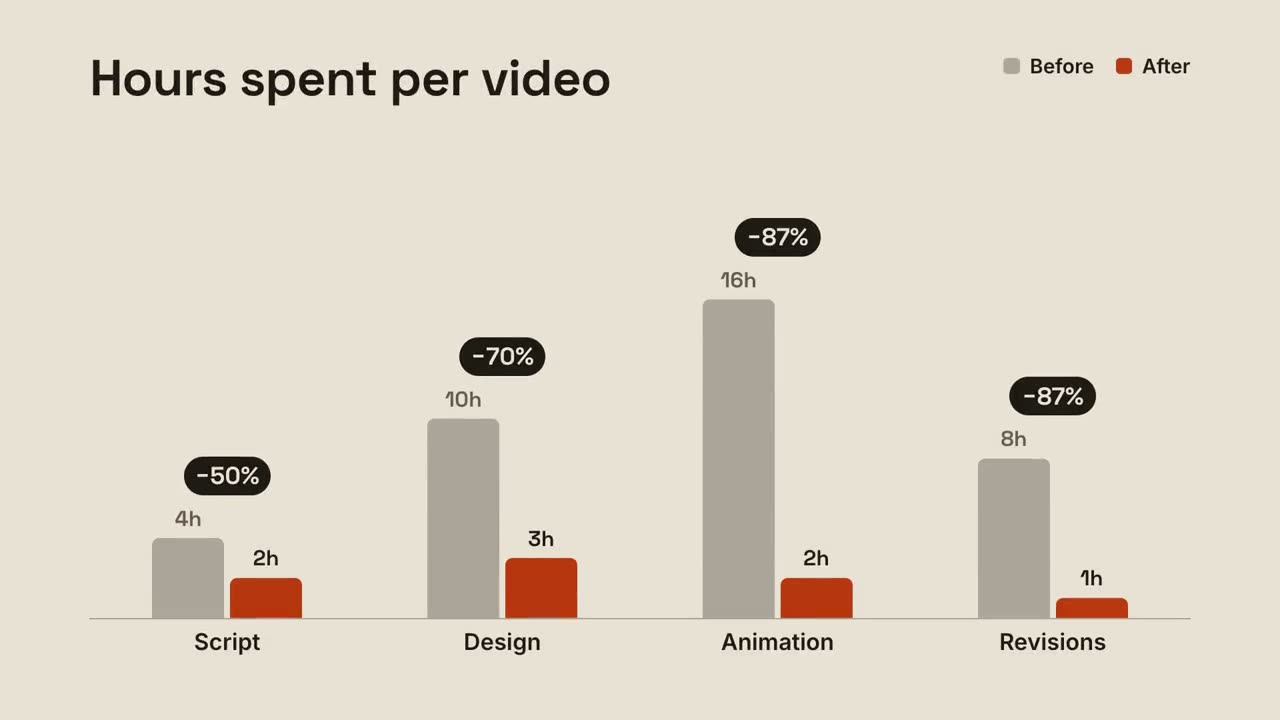
Barras agrupadas
Barras de antes e depois por grupo, com a variação acima de cada par.
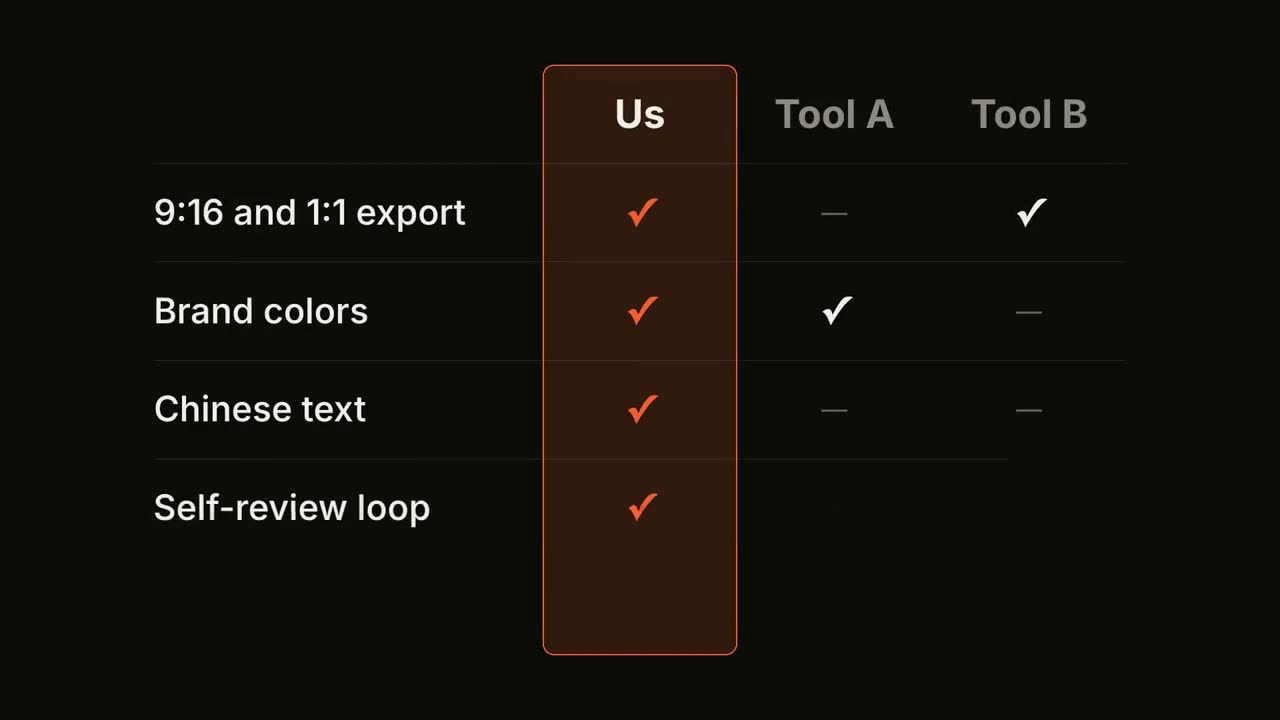
Matriz de recursos
Uma tabela comparativa se preenche linha a linha, com a sua coluna em destaque.
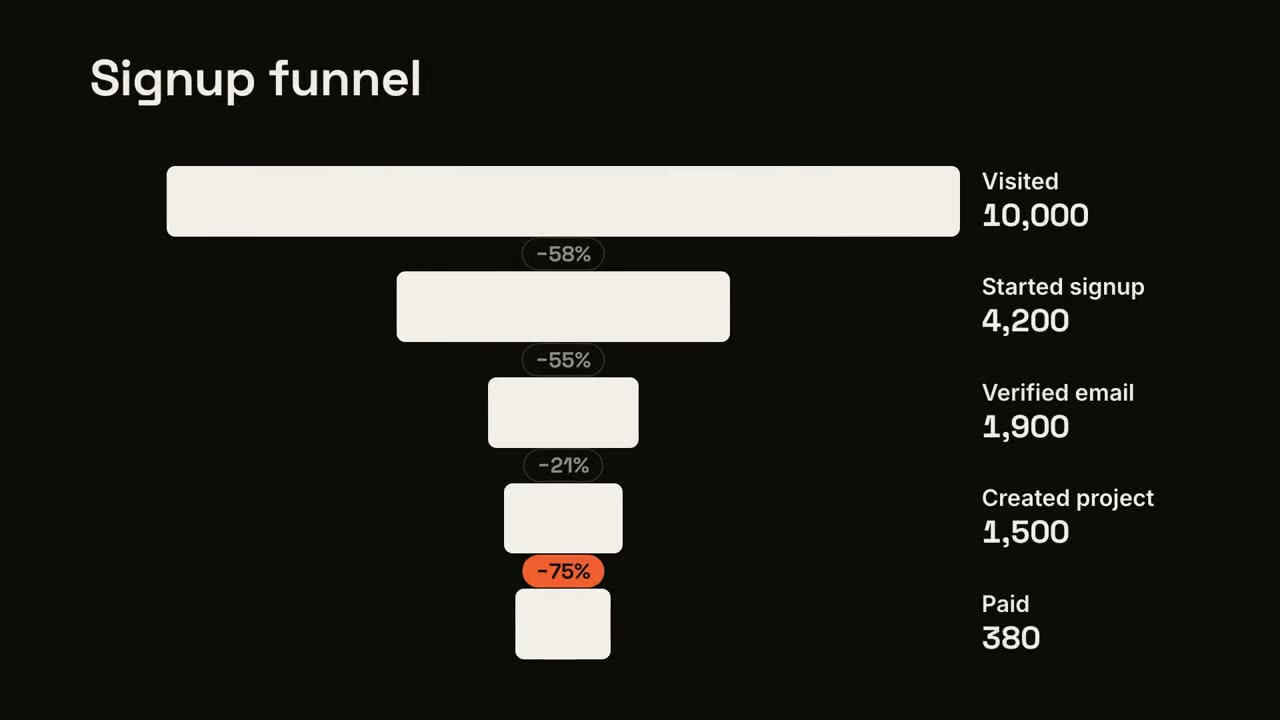
Perdas no funil
As etapas do funil se estreitam e o maior vazamento é sinalizado.
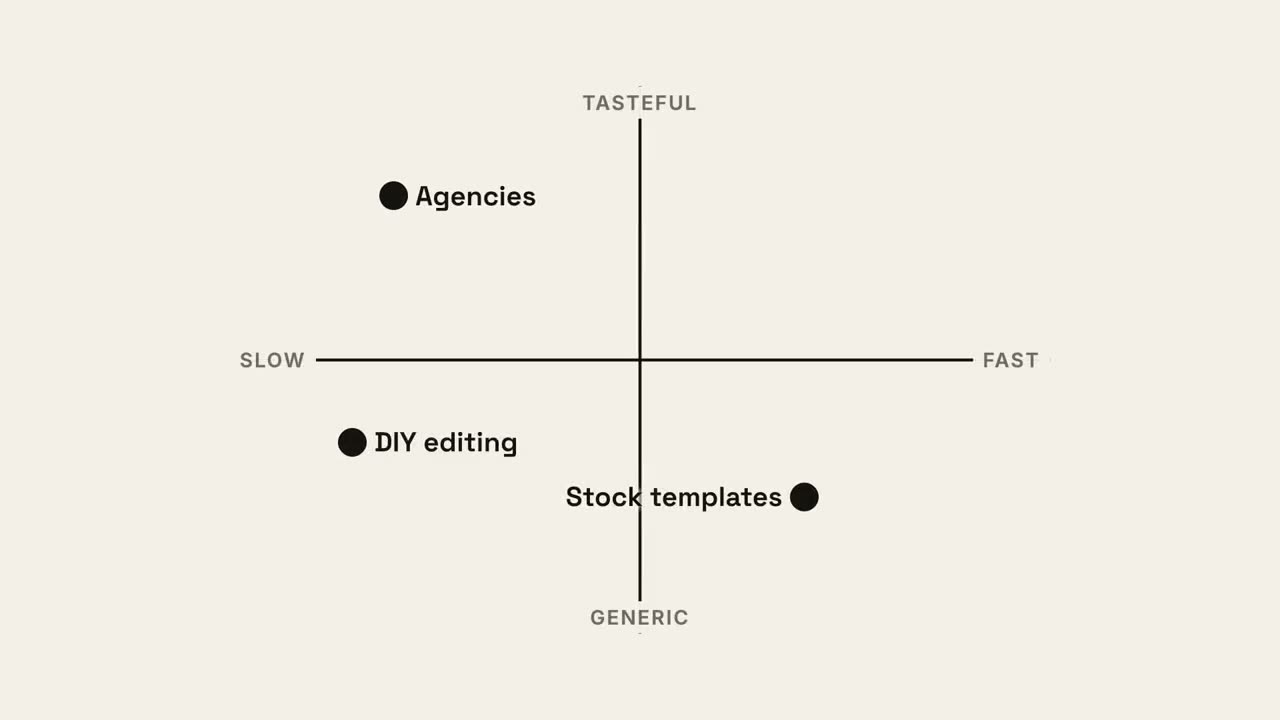
Mapa de quadrantes
Um mapa de posicionamento 2×2 em que o seu ponto fica com o melhor quadrante.
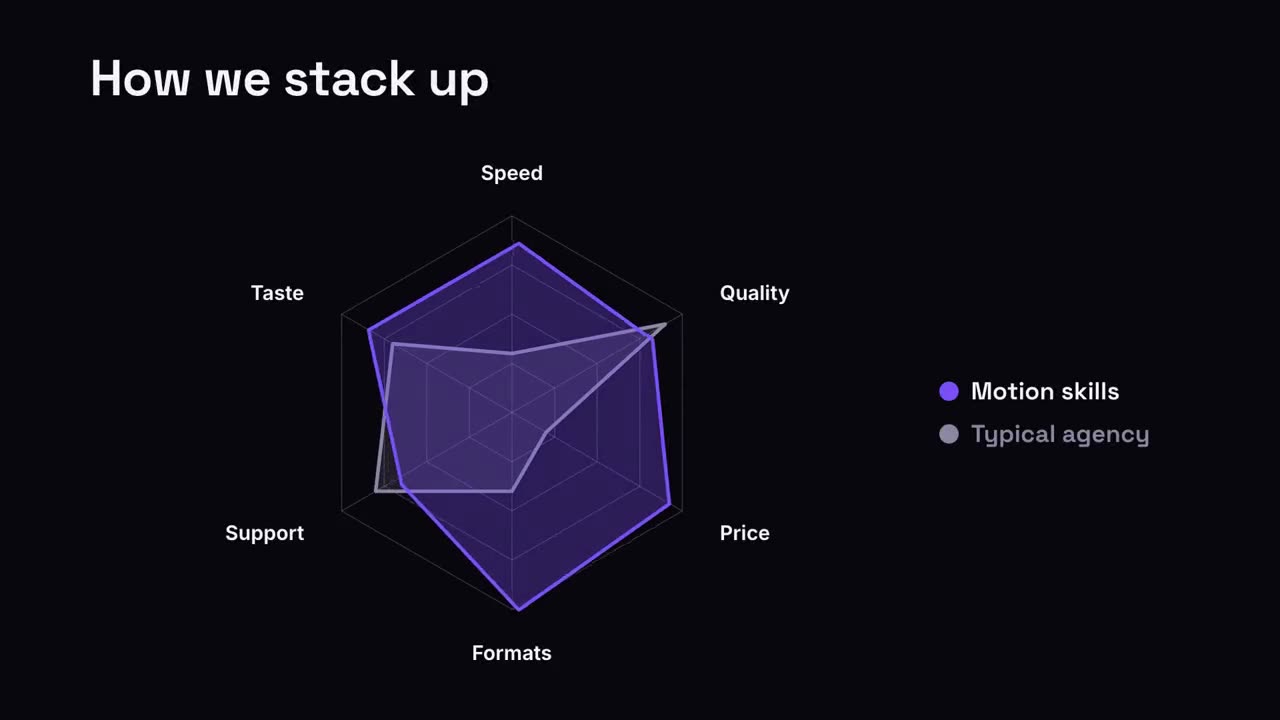
Comparação em radar
Um gráfico de radar em que a sua forma supera a comparação.
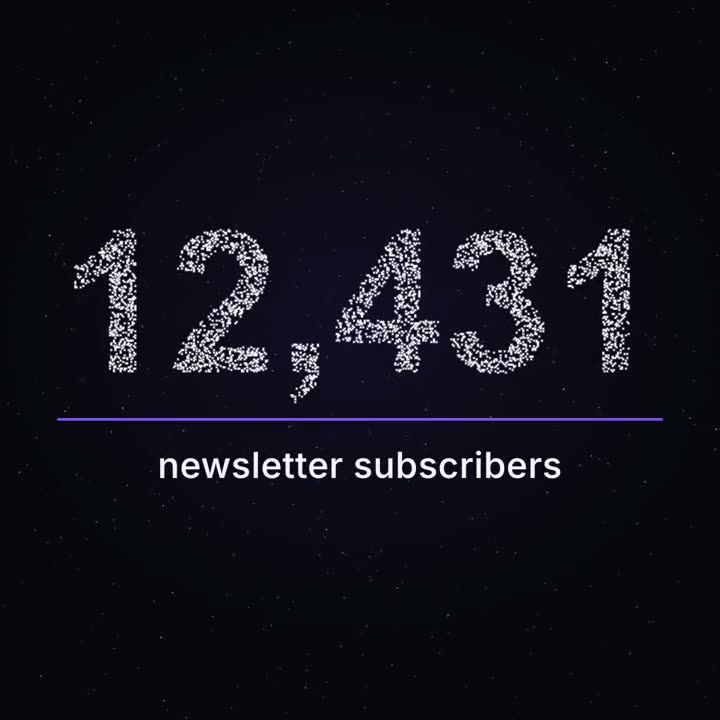
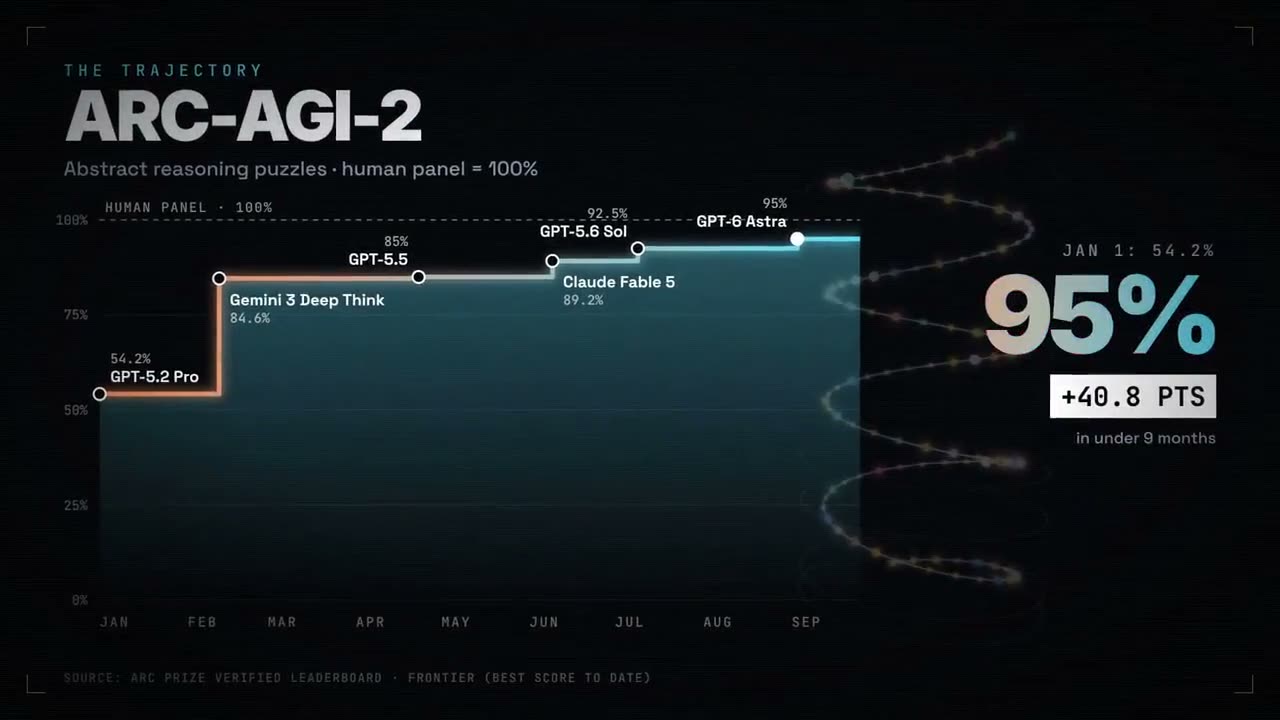
Marco em partículas
Milhares de pontos flutuam como um céu noturno e se juntam no seu número real.
Feito com estes