Données et graphiques
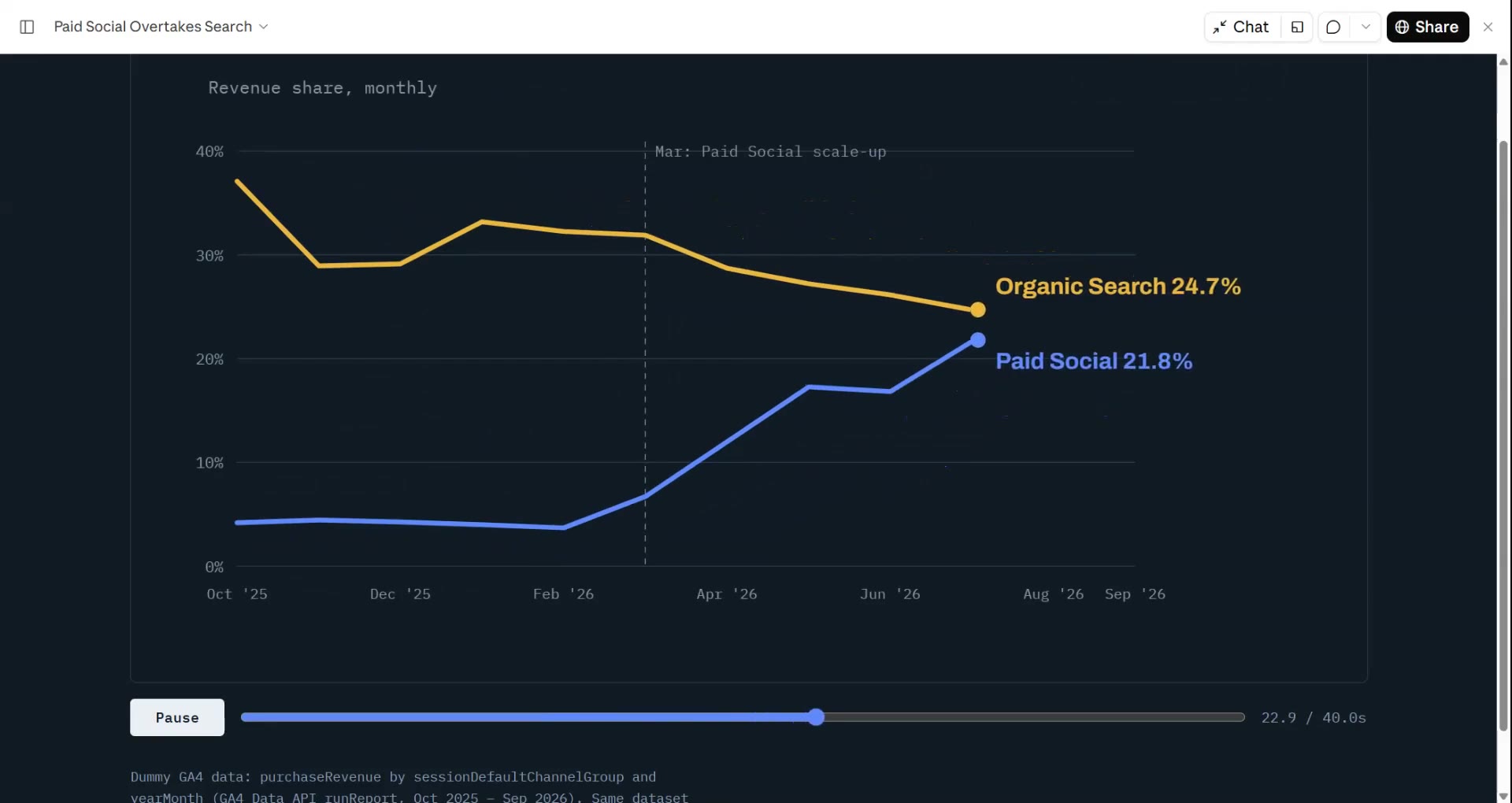
Donnez à votre agent un CSV ou un tableur : Data → Video trouve l'histoire (la tendance, le plus grand bond, la fuite du tunnel) et la rend avec des chiffres qui défilent et des graphiques qui se construisent seuls. Chaque chiffre vient de votre fichier.
De votre matière à une vidéo finie
Donnez à votre agent ce que vous avez ; le workflow écrit, réalise et rend le MP4.
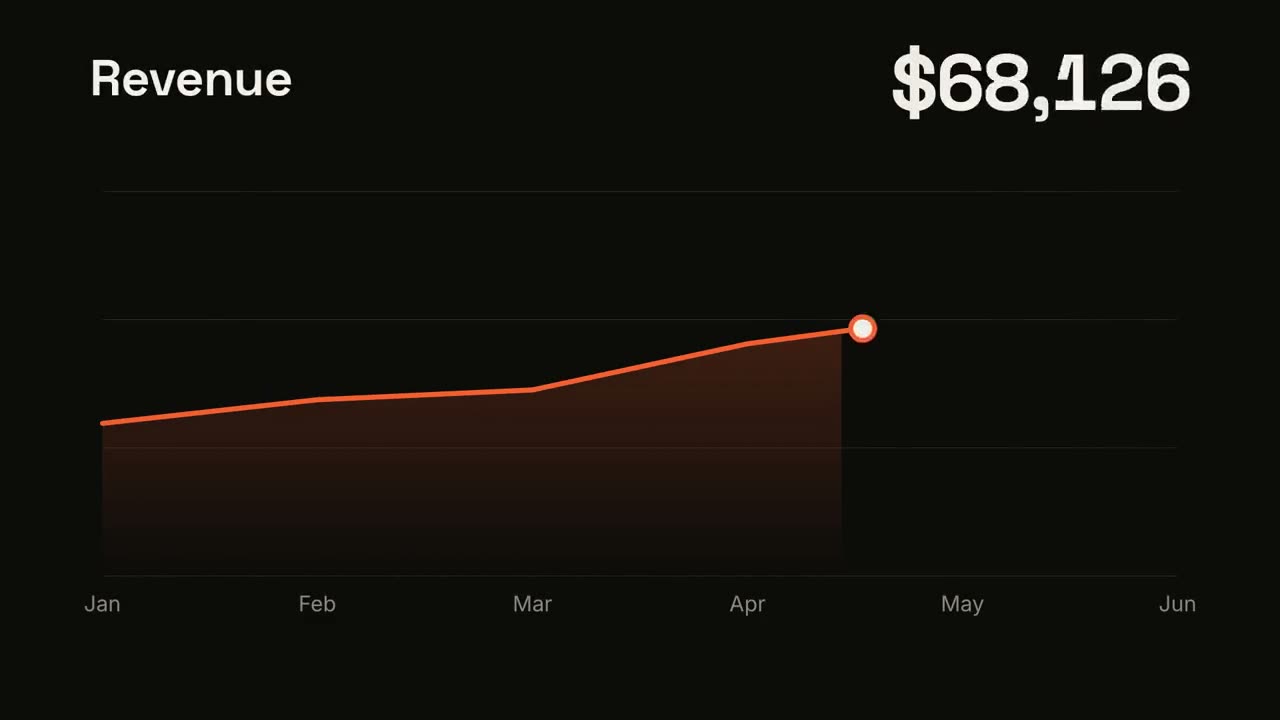
Des prompts pour commencer
Collez-le dans Claude Motion, ou installez le skill correspondant et demandez à votre agent.
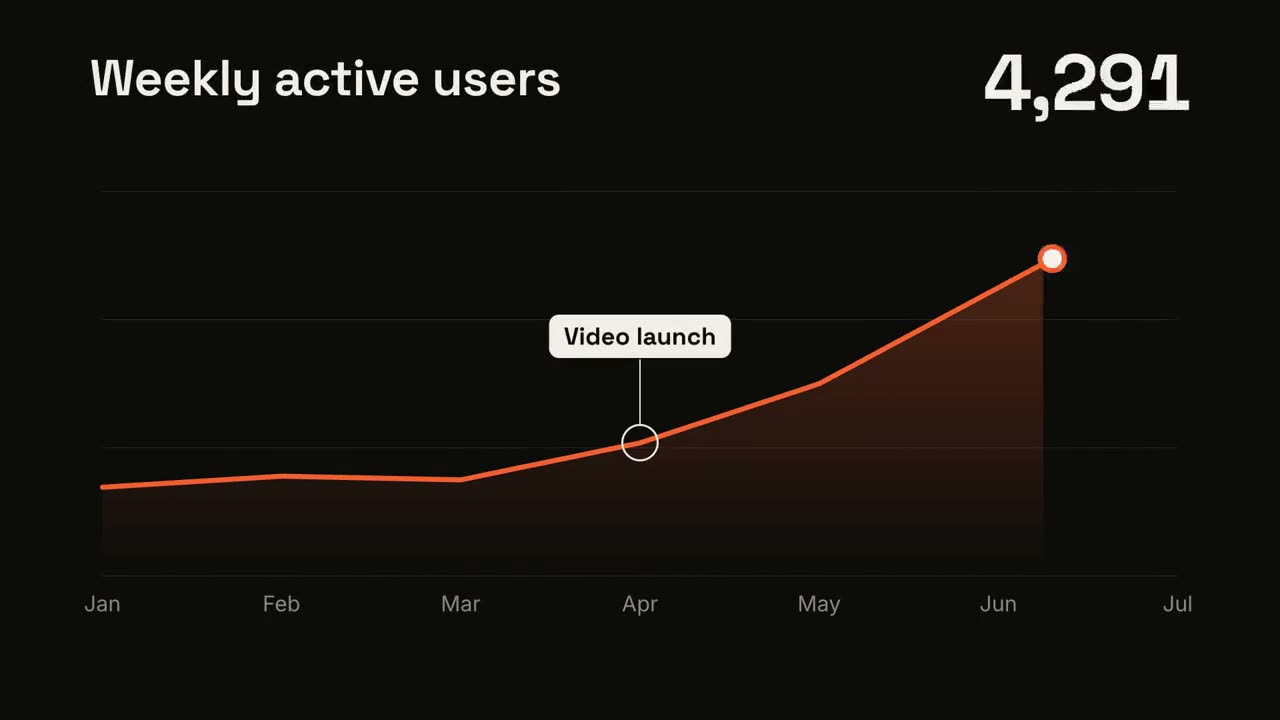
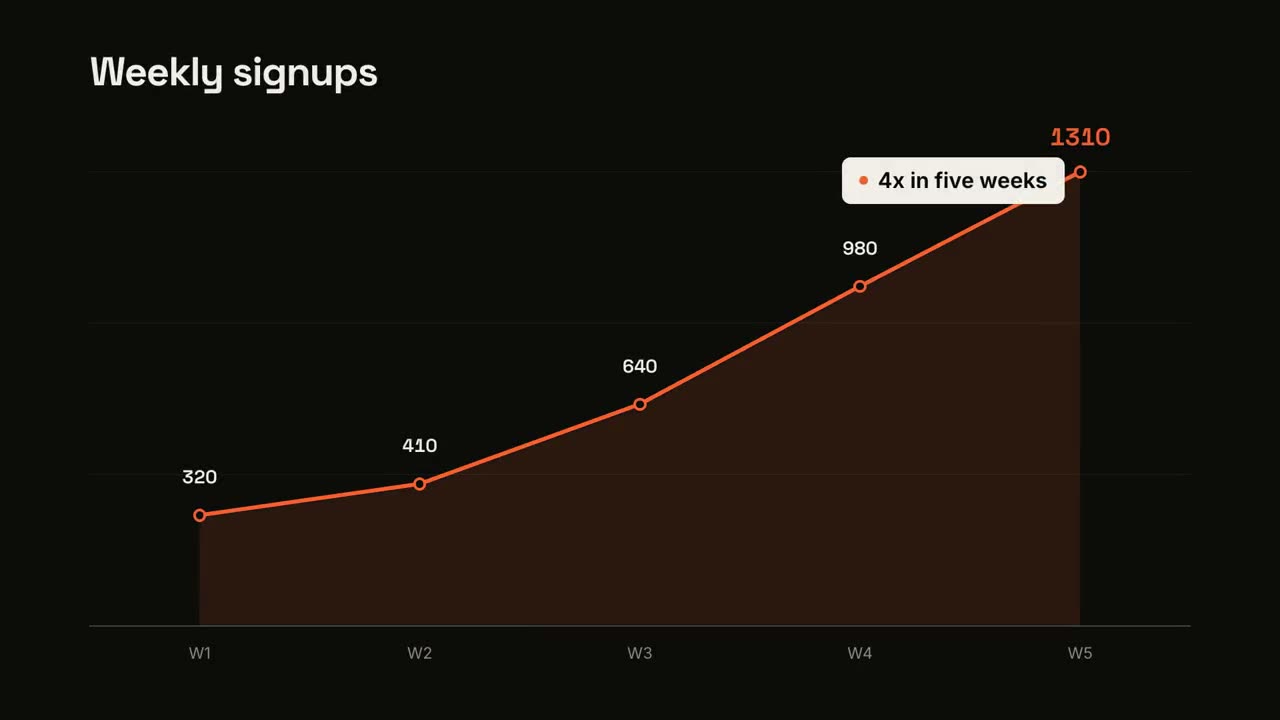
Tendance en courbe
Ouvrir le skill →GratuitMake a 7-second 16:9 line chart for [who will watch, e.g. the board], playing [where, e.g. the quarterly review]. Use only the numbers I attach or list below; don't round or smooth them. Near-black background. The title sits top left and a large white number top right. An orange line draws from left to right across the period over a fading orange gradient fill, while a white dot with an orange halo rides the tip and the big number counts along with it. At the marked point, a white ring appears on the line with a thin stem and a white label. End frame: the big number turns orange, held for 1.5 seconds. Title: [e.g. "Weekly active users"] Data: [your periods and values] (e.g. Jan to Jul, 1,200 to 5,200) Marked point and label: [e.g. April, "Video launch"]
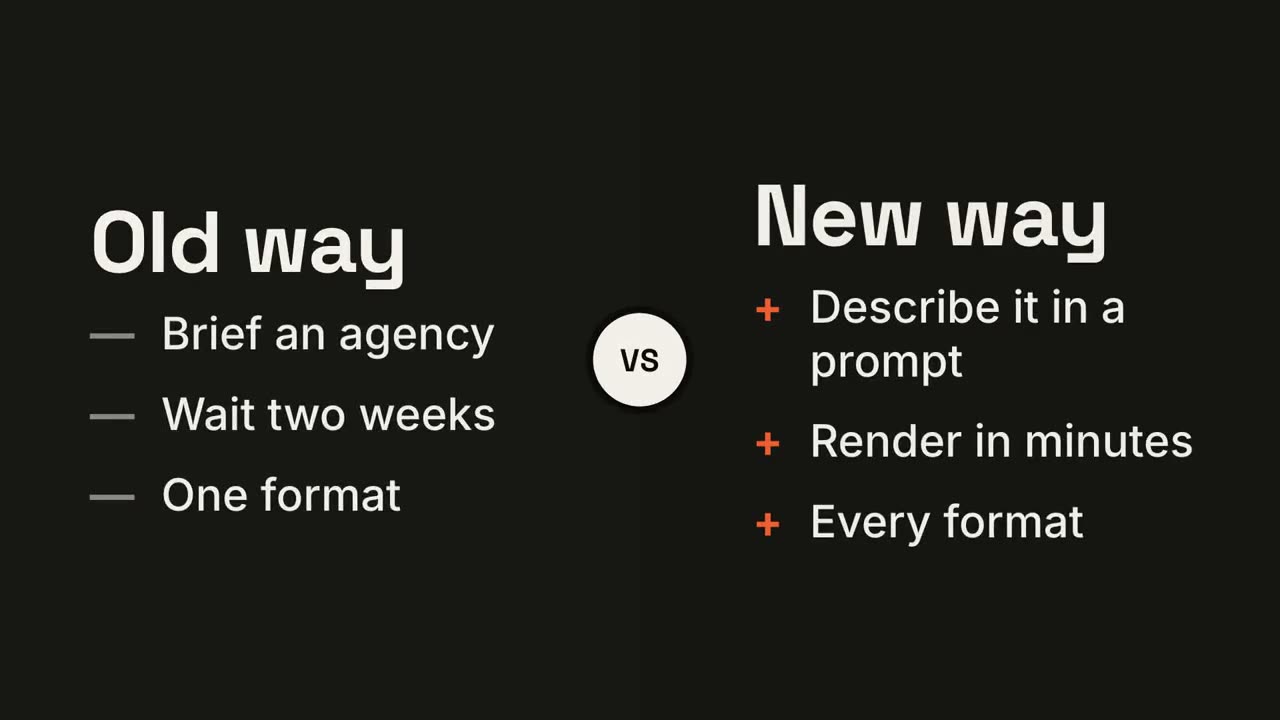
Duel en écran partagé
Ouvrir le skill →GratuitMake a 7-second 16:9 comparison for [who will watch, e.g. prospects deciding between us and an agency], playing [where, e.g. the sales deck]. Use only the two titles and six points below; don't reword them. Near-black background. The frame splits into two dark panels that slide in from the left and right. A white circular "VS" badge spins into the center. The left panel lists its three points with dashes; the right panel lists its three with orange plus signs. End frame: the right panel floods orange with black text and scales up slightly while the left panel dims. Left title and points: [e.g. "Old way": "Brief an agency", "Wait two weeks", "One format"] Right title and points: [e.g. "New way": "Describe it in a prompt", "Render in minutes", "Every format"]
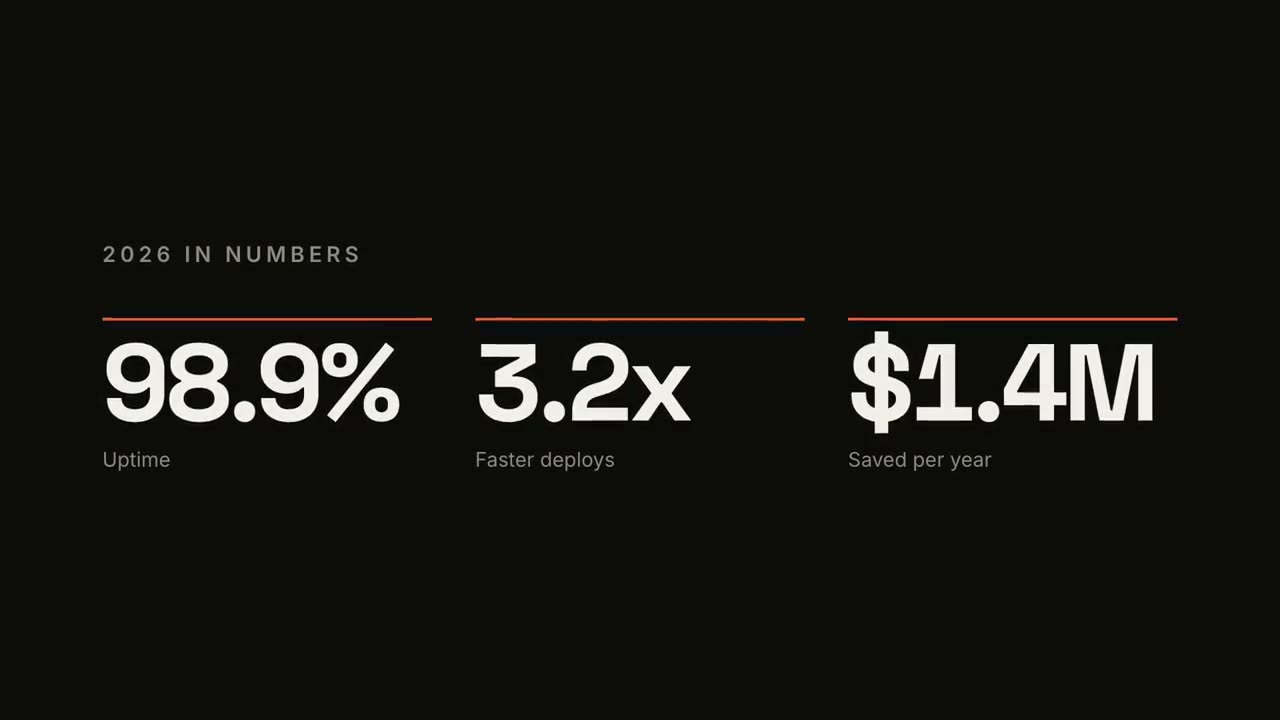
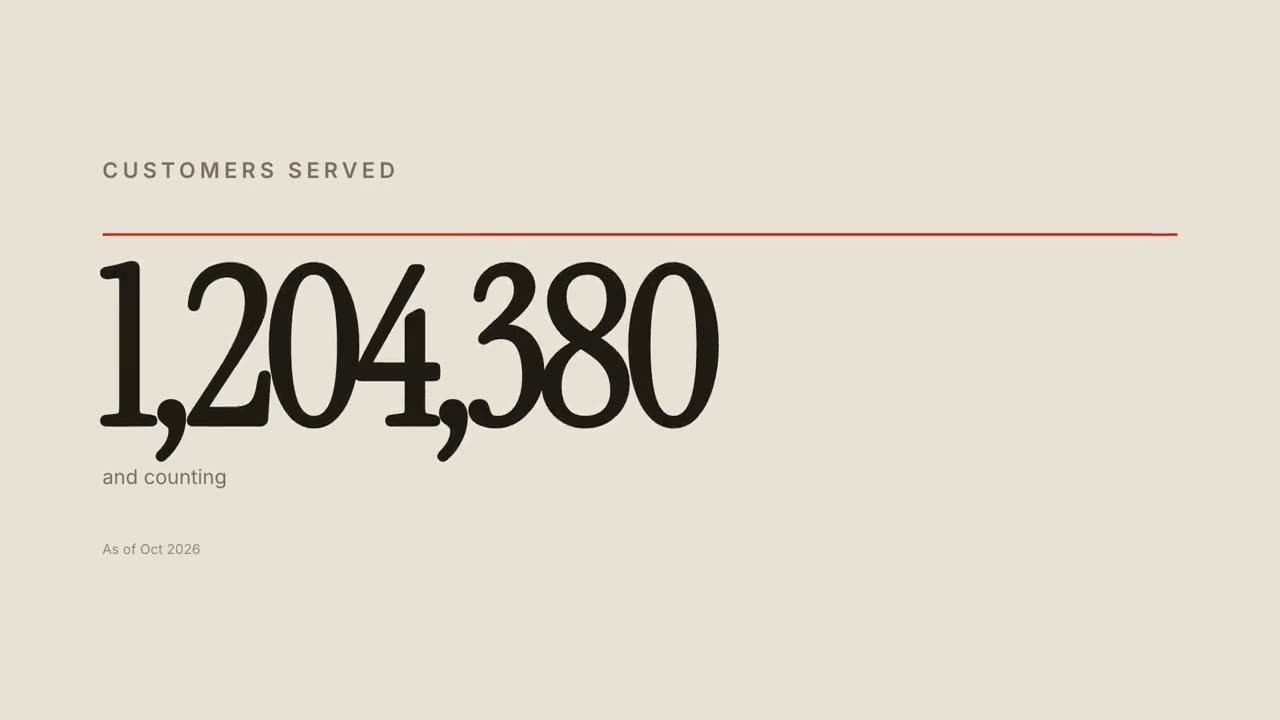
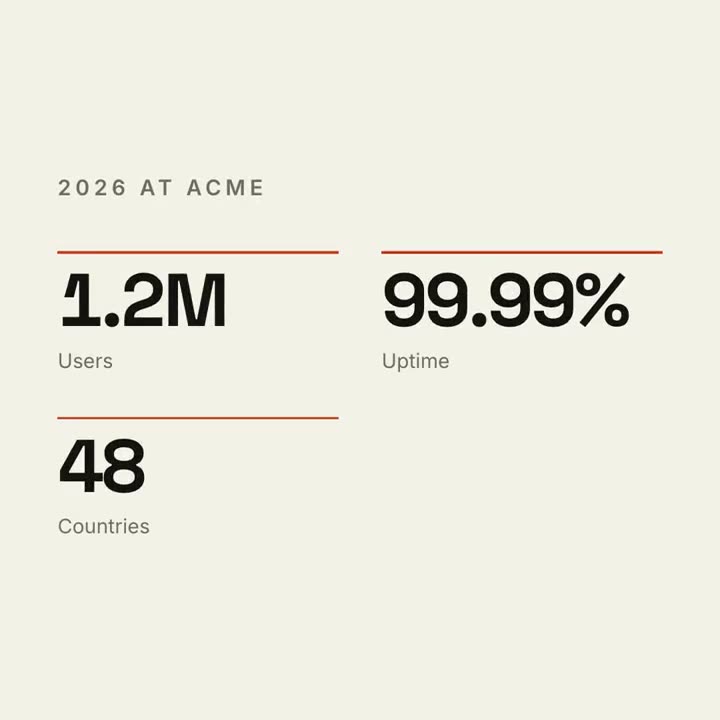
Compteur de KPI
Ouvrir le skill →GratuitMake a 7-second 16:9 stat animation for [who will watch, e.g. customers reading our year in review], playing [where, e.g. the newsletter and LinkedIn]. Use only the numbers below; don't round or change them. Near-black background. A small uppercase gray title tightens its letter spacing as it fades in. Three columns appear one after another: each has a thin orange bar that sweeps across, then a huge off-white number counts up from zero, with a gray label beneath. End frame: hold on the final numbers. Title: [e.g. "2026 IN NUMBERS"] Three numbers and labels: [e.g. "98.9%" Uptime, "3.2x" Faster deploys, "$1.4M" Saved per year]
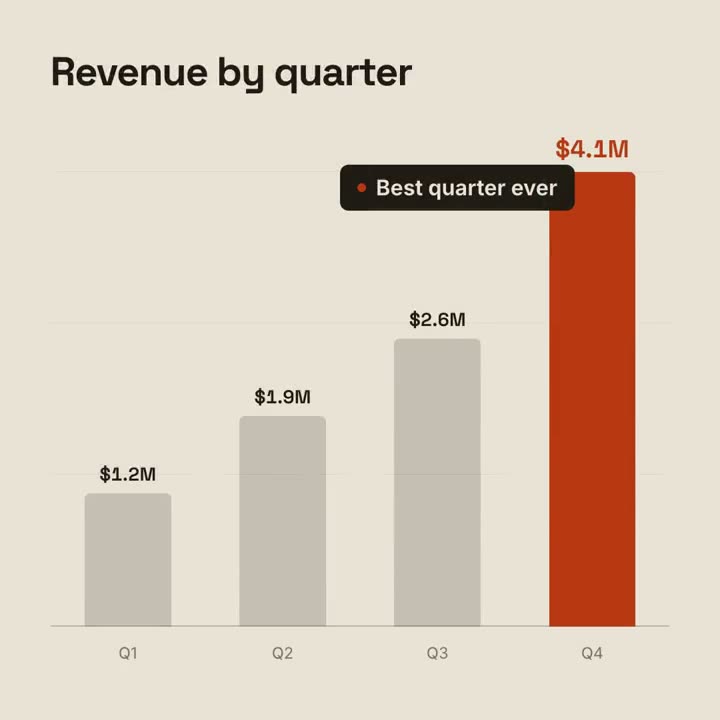
Histoire en graphique
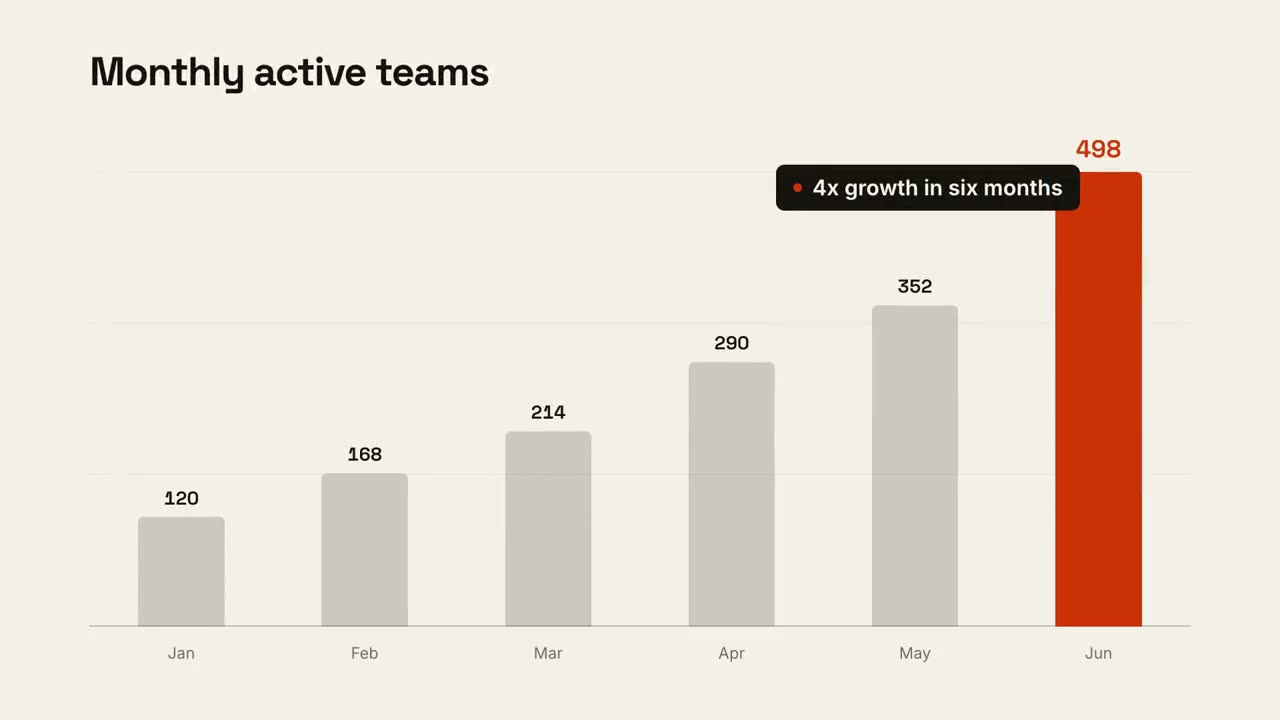
Ouvrir le skill →GratuitMake a 9-second 16:9 animated bar chart for [who will watch, e.g. investors], playing [where, e.g. the monthly update]. Use only the numbers I attach or list below; don't round or change any of them. Warm off-white background, bold geometric sans. The title fades in at the top left. A baseline draws across and faint gridlines appear. The gray bars grow one after another with their values counting up above them; the last bar is orange-red with its value in the same accent. End frame: a black pill with an orange dot slides in near the last bar with the takeaway, held for 2 seconds. Title: [e.g. "Monthly active teams"] Data: [your labels and values] (e.g. Jan–Jun: 120, 168, 214, 290, 352, 498) Takeaway: [e.g. "4x growth in six months"]
Scènes à l’unité pour ça
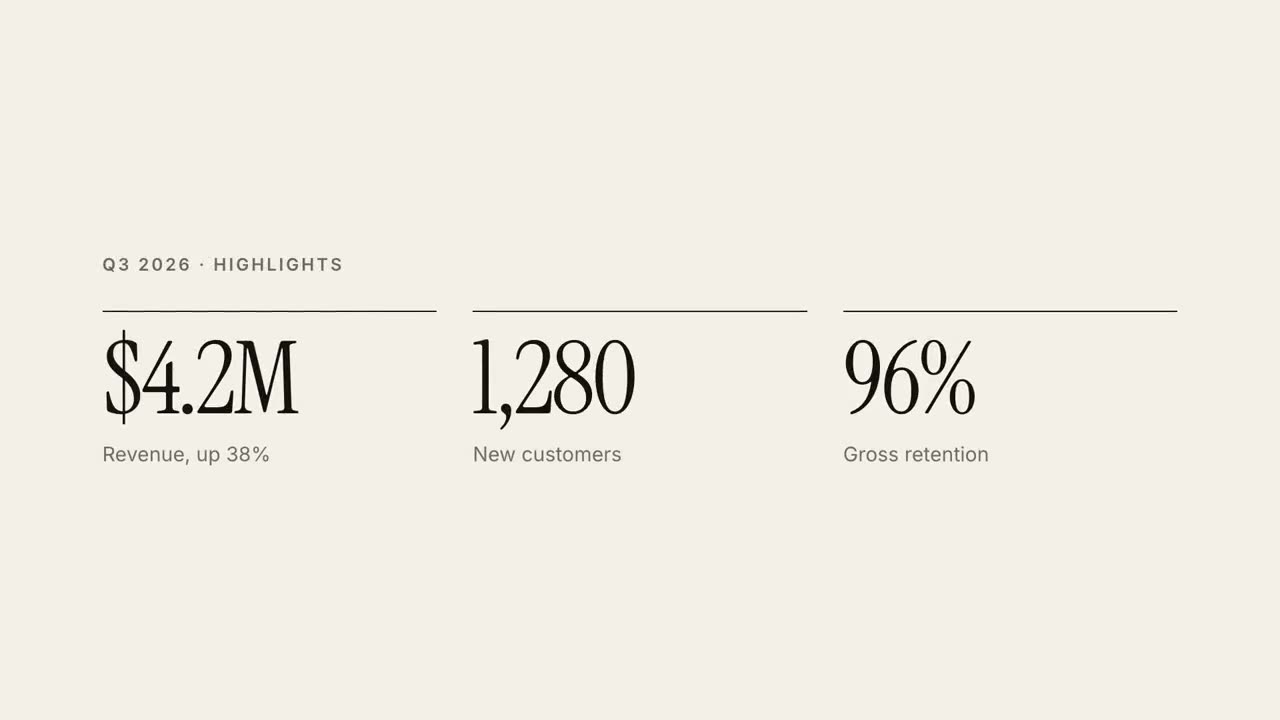
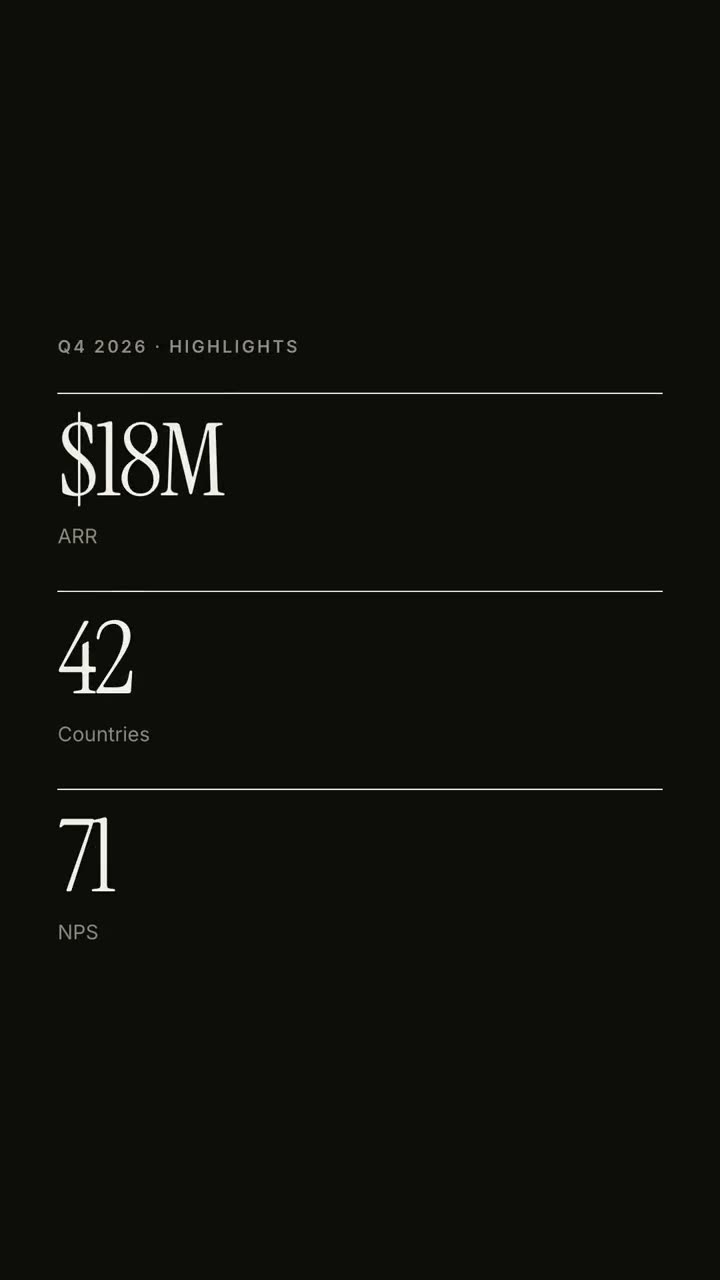
Rapport en 30 s
Un rapport trimestriel en vidéo explicative éditoriale de 30 secondes.
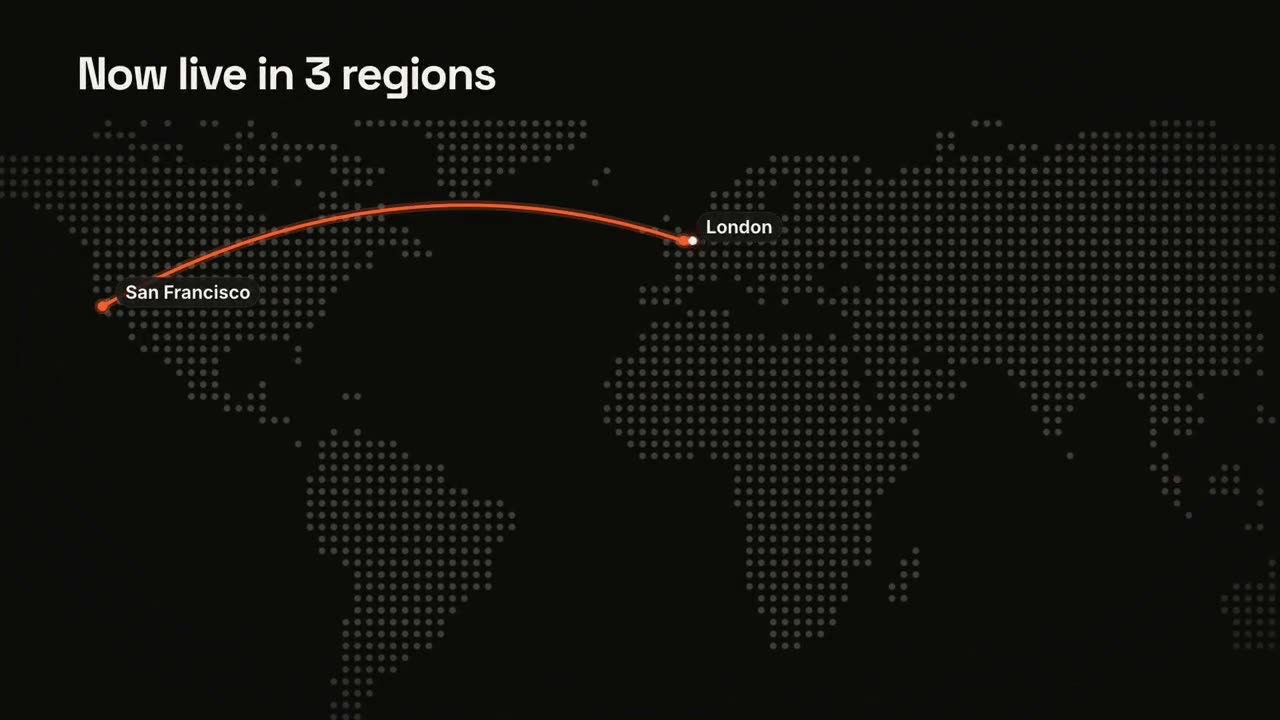
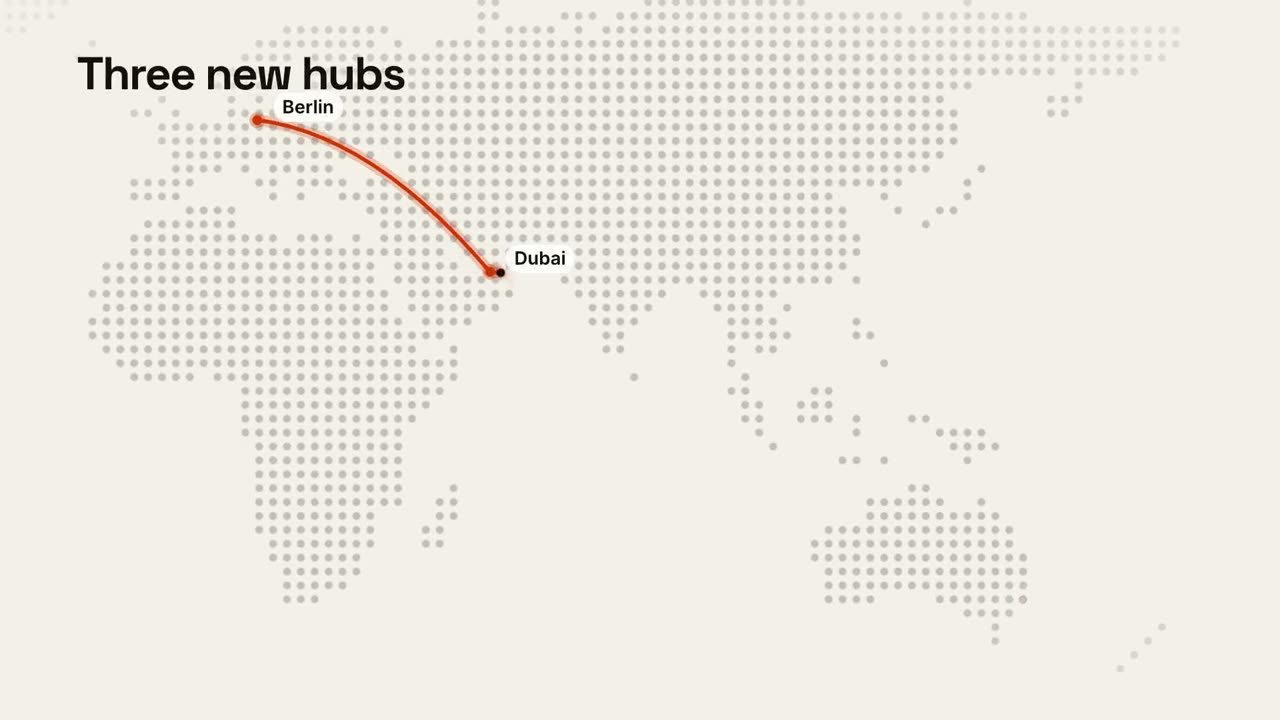
Cartes et itinéraires
Une carte du monde en points avec un itinéraire animé.
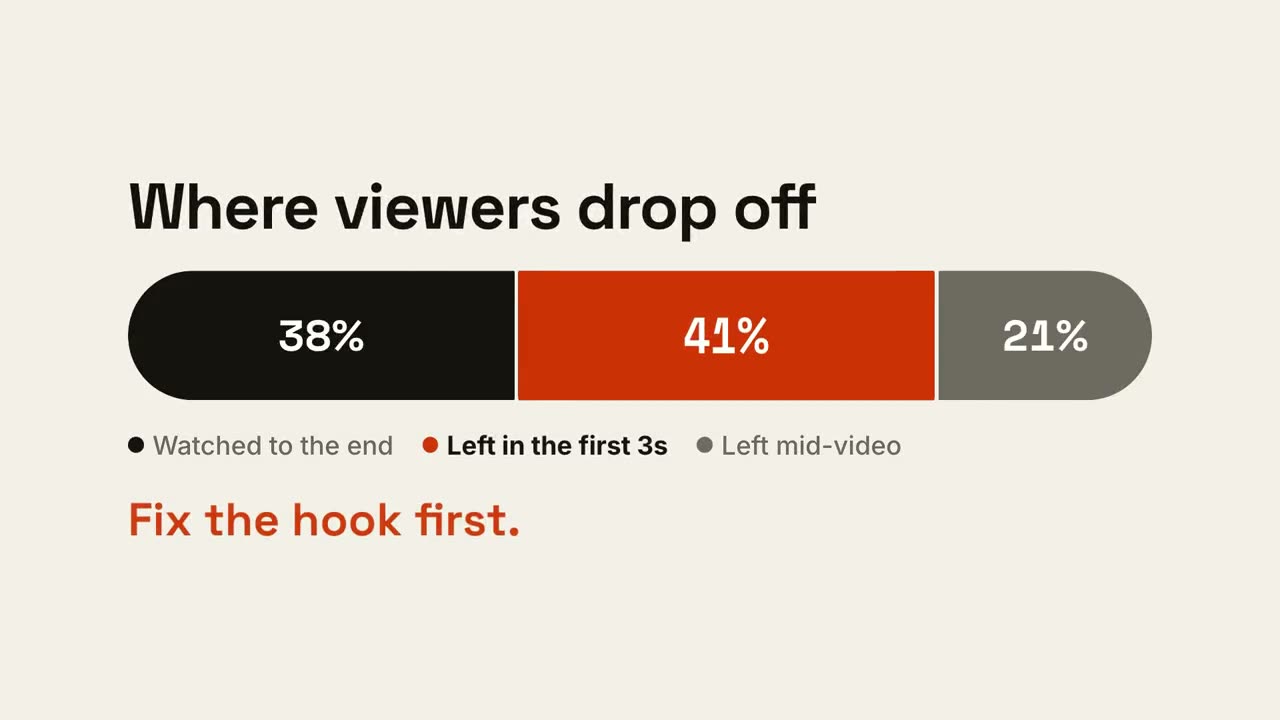
Barre de proportions
Une barre se découpe en parts, puis la part qui compte est mise en avant.
Histoire en graphique
Un graphique en barres ou en courbe animé qui fait passer un message.
Compteur de KPI
Jusqu’à quatre chiffres clés qui s’incrémentent.
Duel en écran partagé
Deux camps s’ouvrent autour d’un badge VS, et le gagnant s’illumine.
Tendance en courbe
Une courbe se trace en affichant sa valeur, et un moment est annoté.
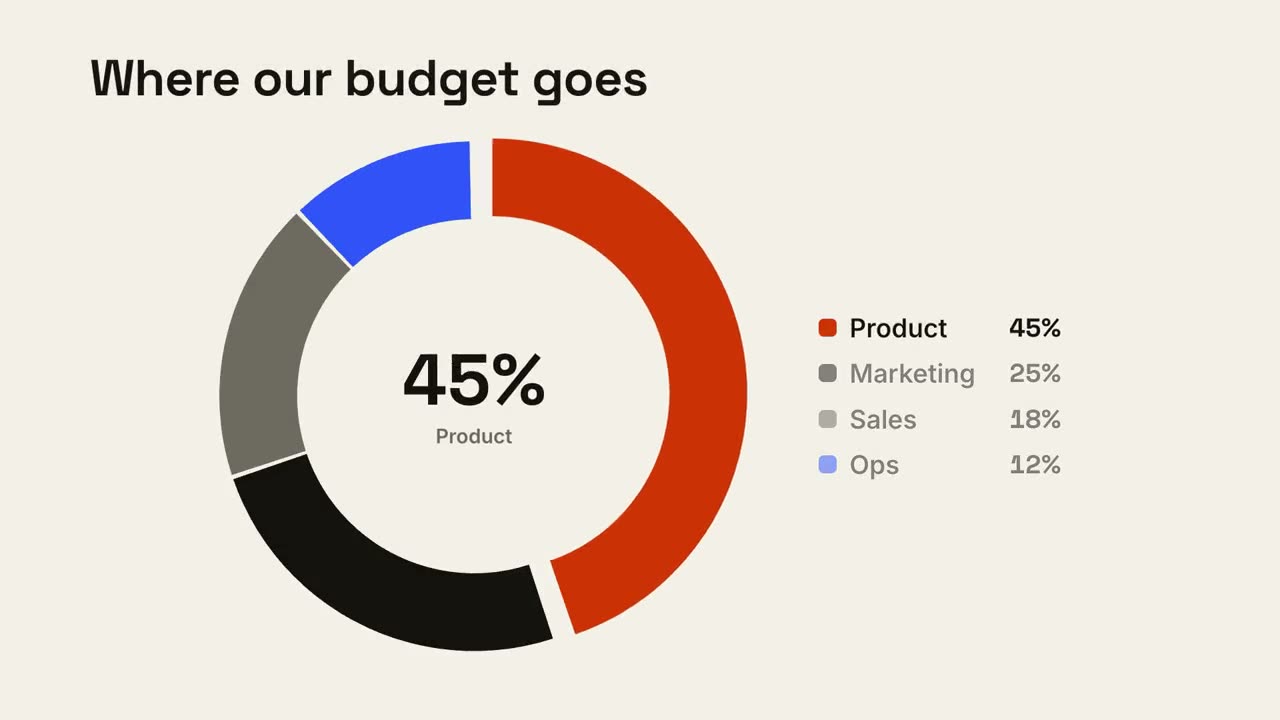
Répartition en anneau
Un graphique en anneau se dessine et la plus grande part ressort.
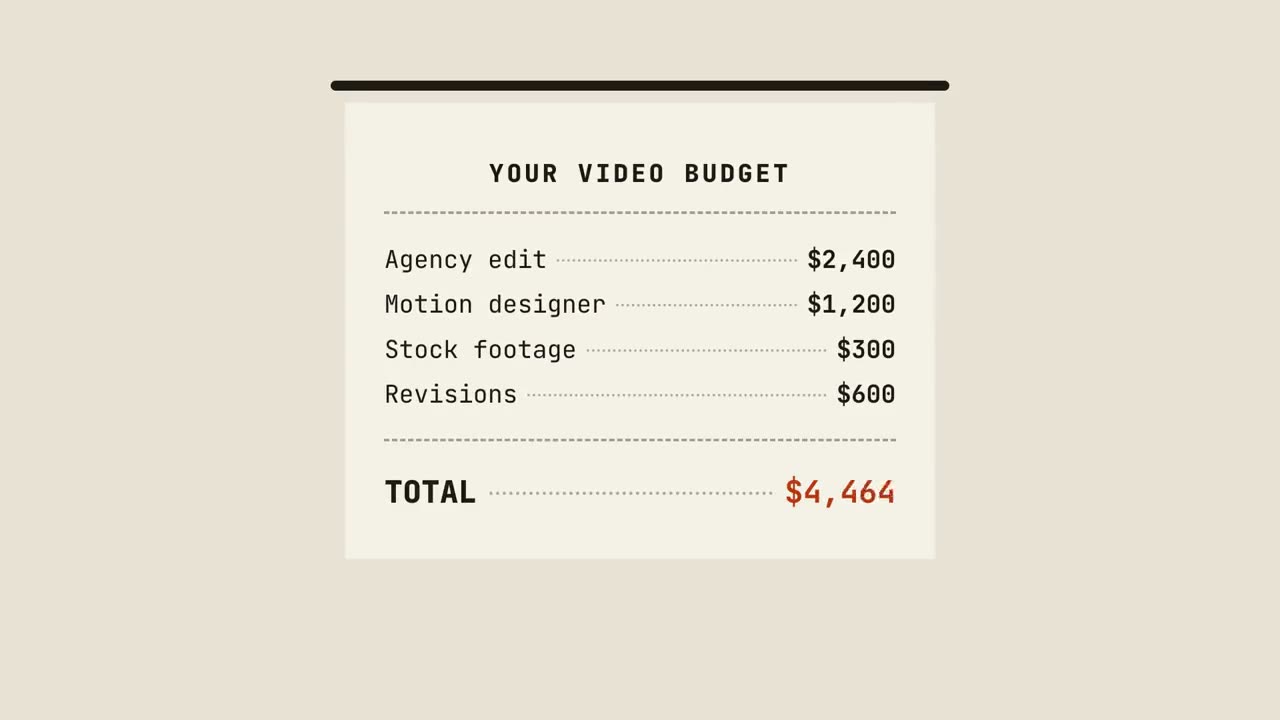
Ticket de caisse
Un ticket s’imprime ligne par ligne, fait le total et reçoit un tampon.
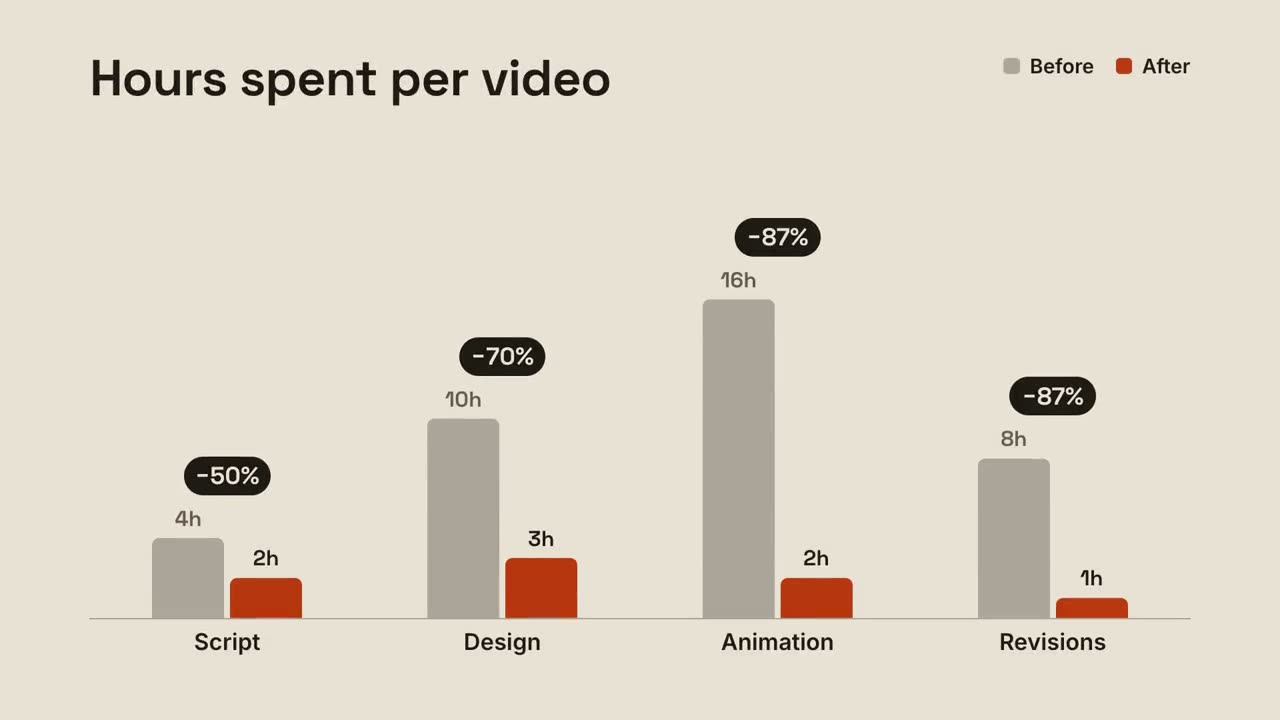
Barres groupées
Des barres avant/après par groupe, avec l’évolution au-dessus de chaque paire.
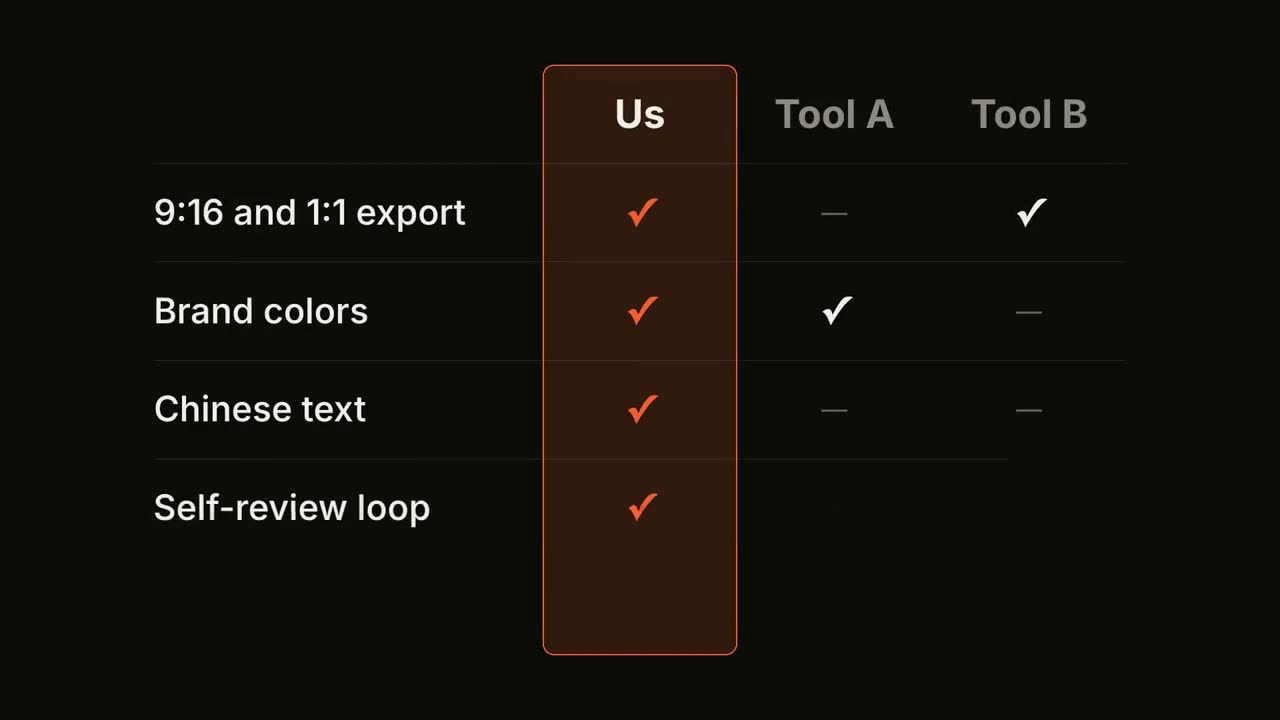
Tableau comparatif
Un tableau comparatif se remplit ligne par ligne, avec votre colonne en avant.
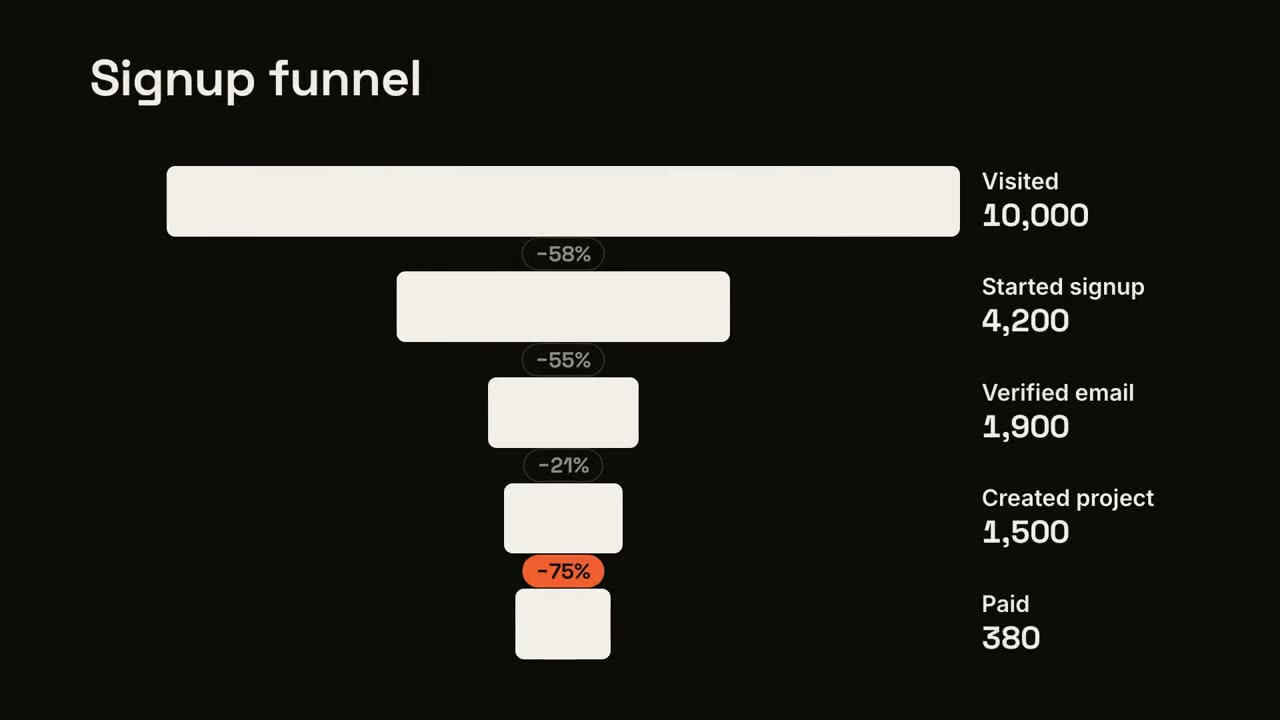
Pertes dans l’entonnoir
Les étapes de l’entonnoir se resserrent et la plus grosse fuite est signalée.
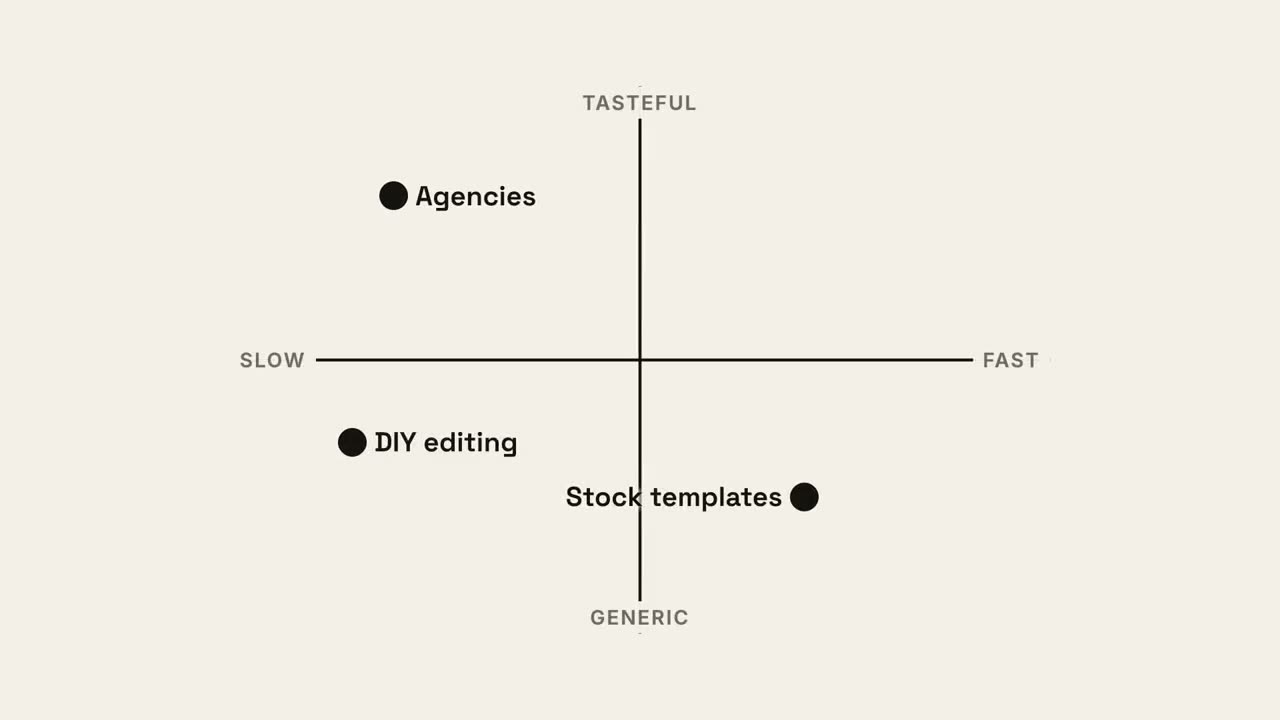
Carte en quadrants
Une carte de positionnement 2×2 où votre point prend le meilleur quadrant.
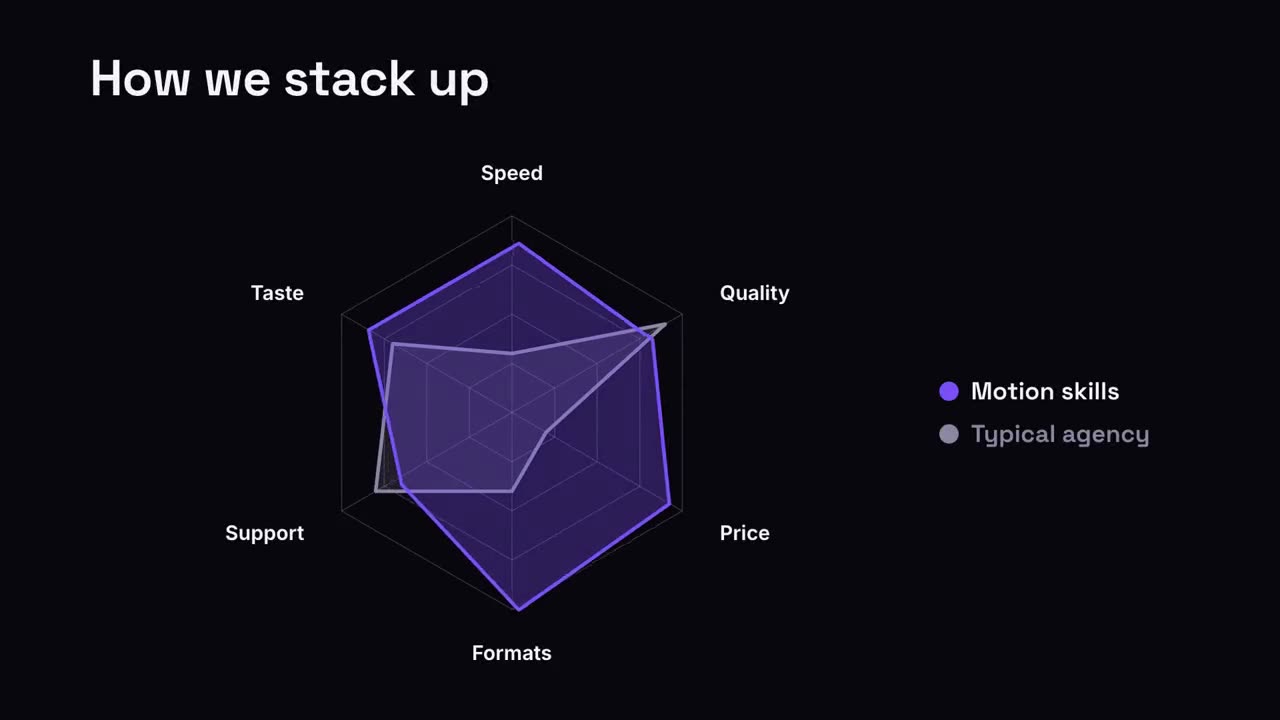
Comparaison radar
Un graphique radar où votre forme dépasse la comparaison.
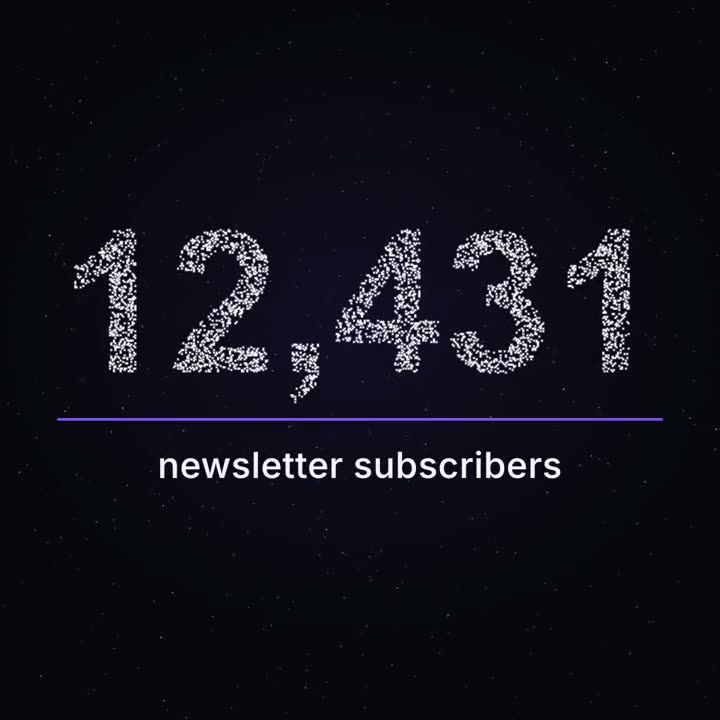
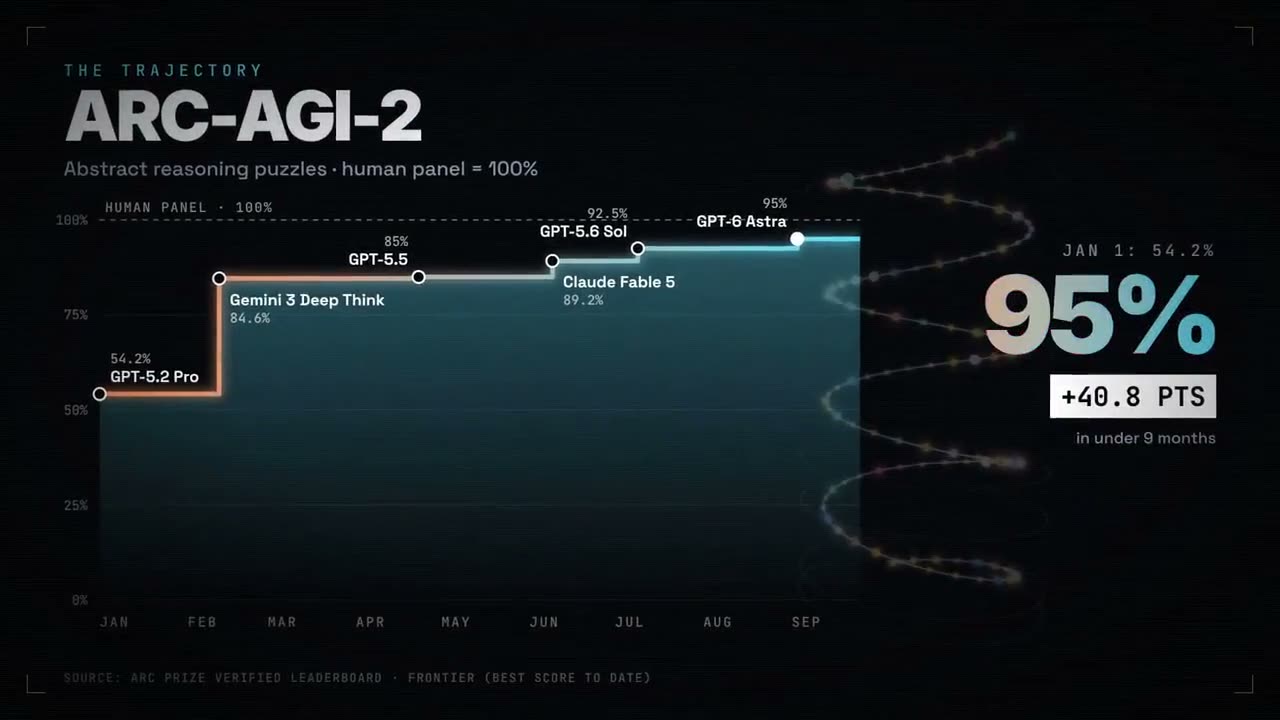
Cap en particules
Des milliers de points flottent comme un ciel nocturne, puis forment votre vrai chiffre.
Réalisé avec ces skills