Datos y gráficos
Dale a tu agente un CSV o una hoja de cálculo y Data → Video encuentra la historia (la tendencia, el mayor salto, la fuga del embudo) y la renderiza con números que cuentan y gráficos que se dibujan solos. Cada número sale de tu archivo.
De tu material a un video terminado
Dale a tu agente lo que tienes; el flujo escribe, dirige y renderiza el MP4.
Prompts para empezar
Pégalo en Claude Motion, o instala el skill correspondiente y pídeselo a tu agente.
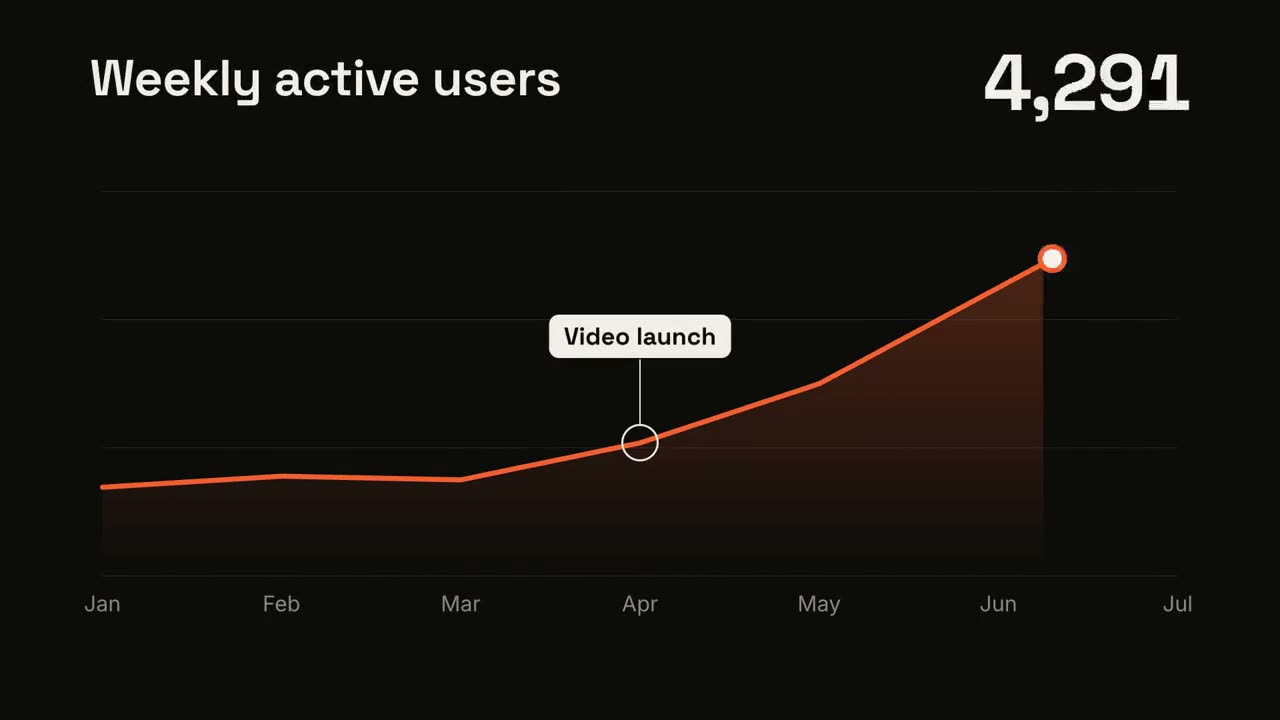
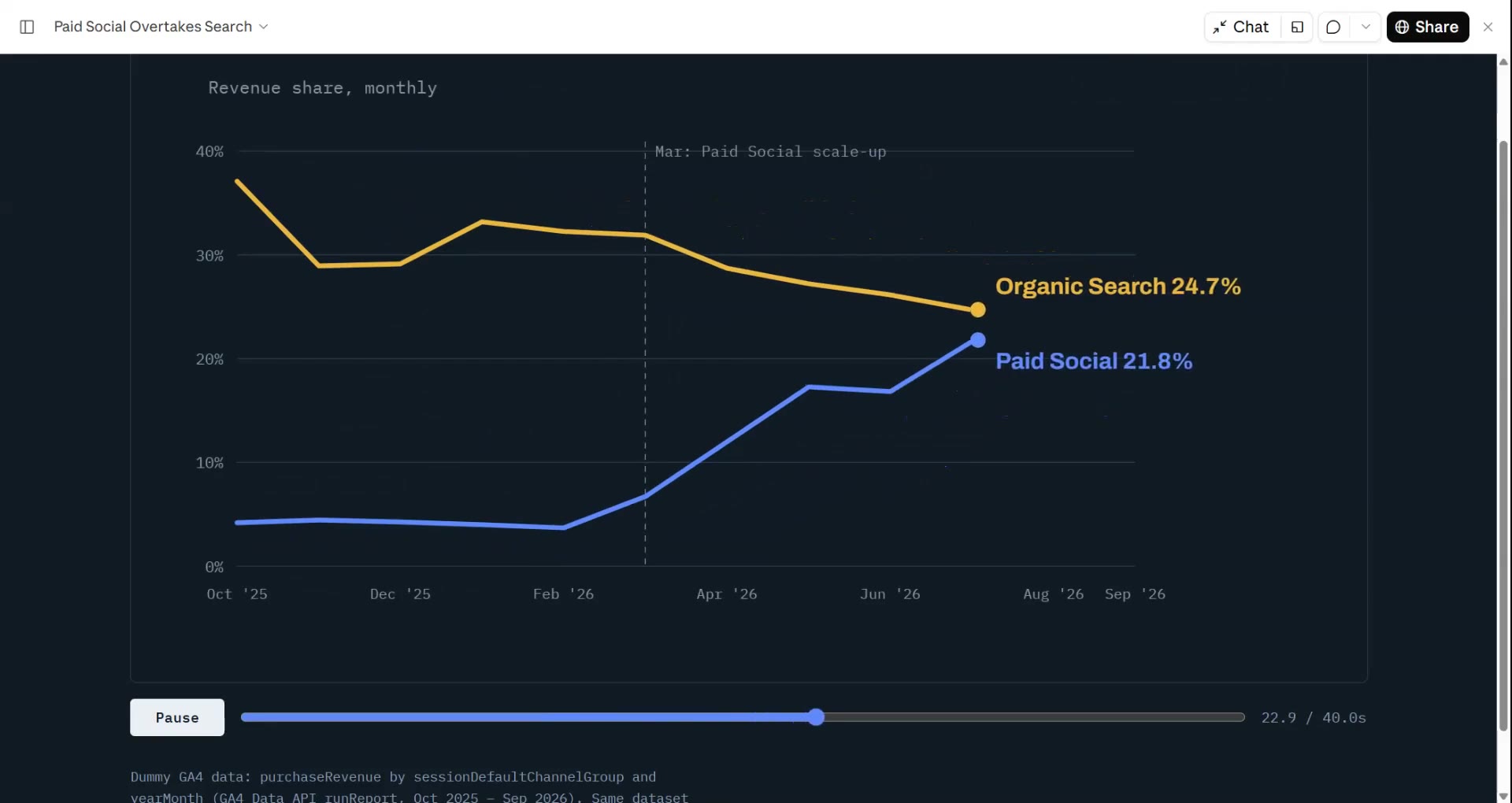
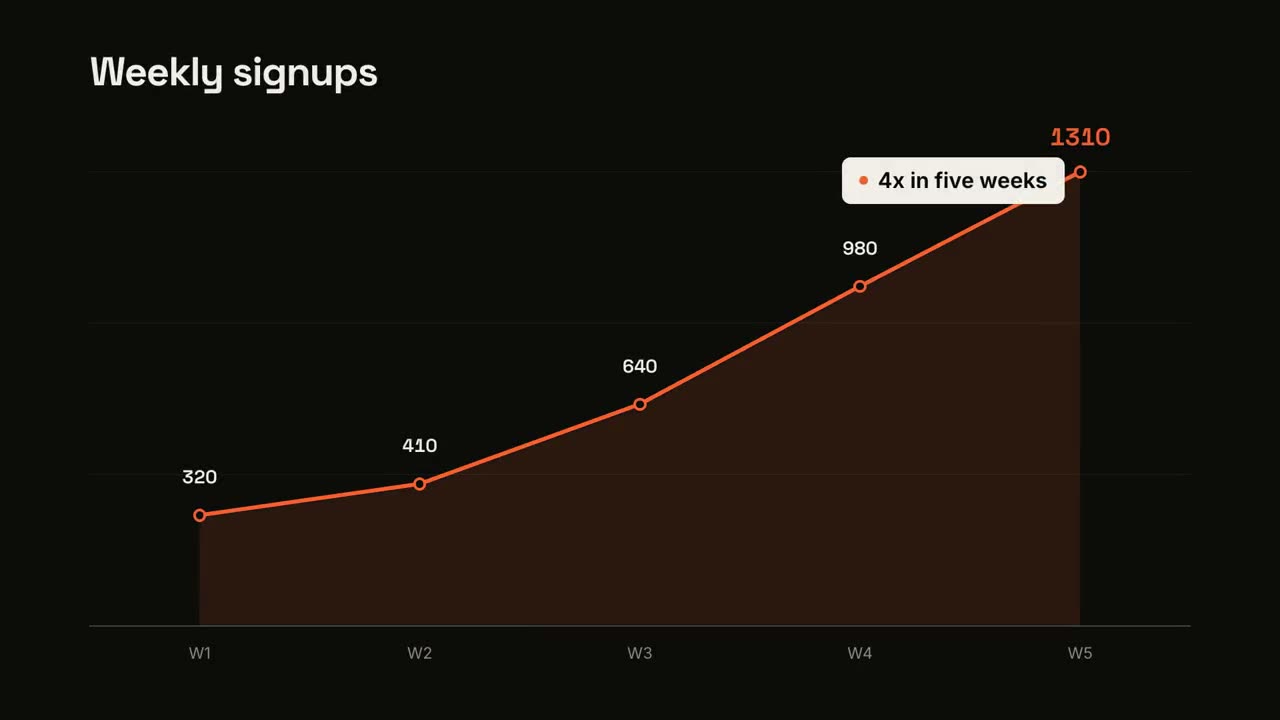
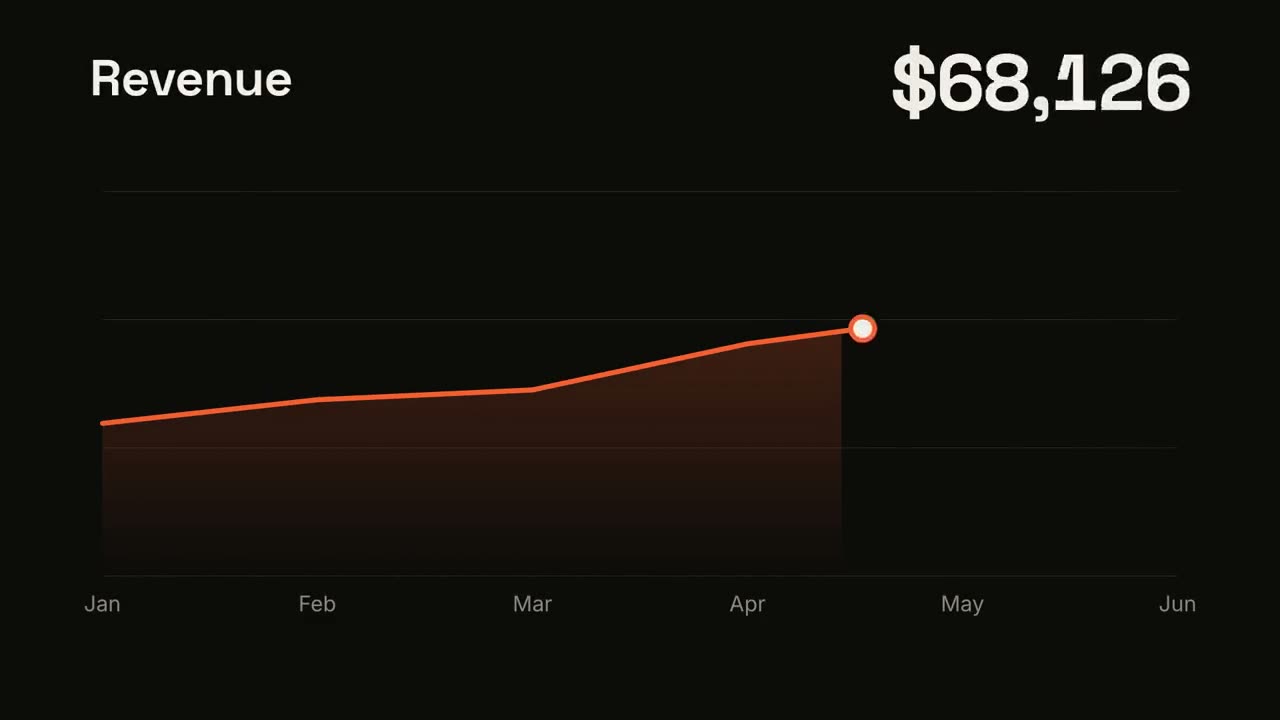
Tendencia en línea
Abrir skill →GratisMake a 7-second 16:9 line chart for [who will watch, e.g. the board], playing [where, e.g. the quarterly review]. Use only the numbers I attach or list below; don't round or smooth them. Near-black background. The title sits top left and a large white number top right. An orange line draws from left to right across the period over a fading orange gradient fill, while a white dot with an orange halo rides the tip and the big number counts along with it. At the marked point, a white ring appears on the line with a thin stem and a white label. End frame: the big number turns orange, held for 1.5 seconds. Title: [e.g. "Weekly active users"] Data: [your periods and values] (e.g. Jan to Jul, 1,200 to 5,200) Marked point and label: [e.g. April, "Video launch"]
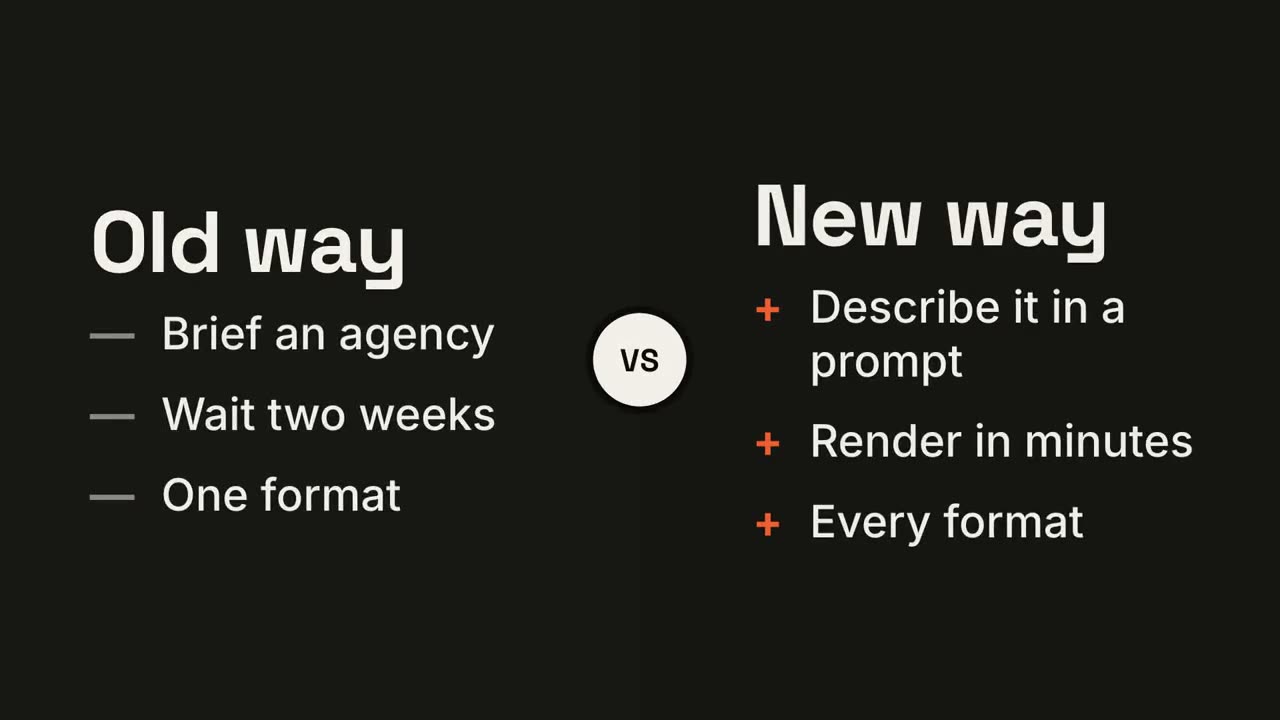
Pantalla dividida versus
Abrir skill →GratisMake a 7-second 16:9 comparison for [who will watch, e.g. prospects deciding between us and an agency], playing [where, e.g. the sales deck]. Use only the two titles and six points below; don't reword them. Near-black background. The frame splits into two dark panels that slide in from the left and right. A white circular "VS" badge spins into the center. The left panel lists its three points with dashes; the right panel lists its three with orange plus signs. End frame: the right panel floods orange with black text and scales up slightly while the left panel dims. Left title and points: [e.g. "Old way": "Brief an agency", "Wait two weeks", "One format"] Right title and points: [e.g. "New way": "Describe it in a prompt", "Render in minutes", "Every format"]
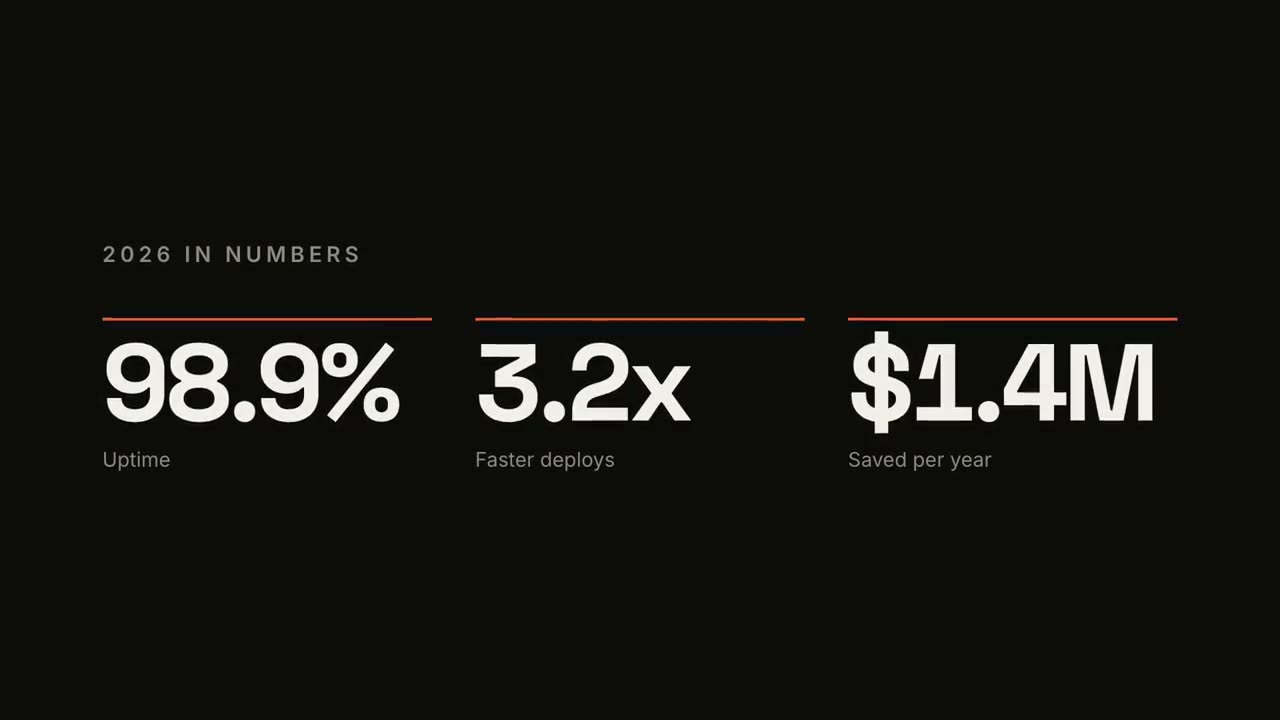
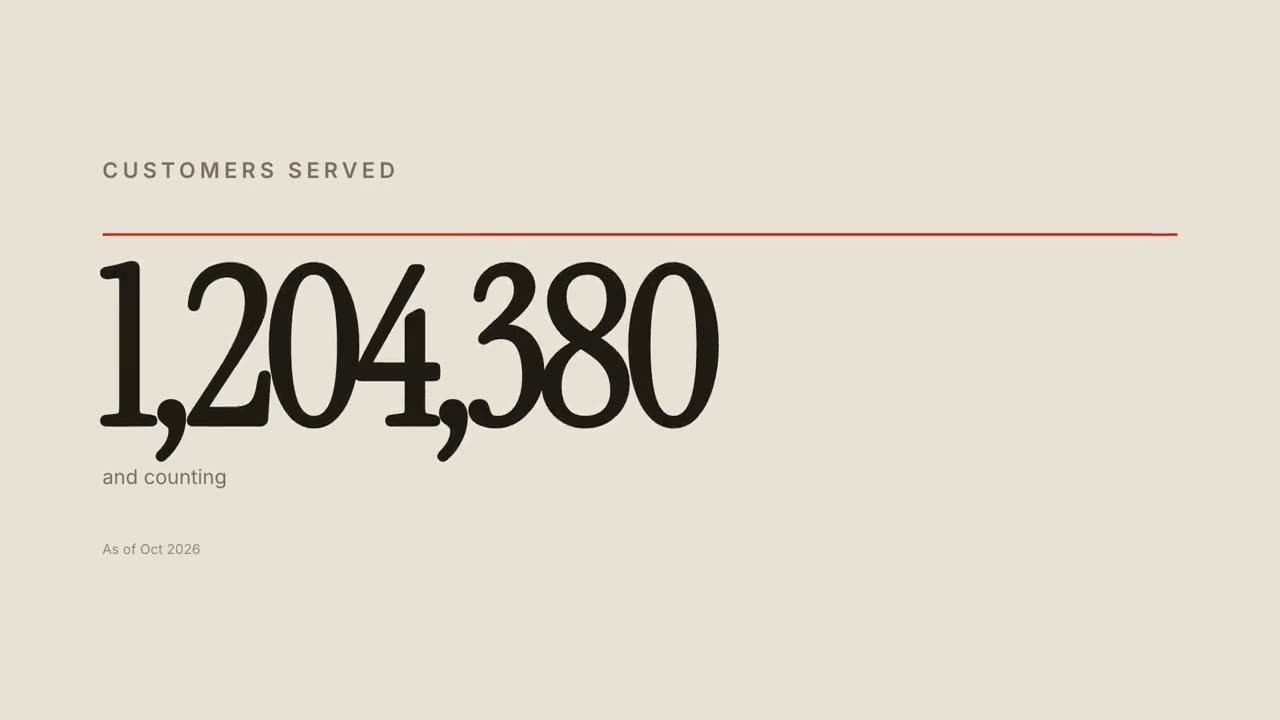
Contador de KPI
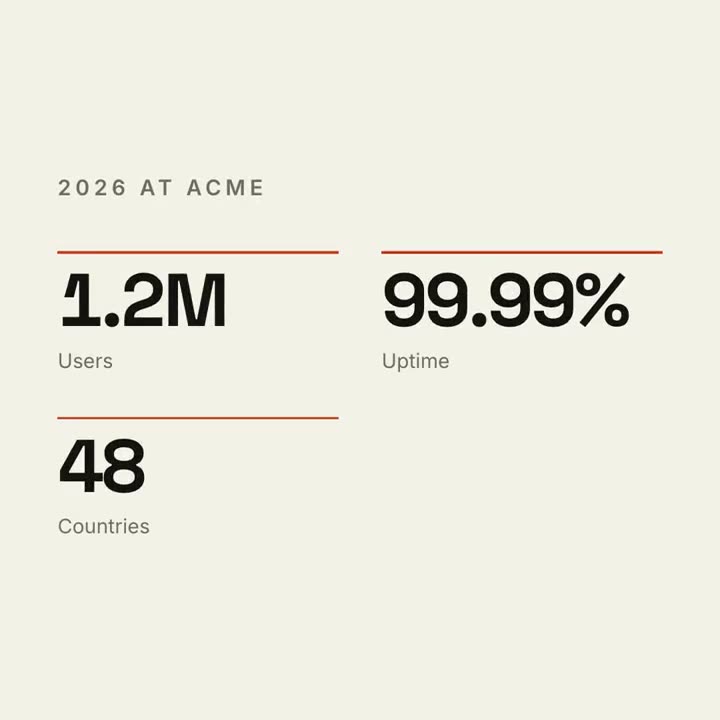
Abrir skill →GratisMake a 7-second 16:9 stat animation for [who will watch, e.g. customers reading our year in review], playing [where, e.g. the newsletter and LinkedIn]. Use only the numbers below; don't round or change them. Near-black background. A small uppercase gray title tightens its letter spacing as it fades in. Three columns appear one after another: each has a thin orange bar that sweeps across, then a huge off-white number counts up from zero, with a gray label beneath. End frame: hold on the final numbers. Title: [e.g. "2026 IN NUMBERS"] Three numbers and labels: [e.g. "98.9%" Uptime, "3.2x" Faster deploys, "$1.4M" Saved per year]
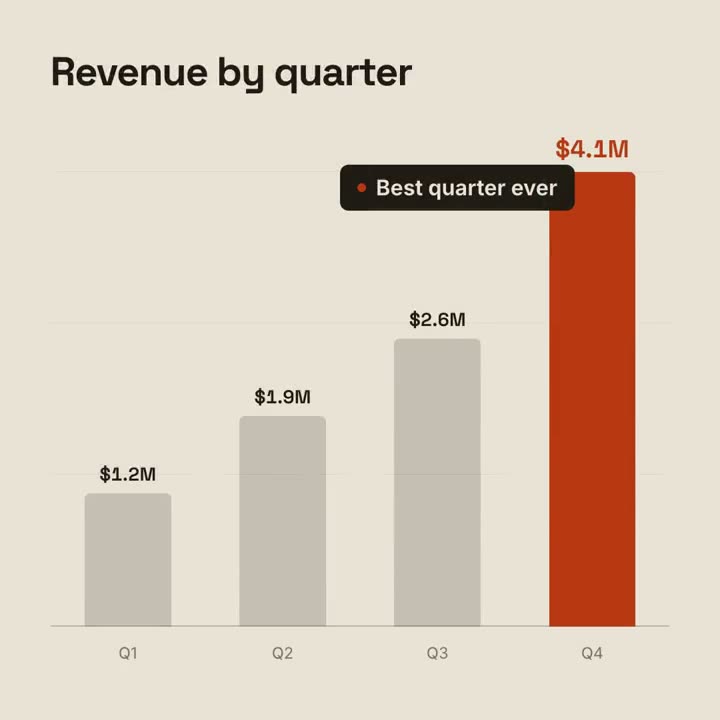
Historia con gráfico
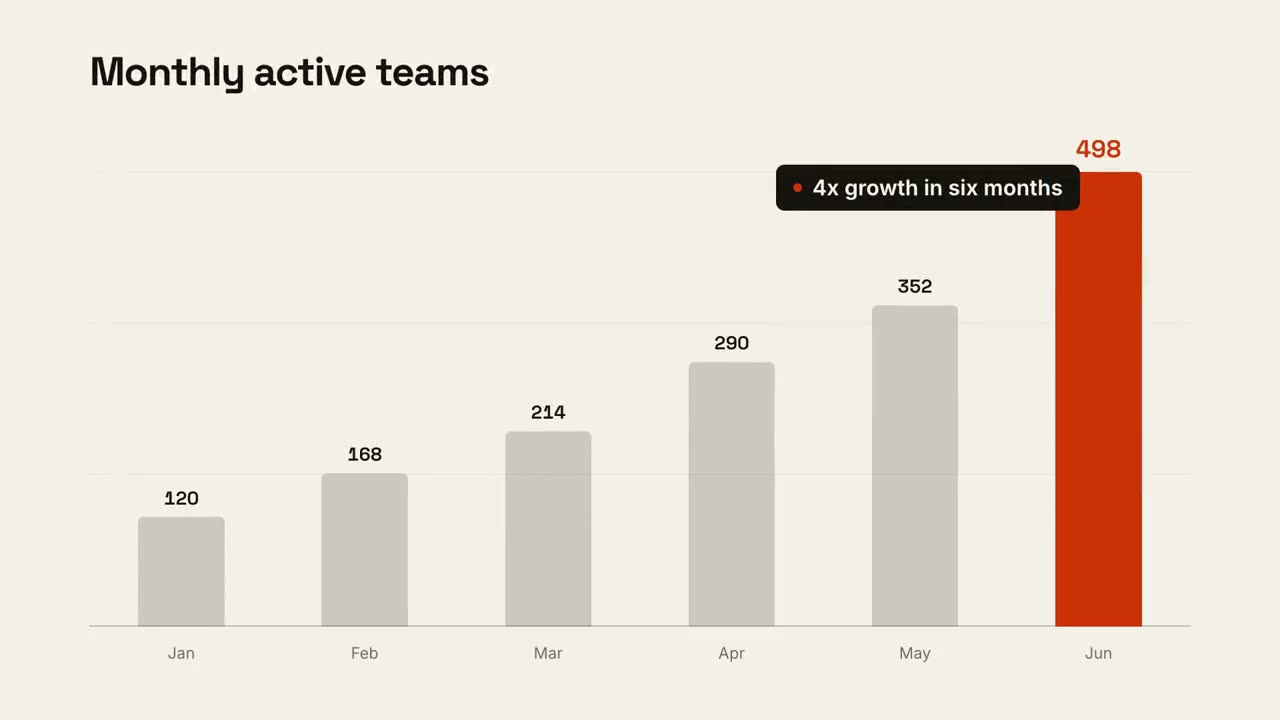
Abrir skill →GratisMake a 9-second 16:9 animated bar chart for [who will watch, e.g. investors], playing [where, e.g. the monthly update]. Use only the numbers I attach or list below; don't round or change any of them. Warm off-white background, bold geometric sans. The title fades in at the top left. A baseline draws across and faint gridlines appear. The gray bars grow one after another with their values counting up above them; the last bar is orange-red with its value in the same accent. End frame: a black pill with an orange dot slides in near the last bar with the takeaway, held for 2 seconds. Title: [e.g. "Monthly active teams"] Data: [your labels and values] (e.g. Jan–Jun: 120, 168, 214, 290, 352, 498) Takeaway: [e.g. "4x growth in six months"]
Escenas sueltas para esto
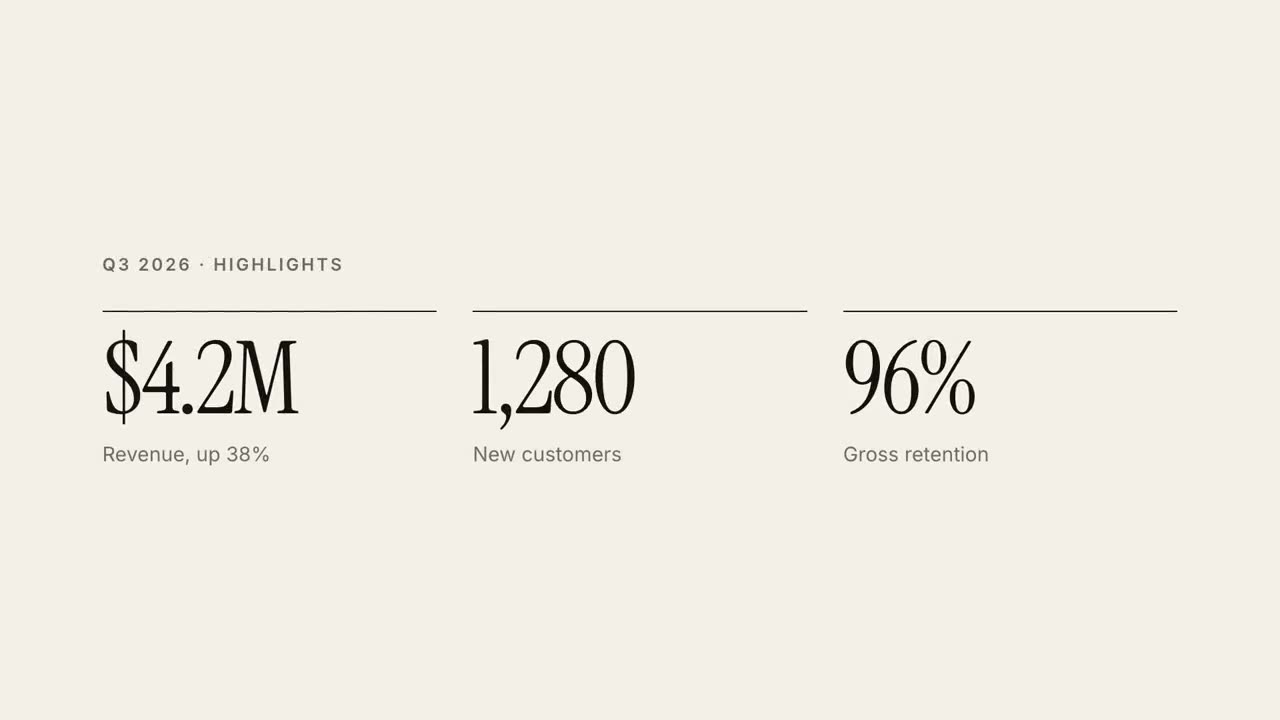
Informe en 30 s
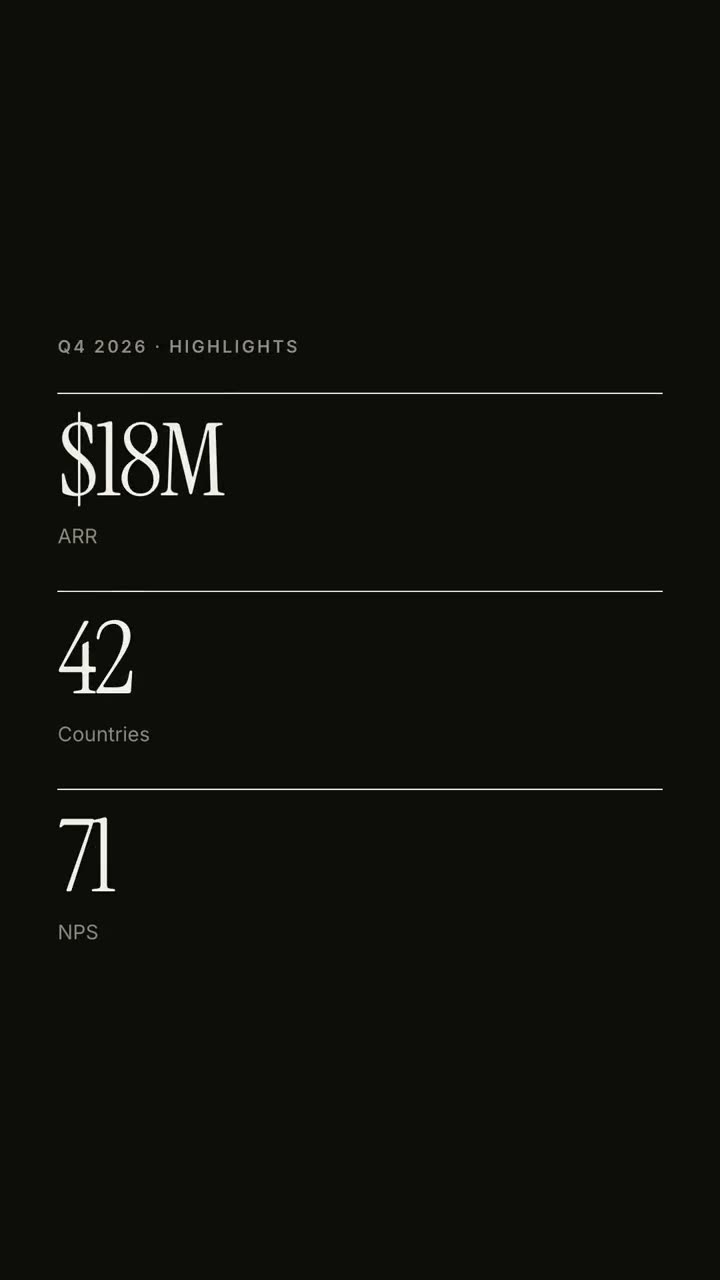
Un informe trimestral como un explicativo editorial de 30 segundos.
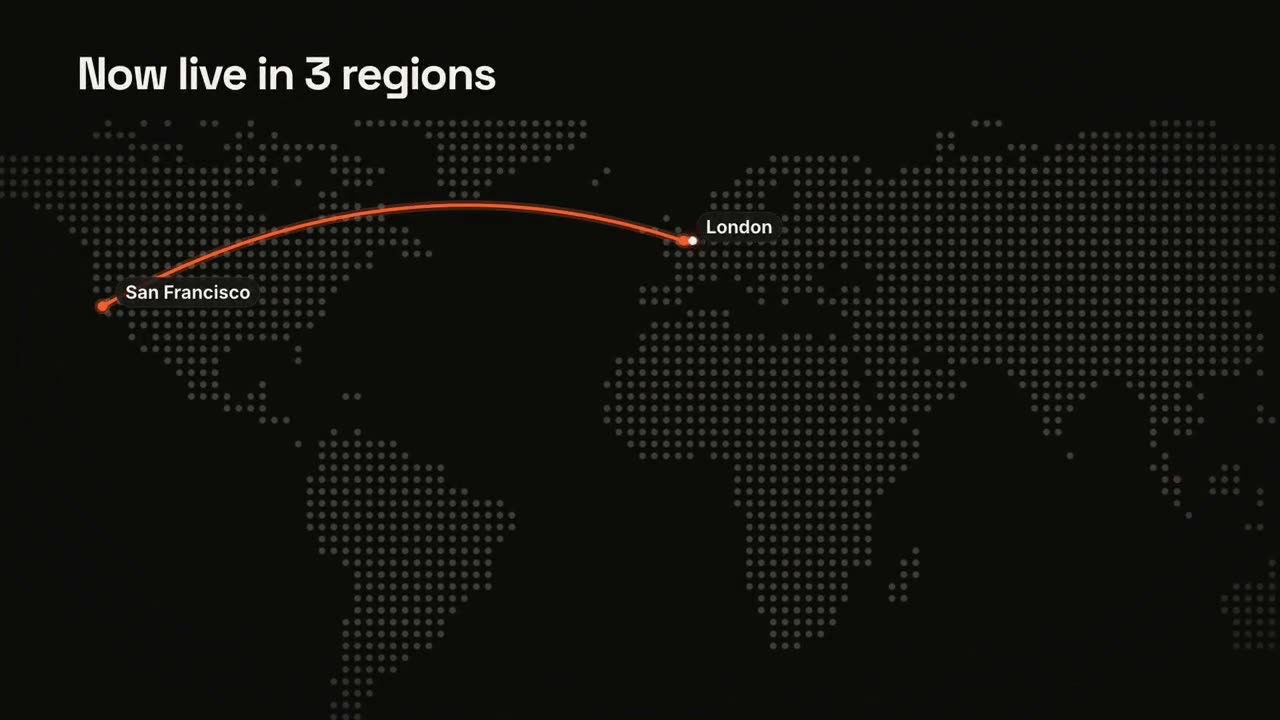
Mapas y rutas
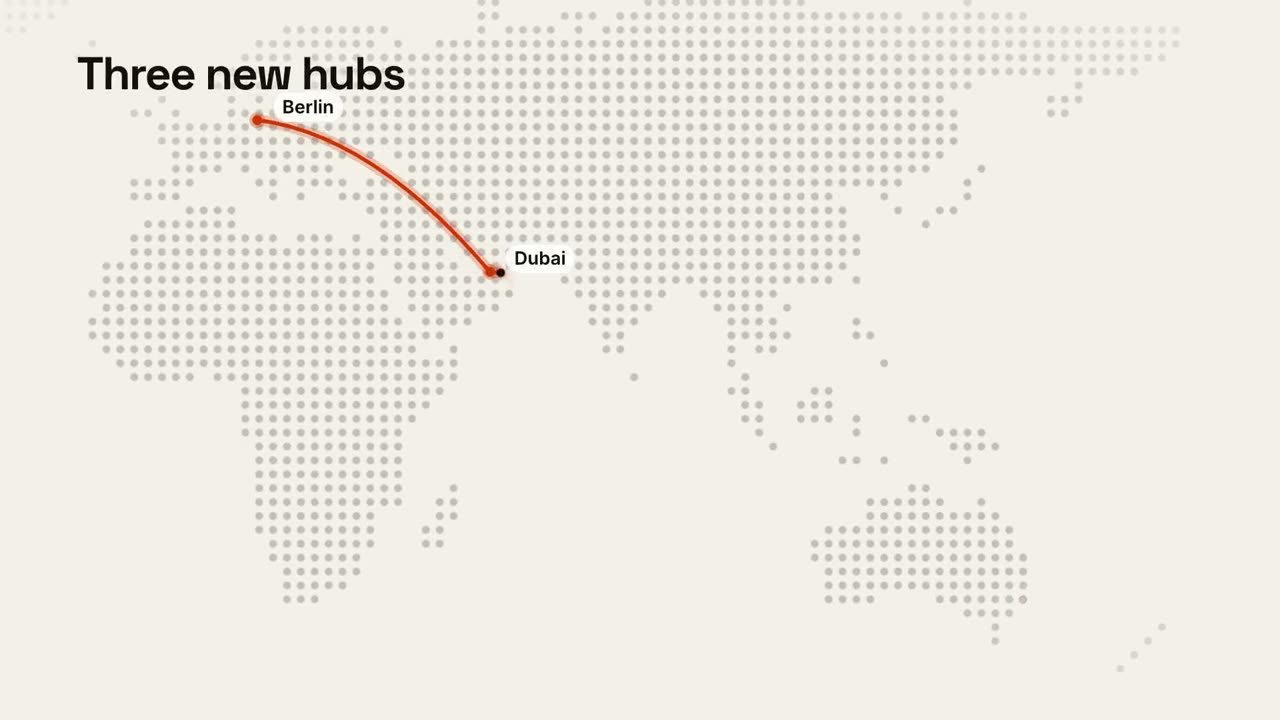
Un mapa mundial de puntos con una ruta animada.
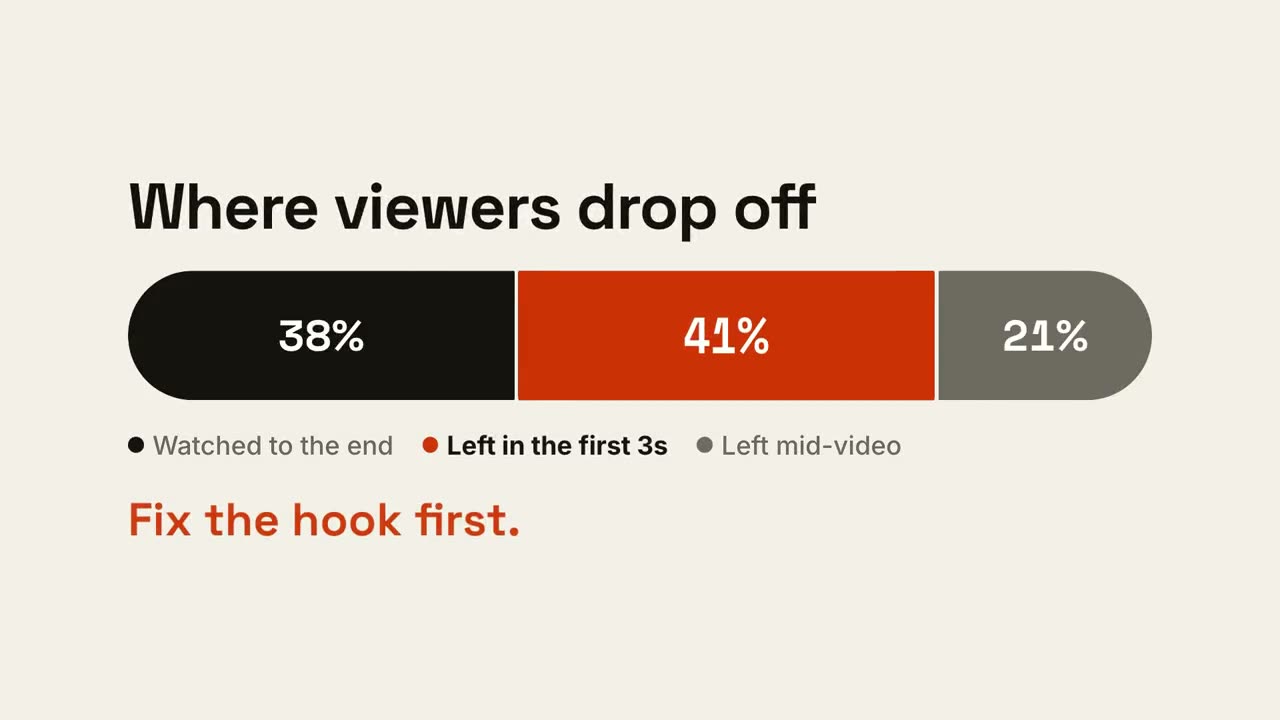
Barra de proporciones
Una barra se divide en partes y la que importa se destaca.
Historia con gráfico
Un gráfico de barras o de líneas animado que deja una conclusión.
Contador de KPI
Hasta cuatro cifras principales que cuentan hacia arriba.
Pantalla dividida versus
Dos lados se abren alrededor de una insignia VS y el ganador se ilumina.
Tendencia en línea
Una línea se dibuja mostrando su valor y un momento queda anotado.
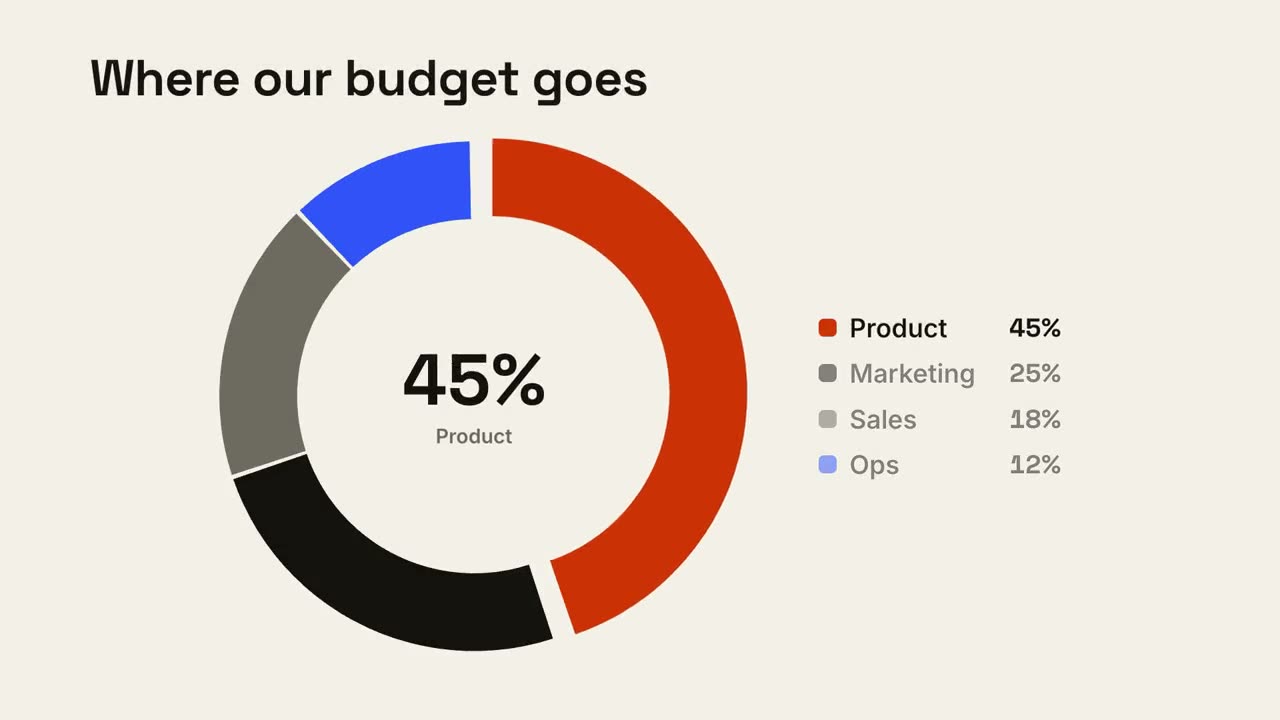
Desglose en dona
Un gráfico de dona se dibuja y el segmento más grande sobresale.
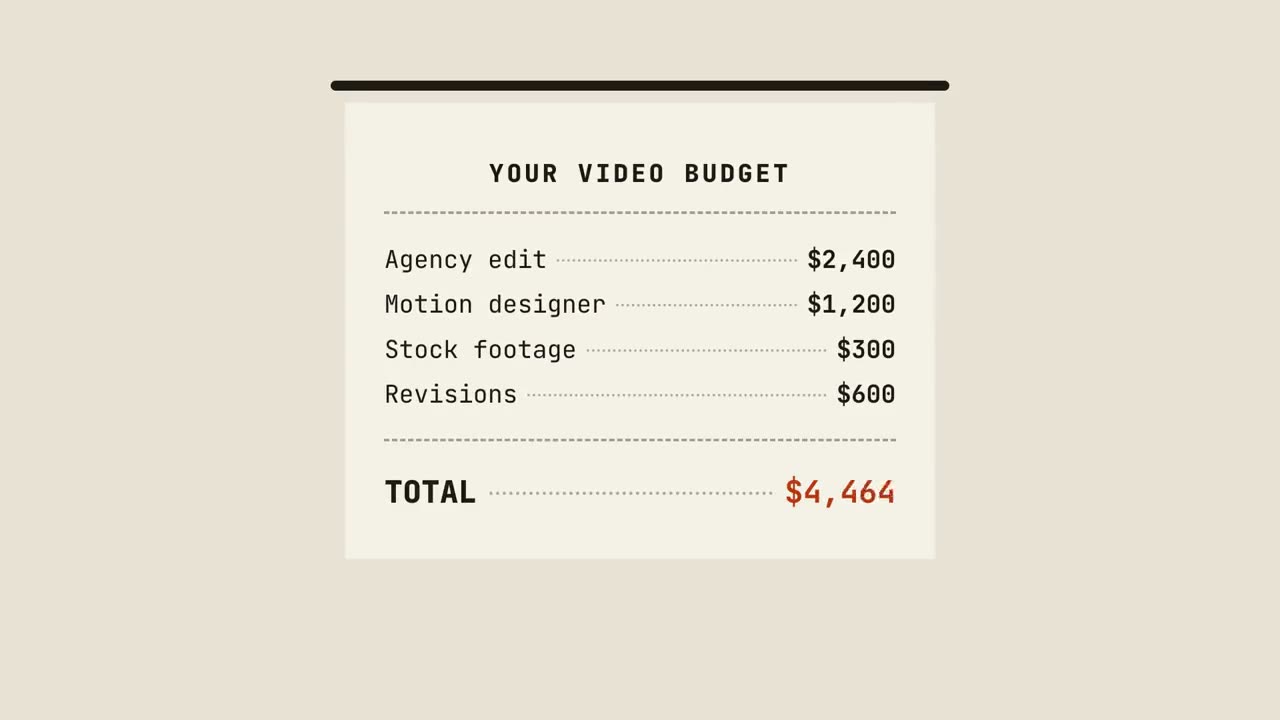
Ticket con total
Un ticket se imprime línea a línea, suma el total y recibe un sello.
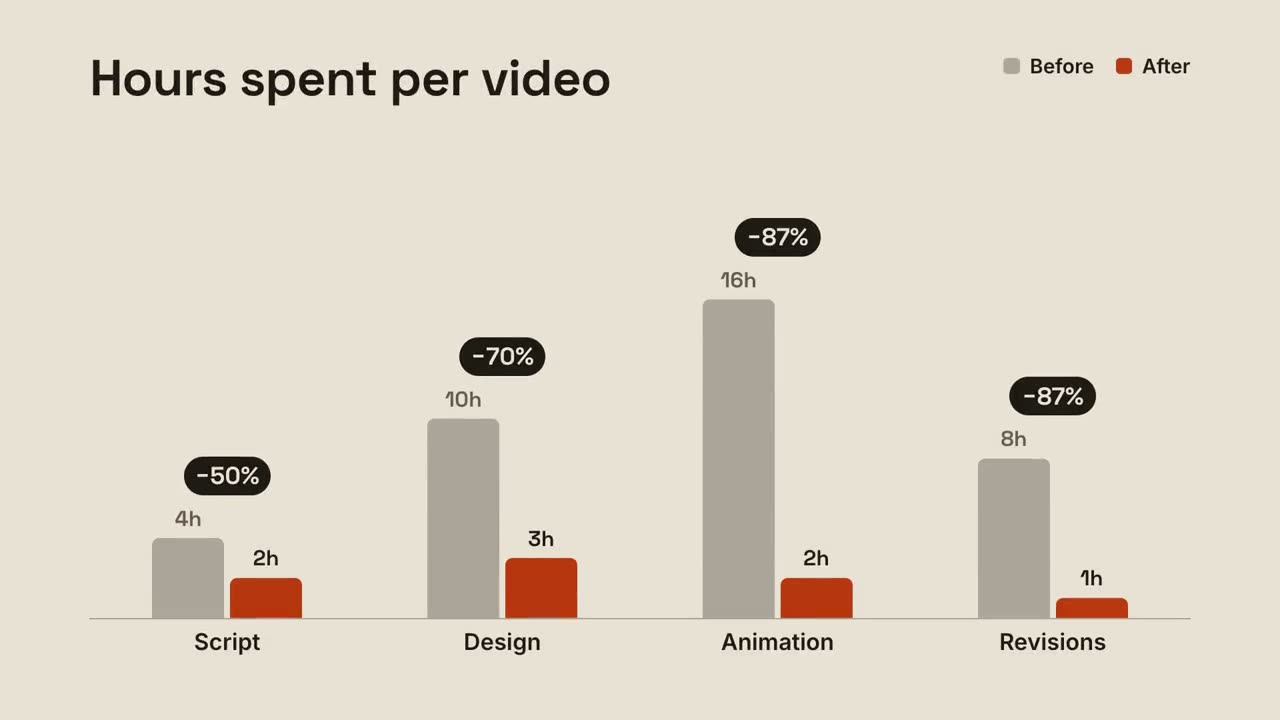
Barras agrupadas
Barras de antes y después por grupo, con el cambio sobre cada par.
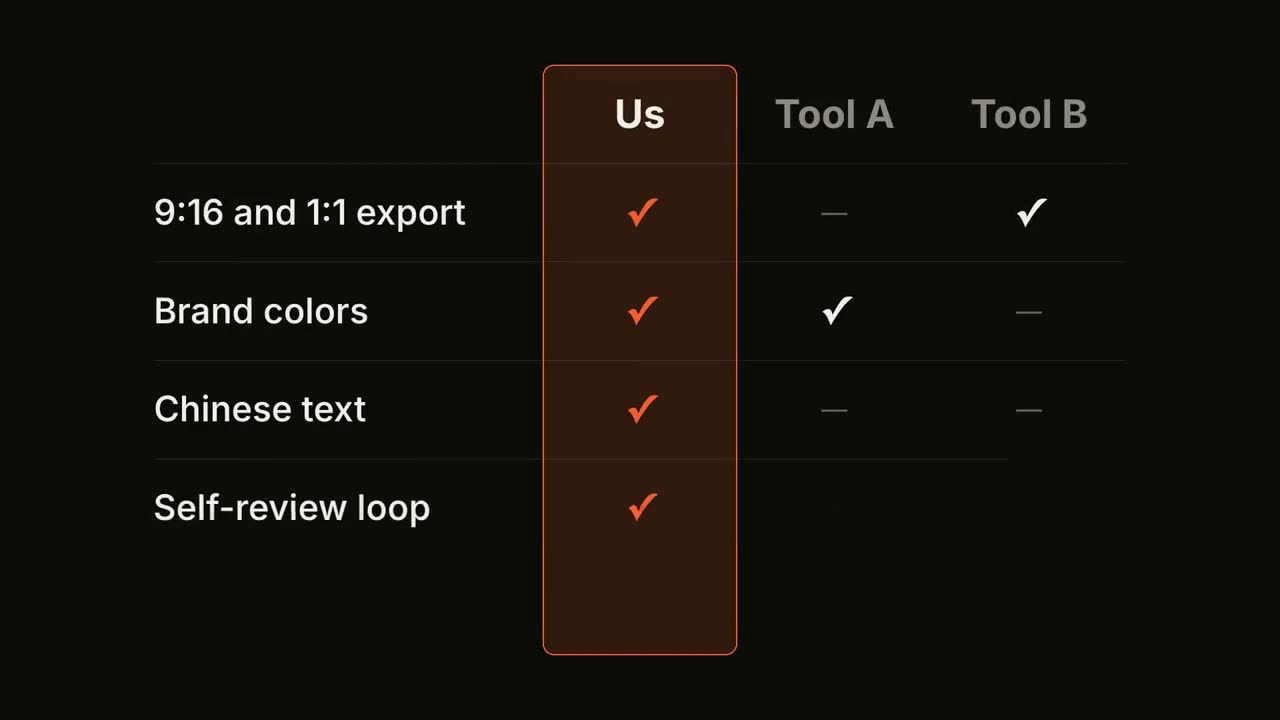
Matriz de funciones
Una tabla comparativa se llena fila a fila, con tu columna destacada.
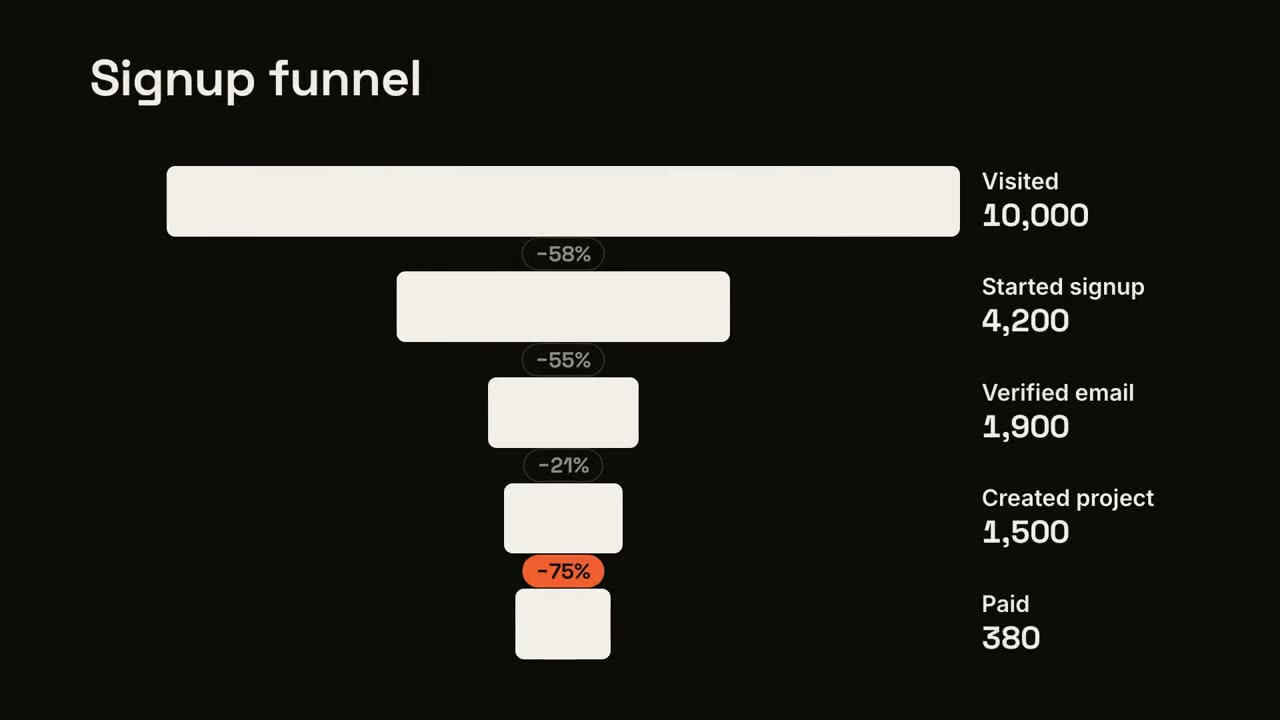
Abandono en el embudo
Las etapas del embudo se estrechan y la mayor fuga queda señalada.
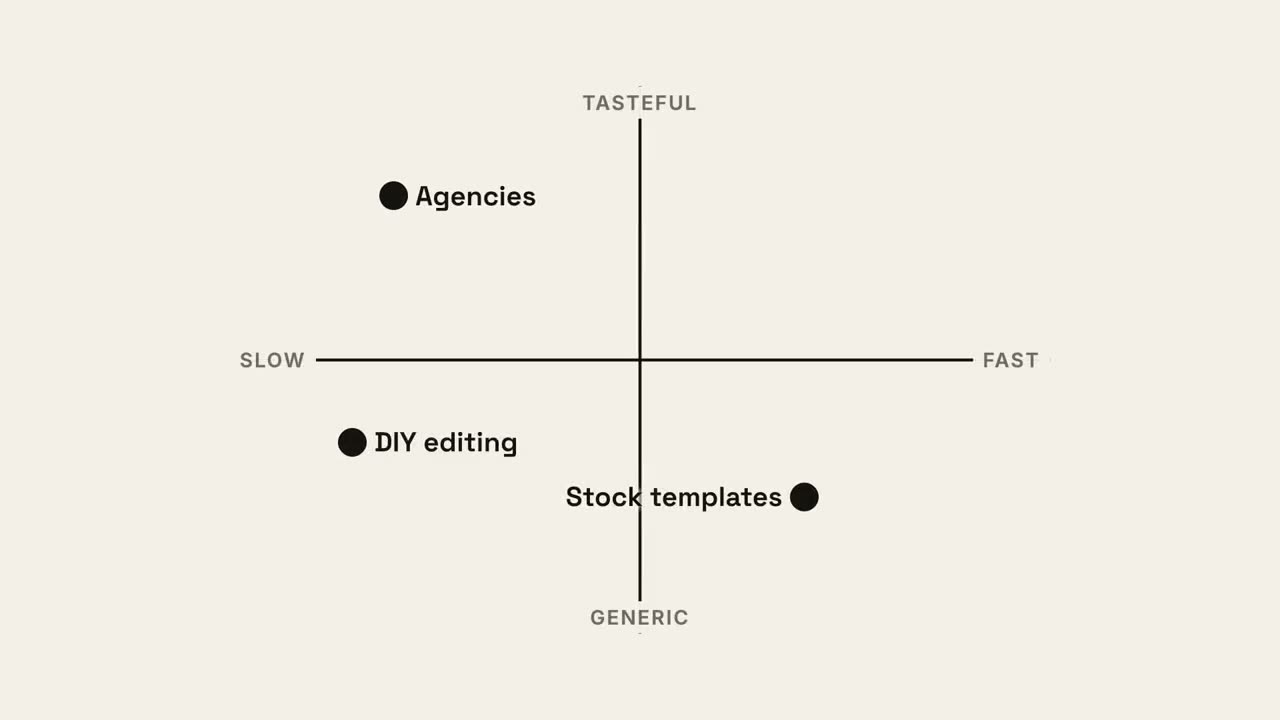
Mapa de cuadrantes
Un mapa de posicionamiento 2×2 donde tu punto se queda con el mejor cuadrante.
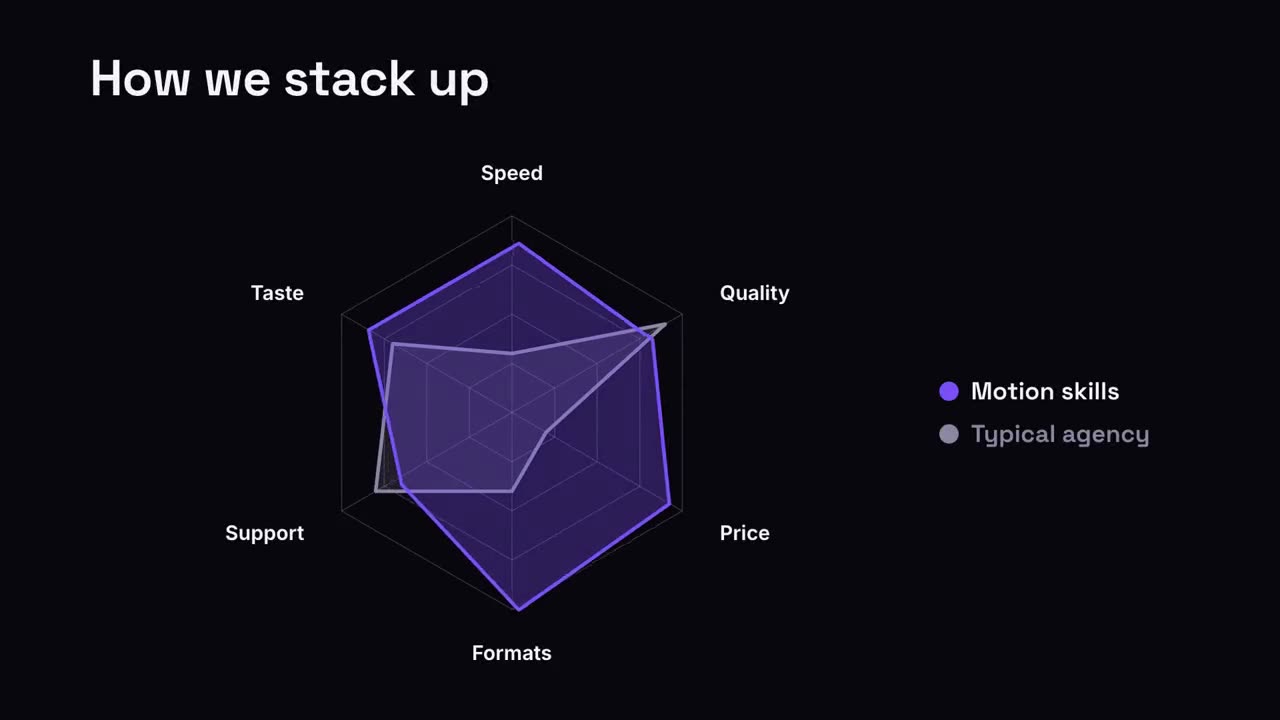
Comparación en radar
Un gráfico de araña donde tu forma supera a la comparación.
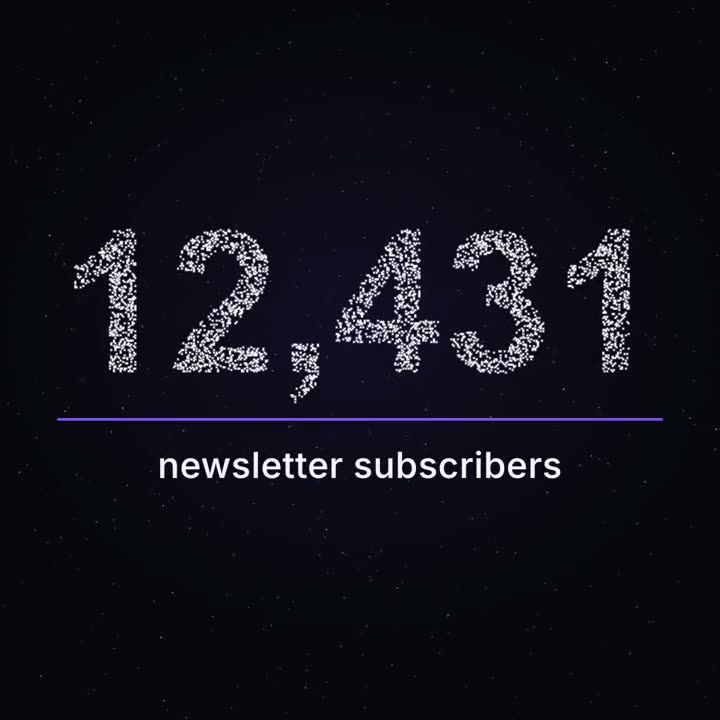
Hito en partículas
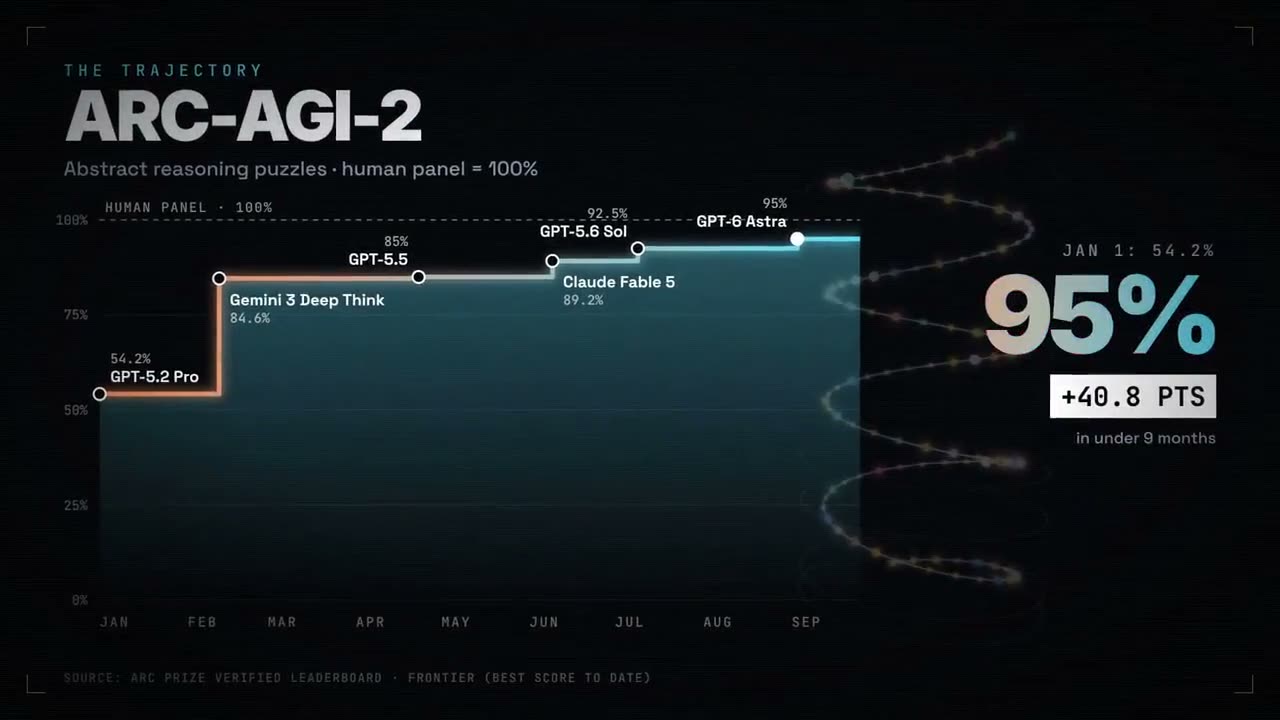
Miles de puntos flotan como un cielo nocturno y se juntan en tu cifra real.
Hecho con estos