← Skills
Premium데이터
Data → Video
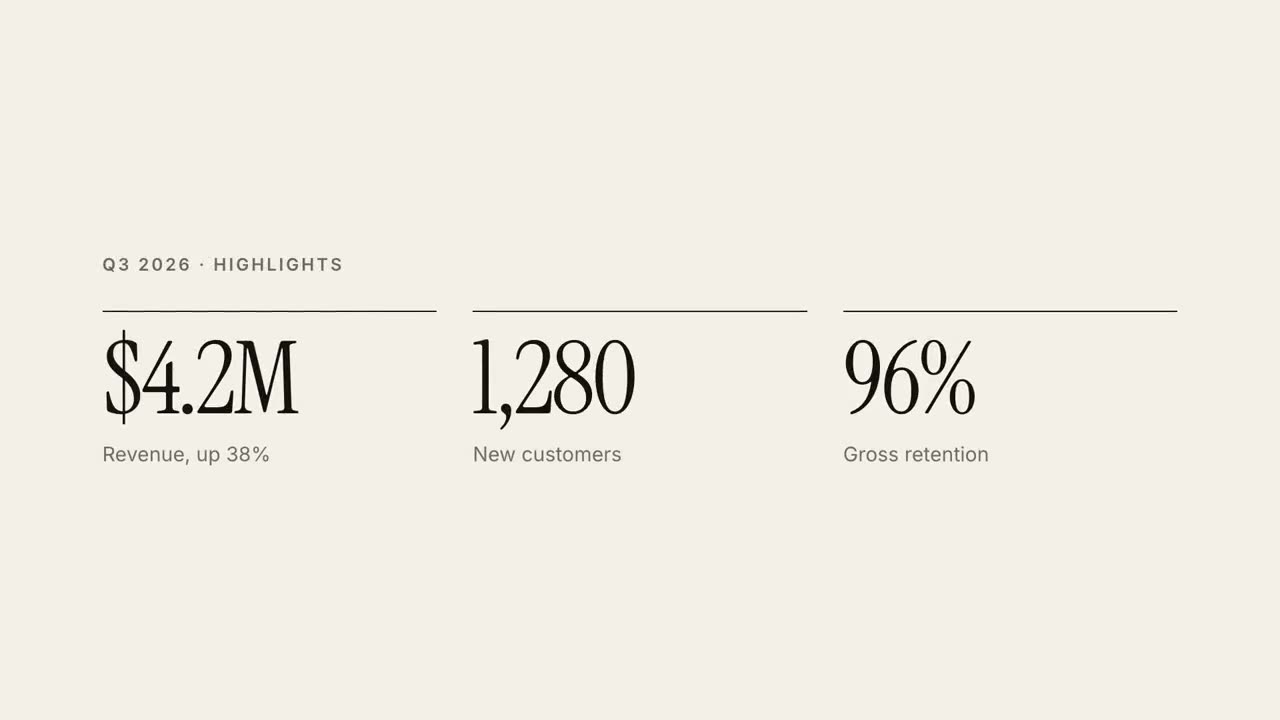
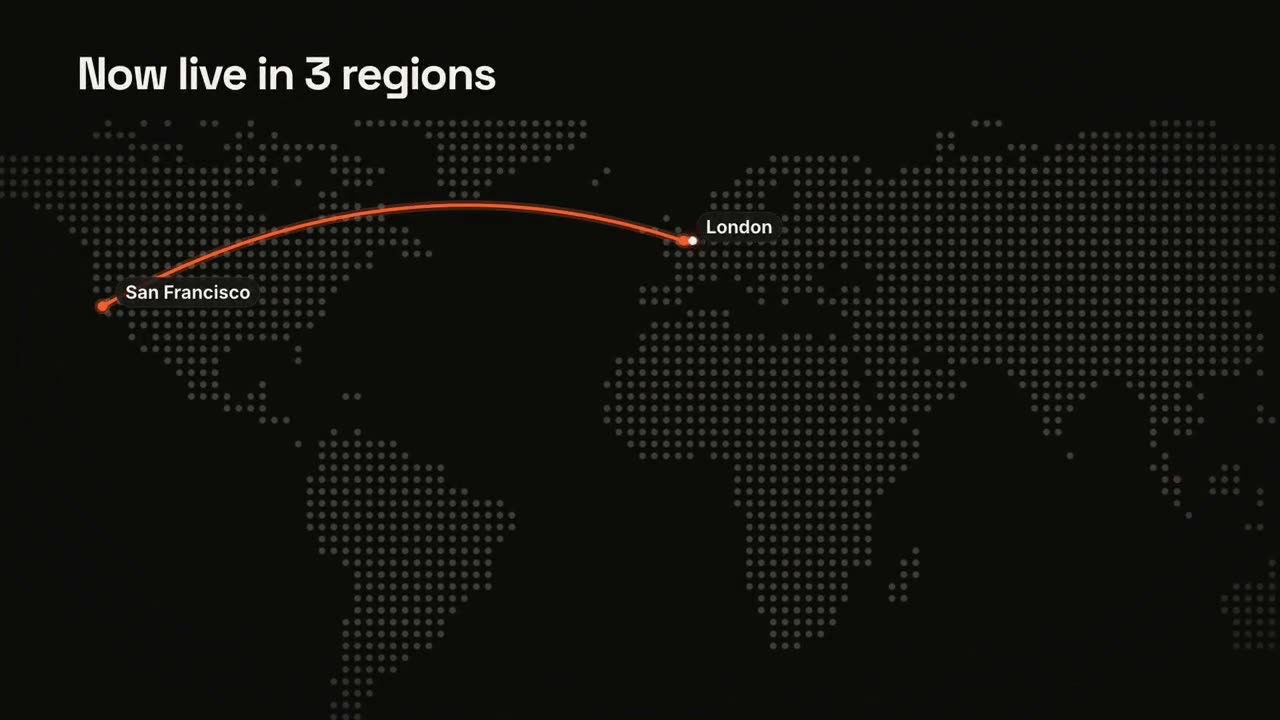
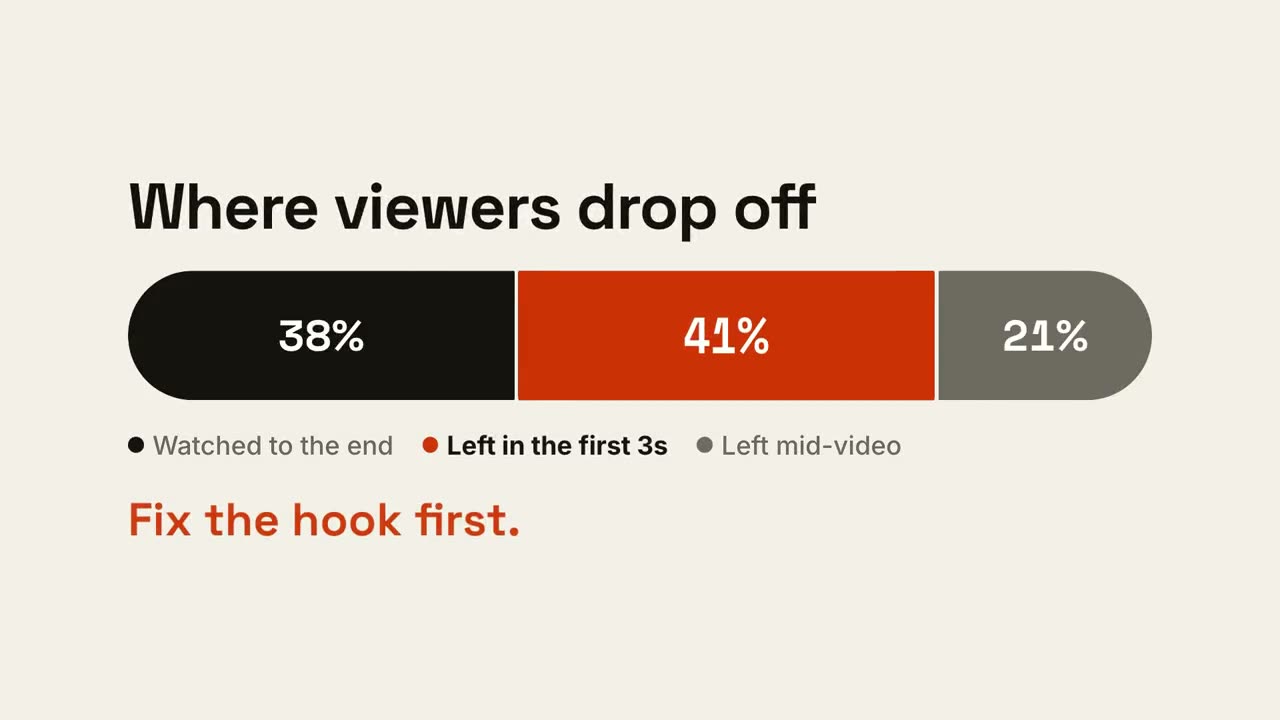
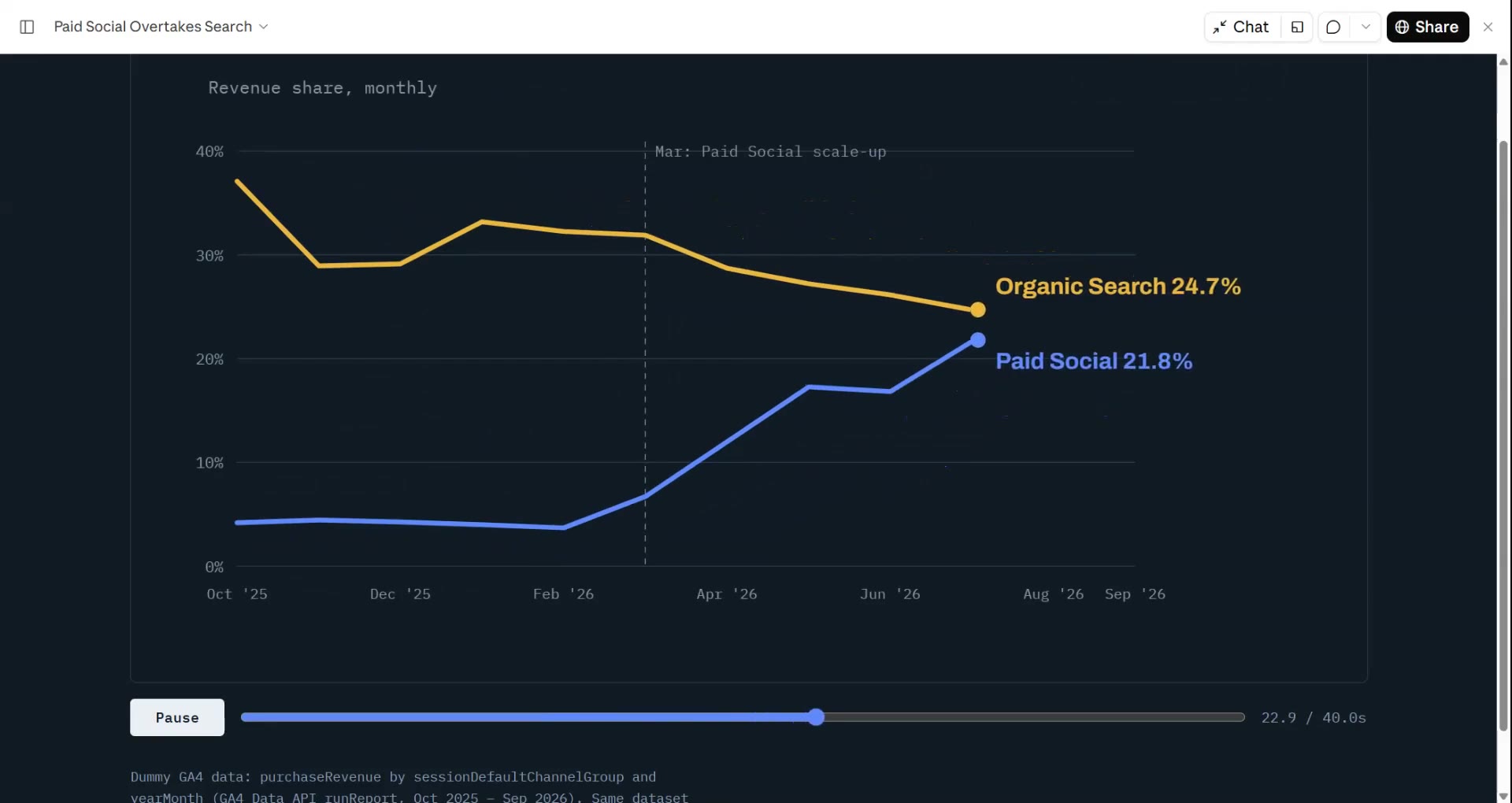
스프레드시트나 CSV에서 이야기를 찾아 짧은 데이터 영상으로 만듭니다.
Claude Code, Codex, Cursor 등 Skill을 지원하는 에이전트에 붙여 넣으세요.
필요 환경: Node.js 22+, FFmpeg, Chrome. API 키 불필요.
설치 프롬프트
https://claude-motion.com/skills/data-to-video/install.md 를 읽고 안내대로 "data-to-video" 스킬을 설치한 다음, 그 스킬로 첫 영상을 만들어 주세요.
Claude Code, Codex, Cursor 등 Skill을 지원하는 에이전트에 붙여 넣으세요.
프롬프트 예시
Use the data-to-video skill on revenue.csv: a 25-second results video for the team, 16:9.
스타일 프롬프트 (Claude Motion 또는 Opus 5.5)
Make a 25-second 16:9 data video for [who will watch, e.g. investors], playing [where, e.g. the monthly update email]. Use only the numbers in the file I attach; don't round or change any of them. Dark ink style.

Scene 1: the headline number counts up. Scene 2: a line chart across the period draws in, and the biggest jump is marked with a label. Scene 3: one takeaway sentence. End frame: the source of the data and our name, held for 2 seconds.

Attach: [your CSV or spreadsheet] (e.g. monthly revenue, January to June)
Takeaway: [one sentence, or ask Claude to suggest one from the data]
설치 불필요: Claude Motion(Team 또는 Enterprise)에 붙여 넣거나 Opus 5.5에 주면 비슷한 스타일이 나옵니다. 결과는 실행마다 달라지며, Skill은 매번 같은 결과를 냅니다.
함께 쓰면 좋은 것
플랜 보기 →이 프리미엄 Skill들은 Data → Video에 연결해 쓸 수 있습니다. 각 $4.99, 또는 요금제로 모두 이용하세요.