Barras agrupadas
Barras de antes y después por grupo, con el cambio sobre cada par.
Pégalo en Claude Code, Codex, Cursor o cualquier agente compatible con skills.
Necesita: Node.js 22+, FFmpeg, Chrome. Sin claves de API.
Otros temas y formatos
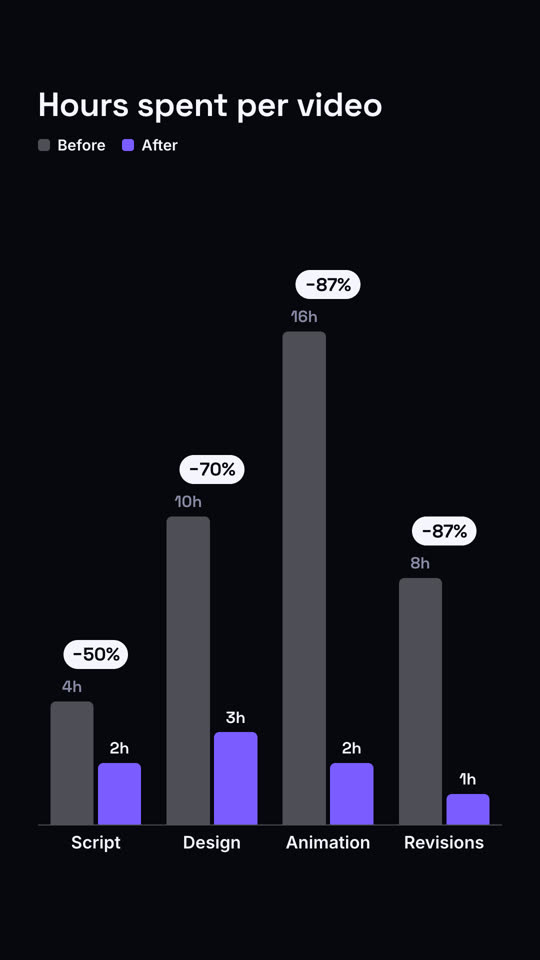
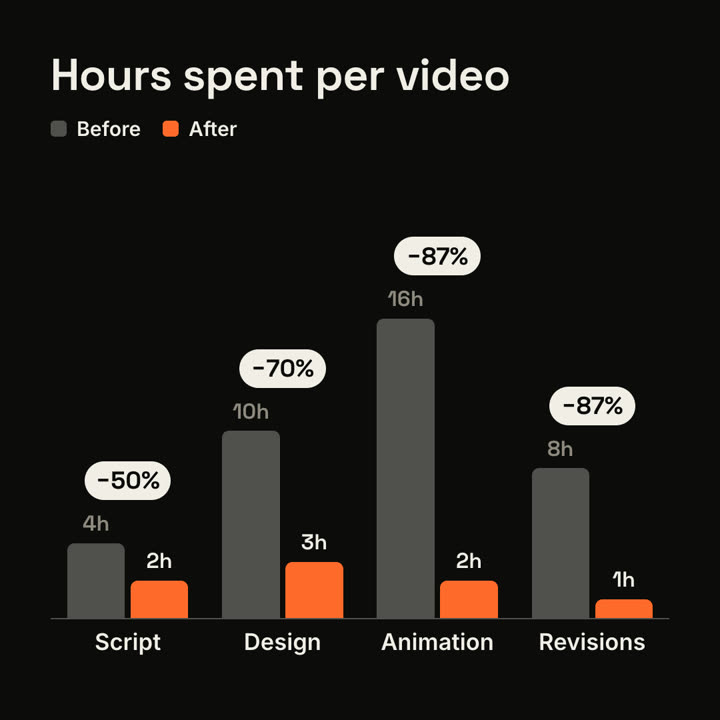
Fotogramas finales de la misma plantilla, renderizados con otro tema y formato.
5 temas
- Tinta
ink - Papel
paper - Eléctrico
electric - Noir
- Arena · predeterminado
sand
Indica un tema en tu prompt o define tus propios colores de acento, fondo y texto.
Lee https://claude-motion.com/skills/grouped-bars/install.md, sigue sus pasos para instalar la skill "grouped-bars" y luego haz un primer video con ella.
Pégalo en Claude Code, Codex, Cursor o cualquier agente compatible con skills.
Use the grouped-bars skill: series "2025 | 2026", groups "EU: 1.2, 2.1 | US: 3.4, 4.0 | APAC: 0.6, 1.8", suffix "M". Electric theme.
Make a 7-second 16:9 bar chart for [who will watch, e.g. clients we're pitching], playing [where, e.g. the case study]. Use only the numbers I attach or list below; the percentage changes must match them. Sand background.

The title sits top left with a small legend top right (before in gray, after in orange). Gray bars grow up from a baseline for each item. Then shorter orange bars grow beside each one. End frame: dark pills pop above each pair with the change.

Title: [e.g. "Hours spent per video"]
Items with before and after: [e.g. Script 4h → 2h, Design 10h → 3h, Animation 16h → 2h, Revisions 8h → 1h]
Sin instalar nada: pégalo en Claude Motion (Team o Enterprise) o dáselo a Opus 5.5 para un estilo parecido. El resultado cambia en cada ejecución; la skill da siempre el mismo.
Más de esta serie
Gráficos →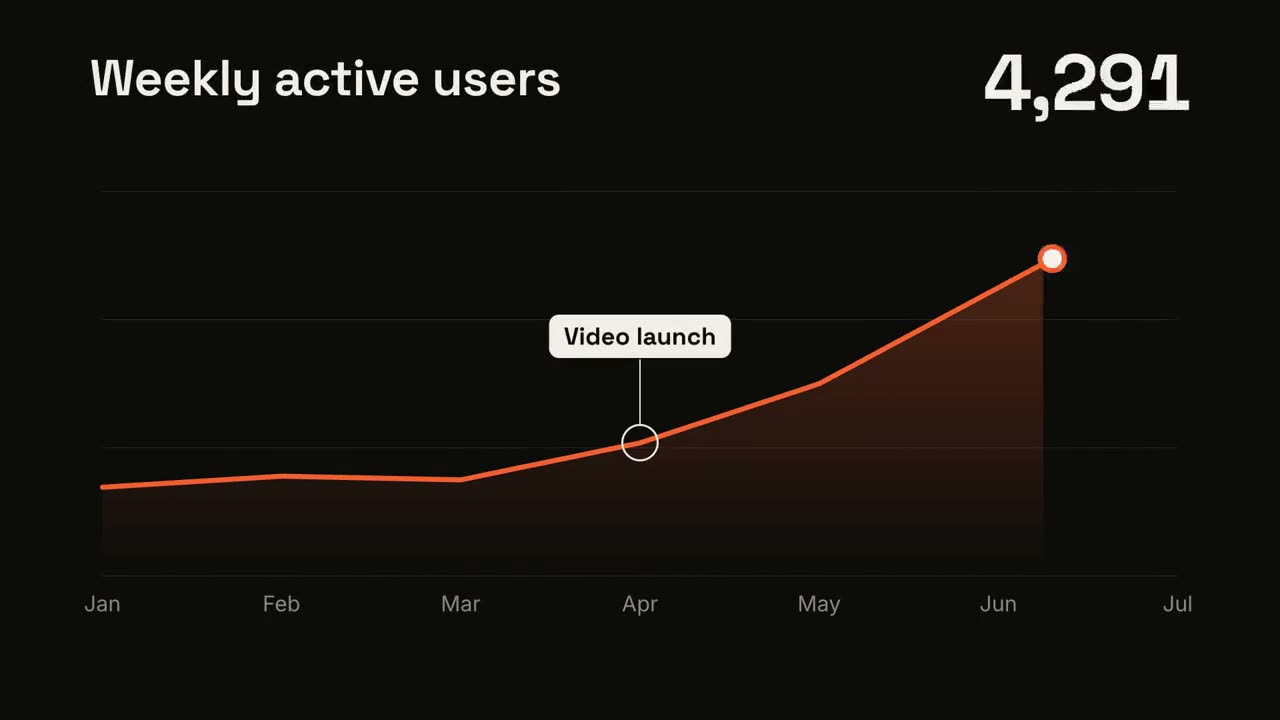
Tendencia en línea
Una línea se dibuja mostrando su valor y un momento queda anotado.
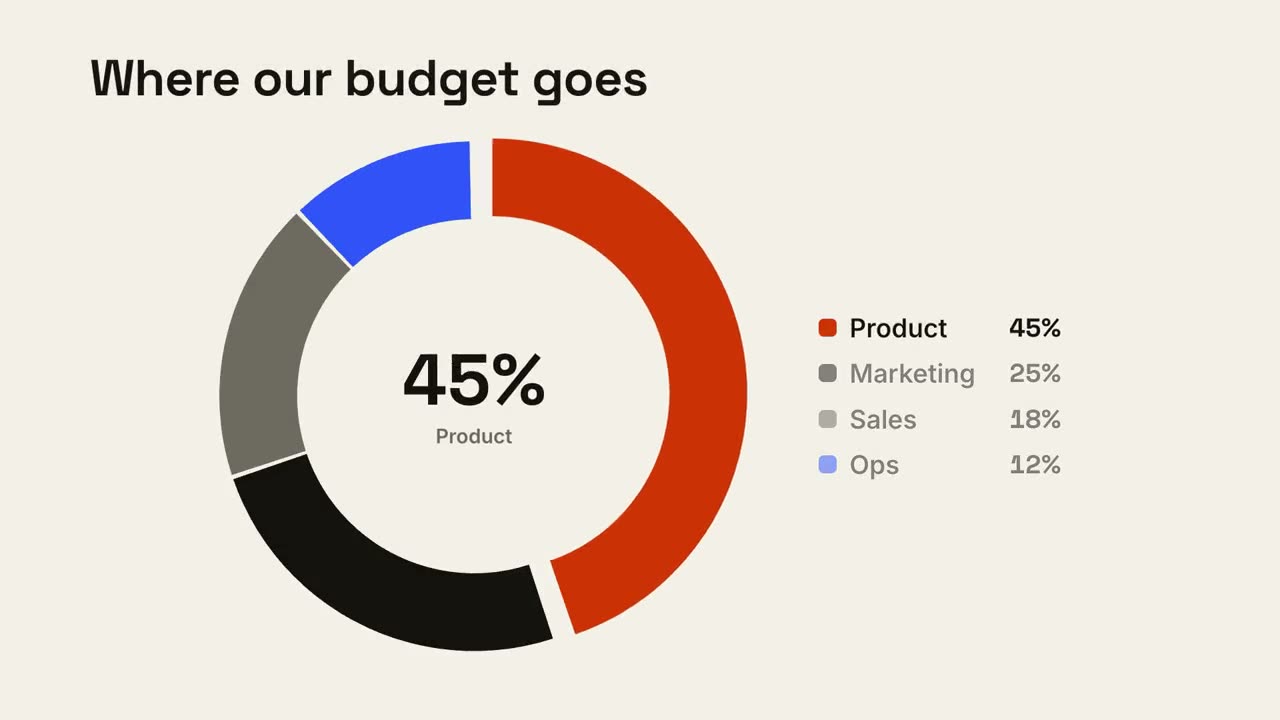
Desglose en dona
Un gráfico de dona se dibuja y el segmento más grande sobresale.
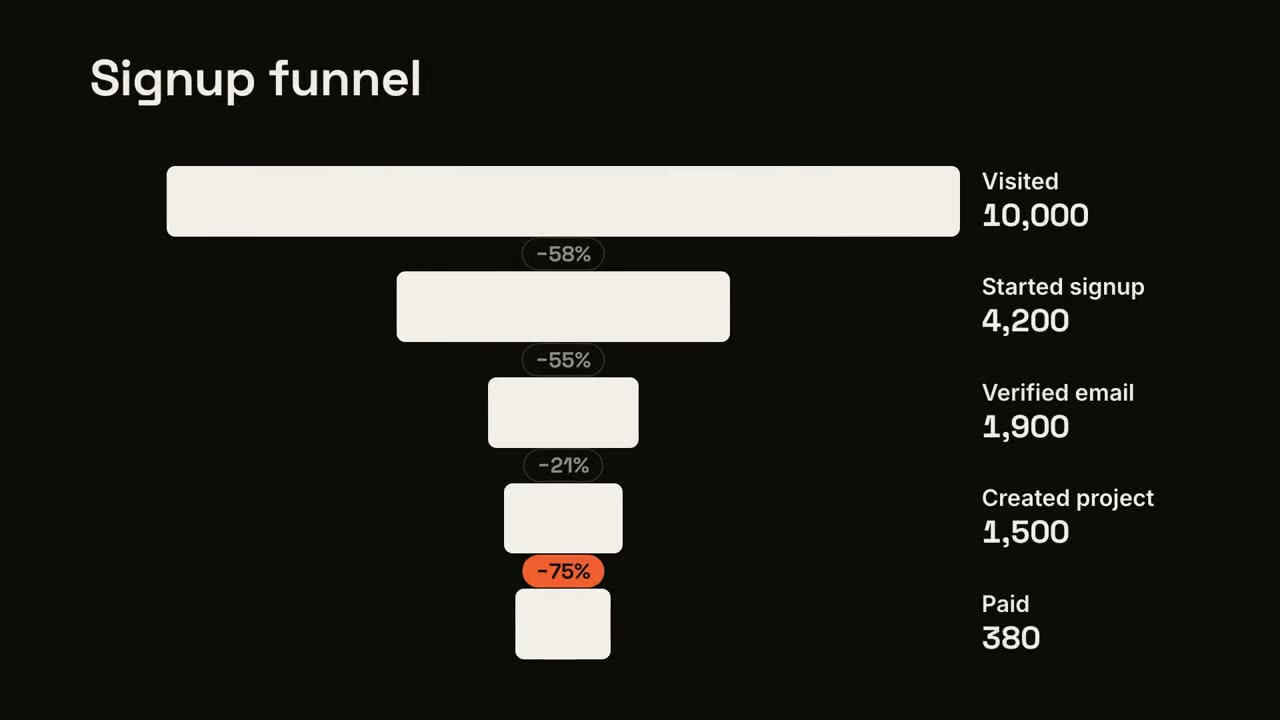
Abandono en el embudo
Las etapas del embudo se estrechan y la mayor fuga queda señalada.
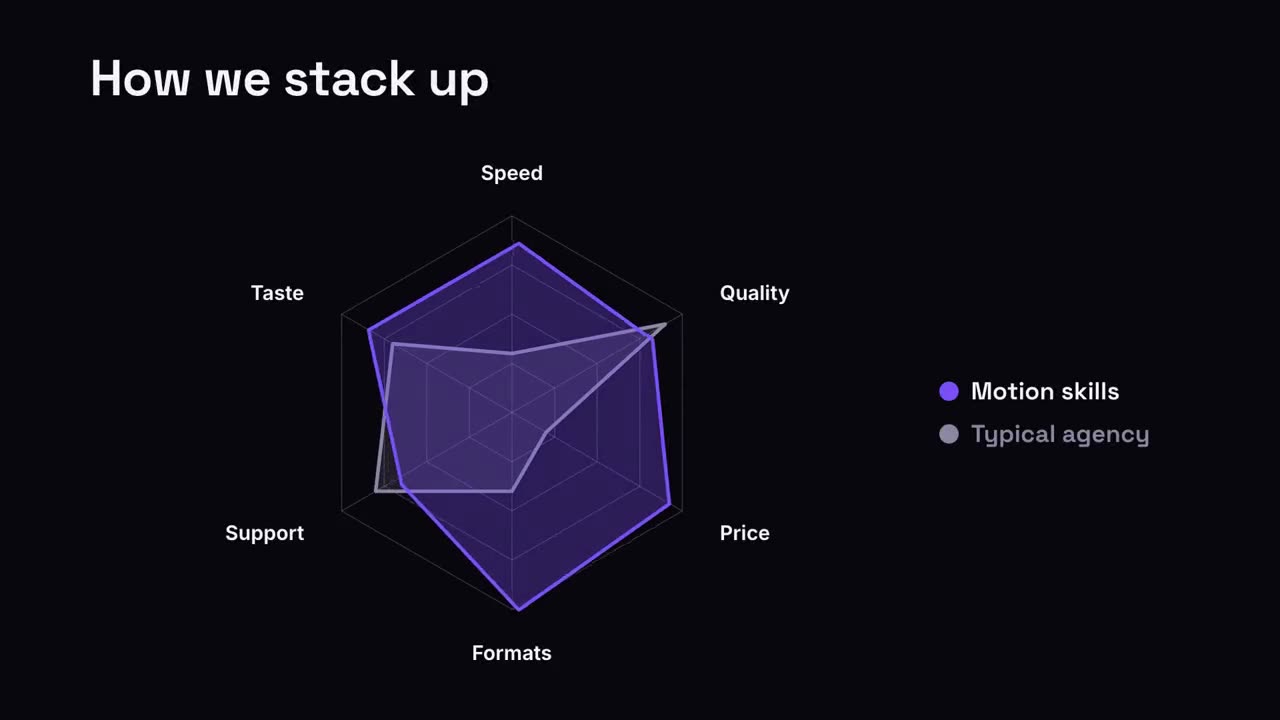
Comparación en radar
Un gráfico de araña donde tu forma supera a la comparación.