Desglose en dona
Un gráfico de dona se dibuja y el segmento más grande sobresale.
Pégalo en Claude Code, Codex, Cursor o cualquier agente compatible con skills.
Necesita: Node.js 22+, FFmpeg, Chrome. Sin claves de API.
Otros temas y formatos
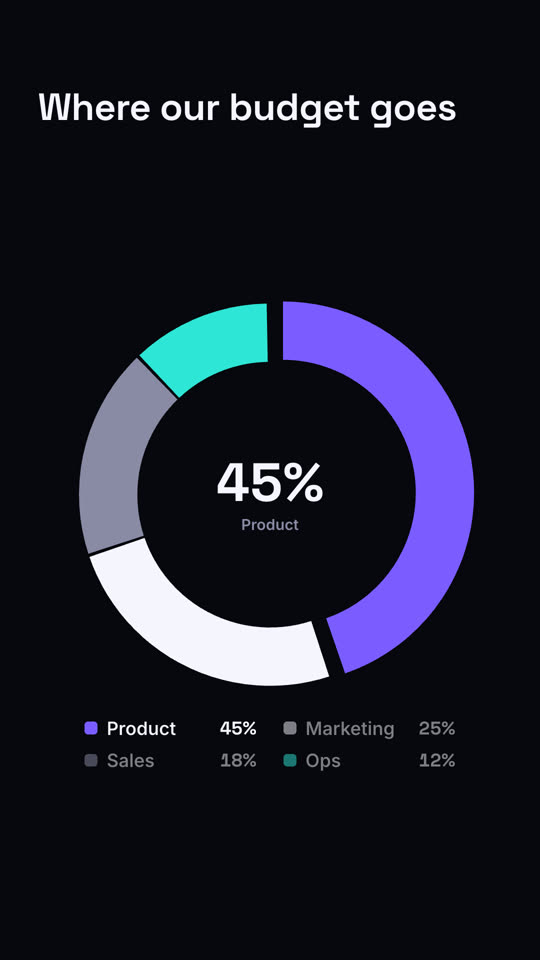
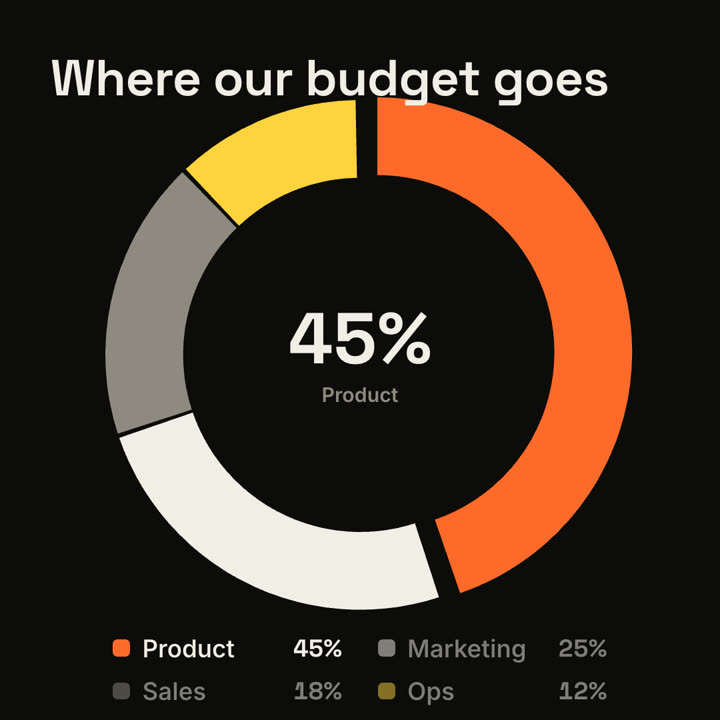
Fotogramas finales de la misma plantilla, renderizados con otro tema y formato.
5 temas
- Tinta
ink - Papel · predeterminado
paper - Eléctrico
electric - Noir
- Arena
sand
Indica un tema en tu prompt o define tus propios colores de acento, fondo y texto.
Lee https://claude-motion.com/skills/donut-breakdown/install.md, sigue sus pasos para instalar la skill "donut-breakdown" y luego haz un primer video con ella.
Pégalo en Claude Code, Codex, Cursor o cualquier agente compatible con skills.
Use the donut-breakdown skill: title "Traffic sources", parts "Organic: 48 | Social: 30 | Paid: 14 | Email: 8". Ink theme, 9:16.
Make a 7-second 16:9 donut chart for [who will watch, e.g. the board], playing [where, e.g. the budget review]. Use only the shares I attach or list below; they must add up to 100%. Off-white background.

The title appears. A thick ring draws segment by segment clockwise (rust orange, black, gray, blue) with a legend fading in beside it. The center counts up to the largest share with its name beneath. End frame: the largest slice pops outward slightly and the other legend items dim.

Title: [e.g. "Where our budget goes"]
Segments: [names and shares] (e.g. Product 45%, Marketing 25%, Sales 18%, Ops 12%)
Sin instalar nada: pégalo en Claude Motion (Team o Enterprise) o dáselo a Opus 5.5 para un estilo parecido. El resultado cambia en cada ejecución; la skill da siempre el mismo.
Más de esta serie
Gráficos →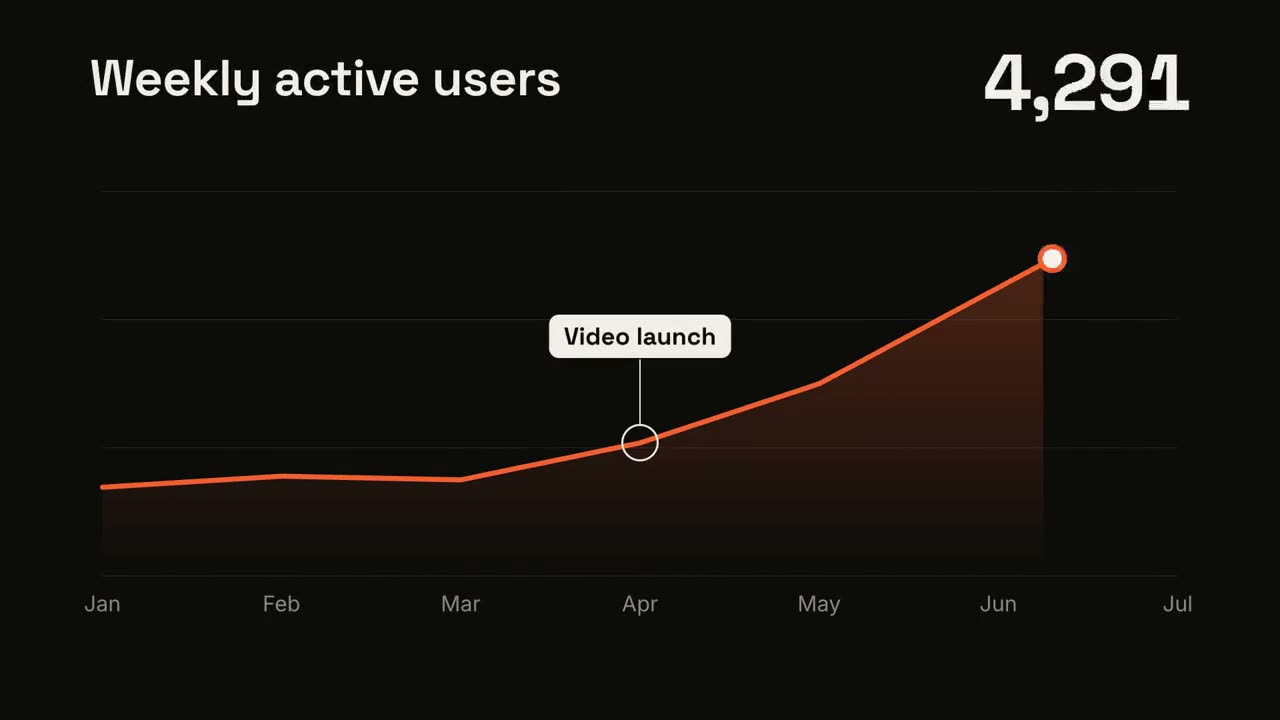
Tendencia en línea
Una línea se dibuja mostrando su valor y un momento queda anotado.
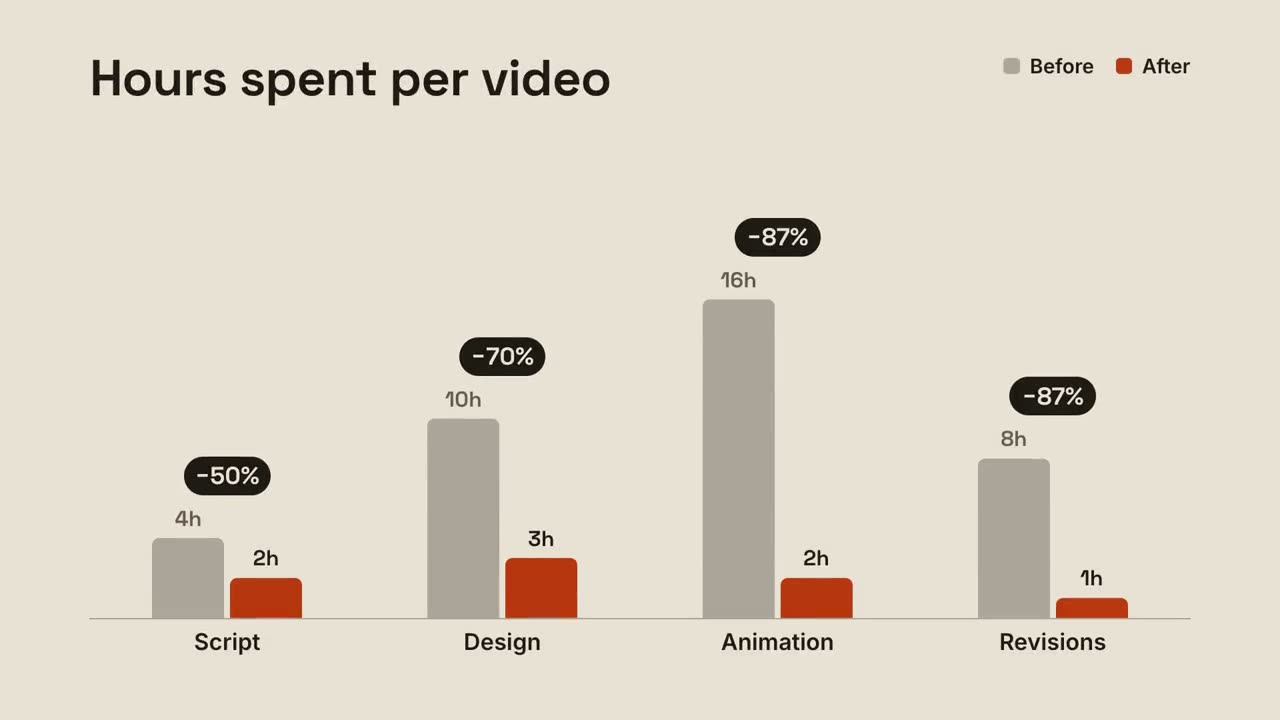
Barras agrupadas
Barras de antes y después por grupo, con el cambio sobre cada par.
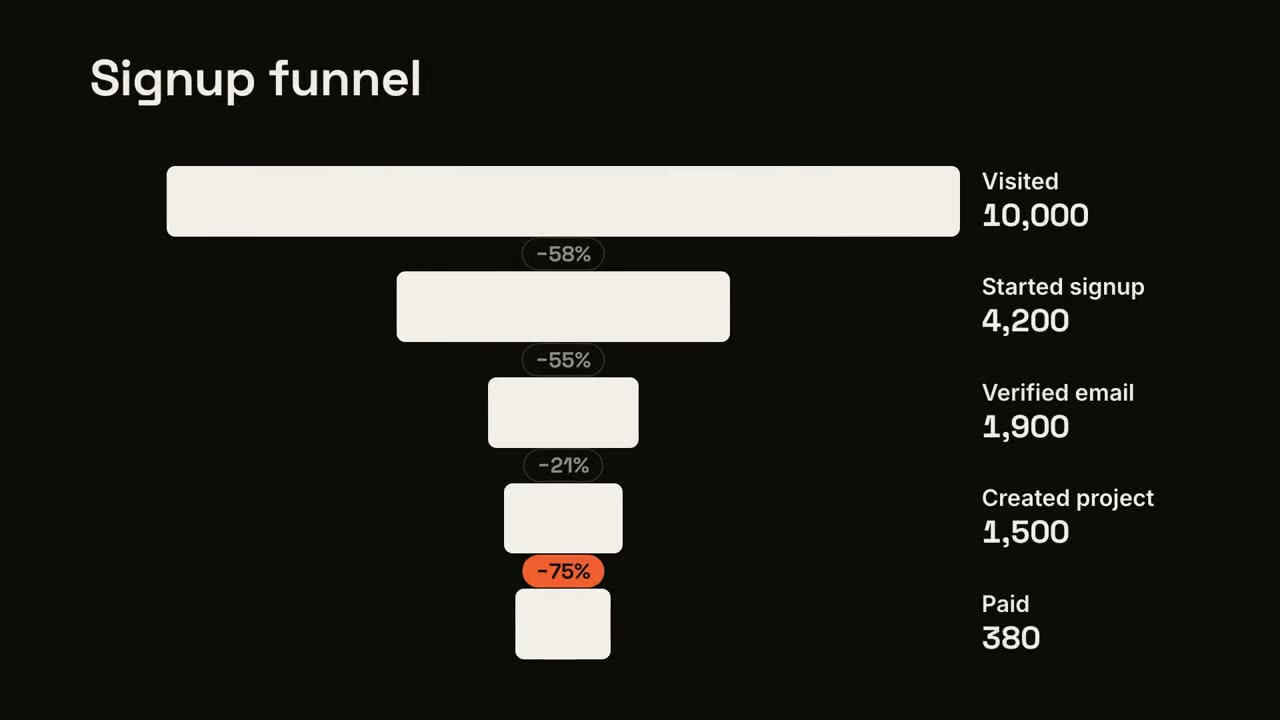
Abandono en el embudo
Las etapas del embudo se estrechan y la mayor fuga queda señalada.
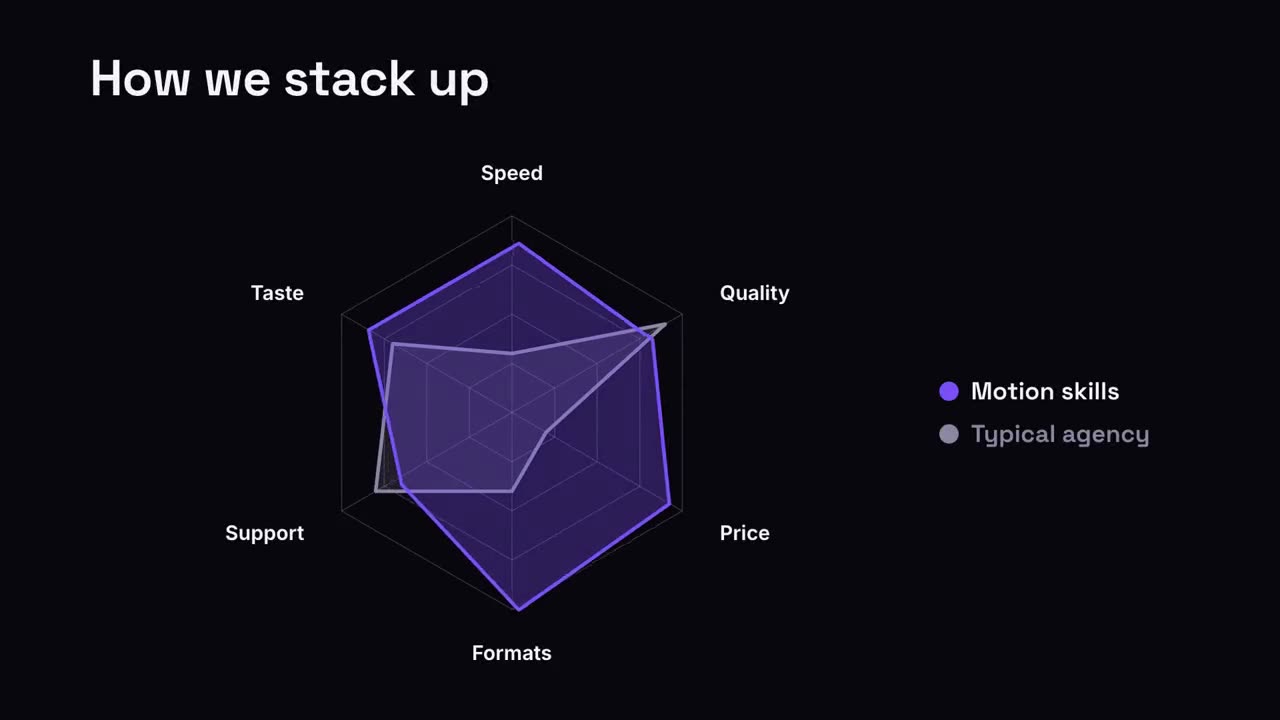
Comparación en radar
Un gráfico de araña donde tu forma supera a la comparación.