Product demo · Mistral
Le Chat: pixel symbols link the chapters of a long release
One set of pixel symbols joins chapters on research, projects, voice and image editing. Every feature gets a short claim and then one concrete use, so a film of almost two minutes stays in order.
- Kind
- Product demo
- Length
- 114 s
- Shape
- 16:9
- Posted
- 2025-07-17
- By
- Mistral AI (@MistralAI)
- Look
- PixelProduct UIPhoto
- Colours
What happens
Times are estimates from watching the film.
| Time | On screen |
|---|---|
| 0:00–0:07 | Release title |
| 0:07–0:13 | Short ability lines |
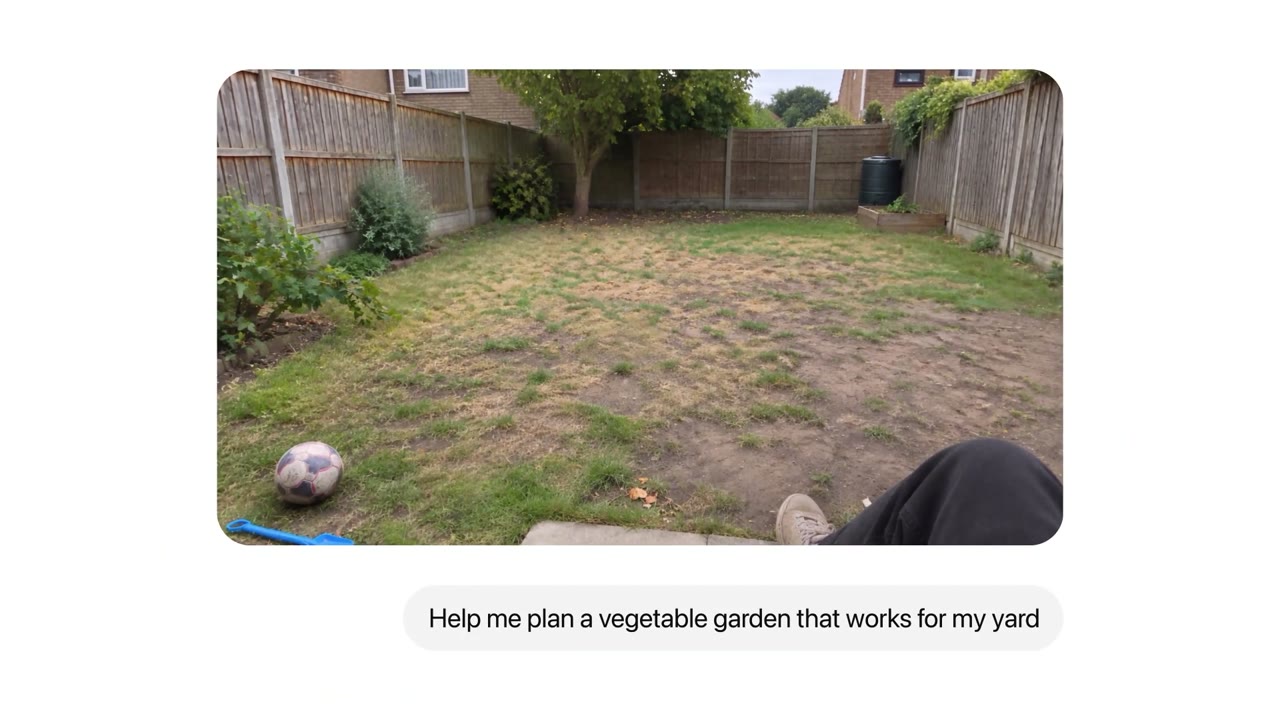
| 0:13–0:20 | Research request |
| 0:20–0:29 | Research result |
| 0:29–0:45 | Filed into a project |
| 0:45–0:57 | Dark theme |
| 0:57–1:08 | Voice command |
| 1:08–1:20 | Everyday scenes |
| 1:20–1:32 | Shopping questions |
| 1:32–1:44 | Image editing |
| 1:44–1:53 | Brand |
The rules it keeps
- 1Open each chapter with a pixel symbol and a short line, then show one product action.
- 2Use the pixel blocks for the logo, arrows, transitions and emphasis in both light and dark sections.
- 3Group chapters by theme: off-white for research and filing, black for voice and everyday scenes.
- 4Move the result card into the project group to show filing, keeping its topic and key data.
- 5In image editing keep the same subject and framing, and change only what the request asked for.
The look
Off-white and black sections alternate, red, orange and yellow pixel symbols, product cards and lifestyle footage, clear sans-serif text.
To make it yours
Replace the feature list, the requests and the result material (product photos, people and audio need your own sources); if you have fewer features, cut whole chapters.
Make a film like this
Make It Like This Film is a skill for Claude Code, Codex or Cursor. Give it this brief and your own material: it studies the reference, plans your film against its frames and checks the result side by side. It follows the structure, pacing and motion; the product, words, logo and pictures are yours.
Make a film for my product (product demo) like this reference: https://claude-motion.com/motion-references/le-chat-pixel-symbols-link-the-chapters-of-a-long-release
The reference film itself, to study: https://media.claude-motion.com/gallery/ref-1945858558836216026.mp4 (8.3 MB, about 45 seconds). Download that file and work from it.
What happens in it: Release title → Short ability lines → Research request → Research result → Filed into a project → Dark theme → Voice command → Everyday scenes → Shopping questions → Image editing → Brand.
Rules it keeps:
- Open each chapter with a pixel symbol and a short line, then show one product action.
- Use the pixel blocks for the logo, arrows, transitions and emphasis in both light and dark sections.
- Group chapters by theme: off-white for research and filing, black for voice and everyday scenes.
- Move the result card into the project group to show filing, keeping its topic and key data.
- In image editing keep the same subject and framing, and change only what the request asked for.
Look: Off-white and black sections alternate, red, orange and yellow pixel symbols, product cards and lifestyle footage, clear sans-serif text.
Use my own product, words, logo and pictures. Here is my material: [your product, screens, logo, the lines that must appear].