貼上到 Claude Code、Codex、Cursor 或任何支援 Skills 的 Agent 中。
範例提示詞
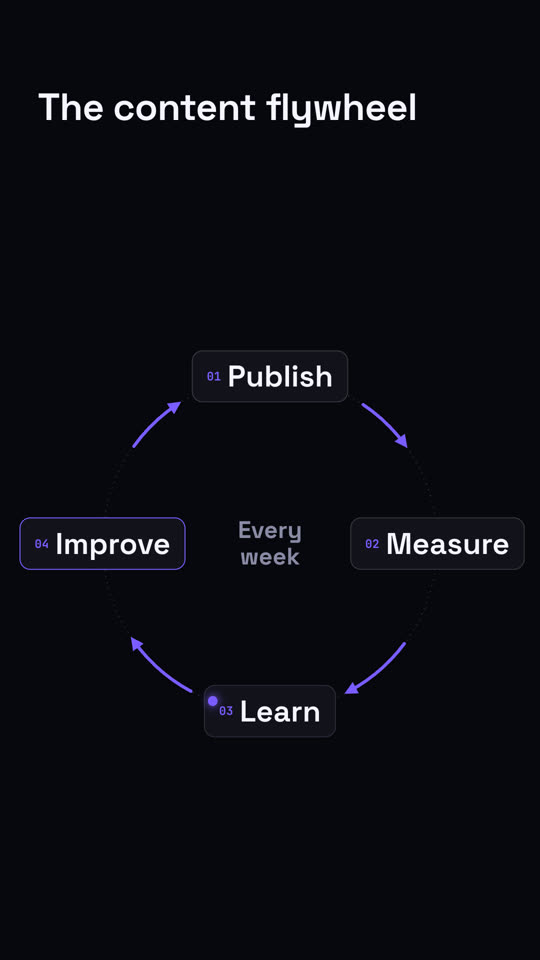
Use the cycle-loop skill: title "How we iterate", steps "Ship | Listen | Decide", center "Weekly". Ink theme, 9:16.
風格提示詞(Claude Motion 或 Opus 5.5)
Make an 8-second 16:9 loop diagram for [who will watch, e.g. the marketing team], playing [where, e.g. the planning deck]. Use only the title and four steps below. Off-white background.

The title appears. Four white rounded cards with small orange numbers pop in around a faint dotted circle: top, right, bottom, left. Curved orange arrows draw clockwise from each card to the next. A short line fades in at the center in gray. End frame: a glowing orange dot travels around the circle continuously, briefly outlining each card in orange as it passes.

Title: [e.g. "The content flywheel"]
Four steps: [e.g. Publish, Measure, Learn, Improve]
Center line: [e.g. "Every week"]
無需安裝:貼到 Claude Motion(Team 或 Enterprise),或直接傳給 Opus 5.5,就能得到相近的風格。每次執行結果會有差異;用 Skill 則每次結果一致。