Claude Code、Codex、Cursor など Skill に対応したエージェントに貼り付けてください。
プロンプト例
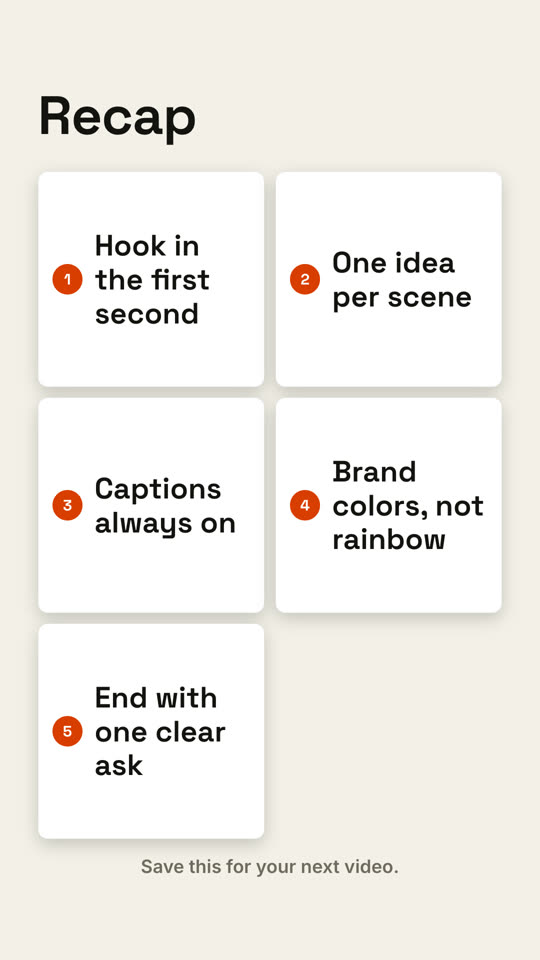
Use the recap-wall skill: title "Key takeaways", points "Start small | Measure weekly | Cut what doesn't work", cta "Follow for part 2". Paper theme, 9:16.
スタイルプロンプト(Claude Motion または Opus 5.5)
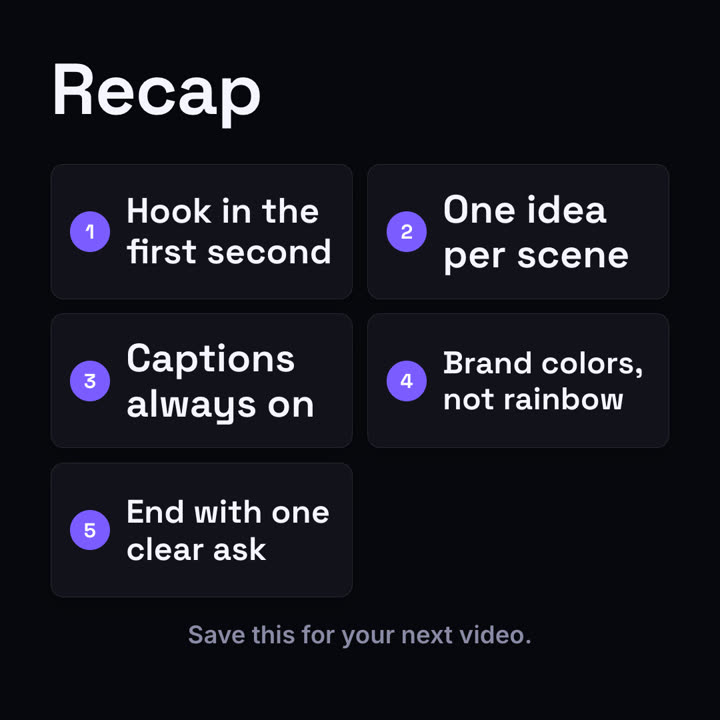
Make a 7-second 16:9 recap scene for [who will watch, e.g. people who finished our tutorial], playing [where, e.g. the last scene of the video]. Use only the five points below. Near-black background.

A bold "Recap" title sits at the top left. Five dark rounded cards fly in one by one from random directions and angles, landing in a two-row grid slightly tilted. The cards straighten and their number circles fill orange in sequence. End frame: the closing line fades in below in gray.

Five points: [e.g. "Hook in the first second", "One idea per scene", "Captions always on", "Brand colors, not rainbow", "End with one clear ask"]
Closing line: [e.g. "Save this for your next video."]