Claude Code、Codex、Cursor など Skill に対応したエージェントに貼り付けてください。
プロンプト例
Use the grouped-bars skill: series "2025 | 2026", groups "EU: 1.2, 2.1 | US: 3.4, 4.0 | APAC: 0.6, 1.8", suffix "M". Electric theme.
スタイルプロンプト(Claude Motion または Opus 5.5)
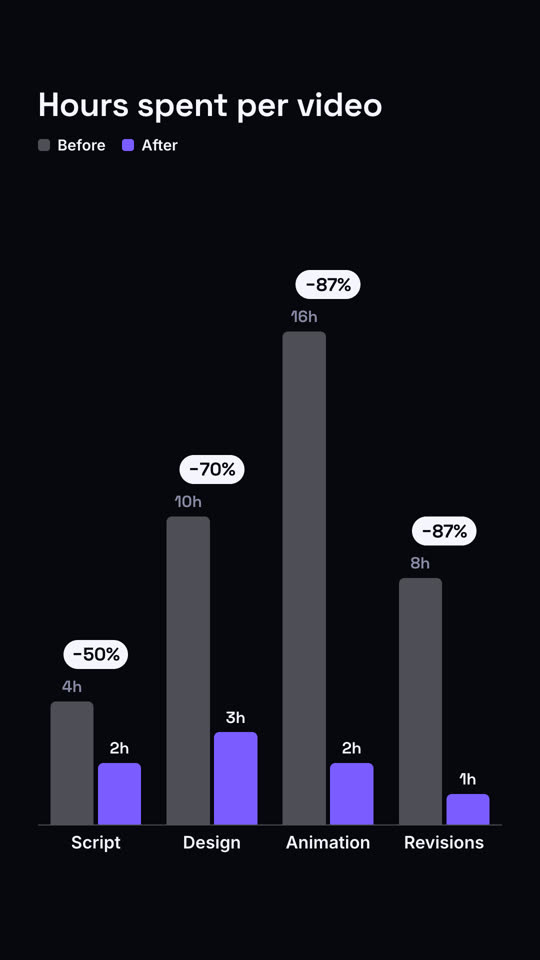
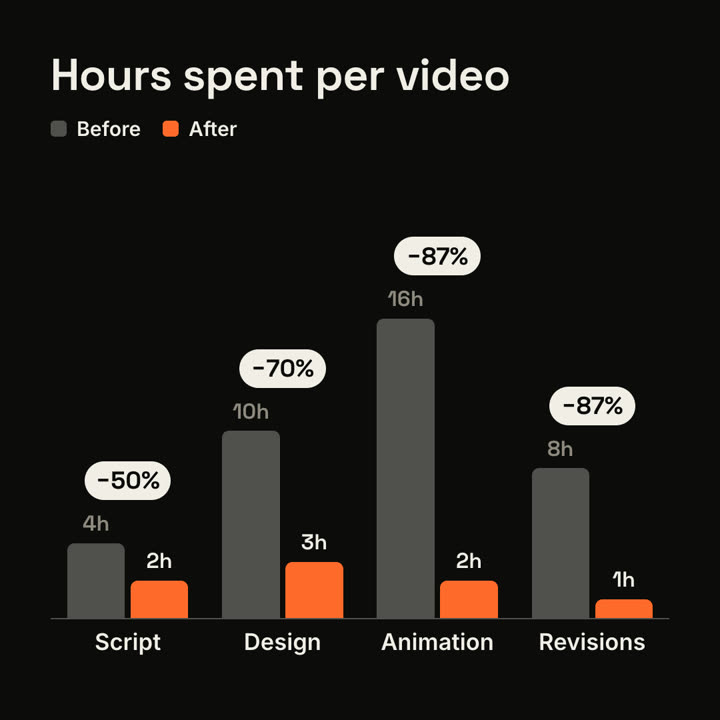
Make a 7-second 16:9 bar chart for [who will watch, e.g. clients we're pitching], playing [where, e.g. the case study]. Use only the numbers I attach or list below; the percentage changes must match them. Sand background.

The title sits top left with a small legend top right (before in gray, after in orange). Gray bars grow up from a baseline for each item. Then shorter orange bars grow beside each one. End frame: dark pills pop above each pair with the change.

Title: [e.g. "Hours spent per video"]
Items with before and after: [e.g. Script 4h → 2h, Design 10h → 3h, Animation 16h → 2h, Revisions 8h → 1h]