Claude Code、Codex、Cursor など Skill に対応したエージェントに貼り付けてください。
プロンプト例
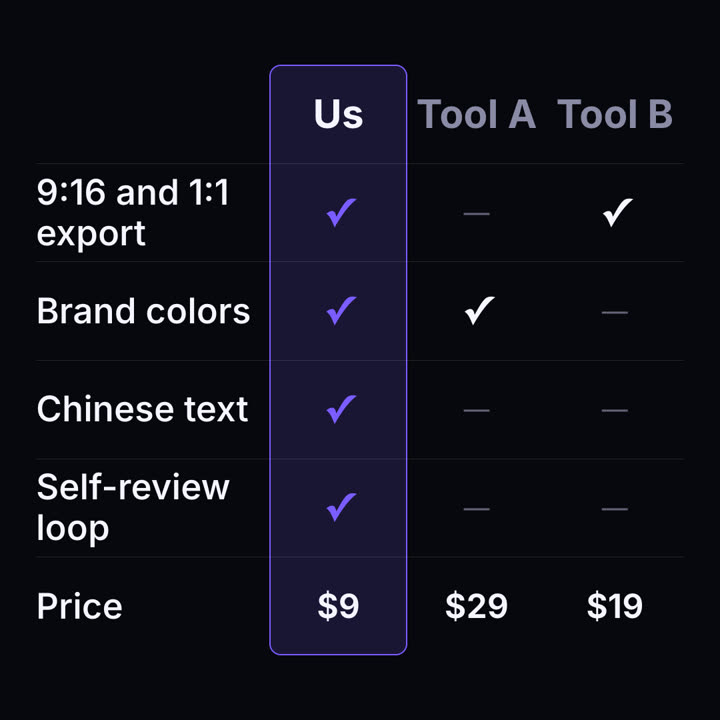
Use the feature-matrix skill: columns "Pro | Free", rows "Projects: Unlimited,3 | Custom domain: y,n | Analytics: y,n | Support: 24h,Community". Paper theme, 1:1.
スタイルプロンプト(Claude Motion または Opus 5.5)
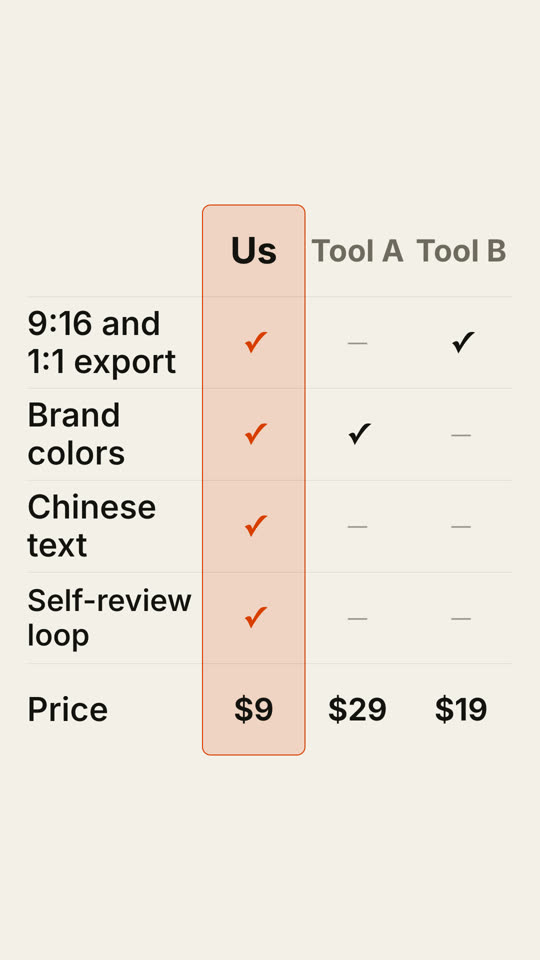
Make an 8-second 16:9 comparison table for [who will watch, e.g. buyers comparing tools], playing [where, e.g. the comparison page]. Use only the products, rows and values below; only claim what's true today. Near-black background.

Three column headers appear, and our column is outlined in orange with a faint orange fill that grows from top to bottom. Row by row, labels slide in from the left while ticks, gray dashes and prices pop into each column; the ticks in our column are orange. End frame: the full table, held for 2 seconds.

Columns: [e.g. "Us", "Tool A", "Tool B"]
Rows and values: [e.g. "9:16 and 1:1 export", "Brand colors", "Chinese text", "Self-review loop", "Price"]