Motion Director
Beschreib ein Video; dein Agent inszeniert es Shot für Shot und rendert das MP4.
Füge ihn in Claude Code, Codex, Cursor oder einen anderen Agenten ein, der Skills unterstützt.
Benötigt: Node.js 22+, FFmpeg, Chrome. Keine API-Schlüssel.
Lies https://claude-motion.com/skills/motion-director/install.md, installiere damit den Skill „motion-director“ und mach anschließend ein erstes Video damit.
Füge ihn in Claude Code, Codex, Cursor oder einen anderen Agenten ein, der Skills unterstützt.
Use the motion-director skill: a 20-second launch video for our 2.0 release, 16:9, from the notes in CHANGELOG.md.
Make a 20-second 16:9 launch video for [who will watch, e.g. our existing users], playing [where, e.g. muted in the X and LinkedIn feed]. Use only the release notes and numbers I attach; don't invent features or change a number. Electric dark style, upbeat pace.

Scene 1: a bold hook line. Scene 2: the product on screen. Scene 3: the three biggest changes tick off one by one. Scene 4: two headline numbers count up. End frame: product name, one call to action and the URL, held for 2 seconds.

Attach: [your release notes or changelog]
Hook: [one line, e.g. "Release notes nobody reads? Not anymore."]
Call to action: [e.g. "Update today"]
Nichts zu installieren: in Claude Motion (Team oder Enterprise) einfügen oder Opus 5.5 geben, für einen ähnlichen Look. Das Ergebnis ändert sich mit jedem Lauf; der Skill liefert jedes Mal dasselbe.
Mehr aus deinem Material machen
Pläne ansehen →Motion Director macht kostenlos ein ganzes Video. Für ein Repo, eine Tabelle, einen Artikel oder ein Skript gehen diese Workflows weiter: je $4.99 oder alle mit einem Plan.
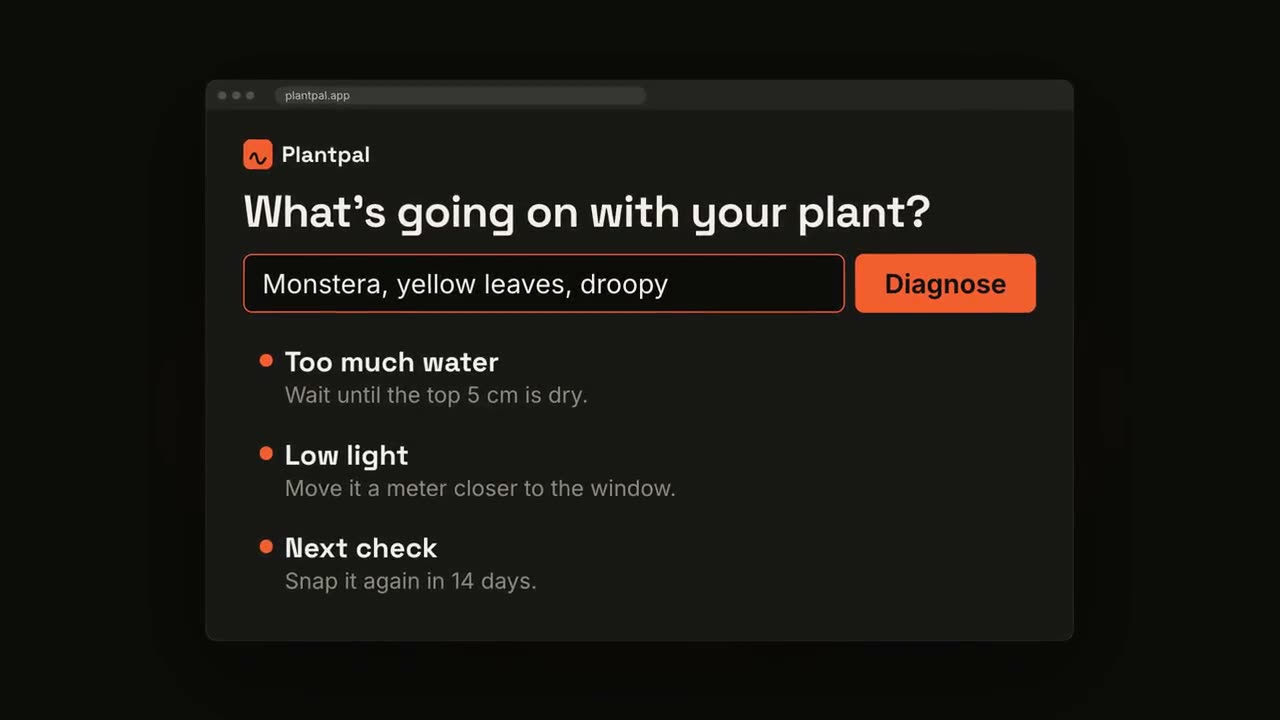
Projekt → Launch-Video
Dein Agent liest das Projekt und macht daraus ein Launch-Video mit Musik.
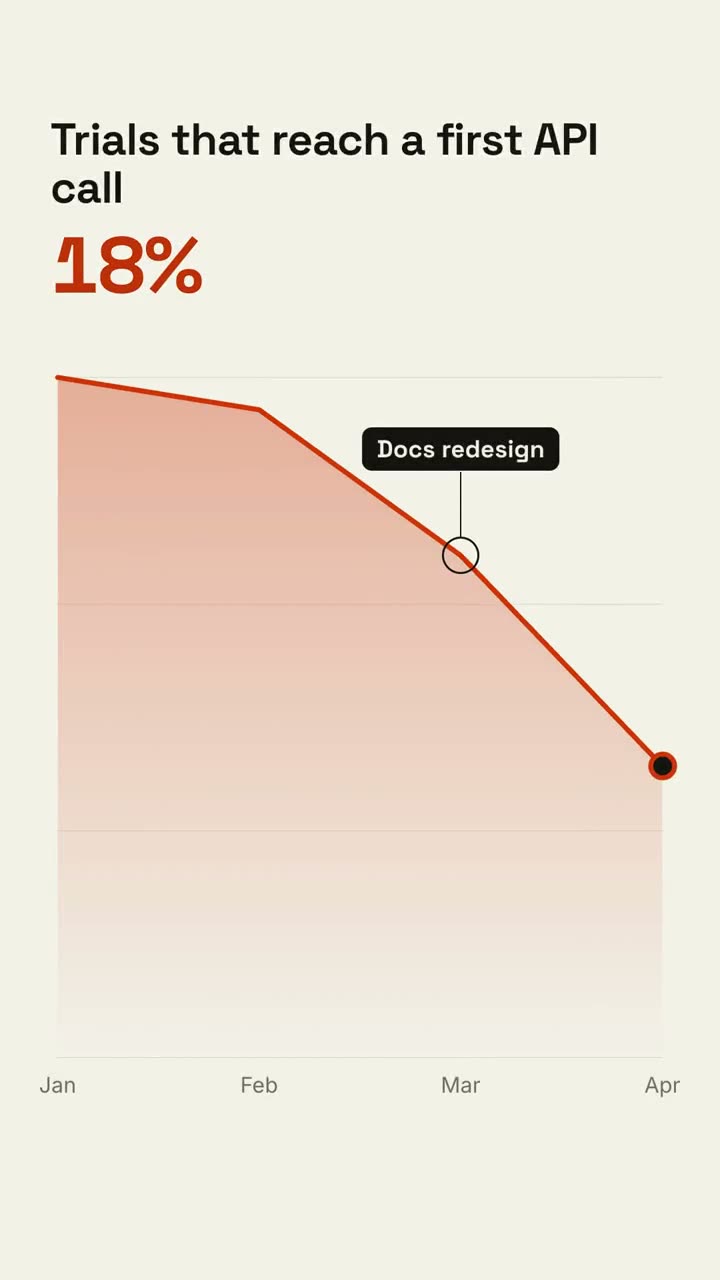
Explainer Director
Macht aus einem Artikel, Notizen oder nur einem Thema ein Erklärvideo.
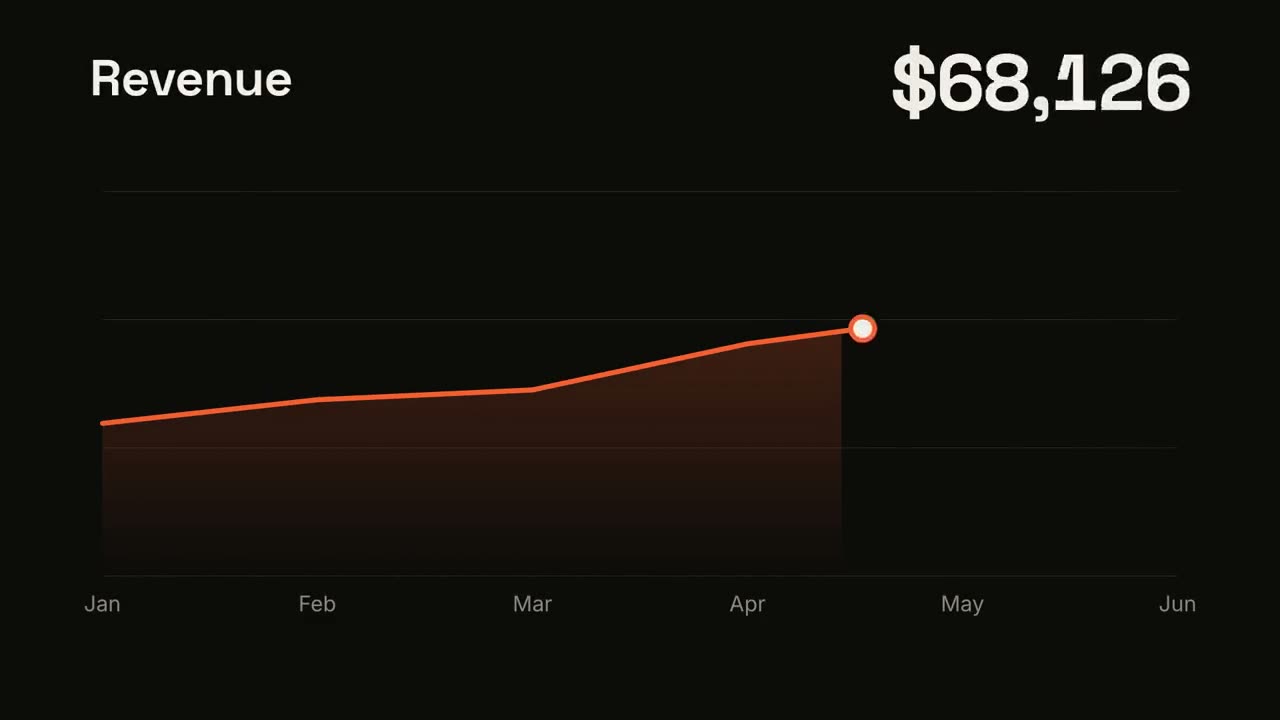
Data → Video
Macht aus einer Tabelle oder CSV ein kurzes Datenvideo, die Story findet es für dich.

Script → Short
Macht aus einer Idee oder einem Skript ein 9:16-Short für Reels, Shorts und TikTok.