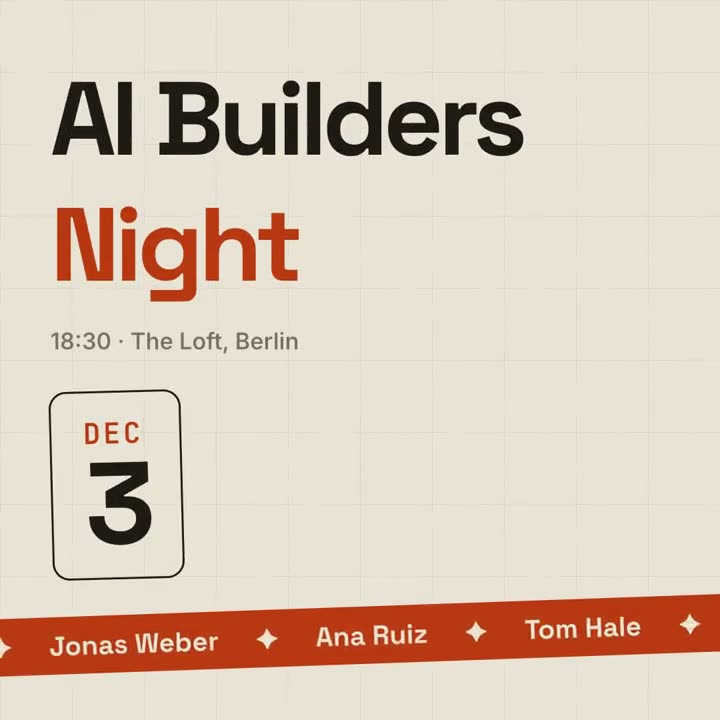
Un anuncio de evento estilo póster con un ticker de ponentes.
Pégalo en Claude Code, Codex, Cursor o cualquier agente compatible con skills.
Necesita: Node.js 22+, FFmpeg, Chrome. Sin claves de API.
Otros temas y formatos
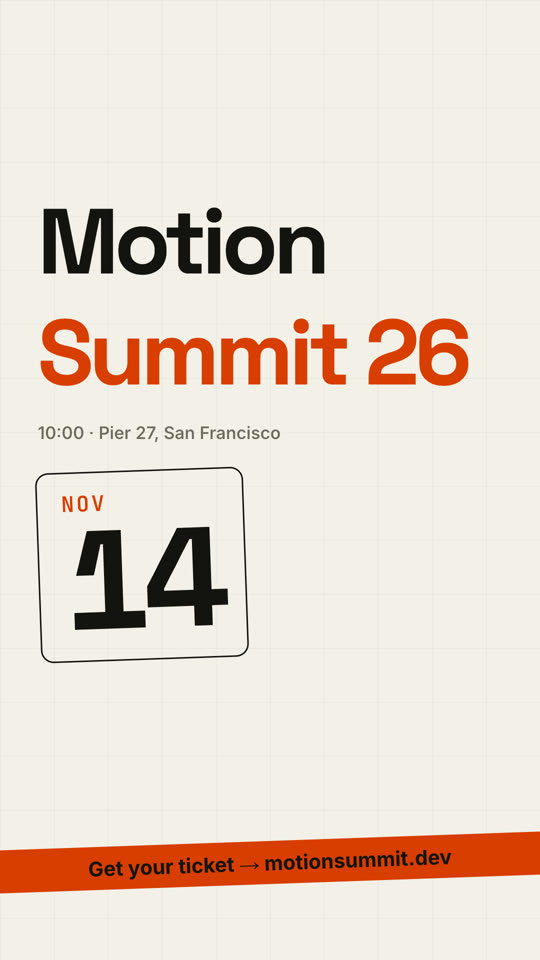
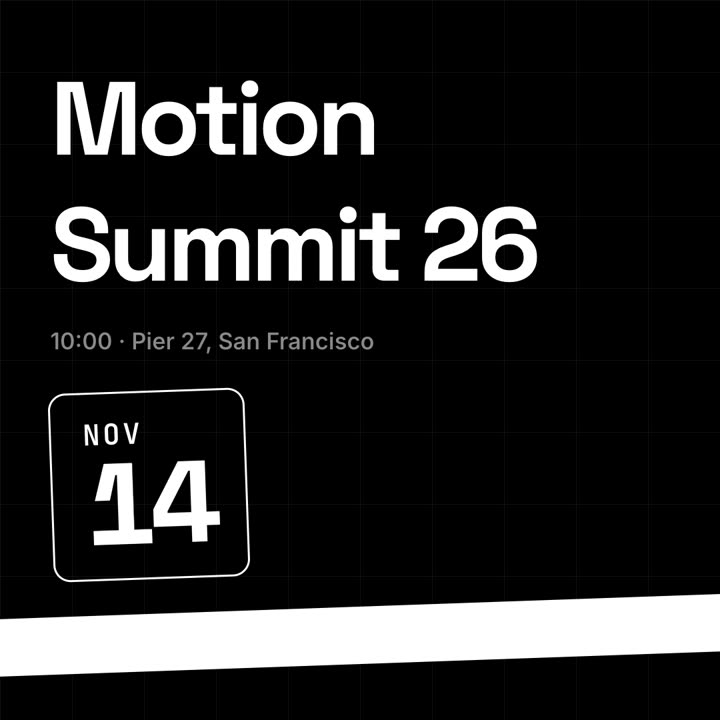
Tema: Papel · 9:16Tema: Noir · 1:1
Fotogramas finales de la misma plantilla, renderizados con otro tema y formato.
5 temas
Aa
Tinta
ink
Aa
Papel
paper
Aa
Eléctrico · predeterminado
electric
Aa
Noir
Aa
Arena
sand
Indica un tema en tu prompt o define tus propios colores de acento, fondo y texto.
Prompt de instalación
Lee https://claude-motion.com/skills/event-promo/install.md, sigue sus pasos para instalar la skill "event-promo" y luego haz un primer video con ella.
Pégalo en Claude Code, Codex, Cursor o cualquier agente compatible con skills.
Prompt de ejemplo
Use the event-promo skill for our meetup: event "AI Builders | Night", date "Dec 3", details "18:30 · The Loft, Berlin", speakers "Ana Ruiz | Tom Hale | Mei Lin", cta "RSVP → aibuilders.berlin". 1:1 for Instagram.
Prompt de estilo (Claude Motion u Opus 5.5)
Make a 10-second 16:9 event announcement for [who will watch, e.g. designers in the Bay Area], playing [where, e.g. LinkedIn and the event page]. Use only the event details below; don't change a date, place or name. Deep navy background with a faint grid.

The event name rises from masks in a heavy geometric sans, first word white, second word violet, with the time and place fading in beneath. On the right, a rounded outlined date block tilts in, showing the month in small violet monospace above a huge day number counting up. A slightly tilted violet ticker band slides up from the bottom, scrolling speaker names separated by ✦. End frame: the ticker fades to the ticket line.

Event name: [e.g. "Motion" / "Summit 26"]
Time and place: [e.g. "10:00 · Pier 27, San Francisco"]
Date: [e.g. NOV 14]
Speakers: [names]
Ticket line: [e.g. "Get your ticket → motionsummit.dev"]
Sin instalar nada: pégalo en Claude Motion (Team o Enterprise) o dáselo a Opus 5.5 para un estilo parecido. El resultado cambia en cada ejecución; la skill da siempre el mismo.